
Airparser MCP. Structured data from any document, conversationally.
 Gemini
 Works with every AI agent you already use
…and any MCP-compatible client









Just plug in your AI agents and start using Vinkius.
Airparser. This server lets your AI agent handle professional data extraction from PDFs, emails, and images. You can manage entire data pipelines—from listing inboxes to creating automated webhooks—all through natural conversation.
It's for turning messy, unstructured documents into clean, structured JSON data for any application.
What your AI agents can do
Create webhook
Adds an automated export to send data to a specific external endpoint.
Delete webhook
Removes an automated export from an inbox.
Get document details
Retrieves the structured JSON data that was extracted from a document.
Send a document (PDF, email, or image) to be parsed immediately or queued for background processing.
List and retrieve metadata for all configured document inboxes and their associated extraction schemas.
Create or delete webhooks to automatically send parsed JSON data to external systems when a document is processed.
Check the status of a document ID and retrieve the full structured JSON data extracted from it.
Ask AI about this MCP
Supported MCP Clients
Gemini Waiting for input…
Airparser MCP Server: 10 Tools for Data Extraction
These tools allow your agent to manage document inboxes, run parsing jobs, validate schemas, and automate data exports from Airparser.
019d754bcreate webhook
Adds an automated export to send data to a specific external endpoint.
019d754bdelete webhook
Removes an automated export from an inbox.
019d754bget document details
Retrieves the structured JSON data that was extracted from a document.
019d754bget inbox details
Gets metadata about a specific document inbox.
019d754bget inbox schema
Retrieves the specific field definitions used for data extraction in an inbox.
019d754blist documents
Lists all documents currently stored in a specified inbox.
019d754blist inboxes
Lists all document inboxes configured within your Airparser account.
019d754blist webhooks
Lists all automated webhooks currently running for an inbox.
019d754bparse document async
Sends a document to be parsed and processed in the background.
019d754bparse document sync
Parses a document immediately and returns the structured data in the current session.
Choose How to Get Started
Build a custom MCP for your own tools, or connect a ready-made integration from our catalog.
Build Your Own
Turn any API into an MCP. Import a spec, define Agent Skills, or deploy with MCPFusion.
- Import from OpenAPI, Swagger, or YAML specs
- Create Agent Skills with progressive disclosure
- Deploy to edge with MCPFusion framework
- Built in DLP, auth, and compliance on every call
- Real time usage dashboard and cost metering
- Publish to catalog or keep private
Make Your AI Do More
Start with Airparser, then connect any of our 4,700+ other servers whenever your AI needs more. One click, no limits.
- Use this MCP plus 4,700+ others, all in one place
- Add new capabilities to your AI anytime you want
- Every connection is secured and compliant automatically
- Track usage and costs across all your servers
- Works with Claude, ChatGPT, Cursor, and more
- New servers added to the catalog every week
What you can do with this MCP connector
Your AI agent handles professional data extraction from PDFs, emails, and images. It manages the whole data pipeline, from checking inboxes to sending data out. You can turn messy, unstructured documents into clean, structured JSON for any app. You'll use these tools when your agent needs to read, manage, or export data from your documents.
Processing Documents:
- You can send a document—a PDF, an email, or an image—to be parsed right now using
parse_document_sync, which returns the structured data in the current chat session. If you prefer to queue it up for later, you can send it to the background withparse_document_async. - To check on the results, your agent uses
get_document_detailsto retrieve the structured JSON data extracted from a document ID. You can also see the status of a document ID usingget_document_details.
Managing Data Sources:
- You can list all document inboxes configured in your Airparser account using
list_inboxes. For a specific inbox, you can see its metadata withget_inbox_details. You can also check what field definitions are used for extraction in an inbox by callingget_inbox_schema. To see all the documents in a specific inbox, uselist_documents.
Automating Data Exports:
- When you want to automatically send the parsed JSON data to an external system, your agent can use
create_webhookto set up an automated export to a specific endpoint. If the export isn't needed anymore, you can clean up by runningdelete_webhookto remove an automated export from an inbox. You can list all running webhooks for an inbox withlist_webhooks.
How Airparser MCP Works
- 1 Start by listing available inboxes using the
list_inboxestool to identify the correct source. - 2 Use
list_documentsto pull a list of documents from that inbox, orparse_document_asyncto queue a new file for processing. - 3 Once processing is complete, your agent uses
get_document_detailsto retrieve the final JSON data, and optionallycreate_webhookto send it to a target API.
The bottom line is, your AI client talks to the Airparser server, which processes the document and then sends the structured output to whatever endpoint you specify.
Who Is Airparser MCP For?
The Operations Manager who is sick of manually entering invoice data or running separate scripts to process resumes. The Developer who needs to embed IDP into a custom app without building a document parser from scratch. Any team that deals with high volumes of messy, varied documents—think invoices, contracts, or receipts—and needs clean data out the other end.
Automates the intake of receipts and invoices by triggering parse_document_async and then using create_webhook to push the data directly into accounting software.
Processes large batches of resumes by running parse_document_async on multiple files, and then using the resulting JSON data to filter candidates programmatically.
Integrates document parsing into a custom workflow by calling parse_document_sync and using get_document_details to validate the schema before continuing the code.
What Changes When You Connect
- The moment you need clean data from a messy document, you don't copy-paste. You send a PDF or image, and your agent uses
parse_document_asyncto process it, giving you structured JSON results. - You stop guessing what data is available. By calling
get_inbox_schema, you retrieve the exact field definitions, ensuring the output JSON matches your database's required format. - You stop managing data exports in a separate UI. Use
create_webhookto automatically push parsed JSON data to your CRM or database the second the document is processed. - You get a full audit trail. Instead of checking multiple tabs, you use
list_webhooksandlist_inboxesto see every configured pipeline and every document source in one place. - You don't wait for large files. If you only need to check the status, you can use
get_document_detailsto pull the final JSON result without having to wait for a synchronous parse. - The entire pipeline is visible. You can call
list_documentsto see all files in an inbox, and then useget_inbox_detailsto understand the context of the source data.
Real-World Use Cases
Processing Quarterly Accounts Payable
The Accounts Payable team receives 50 invoices weekly. Instead of manually keying in vendor names and totals, the agent uses parse_document_async on the PDF batch. It then uses create_webhook to automatically pipe the resulting structured JSON directly into the ERP system, eliminating manual entry errors.
Onboarding New Employees
A recruiter gets 100+ resumes (PDFs/images). The agent uses list_inboxes to confirm the 'Resumes' source, then runs parse_document_async on the batch. It retrieves the structured JSON via get_document_details to filter candidates based on skills, solving the tedious manual review process.
Auditing Data Pipelines
A data analyst needs to know if the 'Leads' inbox is configured correctly. They use get_inbox_schema to validate the 10 required fields, then use list_webhooks to confirm that the data export only happens to the staging database, preventing accidental data leakage.
Real-Time Document Status Check
A developer submits a complex contract for parsing. They don't want to wait. They use parse_document_async and then periodically call get_document_details using the document ID to check the status and retrieve the partial JSON result as soon as it's ready.
The Tradeoffs
Treating parsing as a single API call
Thinking you just send a document and get the JSON back instantly. If the document is large or complex, the initial synchronous call (parse_document_sync) will time out or fail, leaving you with no data.
→
Use parse_document_async first. This queues the job. Then, use get_document_details with the document ID to poll the status and retrieve the final JSON result when the job is complete.
Ignoring data source structure
Assuming all uploaded documents have the same fields (e.g., 'Total Amount'). If the source schema changes, your code breaks because you didn't check the rules first.
→
Always check the required field definitions using get_inbox_schema before running a parse. This validates the extraction fields and prevents schema mismatch errors.
Manual data export setup
When a document is processed, you manually log into your CRM and run an import. This is slow, error-prone, and requires human intervention every time.
→
Use create_webhook to set up an automated export. The moment the document is processed, the data automatically pushes to your target application, running the pipeline without human touch.
When It Fits, When It Doesn't
Use this server if your core problem is converting unstructured documents (PDFs, images, emails) into clean, reliable JSON data that must flow into another system. You need more than just a simple OCR tool; you need an IDP workflow engine that manages the whole cycle—from ingestion to validation to export. Don't use this if you only need to read text from a PDF; use a simple PDF reader tool instead. If your only need is to list document titles, list_documents handles that. But if you need to process, validate, and export that data, this is the only toolset you need. The combination of get_inbox_schema and create_webhook is what makes it enterprise-grade.

Independent Platform Disclaimer: Vinkius is an independent platform and is not affiliated with, endorsed by, sponsored by, verified by, or otherwise authorized by Airparser. All third-party trademarks, logos, and brand names are the property of their respective owners. Their use on this website is strictly for informational purposes to identify service compatibility and interoperability.
VINKIUS INFRASTRUCTURE
Cloud Hosted
Managed infra
V8 Isolated
Sandboxed per request
Zero-Trust Proxy
No stored credentials
DLP Enforced
Policy on every call
GDPR Compliant
EU data residency
Token Compression
~60% cost reduction
Works with Claude, ChatGPT, Cursor, and more
The Model Context Protocol standardizes how applications expose capabilities to LLMs. Instead of operating in isolation, your AI gains direct access to external platforms, live data, and real-world actions through secure, standardized connections.
This server provides 10 capabilities that interface natively with Claude, ChatGPT, Cursor, and any MCP client. No middleware. No custom integration required.
Available Capabilities
Copying and pasting data from invoices shouldn't take minutes.
Right now, if you get a batch of 50 receipts, you open a spreadsheet. You copy the vendor name from the PDF, paste it into cell A. You open the next PDF, copy the total, paste it in cell B. You repeat this 50 times, spending hours just on data entry.
With the Airparser MCP Server, you upload the 50 PDFs to your agent. It uses `parse_document_async` to extract the data. You then call `get_document_details`, and the clean, structured JSON is ready. Your agent handles the whole process, instantly.
Airparser MCP Server: Automate data pipelines.
You currently have to manually set up every integration—connecting the parsed data to your accounting platform, testing the webhook, and fixing the failure when the schema changes. It's a separate, brittle process for every single document type.
This server lets you manage that entire pipeline through simple commands. You use `create_webhook` to set the destination, and your agent runs the connection. The data flows automatically, every time.
Common Questions About Airparser MCP
How do I check the status of a document using Airparser MCP Server? +
You check the status by calling get_document_details with the document ID. This tool tells you if the parse is 'Completed' and provides the full JSON result if it is. If it's still running, it gives you an update.
What is the difference between `parse_document_async` and `parse_document_sync`? +
parse_document_async queues the job and returns immediately. This is best for large batches. parse_document_sync attempts to parse the document right away, which is fine for small, quick files.
How do I ensure the data I get from Airparser MCP Server is correct? +
Before running a parse, use get_inbox_schema. This tool retrieves the extraction field definitions, letting you verify that the source document supports the fields you need.
Can I use Airparser MCP Server to connect to external systems? +
Yes. You use create_webhook to define an automated data export. This pushes the structured JSON data directly to an external API endpoint when a document is finished processing.
How do I use the `list_inboxes` tool with Airparser MCP Server? +
The list_inboxes tool shows all Airparser inboxes connected to your account. You can use this to see the names and IDs of all document sources you manage, like 'Invoices_US' or 'HR_Resumes'.
What is the purpose of the `get_inbox_schema` tool in Airparser MCP Server? +
The get_inbox_schema tool retrieves the specific field definitions for an inbox. This lets you verify exactly what data points—like 'VendorName' or 'TotalAmount'—are configured to be extracted from documents.
How can I automate data export using the `create_webhook` tool with Airparser MCP Server? +
The create_webhook tool sets up automated data pushes. You give it an endpoint URL, and Airparser sends the parsed JSON data there whenever a document in that inbox is processed.
Can I use the `list_webhooks` tool to manage existing Airparser automated exports? +
Yes, the list_webhooks tool shows all the automated export rules configured for an inbox. You can check if a webhook is active or if its destination URL needs updating.
How do I find my Airparser API Key? +
Log in to your Airparser account and navigate to Account Settings or API section. You can generate and copy your unique API key from there. It must be used in the X-API-Key header.
Can I get parsing results immediately? +
Yes! Use the parse_document_sync tool. It waits for Airparser to finish processing (up to 60 seconds) and returns the extracted JSON data directly in the response.
Does this support multi-item tables like line items in an invoice? +
Yes, Airparser handles nested structures and tables. Ensure your Extraction Schema in the inbox is configured to capture these fields, and they will be returned as structured JSON arrays.
Use it with your favorite AI tools
Connect this server to Cursor, Claude, VS Code, and more.
More in this category

Deep Talk
Equip your AI agent to analyze conversation datasets, extract topics, and monitor sentiment via the Deep Talk API.
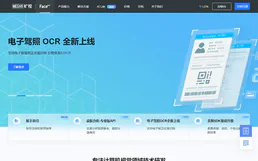
Face++ / Megvii
Leading facial recognition and computer vision platform — detect faces, compare identities, and analyze body gestures via AI.
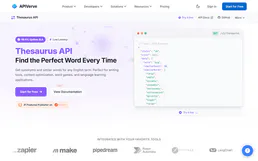
Thesaurus API
Search synonyms and antonyms — audit linguistics via AI.
You might also like

Cronitor (Cron Monitoring)
Monitor cron jobs, heartbeats, and websites. Track performance, receive alerts, and manage uptime directly from your AI agent.
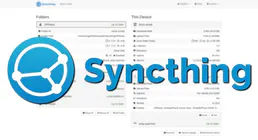
Syncthing
Manage file synchronization via Syncthing — monitor device connections, browse directories, and control sync folders directly from any AI agent.

IBAMA Dados Abertos
Access Brazilian environmental open data — query datasets, inspect resources, and analyze environmental metrics directly from IBAMA's official portal.