
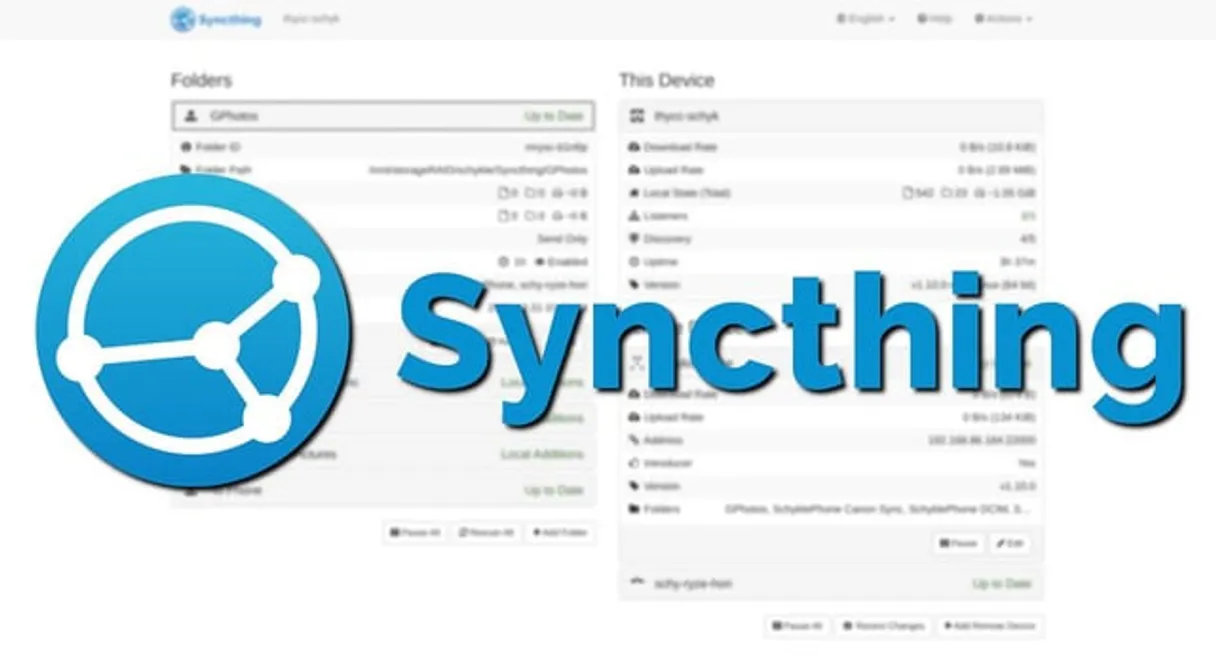
Syncthing MCP Server with 28 Tools for Claude, Cursor, and AI Agents
 GDPR Free for Subscribers
Manage file synchronization via Syncthing — monitor device connections, browse directories, and control sync folders directly from any AI agent. Vinkius routes your AI agents directly to Syncthing through a governed connection. 28 tools ready to use with Claude, ChatGPT, Cursor, or any AI agent — no hosting, no setup, connect in 30 seconds.
Ask AI about this server
Compatible with every major AI agent and IDE
 Gemini
* Every MCP server runs on Vinkius-managed infrastructure inside AWS - a purpose-built runtime with per-request V8 isolates, Ed25519 signed audit chains, and sub-40ms cold starts optimized for native MCP execution. See our infrastructure
What is the Syncthing MCP Server?
The Syncthing MCP Server routes AI agents like Claude, ChatGPT, and Cursor directly to Syncthing via 28 tools. Manage file synchronization via Syncthing — monitor device connections, browse directories, and control sync folders directly from any AI agent. Powered by Vinkius — your credentials stay on your side of the connection, every request is auditable. Connect in under 2 minutes.
Built-in capabilities (28)
Tools for your AI Agents to operate Syncthing
Ask your AI agent "Show me all connected devices and their current status." and get the answer without opening a single dashboard. With 28 tools connected to real Syncthing data, your agents reason over live information, cross-reference it with other MCP servers, and deliver insights you would spend hours assembling manually.
Works with Claude, ChatGPT, Cursor, and any MCP-compatible client. Powered by Vinkius — your credentials never touch the AI model, every request is auditable. Connect in under two minutes.
Why teams choose Vinkius
One subscription gives you the infrastructure to connect your AI agents to thousands of MCP servers — and deploy your own to the Vinkius Edge. Your credentials stay yours. Your data flows directly between your agent and the API. DLP blocks sensitive information from ever reaching the model, kill switch for instant shutdown, and up to 60% token savings. Enterprise-grade routing and governance, zero maintenance.
Build your own MCP Server with our secure development framework →The Syncthing App Connector works with every AI agent you already use
…and any MCP-compatible client









Use all 28 Syncthing tools with your AI agents right now
Vinkius routes your AI agents to Syncthing through a governed proxy. Beyond a simple connection, you get full visibility into every action your agents perform, with enterprise-grade security and up to 60% savings on AI costs.
Get config on Syncthing
Get entire configuration
Get db completion on Syncthing
Get folder/device completion status
Get db file on Syncthing
Get detailed data about a specific file
Get db ignores on Syncthing
Get ignore patterns for a folder
Get db status on Syncthing
). Get folder database status
Get device on Syncthing
Get specific device configuration
Get device stats on Syncthing
Get device statistics
Get devices on Syncthing
Get all configured devices
Get events on Syncthing
Poll for events
Get folder on Syncthing
Get specific folder configuration
Get folder stats on Syncthing
Get folder statistics
Get folders on Syncthing
Get all configured folders
Get health on Syncthing
Returns {"status": "OK"}. Does not require authentication. Simple health check
Get random string on Syncthing
Get a strong random alphanumeric string
Get restart required on Syncthing
Check if restart is required
Scan db on Syncthing
Request immediate scan of a folder
Set config on Syncthing
Replace entire configuration
Set db ignores on Syncthing
Set ignore patterns for a folder
System browse on Syncthing
List directories matching a path
System connections on Syncthing
Get configured devices and connection status
System pause on Syncthing
If device ID is omitted, affects all devices. Pause devices
System reset on Syncthing
Optionally reset only a specific folder. Reset index database
System restart on Syncthing
Restart Syncthing
System resume on Syncthing
If device ID is omitted, affects all devices. Resume devices
System shutdown on Syncthing
Shutdown Syncthing
System status on Syncthing
). Get current system status and resource usage
System version on Syncthing
Get Syncthing version
Verify device id on Syncthing
Verify and format a device ID
What the Syncthing MCP Server unlocks
Connect your Syncthing instance to any AI agent and take full control of your private file synchronization infrastructure through natural conversation.
What you can do
- Device Monitoring — List all configured devices and check their real-time connection status and metadata.
- Folder Management — Query all synchronized folders, check their database status, and monitor completion percentages.
- System Control — Pause or resume synchronization for specific devices, restart the Syncthing process, or check if a configuration change requires a restart.
- Directory Browsing — Remotely list directories matching specific paths to verify file structures across your sync network.
- Configuration & Stats — Fetch or update the entire system configuration and retrieve detailed statistics for folders and devices.
How it works
1. Subscribe to this server
2. Enter your Syncthing Web UI URL and API Key
3. Start managing your P2P sync network from Claude, Cursor, or any MCP-compatible client
Who is this for?
- Sysadmins & DevOps — monitor distributed sync nodes and manage configurations without leaving the terminal or chat interface.
- Power Users — check the health of home lab backups and trigger folder scans or device resumes via voice or text.
- Data Managers — verify that specific files have synced across the network by browsing remote directories through the AI.
Frequently asked questions about the Syncthing MCP Server
How can I check if Syncthing needs a restart after I changed the configuration?
You can use the get_restart_required tool. It will return a boolean indicating if a restart is pending due to configuration changes.
Is it possible to pause synchronization for a specific device using the AI?
Yes. Use the system_pause tool and provide the specific Device ID. If you omit the ID, it will pause all devices.
Can I see which files are currently being synchronized?
You can use get_db_status or get_db_completion for a specific folder to see the synchronization progress and state of the files in that directory.
More in this category

LanceDB (Serverless Vector DB)
6 toolsManage vectorized data via LanceDB — perform similarity searches, create tables, and manage multi-modal embeddings.

Glob Pattern Tester
1 toolsTest whether a file path matches a glob pattern using the same algorithm used by npm and git. 130M+ weekly downloads.

Turso
10 toolsAutomate distributed database workflows via Turso — manage edge locations, organizations, and libSQL databases directly from any AI agent.
Redis Vector
6 toolsEquip your AI to autonomously manage embeddings, run KNN similarity searches, and administrate vector indexes natively inside your Redis stack.
You might also like

Podcast Index
16 toolsAccess the open podcast ecosystem — search for shows, retrieve episode metadata, and discover trending content directly from your AI agent.

Udesk / 沃丰科技
10 toolsComprehensive customer service platform — manage tickets, customers, and knowledge base via AI.

vCita
12 toolsRun your small business with online scheduling, payment collection, and client management that keeps everything in one place.

Fulcrum
10 toolsManage field data collection, track form records, and query datasets via AI agents with Fulcrum.
We built the connector to Syncthing. Now put your agents to work. Fully governed.
Vinkius is the AI Gateway with managed hosting. Stop building connectors. Every connection runs inside eight layers of security.
Hosted, sandboxed, and live on AWS. You don't provision anything. You don't maintain anything. You connect.
Every tool call, every token, every response. Logged and auditable. Data flows direct from Syncthing to your agent. Nothing is stored on our side. Ever.
Eight governance layers on every request. Sensitive data redacted before it reaches the model. Kill switch if anything goes sideways. Always on.