
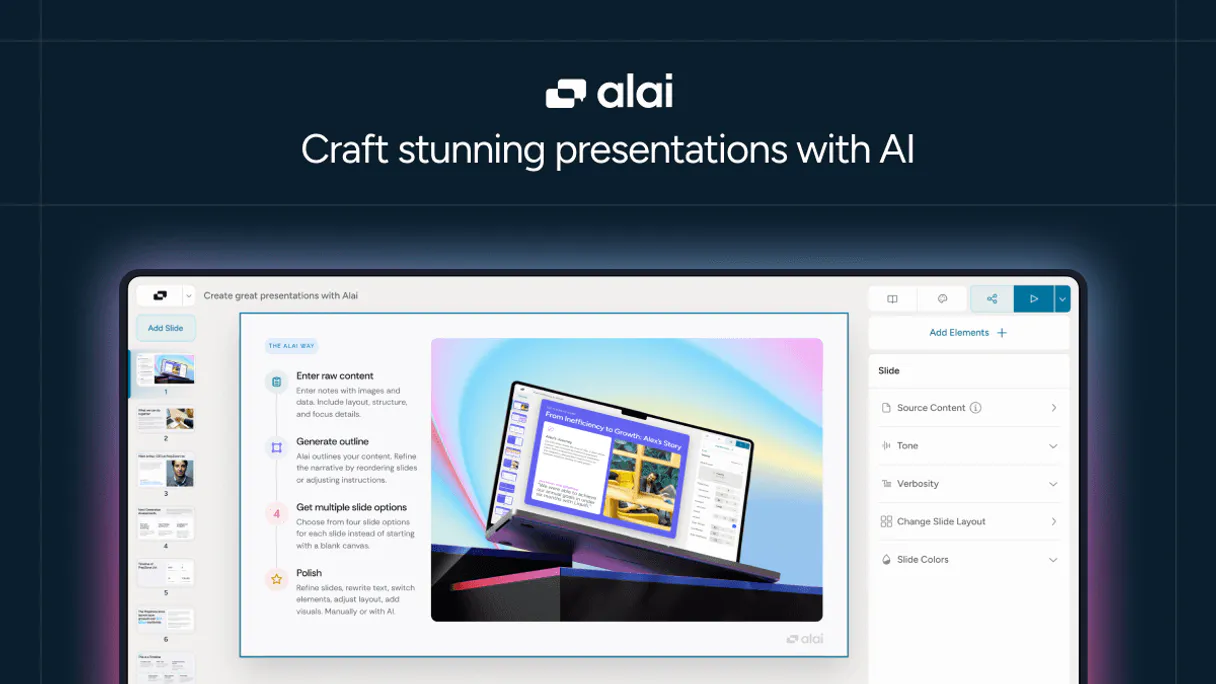
Alai MCP. Automate asset creation and campaign deployment.
 Gemini
 Works with every AI agent you already use
…and any MCP-compatible client









Just plug in your AI agents and start using Vinkius.
Alai MCP manages your entire marketing content pipeline using AI-generated assets. Connect it to any agent to turn raw selfies into studio-quality headshots, build coordinated campaigns, and track every asset's performance in one place.
What your AI agents can do
Check getalai status
Verifies the connection to the Alai system so you know if your automation is running correctly.
Create asset
Initiates the creation of a new, specific marketing asset based on given parameters.
Create campaign
Sets up an entire campaign structure, defining its scope and associated goals within Alai.
Trigger the creation of high-fidelity images and textual content for your portfolio.
Define, activate, and monitor entire marketing initiatives using structured campaign data.
Query the system to see if content generation jobs are processing or ready for immediate use.
List your entire asset library, retrieving detailed information on creation IDs and session status.
Get specific details about a single asset or campaign to feed into other automated workflows.
Ask AI about this MCP
Supported MCP Clients
OAuth 2.0 Compatible Gemini Waiting for input…
Alai: 12 Tools for Content Ops
These twelve tools allow your agent to perform every action in the asset lifecycle—from listing templates to creating and deleting final campaigns.
Make your AI actually useful.
Add this MCP to Claude, Cursor, or Windsurf and your AI stops guessing. It gets real tools to look things up, take action, and handle the stuff you keep doing by hand.
Start using Alai on Vinkius019dd0f9check getalai status
Verifies the connection to the Alai system so you know if your automation is running correctly.
019dd0f9create asset
Initiates the creation of a new, specific marketing asset based on given parameters.
019dd0f9create campaign
Sets up an entire campaign structure, defining its scope and associated goals within Alai.
019dd0f9delete asset
Removes a specific marketing asset from the system record entirely.
019dd0f9generate content
Runs AI to generate new marketing content, like professional portraits or copy, based on prompts.
019dd0f9get asset
Retrieves all the technical details for one specific asset you already know about.
019dd0f9get campaign
Pulls up the full details and current status of a single campaign by its ID.
019dd0f9get generation
Checks the specific, real-time progress of one content generation job that is currently running.
019dd0f9list assets
Lists all assets in your portfolio and provides summary metadata for quick review.
019dd0f9list campaigns
Shows a list of existing campaigns, including their status and basic details.
019dd0f9list generations
Lists all historical content generation jobs to track past activity and usage volume.
019dd0f9list templates
Displays available template structures, helping you understand what types of assets can be created.
Choose How to Get Started
Build a custom MCP for your own tools, or connect a ready-made integration from our catalog.
Build Your Own
Turn any API into an MCP. Import a spec, define Agent Skills, or deploy with MCPFusion.
- Import from OpenAPI, Swagger, or YAML specs
- Create Agent Skills with progressive disclosure
- Deploy to edge with MCPFusion framework
- Built in DLP, auth, and compliance on every call
- Real time usage dashboard and cost metering
- Publish to catalog or keep private
Make Your AI Do More
Start with Alai, then connect any of our 4,800+ other servers whenever your AI needs more. One click, no limits.
- Use this MCP plus 4,800+ others, all in one place
- Add new capabilities to your AI anytime you want
- Every connection is secured and compliant automatically
- Track usage and costs across all your servers
- Works with Claude, ChatGPT, Cursor, and more
- New servers added to the catalog every week
Independent Platform Disclaimer: Vinkius is an independent platform and is not affiliated with, endorsed by, sponsored by, verified by, or otherwise authorized by Alai. All third-party trademarks, logos, and brand names are the property of their respective owners. Their use on this website is strictly for informational purposes to identify service compatibility and interoperability.
VINKIUS INFRASTRUCTURE
Cloud Hosted
Managed infra
V8 Isolated
Sandboxed per request
Zero-Trust Proxy
No stored credentials
DLP Enforced
Policy on every call
GDPR Compliant
EU data residency
Token Compression
~60% cost reduction
Works with Claude, ChatGPT, Cursor, and more
The Model Context Protocol standardizes how applications expose capabilities to LLMs. Instead of operating in isolation, your AI gains direct access to external platforms, live data, and real-world actions through secure, standardized connections.
This server provides 12 capabilities that interface natively with Claude, ChatGPT, Cursor, and any MCP client. No middleware. No custom integration required.
The Headache of Content Auditing
Today, tracking a content piece is painful. You create it here, upload the metadata there, and when it finally launches in an ad platform, you have to manually go back to your source folder just to find its unique ID. Then you copy that ID into a spreadsheet, hoping nothing gets lost or mistyped.
With this MCP, everything is orchestrated by your agent. Instead of manual copies and pastes, you tell it to `list_assets`. It pulls the full record, including all metadata and session status, directly into your chat window. You get clean, usable data instantly.
Get Campaign Status with `get_campaign`
Before, checking if a campaign was live or stalled meant logging into the platform and navigating deep menus to find the status gauge. If you needed historical data on why it stopped, that information was often buried.
Now, asking your agent to `get_campaign` pulls up the entire record—status, performance metrics, and history—in one go. You know exactly what's going on without clicking through five different dashboards.
What you can do with this MCP connector
This connector lets you manage high-fidelity marketing content entirely through natural conversation with your preferred AI client. You can go beyond just generating images; you control the whole lifecycle. Need to create a new campaign? Trigger it. Generate 50 profile photos for next month's push? Schedule the generation jobs and monitor their status until they're finished.
If an asset needs deleting, you handle that too. It’s basically having a dedicated content coordinator inside your agent.
Because this MCP handles so many different stages—from concept to final deployment—you can build complex automations by chaining Alai with other tools in the Vinkius catalog. For example, running this asset generation process and then linking the resulting IDs into a separate CRM or billing tool is straightforward through one AI agent connection.
You get full visibility into every step taken; nothing happens in the dark. This control means you never have to manually copy metadata from one dashboard into another.
019dd0f9-3eb4-7192-9d68-f8adf3852771 
How Alai MCP Works
- 1 First, subscribe to the MCP and grab your API key from Alai's dashboard.
- 2 Second, connect the key to your AI agent. You tell it exactly what you need—like 'launch a campaign for Q3 social media'.
- 3 Third, your agent talks to the Alai system, triggering the asset creation, setting up the campaign, and giving you real-time status updates.
The bottom line is that you use conversational prompts instead of clicking through twelve different dashboards to manage your content.
Who Is Alai MCP For?
Marketing Managers who spend too much time tracking down asset IDs, and Growth Leads frustrated by manual campaign setup. This MCP handles the heavy lifting so you can focus on strategy.
They use this to list assets and check generation status across multiple channels before approving a content calendar.
They deploy campaigns using the MCP, ensuring that asset metadata is correctly linked when creating new distribution channels.
They integrate Alai data directly into custom internal tools, retrieving specific content IDs and campaign details for structured pipelines.
What Changes When You Connect
- Stop manually tracking status. Use the
get_generationtool to get real-time updates on content jobs, so you know exactly when your assets are ready for distribution. - Maintain a perfect media record by using
list_assetsto retrieve metadata and session IDs programmatically. This keeps your asset inventory clean. - Build multi-step automation: Use the MCP to first run
generate_content, then use that resulting data to feed intocreate_campaign, all without leaving your AI agent. - If a campaign fails or needs adjustment, you can pull up its full history and status using
get_campaignbefore manually correcting anything. - Need to clean house? Use the
delete_assettool to remove outdated content records in one conversational command.
Real-World Use Cases
Auditing a content push
A marketing manager needs to check if all assets from last week's 'Summer Sale' campaign are accounted for. They ask their agent to list_assets and review the platform metadata, confirming every image ID was correctly logged.
Launching a new product line
A growth lead needs 10 variations of a headshot across three different styles. They use create_asset for each variation, then immediately call list_generations to track the progress and confirm all jobs are running.
Deactivating old campaigns
The team is done with an outdated campaign. Instead of manually going into a dashboard, they simply tell their agent to delete_asset using the MCP, cleaning up the data instantly.
Cross-platform integration setup
A developer needs to build a pipeline that takes newly created content and sends it to Jira. They use get_asset to pull the high-fidelity content ID, which they then pass to another MCP in the Vinkius catalog.
The Tradeoffs
Treating assets like simple files
Trying to figure out if an asset was created last month or two years ago by just looking at its name. This is a mess.
→
Use list_assets to pull the detailed platform metadata and session status, which gives you precise historical context for every single file.
Manually launching campaigns
Getting lost in multiple tabs trying to set up a campaign, then realizing you forgot to link the right asset IDs.
→
Use create_campaign and pass it all the required data through your agent. This keeps everything coordinated from start to finish.
Assuming content generation is instant
Asking for 50 assets and assuming they appear in the folder five minutes later. They won't.
→
Always check the job status first using get_generation to track progress, then use list_generations to see when it was actually completed.
When It Fits, When It Doesn't
Use this MCP if your content workflow requires managing a full lifecycle: from initial creation (generate_content) through organized deployment (create_campaign). You need the ability to track assets, list metadata, and manage campaigns programmatically. Don't use it if you just need simple file storage; that’s overkill. If all you need is basic image generation without campaign structure or tracking, a simpler standalone content generator might suffice. But when coordination matters—when you need to link the asset ID to the campaign ID, which then triggers billing records in another system—this MCP and its tools are necessary.
Common Questions About Alai MCP
How do I check if my content generation jobs are running with `get_generation`? +
You use get_generation to pull up the live status of a specific job. This confirms if the asset is 'Processing' or if it's ready for you to download.
I need to list all my current marketing campaigns, what tool should I use? Use `list_campaigns`. +
Use list_campaigns. It shows a summary of every campaign you've launched, letting you see which ones are active and where they stand.
What is the best way to find my existing assets? Use `list_assets`. +
Use list_assets. It provides a comprehensive overview of your entire asset portfolio, giving you access to key metadata needed for other automations.
How do I make sure my AI agent can actually talk to the Alai system? Check with `check_getalai_status`. +
You run check_getalai_status. This simple tool verifies your API connection is healthy, making sure nothing breaks before you start a big workflow.
Can I delete an old asset using the MCP? Use `delete_asset`. +
Yes. You use delete_asset and provide the specific ID to remove content records from your system, keeping your portfolio clean.
If I'm starting a new piece of content, how do I use the `create_asset` tool? +
You start by calling create_asset. This action establishes the asset record in your system and prepares it for generation. It lets you reserve the slot and define parameters before triggering the actual content creation job.
I know an Asset ID, but I need all its technical details; should I use `get_asset`? +
Yes, use get_asset. This tool pulls a comprehensive record for one specific asset. It provides platform metadata, creation history, and the current status that simple listing calls won't show.
What is the best way to review available content structures before making a campaign? Use `list_templates`? +
Use list_templates. This function shows all predefined formats and structural guidelines for your marketing assets. It helps you maintain consistency when setting up new campaigns.
Use it with your favorite AI tools
Connect this server to Cursor, Claude, VS Code, and more.