
Alpic MCP. Automate your entire server deployment pipeline.
 Gemini
 Works with every AI agent you already use
…and any MCP-compatible client









Just plug in your AI agents and start using Vinkius.
Alpic lets you manage the entire lifecycle of MCP servers programmatically. You can use your AI client to create new projects, deploy them across dev, staging, and production environments, track real-time logs, check usage metrics, or even publish the server to a public registry—all without touching a dashboard.
What your AI agents can do
Add variable
Adds a new environment variable, like an API key or database URL, to a specific project's deployment target.
Create environment
Sets up a brand-new isolated testing space (dev, staging, etc.) for an existing MCP server project.
Create project
Initializes a new MCP server project within Alpic, linking it to a specific team and Git repository.
Create, delete, and update entire MCP server projects, linking them to source code repositories.
Set up multiple isolated environments (dev/staging/prod) for a project and push new versions with one command using deploy_environment.
Check, add, or delete sensitive environment variables—like API keys or database URLs—for any specific deployment target.
Retrieve detailed analytics (error rates, latency) or pull raw logs from a failed deployment using get_project_analytics or get_deployment_logs.
Generate temporary tunnel URLs and tickets (get_tunnel_ticket) so you can test the server locally before pushing changes to any environment.
Ask AI about this MCP
Supported MCP Clients
Gemini Waiting for input…
Alpic MCP Server: 18 Tools for Infra Management
Use these tools to control the full spectrum of your server infrastructure—from creating new projects to monitoring live usage metrics.
019d754cadd variable
Adds a new environment variable, like an API key or database URL, to a specific project's deployment target.
019d754ccreate environment
Sets up a brand-new isolated testing space (dev, staging, etc.) for an existing MCP server project.
019d754ccreate project
Initializes a new MCP server project within Alpic, linking it to a specific team and Git repository.
019d754cdelete project
Permanently removes an entire MCP server project from the platform. Use this with extreme caution.
019d754cdelete variable
Cleans up and removes a specific, unused configuration key from a given environment.
019d754cdeploy environment
Triggers an update, pushing the latest code version of your MCP server to a selected live environment.
019d754cget deployment
Checks the status and retrieves metadata for any specific deployment run using its unique ID.
019d754cget deployment logs
Fetches the full build output or error messages from a specified environment's deployment history.
019d754cget project
Retrieves all settings and metadata for an existing MCP server project before making changes to it.
019d754cget project analytics
Gets usage metrics, including error rates, request counts, and latency data, for a specific project.
019d754cget server info
Confirms the running server's status and lists all exposed MCP tools to verify connectivity.
019d754cget tunnel ticket
Generates a temporary URL and ticket allowing you to test your MCP server locally, outside of any deployed environment.
019d754clist environments
Shows all existing deployment environments (dev, staging, prod) for a project, along with their current status and URLs.
019d754clist projects
Lists every MCP server project in your account, giving an overview of all deployed infrastructure.
019d754clist teams
Retrieves a list of all teams associated with your Alpic account to determine which scope you need to operate within.
019d754clist variables
Shows the names and metadata for every environment variable configured in a specific project's deployment target.
019d754cpublish to registry
Makes your MCP server publicly visible on the official MCP registry, making it discoverable by other users.
019d754cupdate project
Modifies existing project details like the description or associated Git branch without changing the core structure.
Choose How to Get Started
Build a custom MCP for your own tools, or connect a ready-made integration from our catalog.
Build Your Own
Turn any API into an MCP. Import a spec, define Agent Skills, or deploy with MCPFusion.
- Import from OpenAPI, Swagger, or YAML specs
- Create Agent Skills with progressive disclosure
- Deploy to edge with MCPFusion framework
- Built in DLP, auth, and compliance on every call
- Real time usage dashboard and cost metering
- Publish to catalog or keep private
Make Your AI Do More
Start with Alpic, then connect any of our 4,700+ other servers whenever your AI needs more. One click, no limits.
- Use this MCP plus 4,700+ others, all in one place
- Add new capabilities to your AI anytime you want
- Every connection is secured and compliant automatically
- Track usage and costs across all your servers
- Works with Claude, ChatGPT, Cursor, and more
- New servers added to the catalog every week
What you can do with this MCP connector
When you're managing MCP servers across multiple environments, you don't wanna be clicking through dashboards; you want your agent to handle the whole pipeline. Alpic gives your AI client total control over the entire server lifecycle—it’s a full DevOps toolkit accessible via simple commands.
Project Scope and Management
To start, you initialize projects using create_project, linking the new MCP server directly to a specific team and Git repo. You can see every project running in your account by calling list_projects, giving you an overview of all deployed infrastructure. Need to check what settings are attached to an existing setup? Just run get_project before you touch anything.
If things change, you modify details like the description or associated Git branch with update_project. Remember, if a project is done for good, you can permanently remove it using delete_project, but be careful with that one.
If your team structure changes, you check out all available groups by running list_teams to scope your operation. For visibility, you can see every environment variable configured in any given deployment target by calling list_variables, and if you need to clean up a secret key or API URL that’s no longer needed, delete_variable removes it.
Deployment Pipeline Control
You control the entire channel lifecycle with these tools. You set up isolated testing spaces—the dev, staging, and prod environments—by running create_environment for an existing MCP server project; then you check which channels are live and what their status is using list_environments. When it’s time to update your code base, you trigger a full push of the latest version to any selected environment with deploy_environment.
If you need proof that the deployment worked or failed, you grab the status and metadata for a specific run ID using get_deployment, or pull raw build output and error messages from a history log with get_deployment_logs. Before pushing anything out, though, you can generate a temporary URL and ticket via get_tunnel_ticket so your agent can test the server locally, outside of any deployed environment.
Secrets, Analytics, and Visibility
You manage configuration variables—like database URLs or API keys—by adding new secrets using add_variable, which attaches them to a specific project's deployment target. To see how people are actually using your service, you get usage metrics like error rates, request counts, and latency data by running get_project_analytics. Need to confirm the server is up and list all exposed MCP tools it offers? Just use get_server_info.
You can also verify what's available on the wider market; calling list_teams shows you who else needs to operate within your account. When your server is ready for public consumption, you make it visible on the official registry using publish_to_registry.
This entire process lets you treat infrastructure like code. You tell your AI client what you need—whether it’s checking project analytics, deploying a hotfix to staging, or deleting an old environment variable—and it executes it without ever needing to touch a dashboard.
How Alpic MCP Works
- 1 First, ask your agent to list all existing teams or projects (
list_teamsorlist_projects) to scope out what needs changing. - 2 Next, instruct the agent to execute a specific action—like creating an environment (
create_environment), adding a variable (add_variable), or pushing code (deploy_environment). - 3 Finally, check back with your agent. It will return deployment IDs or status reports, letting you verify success or pull logs using
get_deployment.
The bottom line is: You give the AI client the goal (e.g., 'Deploy to staging'), and it executes a sequence of specific API calls behind the scenes.
Who Is Alpic MCP For?
The platform engineer who gets tired of manual dashboard clicking at 2 AM, or the DevOps lead managing dozens of microservices across multiple teams. If your job involves moving code from Git to production while tracking environment variables and error rates, this is built for you.
Runs continuous deployments, ensuring the correct version hits staging before notifying QA. They use deploy_environment repeatedly.
Manages the overall infrastructure blueprint, using list_teams and create_project to enforce naming conventions and resource boundaries across departments.
Needs reliable testing environments. They use get_tunnel_ticket for local debugging and then add_variable to simulate production keys safely.
What Changes When You Connect
- Cut manual steps with
deploy_environment: Instead of SSHing in and running complex build scripts, tell your agent to push code to staging. It handles the async process and gives you a deploy ID right away. This is how fast iteration cycles run. - Stop guessing about configs using
list_variables: Need to know if 'FEATURE_FLAG_X' exists in production? Uselist_variablesfirst. You audit the variable names before your agent tries to use them, preventing runtime failures and keeping secrets secure. - Isolate development with
create_environment: Never risk breaking staging again. Create a dedicated environment for every major feature branch. Your AI client manages these isolated instances so you can test safely before touching production code. - Debug failure instantly with
get_deployment_logs: A deployment broke? Don't hunt through logs in the UI. Use your agent to pull the raw output usingget_deployment_logsand paste it right into the chat for immediate analysis. - Test before commit with
get_tunnel_ticket: You don't have to wait for a full build cycle to test. Get a local tunnel ticket, run your code on it, and validate that everything works before you even think about callingdeploy_environment.
Real-World Use Cases
The Hotfix Deployment
A critical bug hits production. Instead of a manual emergency deployment, the agent first uses list_projects to find the correct server ID. It then runs create_environment for 'hotfix-v1', pushes code via deploy_environment, and finally checks status with get_deployment until it's green.
New Feature Rollout
The team adds a new feature. The agent first uses list_variables to check if the required keys are available in staging, then calls add_variable for the missing key, and finally runs deploy_environment only on the staging environment.
Pre-Release Audit
Before launching a major version, an architect asks the agent to run get_project_analytics. This instantly pulls usage patterns and error metrics from the last 30 days, providing a clear health report that normally takes hours of manual data aggregation.
Local Testing Workflow
A developer needs to test a change immediately. They use get_tunnel_ticket to get a temporary URL. This lets them validate the feature locally without needing admin rights or impacting any of the formal dev/staging environments.
The Tradeoffs
Deleting infrastructure manually
A team member deletes a project by clicking 'Delete' in the UI, forgetting that three other services still rely on its environment variables.
→
Never delete projects without confirmation. Use list_projects to review all dependencies first. If you must remove it, use delete_project, but verify every dependent service is detached before hitting send.
Assuming variable existence
The agent tries to deploy a new feature that requires an API key (process_payments), but the developer forgot to run add_variable for the 'PAYMENTS_KEY' in staging.
→
Always call list_variables before deployment. If your required variable is missing, use add_variable immediately after confirming its value and scope.
Ignoring environment isolation
A developer mistakenly runs a test designed for 'dev' against the 'production' branch because they didn't explicitly call create_environment or specify it.
→
Use list_environments to see all active targets. When deploying, always specify the target environment name (e.g., 'staging') in your prompt. Never assume the default.
When It Fits, When It Doesn't
You should use Alpic if your problem is managing infrastructure—meaning you are concerned with deployment order, configuration state, or resource visibility. If you need to manage microservices across multiple environments (dev -> staging -> production) and require an audit trail of every change, this platform is essential.
Don't use it if all you need is simple data retrieval about a single service that never changes its dependencies. For instance, if you just want to know the current error rate without needing to trigger any deployment, get_project_analytics works. But if you also plan to change variables or update the code base, Alpic's full lifecycle tools are required.
The core choice is between simple data access and complex state management. If your tool stack involves multiple moving parts that need ordered updates—like adding a new variable before deploying, which must happen after creating a staging environment—you need the sequence control provided by Alpic's suite of tools.
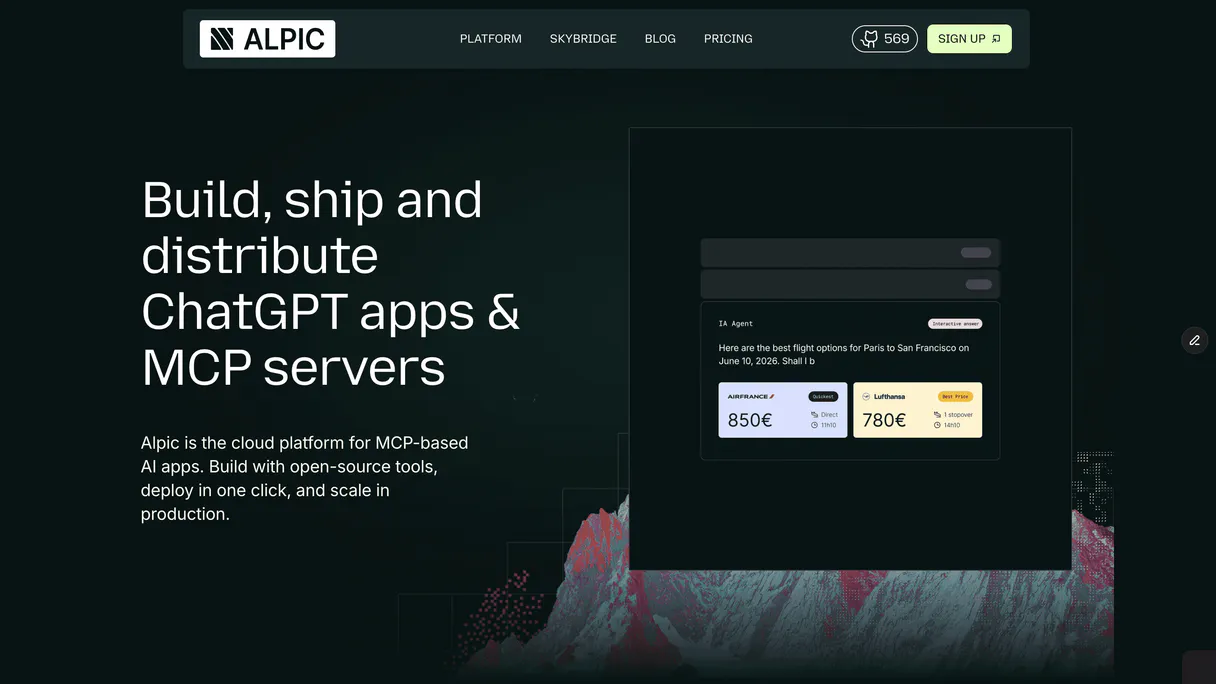
Independent Platform Disclaimer: Vinkius is an independent platform and is not affiliated with, endorsed by, sponsored by, verified by, or otherwise authorized by Alpic. All third-party trademarks, logos, and brand names are the property of their respective owners. Their use on this website is strictly for informational purposes to identify service compatibility and interoperability.
VINKIUS INFRASTRUCTURE
Cloud Hosted
Managed infra
V8 Isolated
Sandboxed per request
Zero-Trust Proxy
No stored credentials
DLP Enforced
Policy on every call
GDPR Compliant
EU data residency
Token Compression
~60% cost reduction
Works with Claude, ChatGPT, Cursor, and more
The Model Context Protocol standardizes how applications expose capabilities to LLMs. Instead of operating in isolation, your AI gains direct access to external platforms, live data, and real-world actions through secure, standardized connections.
This server provides 18 capabilities that interface natively with Claude, ChatGPT, Cursor, and any MCP client. No middleware. No custom integration required.
Available Capabilities
Managing multi-stage deployments is a manual nightmare.
Today, rolling out an update means logging into your CI/CD dashboard. You click 'Dev', wait for the build to finish, then manually switch context and repeat the process for 'Staging.' If anything breaks, you have to jump back to the logs, copy the error stack trace, paste it somewhere else, and notify three different teams—all while tracking which environment caused the mess.
With Alpic's MCP Server tools, that whole sequence disappears. You tell your agent: 'Deploy this commit to staging.' The system executes `deploy_environment` for staging, handles the wait time, and provides immediate feedback via deployment IDs. It’s a single instruction with multiple guaranteed steps.
Alpic MCP Server: Full Control Over Your Project Lifecycle
Before Alpic, changing a simple configuration variable—like updating an API endpoint for staging—meant creating a ticket, waiting for an Ops engineer to get credentials, and then manually executing the update on the correct server. It was slow, high-risk, and required manual coordination.
Now, you simply use `add_variable` through your agent. The AI handles the secure storage and applies that variable only to the target environment ID you specify. You manage infrastructure changes with the same ease as sending a chat message.
Common Questions About Alpic MCP
How do I test my server locally using Alpic's `get_tunnel_ticket`? +
You ask your agent to run get_tunnel_ticket. It returns a temporary URL and a token. You use this ticket in your local setup, allowing you to fully validate the MCP server before pushing any changes to dev or staging.
What is the difference between `list_environments` and `list_projects`? +
list_projects gives an overview of every main service (the container). list_environments shows all the specific, isolated copies of that service—like dev, staging, or prod—that exist within one project.
How can I monitor usage with `get_project_analytics`? +
get_project_analytics pulls performance data like request counts and error rates. It helps you see exactly which parts of your server are getting hammered or where the latency spikes are happening.
What should I do if my deployment fails? Should I use `get_deployment_logs`? +
Yes, that's the right move. After a failed deploy (which gives you a deployment ID), use get_deployment_logs. This pulls the raw build logs needed to pinpoint exactly what broke during the process.
If I use `add_variable` for credentials, how can I safely audit all configuration keys using `list_variables`? +
The system masks raw values when you run list_variables. This means it only shows the variable key and metadata, protecting your actual secrets. You'll still see if a key exists and what type of data it expects without exposing the sensitive value.
When setting up a new project, how do I confirm that my MCP server has all the expected tools exposed using `get_server_info`? +
Running get_server_info immediately tells you exactly which MCP tools are active and ready to be called. It confirms not only that the server is running, but also validates the full set of operational endpoints available to your agent.
What steps do I take if I need to change a project's description or repository link without re-deploying everything? Should I use `update_project`? +
Yes, you should use update_project. This tool lets you modify non-code configuration fields—like the description or pointing to a different Git branch—without affecting the running deployment. It's for maintenance changes only.
After my MCP server is stable, what command do I use to make it discoverable by other teams in the registry? Is it `publish_to_registry`? +
You must run publish_to_registry. This action takes your project and registers it with the official MCP directory. Once published, any user or agent can find and connect to your server using its unique ID.
Can I deploy environments from specific Git branches directly from the terminal? +
Yes! You can operate create_environment mapping parameters matching your active branches, then instruct your agent to trigger the deploy_environment sync.
Are environment variables secured during deployment processes? +
Absolutely. You can invoke add_variable providing exact tokens without storing them in repositories. They remain encrypted at rest and dynamically injected upon startup.
Can I test server configuration before final production merges? +
Yes. Request your AI agent to trigger get_tunnel_ticket enabling you to natively tunnel local host environments through Alpic before pushing any true integration commits.
Use it with your favorite AI tools
Connect this server to Cursor, Claude, VS Code, and more.
More in this category
Langfuse (LLM Tracing & Evals)
Monitor LLM apps via Langfuse — track traces, manage prompt templates, and audit evaluation scores.

Kong Gateway
Manage your API Gateway infrastructure — list services, configure routes, and manage consumers or plugins directly from any AI agent.

Kong (AI API Gateway)
Manage your API Gateway via Kong — orchestrate services, routes, and AI plugins directly from your agent.
You might also like

Clarifai (Vision AI)
Manage AI inference via Clarifai — list apps, models, and workflows, and perform computer vision predictions directly from any AI agent.

Tenor
Search and discover the world's largest library of GIFs and stickers directly from your AI agent.

OpenMeter (Usage Metering for AI/Cloud Billing)
Meter AI usage, manage customer entitlements, and automate cloud billing via OpenMeter's high-performance usage tracking API.