
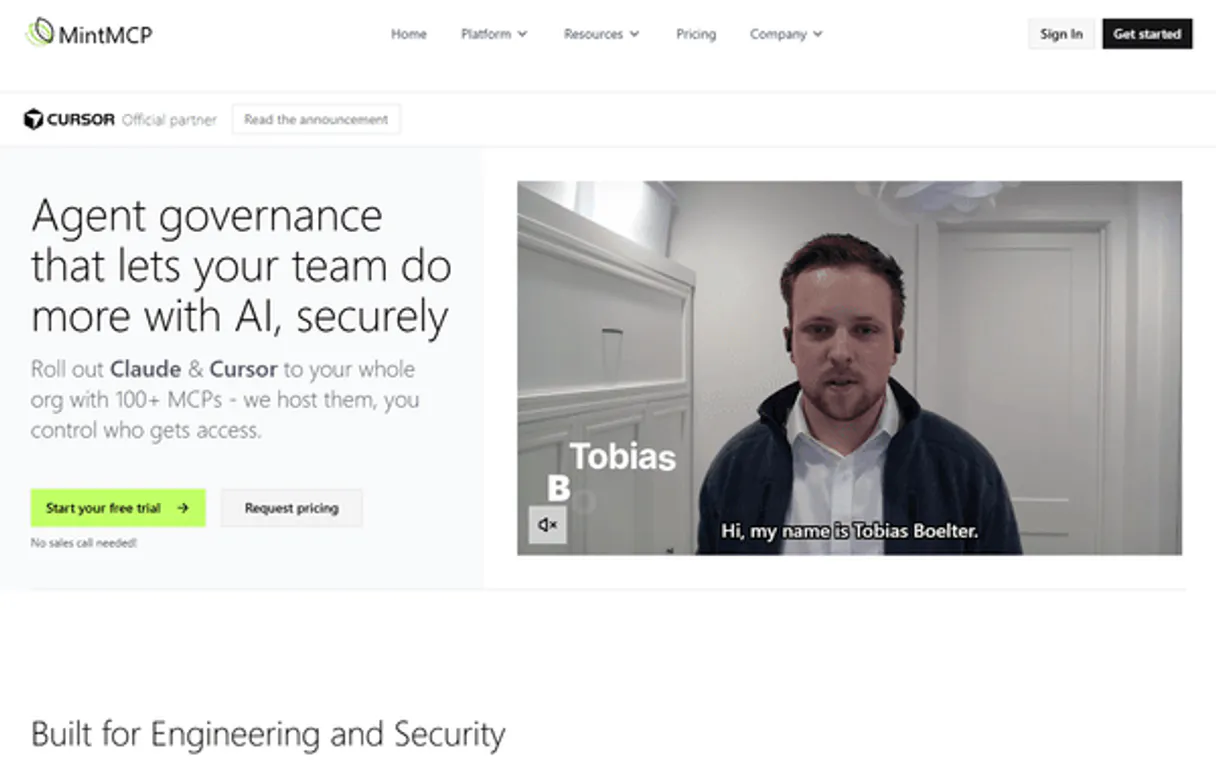
MintMCP MCP. Controls AI agent access at the enterprise gateway level.
 Gemini
 Works with every AI agent you already use
…and any MCP-compatible client









Just plug in your AI agents and start using Vinkius.
MintMCP is an enterprise MCP Gateway that enforces governance and security guardrails for AI agents. It manages authentication, monitors all tool executions, and ensures compliance (SOC2/PII redaction) by routing agent workflows through centralized virtual servers.
Use it when you need to restrict exactly what your LLMs can access.
What your AI agents can do
Mintmcp eval guardrail
Passes a structural parameter string through unified engines that check for PII redaction compliance.
Mintmcp fetch audit logs
Dumps systematic telemetry logs, tracking all SOC2 matrix accesses and executions.
Mintmcp get tool policy
Retrieves the specific SOC2 governance and RBAC parameters that restrict access to a single tool integration.
Pull systematic logs that track every access attempt against your SOC2 matrix.
Test incoming text payloads through a unified engine to redact PII and ensure compliance standards are met.
See all virtual server proxy abstractions that group your backend tools functionally.
Fetch the definitive RBAC parameters to determine exactly who can execute a specific function.
Immediately revoke active OAuth flows or runtime sessions from the main host.
Ask AI about this MCP
Supported MCP Clients
Gemini Waiting for input…
MintMCP MCP Server: 8 Tools for Enterprise Governance
These eight tools allow your agent to govern access, audit logs, and enforce security policies at the gateway level.
019d75d5mintmcp eval guardrail
Passes a structural parameter string through unified engines that check for PII redaction compliance.
019d75d5mintmcp fetch audit logs
Dumps systematic telemetry logs, tracking all SOC2 matrix accesses and executions.
019d75d5mintmcp get tool policy
Retrieves the specific SOC2 governance and RBAC parameters that restrict access to a single tool integration.
019d75d5mintmcp get virtual server
Extracts the exact configuration patterns for one unique Virtual Server schema.
019d75d5mintmcp list available tools
Audits and returns a list of all underlying tools currently approved inside a specific Virtual Server.
019d75d5mintmcp list virtual servers
Lists every available proxy abstraction, grouping multiple tools together for functional access.
019d75d5mintmcp revoke access token
Immediately severs a runtime session by resolving an active OAuth flow or token.
019d75d5mintmcp run tool action
Proxies and safely executes any logic stream that hits native integrations behind the gateway.
Choose How to Get Started
Build a custom MCP for your own tools, or connect a ready-made integration from our catalog.
Build Your Own
Turn any API into an MCP. Import a spec, define Agent Skills, or deploy with MCPFusion.
- Import from OpenAPI, Swagger, or YAML specs
- Create Agent Skills with progressive disclosure
- Deploy to edge with MCPFusion framework
- Built in DLP, auth, and compliance on every call
- Real time usage dashboard and cost metering
- Publish to catalog or keep private
Make Your AI Do More
Start with MintMCP, then connect any of our 4,700+ other servers whenever your AI needs more. One click, no limits.
- Use this MCP plus 4,700+ others, all in one place
- Add new capabilities to your AI anytime you want
- Every connection is secured and compliant automatically
- Track usage and costs across all your servers
- Works with Claude, ChatGPT, Cursor, and more
- New servers added to the catalog every week
What you can do with this MCP connector
Listen up. Your LLMs are powerful, but they're also liabilities if you let them run wild against your core systems. You need a gatekeeper—a real one—to manage every single thing your AI agents touch. That's where the MintMCP server comes in. It runs as your centralized proxy layer, making sure that whether an agent reads data or tries to call a function, everything gets audited and checked for compliance first.
This isn't just logging; it's control.
When you need to restrict exactly what your agents can access, you use this server. You tell your AI client to route through MintMCP, and we handle the heavy lifting of governance and security guardrails across all your backend services. It acts as a virtual barrier that keeps everything contained.
Controlling Execution Scope
When an agent needs to perform an action, it doesn't talk directly to the source system; it talks to us. You can use mintmcp_run_tool_action to proxy and safely execute any logic stream that hits native integrations behind this gateway. This process keeps your sensitive systems completely insulated from the agent’s direct calls.
To figure out what services are even available for action, you start by looking at the abstraction layer. mintmcp_list_virtual_servers gives you a list of every proxy abstraction—these are functional groupings that bundle multiple tools together so your agents only see service names, not underlying complexity. If you need to know what specific functions fall under one of those abstractions, mintmcp_get_virtual_server extracts the exact configuration patterns for that unique Virtual Server schema.
Once you've got the list of services, you can drill down into what tools are approved inside a given server. You run mintmcp_list_available_tools, and it audits and returns every single underlying tool currently cleared for use within that specific virtual server. Crucially, you don't just get a name; you check the rules.
To know exactly who can execute what, you call mintmcp_get_tool_policy to retrieve the definitive SOC2 governance and Role-Based Access Control (RBAC) parameters for any single tool integration.
Enforcing Compliance and Redaction
We don't just track calls; we check the data itself. When an agent sends a payload, you run mintmcp_eval_guardrail. This function passes the structural parameter string through unified engines that explicitly check for PII redaction compliance. If the incoming text fails these standards—if it contains unredacted Personal Identifiable Information or violates other structural rules—the call dies immediately.
You don't get a warning; you get a hard stop.
Full Visibility and Shutting Down Threats
If something goes wrong, or if you just need to prove you’re compliant for an audit, we got your back. mintmcp_fetch_audit_logs dumps systematic telemetry logs, tracking every single access attempt against your entire SOC2 matrix and detailing all executions. You get a complete timeline of who tried to do what, and when.
And if you suspect a connection is compromised—if an agent’s session turns hostile or unauthorized—you don't wait for the damage report. You use mintmcp_revoke_access_token to immediately sever that runtime session by resolving any active OAuth flow or token, locking it out from the main host before it can cause trouble.
It’s a complete system: you see what services exist, you check if the agent has permission for those services, you verify the data is clean enough to pass, and if anything goes sideways, you kill the connection while documenting every step. You get total control over your AI environment.
How MintMCP MCP Works
- 1 First, declare your global Tenant ID matrix and API Token as MintMCP variables.
- 2 Next, set the context engine limits to restrict the AI strictly within native execution bounds.
- 3 Finally, request telemetries or run logs. This resolves matching endpoints and audits logic executions across isolated nodes.
The bottom line is you control the blast radius by making the gateway mandatory for every agent interaction.
Who Is MintMCP MCP For?
Platform Admins, Security Engineering Leads, and Compliance Officers use this when LLMs are touching sensitive data. They're tired of having to manually check five different logging dashboards just to prove compliance. MintMCP forces all agent traffic through a single audited choke point.
Uses this to enforce guardrails, calling mintmcp_eval_guardrail before any sensitive data processing starts.
Uses this to manage the environment, running mintmcp_list_virtual_servers and routing complex agent workflows via mintmcp_run_tool_action.
Requires calling mintmcp_fetch_audit_logs to generate proof of access control, validating that no unauthorized functions were called.
What Changes When You Connect
- Enforce compliance before execution. Use
mintmcp_eval_guardrailto check all incoming data against SOC2 and PII rules, stopping bad inputs instantly. - Achieve full auditability with every call. Running
mintmcp_fetch_audit_logsgives you a single, secure dump of every executed action for compliance reporting. - Limit agent scope precisely. Check tool permissions using
mintmcp_get_tool_policyto ensure the AI only has access to functions it absolutely needs. - Manage service boundaries. Use
mintmcp_list_virtual_serversandmintmcp_get_virtual_serverto understand exactly how your backend services are grouped and protected. - Contain breaches instantly. If an agent acts maliciously, call
mintmcp_revoke_access_tokento cut off the connection immediately.
Real-World Use Cases
Onboarding a new third-party API
A dev team wants to let an agent use a payment processing tool. They can't just plug it in. First, they call mintmcp_get_tool_policy to define the exact permissions. Then, they group that tool into a virtual server using mintmcp_list_virtual_servers. Finally, they only allow execution via mintmcp_run_tool_action, ensuring no direct connection is possible.
Handling sensitive user inputs
An agent receives a chat message containing account numbers. Before the agent can process it, you run mintmcp_eval_guardrail on the input string. If PII is detected, the tool fails the execution before any backend data gets touched.
Investigating an unusual access spike
A security lead notices strange activity. Instead of checking multiple dashboards, they call mintmcp_fetch_audit_logs. This single action pulls all telemetry and logs across the system, showing exactly which tool was called and when.
Killing a runaway agent session
An AI client gets stuck in an infinite loop or starts spamming endpoints. You immediately call mintmcp_revoke_access_token to kill the OAuth flow, isolating the compromised connection from your main host.
The Tradeoffs
Assuming direct access is safe
The agent code tries to connect directly to a backend endpoint (e.g., api/v1/users) instead of going through the managed proxy.
→
Always force traffic through the gateway using mintmcp_run_tool_action. This ensures the call is intercepted and audited by MintMCP, preventing unauthorized direct connections.
Missing policy checks
A developer adds a new tool without running governance checks, assuming it will work just because it's available.
→
Run mintmcp_get_tool_policy first. This fetches the definitive RBAC parameters and ensures the required SOC2 controls are mapped before deployment.
Ignoring virtual server groupings
Treating every backend tool as an individual point of entry, leading to inconsistent security policies.
→
Group related tools into a Virtual Server using mintmcp_list_virtual_servers. This allows you to apply one set of rules across multiple functionalities.
When It Fits, When It Doesn't
Use MintMCP if your AI agents interact with any system containing sensitive, regulated data (PII, HIPAA, financial records). You need it when auditability is a requirement. If your primary goal is simply to connect two services that never see user-generated content, you might only need basic credential management. However, even then, use mintmcp_get_tool_policy to document the access scope. Don't use this if you just want simple data fetching; you'll overcomplicate it. You must use it if restricting AI actions is a requirement.
Independent Platform Disclaimer: Vinkius is an independent platform and is not affiliated with, endorsed by, sponsored by, verified by, or otherwise authorized by MintMCP. All third-party trademarks, logos, and brand names are the property of their respective owners. Their use on this website is strictly for informational purposes to identify service compatibility and interoperability.
VINKIUS INFRASTRUCTURE
Cloud Hosted
Managed infra
V8 Isolated
Sandboxed per request
Zero-Trust Proxy
No stored credentials
DLP Enforced
Policy on every call
GDPR Compliant
EU data residency
Token Compression
~60% cost reduction
Works with Claude, ChatGPT, Cursor, and more
The Model Context Protocol standardizes how applications expose capabilities to LLMs. Instead of operating in isolation, your AI gains direct access to external platforms, live data, and real-world actions through secure, standardized connections.
This server provides 8 capabilities that interface natively with Claude, ChatGPT, Cursor, and any MCP client. No middleware. No custom integration required.
Available Capabilities
Trying to manually track every API call breaks compliance teams.
Right now, proving that your agent didn't leak PII involves logging into the chat platform, checking the backend service dashboard, and then cross-referencing a separate audit log system. You have to stitch together three different views just to answer: 'Did it pass compliance?'
With MintMCP, you simply run `mintmcp_fetch_audit_logs`. This single call gathers all the necessary telemetry into one place. It's proof of access control, and it’s automated.
MintMCP MCP Server: Controlled execution via `mintmcp_run_tool_action`
Without this gateway, an agent could execute functions directly. The result is uncontrolled workflows that bypass governance and risk failing compliance checks.
Now, every function call must pass through the proxy layer managed by `mintmcp_run_tool_action`. This means you control the flow—you know exactly what code runs, and you audit it instantly.
Common Questions About MintMCP MCP
How do I check if an agent can run a specific function using mintmcp_get_tool_policy? +
You call mintmcp_get_tool_policy and pass the tool's identifier. This returns the definitive RBAC parameters, showing exactly which permissions are required for that integration.
What is the difference between mintmcp_list_available_tools and mintmcp_list_virtual_servers? +
Listing virtual servers (mintmcp_list_virtual_servers) shows you the high-level, functional groups of tools. Listing available tools tells you every single specific function approved inside one of those groups.
I need to audit old system access records using mintmcp_fetch_audit_logs. +
Use mintmcp_fetch_audit_logs to dump systematic telemetry logs. This action tracks every SOC2 matrix access, giving you the full history of execution.
How do I stop a running agent session if it's misbehaving? Use mintmcp_revoke_access_token. +
Running mintmcp_revoke_access_token resolves and severs the active OAuth flow. This immediately isolates the connection from your main host, stopping the runaway process.
When I run `mintmcp_eval_guardrail`, how does it handle sensitive data like PII? +
It checks structural parameters against SOC2 standards. The guardrail engine performs real-time PI redaction, preventing unauthorized leakage of critical data before the AI client processes it.
What specific configuration details do I get when using `mintmcp_get_virtual_server`? +
You extract the exact pattern for a unique virtual server schema. This reveals the precise limitations and deployment scope of that specific proxy topology.
How should my agent use `mintmcp_run_tool_action` to execute a critical function? +
You pass the execution logic stream directly to the gateway. The action proxies it safely, hitting native integrations without bypassing required security layers.
If I run `mintmcp_list_virtual_servers` and don't see a server I expected, what does that mean? +
It means the proxy abstraction isn't mapped or approved for your current tenant. You need to check platform deployment status before expecting access.
Can I test payload parameters through the security Guardrails offline? +
Yes, mapping direct values through eval_guardrail runs simulated queries bypassing the actual downstream proxy directly into the evaluation loop.
Are explicit SOC2 Audit Logs available natively to query via this agent integration? +
Yes! Utilize fetch_audit_logs limiting explicitly standard parameters to unpack all tool executions securely bounded inside your tenant matrix natively.
How do virtual servers separate functional tools proxy instances natively? +
By polling list_available_tools against a specific server ID, you extract rigidly grouped schemas bounded solely to that environment parameter.
Use it with your favorite AI tools
Connect this server to Cursor, Claude, VS Code, and more.
More in this category

Amazon SQS Queue
This MCP does exactly one thing: it pulls and acknowledges messages from a single Amazon SQS Queue. That's its only function, and nothing else. Incredible for building secure AI workers.
Amazon S3
Cloud object storage orchestration — manage buckets, objects, and metadata via AI.

Keycloak
Manage identity and access control — list realms, manage users, configure clients, and handle security roles directly from your AI agent.
You might also like
Dynamo Software
Equip your AI agent to manage alternative investments, track portfolios, and monitor funds via the Dynamo API.

Ghost (Publishing & Newsletter Platform API)
Manage your Ghost publication — browse public content, manage posts, and automate your newsletter workflow directly from your AI agent.
Ellie Planner
Plan projects visually with AI-assisted task breakdowns, timelines, and team coordination that adapts as your work evolves.