
Anvyl MCP. Manage POs, parts, and suppliers from chat.
 Gemini
 Works with every AI agent you already use
…and any MCP-compatible client









Just plug in your AI agents and start using Vinkius.
Anvyl MCP Server manages your entire supply chain lifecycle. Use it to list purchase orders, track parts, and coordinate with suppliers directly through your AI client.
You can check specific PO statuses, confirm or delay production milestones, and pull current logistics records without leaving your chat window.
It centralizes visibility for procurement and operations.
What your AI agents can do
Confirm milestone
Marks a specified milestone for a purchase order as completed.
Delay milestone
Records a delay for a specific milestone on a purchase order.
Get part
Retrieves specific details for a part by its identifier.
Retrieves a list of all purchase orders associated with your team in Anvyl.
Pulls all details for one specific purchase order.
Lists all tracking records and logistics data for a given purchase order.
Allows you to confirm a milestone completion or record a delay for a purchase order.
Retrieves lists of parts or detailed specifications for a specific part.
Lists all suppliers or retrieves detailed information about a specific supplier.
Ask AI about this MCP
Supported MCP Clients
Gemini Waiting for input…
019d754econfirm milestone
Marks a specified milestone for a purchase order as completed.
019d754edelay milestone
Records a delay for a specific milestone on a purchase order.
019d754eget part
Retrieves specific details for a part by its identifier.
019d754eget purchase order
Gets all detailed information for a single purchase order.
019d754eget supplier
Retrieves detailed information about a specific supplier.
019d754elist logistics
Lists all available tracking records for a given purchase order.
019d754elist milestones
Retrieves a list of all milestones associated with a purchase order.
019d754elist parts
Gets a list of all parts registered in your Anvyl account.
019d754elist purchase orders
Lists all purchase orders the team has created in Anvyl.
019d754elist suppliers
Gets a list of all suppliers available in your Anvyl account.
Choose How to Get Started
Build a custom MCP for your own tools, or connect a ready-made integration from our catalog.
Build Your Own
Turn any API into an MCP. Import a spec, define Agent Skills, or deploy with MCPFusion.
- Import from OpenAPI, Swagger, or YAML specs
- Create Agent Skills with progressive disclosure
- Deploy to edge with MCPFusion framework
- Built in DLP, auth, and compliance on every call
- Real time usage dashboard and cost metering
- Publish to catalog or keep private
Make Your AI Do More
Start with Anvyl, then connect any of our 4,700+ other servers whenever your AI needs more. One click, no limits.
- Use this MCP plus 4,700+ others, all in one place
- Add new capabilities to your AI anytime you want
- Every connection is secured and compliant automatically
- Track usage and costs across all your servers
- Works with Claude, ChatGPT, Cursor, and more
- New servers added to the catalog every week
What you can do with this MCP connector
Anvyl MCP Server lets your AI client handle your whole supply chain. You'll list all purchase orders and track parts, coordinating with suppliers straight from your chat. You can check a specific PO's status, confirm or delay production milestones, and pull current logistics records without ever leaving your chat window.
It centralizes visibility for procurement and operations.
How Anvyl MCP Works
- 1 First, subscribe to the Anvyl server and provide your Anvyl API Key and Team ID.
- 2 Then, instruct your AI client to perform a task (e.g., 'List all active purchase orders' or 'What's the status of PO-123?').
- 3 The agent runs the appropriate tool, pulls the data from Anvyl, and presents the status update back to you in plain language.
The bottom line is, you manage complex supply chain data using conversational prompts, skipping the manual dashboard clicks.
Who Is Anvyl MCP For?
Supply Chain Managers, Procurement Teams, and Operations Leads need this. If you're tired of juggling three different dashboards just to know if a PO is on time, this is for you. It cuts out the manual status checks and gives you one single source of truth for your entire product flow.
Uses the server to list purchase orders, check part details, and verify supplier contact info during the planning phase.
Tracks production milestones and logistics for multiple POs, getting a high-level view of operational health without deep-diving into dashboards.
What Changes When You Connect
- See all POs and drill down on any one with
list_purchase_ordersandget_purchase_order. You get the full status, quantities, and history in one prompt. - Track production progress by listing milestones (
list_milestones) or confirming completion/delaying a step usingconfirm_milestoneordelay_milestone. It records the change immediately. - Quickly check part specs: use
get_partto pull details on any component, orlist_partsto see what's available in the system. - Follow shipments using
list_logistics. You get all tracking records for a PO, so your team always knows the delivery timeline. - Coordinate with vendors: use
list_suppliersandget_supplierto pull up contact info and specs for any supplier, fast. - Get a full overview of your inventory and PO status. Use
list_partsandlist_purchase_ordersto build a picture of the whole operation.
Real-World Use Cases
The PO status is stuck in a manual dashboard.
The Procurement Manager needs to know if PO-9921 shipped. Instead of clicking through the dashboard tabs, they ask their agent: 'What is the status of PO-9921?' The agent runs get_purchase_order and list_logistics, returning the current shipment status and expected delivery date instantly.
A critical part is missing, and the team needs to know who to call.
The Operations Lead needs the contact info for a specific raw material supplier. They prompt the agent to use list_suppliers and then get_supplier for the necessary details. They get the phone number and specs without opening the web portal.
Production is delayed, and the PO needs updating.
The Project Manager knows the 'Quality Inspection' milestone is late. They ask the agent to delay_milestone for the relevant PO, specifying the reason. The agent updates the record and logs the new expected completion date.
Need to see all outstanding materials for Q3 planning.
The Engineer needs a full list of components used across multiple projects. They run list_parts to get all registered parts and then use list_purchase_orders to see which ones are currently being ordered for those parts.
The Tradeoffs
Checking PO status via web UI
The user opens the web UI, clicks the 'POs' tab, filters by date, then clicks the specific PO, and finally clicks the 'Logistics' sub-tab to find tracking info.
→
Don't click through tabs. Ask your agent to run get_purchase_order and list_logistics for the PO number. It gives you the status and tracking records in one go.
When It Fits, When It Doesn't
Use this if you need to manage the entire lifecycle of a component: identifying parts (get_part), finding the vendor (get_supplier), placing the order (get_purchase_order), and tracking the shipment (list_logistics). Don't use it if you only need to view a static list of parts—just use list_parts. This server is built for action and status change, not just reading static data. If you're only checking a single supplier name, get_supplier works, but if you need to run the full cycle (PO -> Milestone -> Logistics), you need the whole suite.
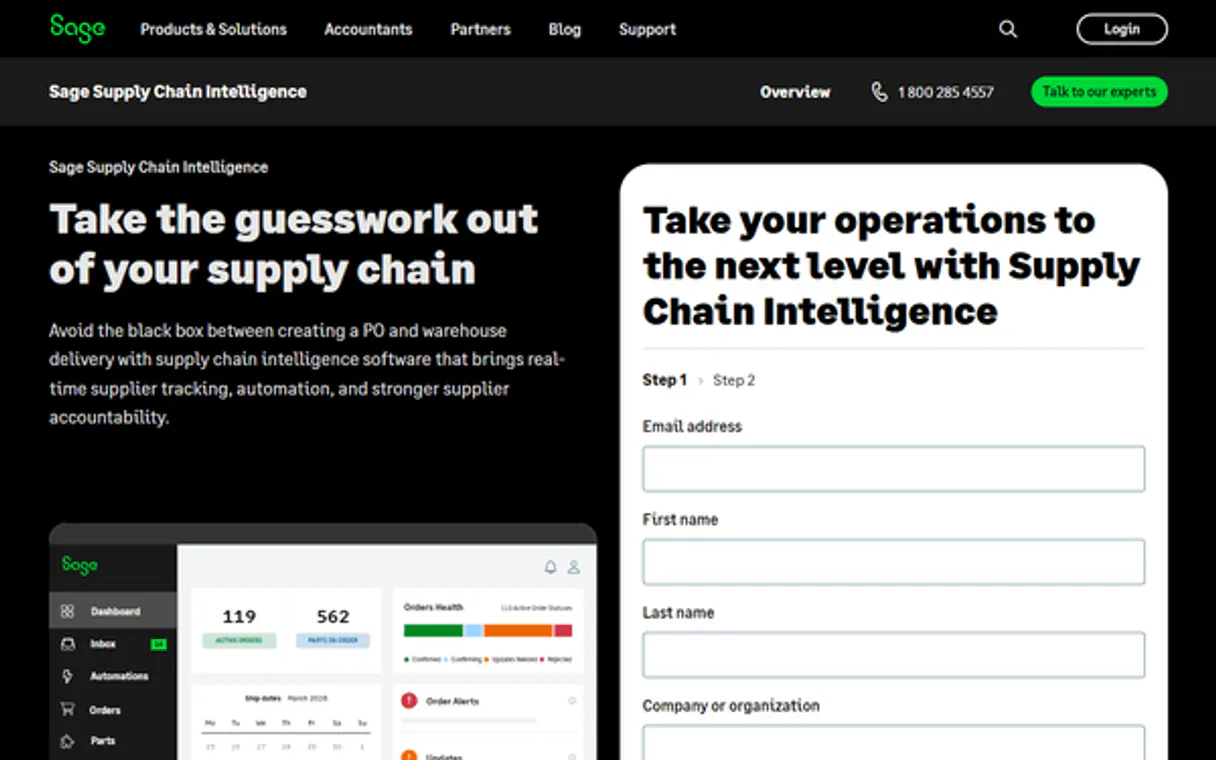
Independent Platform Disclaimer: Vinkius is an independent platform and is not affiliated with, endorsed by, sponsored by, verified by, or otherwise authorized by Anvyl. All third-party trademarks, logos, and brand names are the property of their respective owners. Their use on this website is strictly for informational purposes to identify service compatibility and interoperability.
VINKIUS INFRASTRUCTURE
Cloud Hosted
Managed infra
V8 Isolated
Sandboxed per request
Zero-Trust Proxy
No stored credentials
DLP Enforced
Policy on every call
GDPR Compliant
EU data residency
Token Compression
~60% cost reduction
Works with Claude, ChatGPT, Cursor, and more
The Model Context Protocol standardizes how applications expose capabilities to LLMs. Instead of operating in isolation, your AI gains direct access to external platforms, live data, and real-world actions through secure, standardized connections.
This server provides 10 capabilities that interface natively with Claude, ChatGPT, Cursor, and any MCP client. No middleware. No custom integration required.
Available Capabilities
Juggling dashboards to find a single PO status is a time sink.
Every status check means jumping between the PO dashboard, the parts inventory screen, and the logistics portal. You have to manually cross-reference the PO number against the shipment tracking ID. It's tedious, and you always end up asking, 'Wait, what was the status again?'
With the Anvyl MCP Server, you just ask your agent. The agent runs the necessary tools—`get_purchase_order` and `list_logistics`—and spits out the current status and tracking details. You get the answer, period.
Anvyl MCP Server: Track and update POs from chat.
Instead of logging into Anvyl to manually confirm a milestone completion, you simply tell your agent to run `confirm_milestone` for the relevant PO. The system handles the API call, updates the record, and logs the completion date.
The difference is that your workflow is now conversational. You stop managing tabs and start directing the data.
Common Questions About Anvyl MCP
How do I check the status of a purchase order using the Anvyl MCP Server? +
You run the get_purchase_order tool, providing the PO number. This returns all details, including current status and quantities. You can then use list_logistics for tracking records.
Can I use the Anvyl MCP Server to delay a milestone? +
Yes, use the delay_milestone tool. You provide the PO number, milestone ID, and the reason for the delay. The system updates the expected date.
What is the best way to find a specific part's details? +
Use the get_part tool. It pulls the specs and details for a specific part ID, saving you from searching the entire catalog.
Does the Anvyl MCP Server list all suppliers? +
Yes, you can use list_suppliers to get a list of all vendors. Then use get_supplier if you need details on one specific vendor.
How do I see all the milestones for a PO? +
Run list_milestones with the PO number. This gives you a full breakdown of the required steps, showing which are complete or pending.
How do I list all purchase orders using the Anvyl MCP Server? +
You use the list_purchase_orders tool. This tool retrieves a list of all purchase orders associated with your team, giving you an immediate overview of your current POs.
How can I get tracking records for a purchase order with the Anvyl MCP Server? +
Call the list_logistics tool. It pulls all tracking records for any given purchase order, keeping your team informed about delivery timelines and shipment status.
Can I retrieve details for a specific supplier using the Anvyl MCP Server? +
Yes, use the get_supplier tool. This lets you quickly pull detailed information about any supplier stored in your Anvyl account.
Where do I find my Anvyl Team ID? +
You can find your Team ID in the URL when you are logged into the Anvyl dashboard (e.g., app.anvyl.com/teams/{TEAM_ID}/...) or in your workspace settings.
Can I update the status of a production milestone via AI? +
Yes, you can use the confirm_milestone tool to mark a milestone as complete or delay_milestone if production is behind schedule, providing a reason and a new expected date.
How do I track the shipping status of my orders? +
Use the list_logistics tool with your Purchase Order ID. It will return all tracking records and shipping updates associated with that specific order.
Use it with your favorite AI tools
Connect this server to Cursor, Claude, VS Code, and more.
More in this category
Pennylane
Manage French accounting workflows via Pennylane — track invoices, customers, suppliers, and synchronize estimates dynamically using AI.

PHC GO
Equip your AI agent to control your PHC GO ERP. Query customers, retrieve real-time stocks, map taxes, and issue documents conversationally.

Mingdao Cloud
Enterprise zero-code application and workflow platform — manage worksheets, records, and automations via AI.
You might also like

Microsoft Dynamics 365
Manage accounts, opportunities, orders, and business processes on Microsoft Dynamics 365 — the unified CRM & ERP platform.

DOAJ
Search and manage open access research journals and articles via the Directory of Open Access Journals (DOAJ).

Mailingwork
Execute professional email marketing campaigns with advanced segmentation, A/B testing, and GDPR-compliant list management.