
Pennylane MCP. Programmatic access to French accounting records.
 Gemini
 Works with every AI agent you already use
…and any MCP-compatible client









Just plug in your AI agents and start using Vinkius.
Pennylane manages French accounting workflows by giving your AI agent direct access to core financial data. Track customer accounts, supplier records, invoices, and estimates using structured tools like `list_customers` and `get_estimate_details`.
It lets you programmatically check compliance status against French bookkeeping standards.
What your AI agents can do
Create customer
Adds a brand new client record into the Pennylane system.
Create product
Creates a product or service entry within the accounting catalog.
Get customer details
Retrieves all full details about a single client account.
List all registered customers using list_customers, then retrieve specific details for any single client via get_customer_details.
Create new product or service entries in the accounting catalog using create_product.
Pull detailed line items, VAT breakdowns, and totals for a specific customer invoice with get_customer_invoice_details.
List all suppliers via list_suppliers, or read the full details of one using get_supplier_details.
Review a specific sales estimate's validity date, line items, and VAT structure by calling get_estimate_details.
Ask AI about this MCP
Supported MCP Clients
Gemini Waiting for input…
Pennylane: 13 Tools for Financial Record Management
Audit every aspect of your financial data—from creating new products to listing all supplier invoices—with these specialized tools.
019d75f1create customer
Adds a brand new client record into the Pennylane system.
019d75f1create product
Creates a product or service entry within the accounting catalog.
019d75f1get customer details
Retrieves all full details about a single client account.
019d75f1get customer invoice details
Reads the specific line items, VAT rates, and totals for one customer invoice.
019d75f1get estimate details
Retrieves all details about a specific sales estimate, including its validity period.
019d75f1get supplier details
Reads the full contact and profile information for one supplier.
019d75f1list categories
Lists all available accounting categories (the chart of accounts).
019d75f1list customer invoices
Gets a list of every customer invoice that has been issued.
019d75f1list customers
Lists all client records stored in Pennylane.
019d75f1list estimates
Retrieves a list of every sales estimate created.
019d75f1list products
Gets a list of all products and services available in the catalog.
019d75f1list supplier invoices
Lists every invoice received from suppliers (purchases).
019d75f1list suppliers
Gets a list of all vendor accounts in Pennylane.
Choose How to Get Started
Build a custom MCP for your own tools, or connect a ready-made integration from our catalog.
Build Your Own
Turn any API into an MCP. Import a spec, define Agent Skills, or deploy with MCPFusion.
- Import from OpenAPI, Swagger, or YAML specs
- Create Agent Skills with progressive disclosure
- Deploy to edge with MCPFusion framework
- Built in DLP, auth, and compliance on every call
- Real time usage dashboard and cost metering
- Publish to catalog or keep private
Make Your AI Do More
Start with Pennylane, then connect any of our 4,700+ other servers whenever your AI needs more. One click, no limits.
- Use this MCP plus 4,700+ others, all in one place
- Add new capabilities to your AI anytime you want
- Every connection is secured and compliant automatically
- Track usage and costs across all your servers
- Works with Claude, ChatGPT, Cursor, and more
- New servers added to the catalog every week
What you can do with this MCP connector
Pennylane lets your AI agent talk directly to core French accounting data, making sure every transaction adheres to local compliance rules.
Your agent can handle customer and supplier records by accessing structured tools. You'll start by listing all client accounts using list_customers or checking out the full details of any single account with get_customer_details. If you need a new contact, you use create_customer to add a brand-new record into Pennylane.
For vendor management, your agent can list every supplier through list_suppliers, and it'll grab the full profile information for any single one using get_supplier_details.
When it comes to transactions, you get precise data on what actually happened. To audit customer payments, your agent pulls a comprehensive list of all issued client invoices via list_customer_invoices. Then, calling get_customer_invoice_details gives you the full breakdown: specific line items, the exact VAT rates applied, and both the net and gross totals for that one invoice.
If you're tracking purchases, your agent lists every vendor bill using list_supplier_invoices, keeping all supplier spending visible.
For sales projections and inventory, you manage estimates and products. Your agent can list every existing sales estimate with list_estimates, or dive into the specifics of a single one by calling get_estimate_details; this reveals the line items, VAT structure, and the estimate's validity period. To build out your catalog, you use create_product to add new service lines or goods.
You can check existing inventory using list_products, and for structural checks, list_categories provides every available accounting category—the full chart of accounts.
This setup gives your agent control over the entire lifecycle: from creating a client record with create_customer to validating its associated invoice details. It lets you check product definitions using list_products, and it ensures that when you view supplier data, you've got all the necessary vendor information via get_supplier_details. Everything runs through structured tools, keeping your workflow locked down in compliance with French accounting standards.
How Pennylane MCP Works
- 1 Authenticate your AI client with the Pennylane Bearer API Token. This establishes a secure link to the accounting records.
- 2 Direct the agent to use specific tools (e.g.,
list_suppliersorget_estimate_details) to fetch targeted financial data sets. - 3 The tool executes the query against the Pennylane backend and returns structured JSON that your AI client processes for analysis.
The bottom line is you get structured, real-time access to French accounting records without building custom API wrappers.
Who Is Pennylane MCP For?
French Accounting Teams and B2B Sales Admins who hate manually cross-referencing multiple dashboards. If your job involves tracking down missing vendor receipts or validating estimate details against existing client history, this is for you. It lets agents do the heavy lifting so you don't have to.
Uses list_customer_invoices and list_supplier_invoices to quickly compile lists of invoices for month-end reconciliation, checking for missing entries that a dashboard might hide.
Runs the agent against get_estimate_details and list_estimates whenever a deal is close. They check if the estimate lines match existing product catalogs before pushing constraints to the finance team.
Calls specific tools like create_customer or create_product programmatically, ensuring that new records conform exactly to Pennylane's required schema for reliable cross-platform sync.
What Changes When You Connect
- Avoid manual lookups. Instead of clicking through multiple tabs, your agent can run
list_suppliersand immediately pull up a full profile viaget_supplier_details. It gets you the data directly. - Deep audit capability. You don't just see an invoice ID; using
get_customer_invoice_details, you get line-item breakdowns, VAT rates, and whether it's net or gross—all in one call. - Streamlined onboarding. Need a new product? Instead of logging into the portal, your agent executes
create_productwith the exact schema required for French compliance. - Better deal tracking. Running
list_estimateslets you quickly audit all outstanding quotes. You can then runget_estimate_detailsto see exactly what was promised and when it expires. - Complete lifecycle view. From creating a customer (
create_customer) to listing their invoices (list_customer_invoices), the agent manages the entire relationship flow without you touching a UI.
Real-World Use Cases
Reconciling missing vendor receipts
The accounting specialist notices an expense listed in emails but no corresponding entry. They ask their agent to check the ledger, running list_supplier_invoices. The agent finds a gap and uses get_supplier_details for that vendor's contact info, allowing the user to follow up with the correct party.
Validating sales before invoicing
The B2B admin has an estimate ready. Before generating an invoice, they use get_estimate_details to confirm the line items and VAT rates are accurate. The agent verifies everything against the current catalog using list_products, stopping potential errors.
Syncing a new client record
The sales team lands a big new client. Instead of manual data entry, the system calls create_customer with all necessary fields. The agent confirms success and immediately uses get_customer_details to validate that the ID was created correctly.
Auditing product catalog changes
The ERP team needs to verify if a service code exists before migration. They run list_products to get the full list of services and then use get_customer_invoice_details on test accounts to confirm that historical invoices correctly reference existing products.
The Tradeoffs
Asking for 'all financial data'
A user asks the agent, 'Show me everything about customers and their money.' The agent fails because there is no single tool to pull a combined view of all invoices, estimates, and customer profiles.
→
Break it down. First, run list_customers to get IDs. Then, loop through those IDs, calling get_customer_invoice_details for each one you need to audit.
Guessing the required schema
Trying to create a product by just giving it a name and price. This fails because Pennylane requires specific categories, VAT rates, and structural data points.
→
First, run list_categories to identify the correct accounting category structure. Then, use create_product with all required parameters.
Confusing estimates with invoices
Assuming that listing a customer's invoice history (list_customer_invoices) will also show drafts or quotes. It won't; those are separate records.
→
Use list_estimates to see all draft sales proposals, and then use get_estimate_details when you need specific line-item validation.
When It Fits, When It Doesn't
Use this MCP Server if your workflow requires transactional integrity within a strict accounting domain. Specifically, if you need to move beyond simple data retrieval (like using list_customers) and actually act on the data—meaning creating records (create_product), or reading granular details like line items (get_customer_invoice_details). Don't use it if your problem is general data aggregation across multiple, unrelated systems. For that, you need a generalized data warehouse connection (a category of tool outside this scope). If you only need to check basic contact information and nothing else, get_customer_details handles it fine. But the moment you touch invoicing or estimates, this server is necessary.
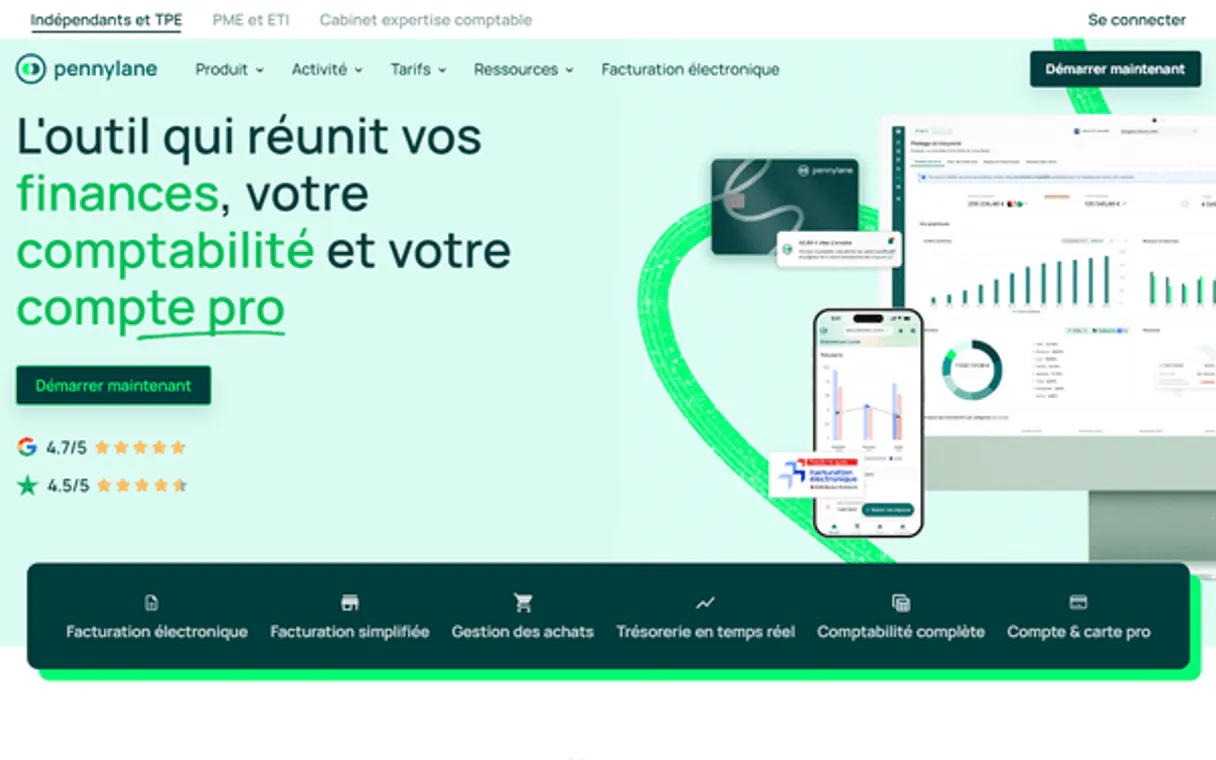
Independent Platform Disclaimer: Vinkius is an independent platform and is not affiliated with, endorsed by, sponsored by, verified by, or otherwise authorized by Pennylane. All third-party trademarks, logos, and brand names are the property of their respective owners. Their use on this website is strictly for informational purposes to identify service compatibility and interoperability.
VINKIUS INFRASTRUCTURE
Cloud Hosted
Managed infra
V8 Isolated
Sandboxed per request
Zero-Trust Proxy
No stored credentials
DLP Enforced
Policy on every call
GDPR Compliant
EU data residency
Token Compression
~60% cost reduction
Works with Claude, ChatGPT, Cursor, and more
The Model Context Protocol standardizes how applications expose capabilities to LLMs. Instead of operating in isolation, your AI gains direct access to external platforms, live data, and real-world actions through secure, standardized connections.
This server provides 13 capabilities that interface natively with Claude, ChatGPT, Cursor, and any MCP client. No middleware. No custom integration required.
Available Capabilities
Manually tracking French client payments feels like a nightmare.
Today, checking an account requires jumping between the main dashboard, finding the specific customer ID, navigating to 'Invoices,' and then manually cross-referencing if there's a matching estimate or payment record. If you need line-item details, you copy the invoice number into a separate report builder, risking copy/paste errors every time.
With Pennylane MCP Server, your agent bypasses the UI completely. You simply tell it to 'Get me the detailed breakdown for Invoice ID X.' It runs `get_customer_invoice_details`, giving you structured JSON data instantly—no clicks, no manual work.
Pennylane MCP Server: Manage financial records & transactions
You lose the time spent compiling reports by running `list_products` and then having to check that list against an external spreadsheet. You also waste minutes checking if a new customer record is fully compliant before creating it.
Now, you tell your agent: 'List all active customers and confirm their basic details.' It runs `list_customers`, providing clean data sets instantly. The whole process goes from 30 minutes of clicking to three lines of code.
Common Questions About Pennylane MCP
How do I check if a customer exists before trying to create them using the Pennylane MCP Server? +
You should run get_customer_details first. This checks if an existing record matches your criteria. If it returns data, the client is active; if it fails or returns limited data, you know you need to use create_customer.
Can I list all estimates and then see their full details with Pennylane MCP Server? +
Yes. First, call list_estimates to get a list of estimate IDs. Then, you must pass the specific ID into get_estimate_details to retrieve the line items, VAT amounts, and validity period.
What's the difference between `list_customer_invoices` and `list_supplier_invoices`? +
list_customer_invoices shows invoices that you sent to your clients. list_supplier_invoices, however, shows invoices that you received from vendors (your purchases).
How do I add a new product using the Pennylane MCP Server? +
You use the create_product tool. You must provide all necessary parameters, including the correct accounting category and price structure, to ensure compliance.
How do I properly connect my AI client using a Bearer API Token for Pennylane? +
You must provide your specific Pennylane Bearer API Token when configuring the integration instance in Vinkius. This token authorizes your agent to run any tool, like list_suppliers, ensuring secure data access.
What happens if I call a tool like get_supplier_details with an incorrect ID? +
The tool returns specific HTTP error codes. If you get a 404, the record doesn't exist in Pennylane. You must build logic into your agent to handle these exceptions gracefully instead of crashing.
When I use list_customers, how do I pull all the full details for every customer? +
The list_customers tool only returns basic IDs and names. To get complete profiles, you must write a loop that passes every returned ID into the get_customer_details tool.
How does the Pennylane MCP Server handle VAT and tax data in invoices? +
The get_customer_invoice_details tool provides line-by-line breakdowns, including specific fields for VAT and taxable amounts. Your agent reads this structure to calculate accurate totals (HT/TTC) without manual math.
Can I natively issue payments automatically through bounding API calls on Invoices? +
Explicit boundaries mapped here focus solely on abstract tracking limits parsing creation/retrieval properties. Executing hard external payouts asynchronously requires separate decoupled limits and is prohibited deliberately for financial safety.
How do estimates structural data distinguish explicit targets returning statuses? +
Yes. Upon passing explicit bounds invoking list_estimates, the JSON array returns specific limits resolving internal document parameters perfectly natively—including accepted, invoiced, or natively refused semantic values natively attached.
Where strictly do I generate and manage this API key securely mapping bounds? +
Navigate standard arrays visually tracing your native Pennylane setup, isolate the explicitly defined 'Parameters > API' log routing explicitly, generating a long-lived generic Bearer structurally starting with pl_. Insert gracefully below.
Use it with your favorite AI tools
Connect this server to Cursor, Claude, VS Code, and more.
More in this category

Microsoft Dynamics 365
Manage accounts, opportunities, orders, and business processes on Microsoft Dynamics 365 — the unified CRM & ERP platform.

Urbanise
Manage strata and community properties with owner portals, meeting management, and financial reporting for property managers.

Odoo Accounting
List invoices, bills, payments, journal entries, and chart of accounts — Odoo Accounting through natural conversation.
You might also like

Ambee Soil
Access real-time soil data via Ambee — monitor soil moisture, temperature, and properties globally for precision agriculture from any AI agent.

Elastic Email
Equip your AI agent to manage email campaigns, track contacts, and monitor delivery logs via the Elastic Email API.

Math Evaluation Engine
Stop LLMs from hallucinating math. Evaluate complex mathematical expressions and handle exact float rounding deterministically.