
Apex & Division Stats MCP. Analyze player skill, history, and global rankings.
 Gemini
 Works with every AI agent you already use
…and any MCP-compatible client









Just plug in your AI agents and start using Vinkius.
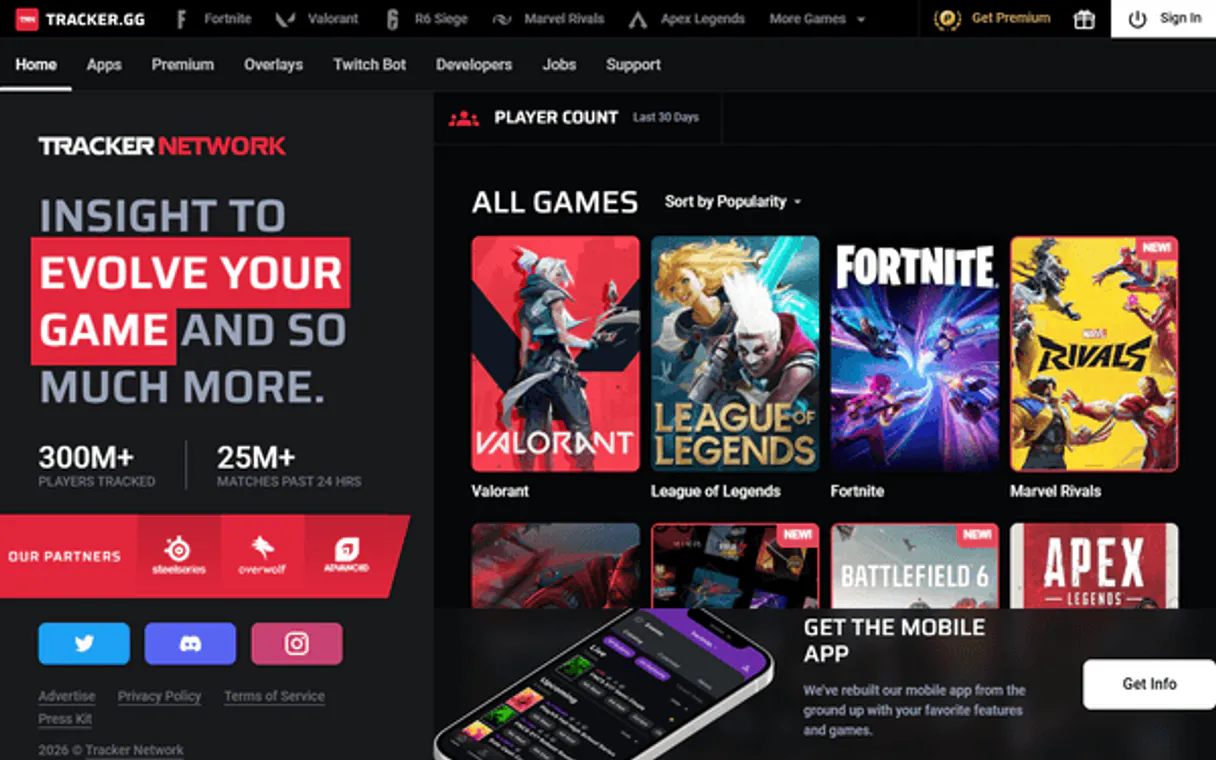
Apex & Division Stats by TRN provides deep gaming analytics for Apex Legends and Division 2. It gives your AI client access to player profiles, match history, per-legend performance breakdowns, global leaderboards, and Dark Zone stats.
You can search any player across the entire Tracker Network ecosystem to build a complete picture of their competitive skill.
What your AI agents can do
Get apex game metadata
Retrieves current metadata about the Apex Legends game.
Get apex leaderboard
Gets the global Apex Legends ranking list by a specific stat category.
Get apex legend breakdown
Calculates a player's performance statistics for every legend they use in Apex Legends.
Get a player's total lifetime stats for Apex Legends or Division 2, including K/D, kills, and wins.
Get a detailed breakdown of performance (kills, damage, wins) for every legend or agent a player uses.
Fetch a list of a player's most recent games to track how their performance is changing.
Pull the current world leaderboard for specific metrics like RankScore or total kills.
Find a player's account across the entire Tracker Network system using just their username.
Get specialized PvP metrics for Division 2, such as Dark Zone kills and extraction rates.
Ask AI about this MCP
Supported MCP Clients
Gemini Waiting for input…
019d8491get apex game metadata
Retrieves current metadata about the Apex Legends game.
019d8491get apex leaderboard
Gets the global Apex Legends ranking list by a specific stat category.
019d8491get apex legend breakdown
Calculates a player's performance statistics for every legend they use in Apex Legends.
019d8491get apex match history
Fetches a list of a player's recent matches in Apex Legends.
019d8491get apex player profile
Gets the full set of lifetime statistics for an Apex Legends player.
019d8491get division2 match history
Fetches a list of a Division 2 agent's recent matches.
019d8491get division2 player profile
Gets the full set of lifetime statistics for a Division 2 agent.
019d8491get division2 pvp stats
Retrieves advanced PvP stats specific to Division 2, like Dark Zone kills.
019d8491search player
Searches for a player's account across the entire Tracker Network system by username.
Choose How to Get Started
Build a custom MCP for your own tools, or connect a ready-made integration from our catalog.
Build Your Own
Turn any API into an MCP. Import a spec, define Agent Skills, or deploy with MCPFusion.
- Import from OpenAPI, Swagger, or YAML specs
- Create Agent Skills with progressive disclosure
- Deploy to edge with MCPFusion framework
- Built in DLP, auth, and compliance on every call
- Real time usage dashboard and cost metering
- Publish to catalog or keep private
Make Your AI Do More
Start with Apex & Division Stats by TRN, then connect any of our 4,700+ other servers whenever your AI needs more. One click, no limits.
- Use this MCP plus 4,700+ others, all in one place
- Add new capabilities to your AI anytime you want
- Every connection is secured and compliant automatically
- Track usage and costs across all your servers
- Works with Claude, ChatGPT, Cursor, and more
- New servers added to the catalog every week
What you can do with this MCP connector
Ever gotta know what a player's really good at? This server hooks your AI client up to the whole Tracker Network system, giving you deep stats for Apex Legends and Division 2. You can track any player's competitive profile, no matter which platform they use.
search_player lets you find a player's account across the whole Tracker Network just by their username. get_apex_player_profile and get_division2_player_profile pull the full lifetime stats for an Apex or Division 2 agent, including K/D ratios, total kills, and wins. You can then check a player's recent performance with get_apex_match_history or get_division2_match_history, which fetch lists of their most recent matches.
If you wanna know how a player's playing specific characters, get_apex_legend_breakdown calculates their performance stats for every legend they use in Apex Legends. For Division 2, get_division2_pvp_stats pulls specialized PvP metrics like Dark Zone kills and extraction rates. You can also check the global standing with get_apex_leaderboard, which gets the Apex Legends ranking list based on specific stat categories.
You'll also get current info on the game with get_apex_game_metadata.
How Apex & Division Stats MCP Works
- 1 Start by providing the player's platform and username.
- 2 Call the relevant tool (e.g.,
get_apex_player_profile) to pull the base stats. - 3 Request specific follow-up data like
get_apex_match_historyorget_division2_pvp_statsto build the full picture.
The bottom line is, you get high-integrity, specialized gaming data without having to manually scrape or piece together fragmented stats from multiple sources.
Who Is Apex & Division Stats MCP For?
Esports scouts and content creators need this. Scouts evaluate players for team roster decisions, checking if a player's stats hold up across multiple platforms. Content creators need real-time, high-integrity stats for streams or video research. Anyone who needs to prove competitive skill needs this.
Evaluates players by running get_apex_player_profile and comparing their K/D ratios and win rates across multiple platforms for roster decisions.
Tracks personal improvement by analyzing get_apex_match_history to spot trends and using get_apex_legend_breakdown to identify main characters.
Pulls current, verifiable stats for streams or video content by calling get_apex_leaderboard or get_apex_player_profile on demand.
What Changes When You Connect
- See a player's full career stats instantly using
get_apex_player_profile. You get their total K/D, wins, and damage figures in one call, eliminating the need to check multiple stat tabs. - Track performance trends by fetching
get_apex_match_history. This lets you see if a player is improving or declining over their last 10 games, not just what they did once. - Determine a player's specialty with
get_apex_legend_breakdown. This shows exactly which legends or agents they main, letting you understand their playstyle instantly. - Benchmark players against the world's best using
get_apex_leaderboard. You pull the current global ranking for Kills or RankScore, giving immediate context to any player's stats. - Deep-dive into conflict metrics using
get_division2_pvp_stats. This tool pulls specialized data for Division 2, giving metrics like Dark Zone kills that standard profiles miss. - Identify players across games using
search_player. You only need a username to find the account across the entire Tracker Network ecosystem.
Real-World Use Cases
Evaluating a potential team member
A scout needs to know if a player is reliable. They ask their agent to run get_apex_player_profile and then get_apex_legend_breakdown. The agent combines the data to confirm the player's primary role and overall skill, which was impossible with simple manual searches.
Researching a rival streamer's performance
A content creator needs stats for a rival. They run search_player to confirm the username, then use get_apex_match_history to pull recent game logs. They can then use get_apex_leaderboard to compare the rival's current standing against the global top players.
Analyzing a player's shift in skill
A coach needs to track improvement. They run get_division2_player_profile to get baseline stats, then use get_division2_match_history to check the last month's trends. The agent identifies if the player is consistently winning high-stakes PvP conflicts.
Comparing two players' playstyles
A data analyst needs to compare two players. They run get_apex_legend_breakdown for both, allowing the agent to compare kills and damage per legend side-by-side, pinpointing specific strengths or weaknesses.
The Tradeoffs
Asking for all data in one query
Trying to get all stats (profile, match history, legend breakdown) in a single, massive API call because it feels faster.
→
Break it up. First, call get_apex_player_profile for the base stats. Then, run get_apex_match_history separately for the last 50 matches. Finally, run get_apex_legend_breakdown to get the character analysis. This structured approach prevents timeouts.
Ignoring platform differences
Assuming a player's overall skill is the same on PSN as it is on Xbox, and only running one profile tool.
→
Use search_player first. This finds the player across all platforms. Then, run the specific profile tool (e.g., get_apex_player_profile) for each platform you need to compare accurately.
Using outdated stats
Relying on old forum posts or non-API websites to determine current rank or performance.
→
Always use the dedicated tools. For current rankings, call get_apex_leaderboard. For current performance, use get_apex_match_history or get_division2_pvp_stats.
When It Fits, When It Doesn't
Use this if you need a complete, verifiable data set on competitive player performance across multiple titles. You need to know how a player plays, not just that they played. If your goal is simply to count how many matches a player played, you can use a simple database query. But if you need to know their K/D ratio, their top legend, and their Dark Zone kill count, you must use this server. Don't use this if you only need metadata—get_apex_game_metadata is for that. If you need to compare two players' skill curves, you'll need to run multiple tools and synthesize the data yourself.
Independent Platform Disclaimer: Vinkius is an independent platform and is not affiliated with, endorsed by, sponsored by, verified by, or otherwise authorized by Tracker Network (TRN). All third-party trademarks, logos, and brand names are the property of their respective owners. Their use on this website is strictly for informational purposes to identify service compatibility and interoperability.
VINKIUS INFRASTRUCTURE
Cloud Hosted
Managed infra
V8 Isolated
Sandboxed per request
Zero-Trust Proxy
No stored credentials
DLP Enforced
Policy on every call
GDPR Compliant
EU data residency
Token Compression
~60% cost reduction
Works with Claude, ChatGPT, Cursor, and more
The Model Context Protocol standardizes how applications expose capabilities to LLMs. Instead of operating in isolation, your AI gains direct access to external platforms, live data, and real-world actions through secure, standardized connections.
This server provides 9 capabilities that interface natively with Claude, ChatGPT, Cursor, and any MCP client. No middleware. No custom integration required.
Available Capabilities
Manual data gathering across multiple gaming sites is a huge time sink.
Right now, checking a player's full history means jumping between Origin, PSN, and Xbox stat trackers. You copy K/D from one page, then manually check their win count on a second page, and finally try to find their best legend's damage on a third. It's tedious, and you always risk missing something.
With this MCP server, you give your agent a single prompt. It runs `get_apex_player_profile` and `get_apex_legend_breakdown` automatically. You get the combined, verified data set—all the core numbers—without leaving the chat window.
Apex & Division Stats by TRN MCP Server: Full Player Data Access
You no longer have to manually check a player's global standing, then go back to their profile for lifetime stats, and then separately find their recent match logs. The agent handles the full sequence of calls, pulling everything from `get_apex_leaderboard` to `get_apex_match_history` into one usable report.
The difference is the data integrity. You get a single, actionable report that combines every piece of verifiable stats, structured and ready for use.
Common Questions About Apex & Division Stats MCP
How do I use the get_apex_player_profile tool? +
The get_apex_player_profile tool retrieves the player's total lifetime stats. You must provide the player's platform and username to get the data.
Can get_division2_pvp_stats compare stats across games? +
No. get_division2_pvp_stats only pulls specialized PvP metrics for Division 2. You must use get_apex_player_profile for Apex Legends data.
What is the best way to find a player's stats? +
Use the search_player tool first. It confirms the player's account and links across the entire Tracker Network ecosystem before you run specific profile tools.
Do I need to use get_apex_match_history for performance analysis? +
Yes. While get_apex_player_profile gives lifetime stats, get_apex_match_history shows recent performance trends, which is better for analysis.
Can I analyze multiple platforms with this server? +
Yes. You can call multiple profile tools (e.g., get_apex_player_profile for PSN and get_apex_player_profile for Xbox) to gather comparative data for a single player.
How does `search_player` help me find a player across different games? +
It finds accounts across the entire Tracker Network ecosystem. You enter a username, and the tool returns matching accounts linked to specific platforms and games.
What is the purpose of `get_apex_legend_breakdown`? +
This tool breaks down performance per legend. It gives you kills, damage, and wins for every character a player uses, which is key for finding their main playstyle.
What stats does `get_division2_player_profile` provide? +
It provides comprehensive stats for a Division 2 agent. This includes overall profile data and specific metrics relevant to the game's competitive modes.
Which games are supported? +
The official TRN public API supports Apex Legends and The Division 2. For Apex: full profile stats, per-legend breakdowns, match history, and global leaderboards. For Division 2: PvE/PvP stats, Dark Zone details, and session history.
Can I see per-legend stats like kills on Wraith or damage on Octane? +
Yes! Use get_apex_legend_breakdown to get performance data for each individual legend — kills, damage, wins, and more. This is perfect for identifying a player's main and comparing legend-specific performance.
How do I track a player's recent performance over time? +
Use get_apex_match_history or get_division2_match_history to retrieve grouped play sessions with aggregated stats. Each session shows kills, damage, placements, and XP — making it easy to spot improvement trends or slumps.
Use it with your favorite AI tools
Connect this server to Cursor, Claude, VS Code, and more.
More in this category

Nansen (Blockchain Analytics)
Access institutional-grade blockchain analytics — track Smart Money, profile wallets, and monitor real-time token flows across multiple chains.

Exa AI
Search and discover the web — audit semantic results and similar links via AI.

Commodities
Access real-time futures prices for 30+ commodities — gold, silver, oil, gas, wheat, coffee, copper, and more via Commodities-API.
You might also like

Kinde (Modern Authentication)
Manage users, organizations, roles, and permissions in Kinde directly from your AI agent.

Box
Manage files, folders, collaborations, and metadata on Box — the enterprise cloud content management platform.

Spendesk
Empower your AI with real-time spend management. Track budgets, audit invoices, and review expense claims directly from your IDE.