
Box MCP. Manage content, users, and metadata via chat.
 Gemini
 Works with every AI agent you already use
…and any MCP-compatible client









Just plug in your AI agents and start using Vinkius.
Box MCP Server connects your AI agent directly to your Box enterprise account. You manage cloud content—files, folders, users, and metadata—using natural conversation.
It lets you search across documents, create new folder structures, and check access permissions without leaving your chat interface. It's for anyone who needs to operate within a large, structured corporate document environment.
What your AI agents can do
Create folder
Makes a new folder at a specified location in Box.
Get file info
Gets detailed information about a specific file in Box.
Get folder collaborations
Lists all the users who have access to a specific folder.
Find files and folders by full-text search, filtering results by file extension or parent folder location.
Retrieve a list of all enterprise users and their group memberships within the Box domain.
List the names, sizes, types, and modified dates of all contents within a specified Box folder, including the root directory.
Retrieve specific metadata and details for a single file in Box.
Retrieve specific metadata and details for an entire folder in Box.
List every user who has been granted access to a specific folder, detailing their permission level.
Build a new folder structure within a specified parent location in Box.
Ask AI about this MCP
Supported MCP Clients
Gemini Waiting for input…
019d7561create folder
Makes a new folder at a specified location in Box.
019d7561get file info
Gets detailed information about a specific file in Box.
019d7561get folder collaborations
Lists all the users who have access to a specific folder.
019d7561get folder info
Gets detailed information about a specific folder in Box.
019d7561list folder items
Lists the names, sizes, and dates of every item inside a Box folder.
019d7561list users
Retrieves a complete list of all registered users in the Box enterprise domain.
019d7561search content
Searches across all content, allowing you to filter results by file type or folder location.
Choose How to Get Started
Build a custom MCP for your own tools, or connect a ready-made integration from our catalog.
Build Your Own
Turn any API into an MCP. Import a spec, define Agent Skills, or deploy with MCPFusion.
- Import from OpenAPI, Swagger, or YAML specs
- Create Agent Skills with progressive disclosure
- Deploy to edge with MCPFusion framework
- Built in DLP, auth, and compliance on every call
- Real time usage dashboard and cost metering
- Publish to catalog or keep private
Make Your AI Do More
Start with Box, then connect any of our 4,700+ other servers whenever your AI needs more. One click, no limits.
- Use this MCP plus 4,700+ others, all in one place
- Add new capabilities to your AI anytime you want
- Every connection is secured and compliant automatically
- Track usage and costs across all your servers
- Works with Claude, ChatGPT, Cursor, and more
- New servers added to the catalog every week
What you can do with this MCP connector
Your AI agent connects straight to your Box enterprise account. You manage all your cloud content—files, folders, users, and metadata—just by talking to it. You don't gotta click through the Box UI to find a file or check permissions anymore. It's for anyone who needs to operate within a huge, structured corporate document environment.
Search Content
You can run full-text searches across all content, letting you filter results by file extension or parent folder location. List Users
It pulls a complete list of every registered user in your Box domain, including their group memberships. List Folder Items
You can list the names, sizes, types, and modified dates of everything inside a specific Box folder, even the root directory. Get File Details
It grabs specific metadata and details for any single file. Get Folder Details
It gets specific metadata and details for an entire folder. Check Folder Collaborators
It lists every user who has access to a folder and details their specific permission level. Create Folder
It builds a brand new folder structure right where you tell it to go within a specified parent location.
How Box MCP Works
- 1 First, connect your AI client to Box and authorize the necessary permissions. This establishes the connection.
- 2 Next, tell your agent exactly what you want to find or change. For example, 'Show me all contracts expiring in Q2 2026' or 'Create a folder for the Q4 review.'
- 3 The agent runs the specific Box tool (like
search_contentorcreate_folder), pulls the structured data, and presents the actionable results back to you in plain text.
The bottom line is that your agent treats Box like a database, allowing you to run complex administrative and retrieval queries through simple chat commands.
Who Is Box MCP For?
This is for the Ops Engineer who is tired of clicking through permission dashboards at 2 AM. It’s for the Legal Analyst who needs to query specific metadata on thousands of contracts. It’s for the IT Admin who needs to audit user access without logging into the web UI. If your job involves finding or organizing corporate documents, this is for you.
Needs to search across document repositories for specific file types (e.g., all Q3 budget drafts) and list the contents of the main departmental folder.
Needs to query files using metadata filters (like 'retention policy' or 'confidentiality level') and check who has access to sensitive folders.
Needs to list all enterprise users, check group memberships, and verify collaboration permissions for shared departmental folders.
Needs to find and share content across different departmental silos without having to manually navigate the full Box UI.
What Changes When You Connect
- Find specific documents fast. Instead of manually navigating deep folder hierarchies, use
search_contentto query across all content. Filter results by file extension (PDF, DOCX, XLSX) or specific metadata tags. - Audit permissions instantly. Use
get_folder_collaborationsto see every user's role (Viewer, Editor, Co-owner) for a folder without opening the sharing settings pane. - Build structure on the fly. Use
create_folderto establish new departmental folders directly through conversation, bypassing the need to click into the root directory and create the structure manually. - Keep track of everything.
list_folder_itemsreturns names, sizes, and modified dates for all contents in a folder. You get a quick, structured list, not a slow-loading web page. - Understand the whole user base.
list_userspulls a definitive list of all enterprise users and their group memberships, which is crucial for IT admins managing access. - Deep content context. You can apply and query custom metadata templates on files and folders using the Box API, giving your AI agent the context it needs to answer complex questions.
Real-World Use Cases
Finding expiring contracts.
A Legal Analyst needs to find every contract that expires in Q2 2026. Instead of running three different reports and cross-referencing them, they ask their agent to search_content. The agent runs the tool, filters by metadata, and spits out a numbered list of the exact files and their expiration dates.
Auditing a sensitive project folder.
The Ops Manager suspects a folder might be over-shared. They ask their agent to get_folder_collaborations for the folder. The agent immediately lists every user, their roles (e.g., Viewer, Editor), and whether the access link has an expiration date. No guesswork needed.
Mapping team structure.
The IT Admin needs to know which users are in the 'Finance' group and what their roles are. They run list_users. The agent returns a clean, structured list of every user and their group memberships, letting the admin quickly verify directory integrity.
Determining total folder size.
A Knowledge Worker needs to know the total size of the 'Engineering' folder. They ask their agent to list_folder_items. The agent processes the list, giving a total size and a count of items across the entire directory.
The Tradeoffs
Manual Folder Traversal
A user tries to find a file by clicking through the root folder, into the 'Projects' folder, then into '2024', then into 'Marketing', and finally searching. This is slow, tedious, and easily misses content in sub-folders.
→
Use the search_content tool. Just give your agent the keywords and the date range, and it searches the entire content graph. You don't need to click anywhere.
Guessing permissions
A user sees a folder and assumes everyone in the department has access. They then try to manually check the sharing settings, which is a click-heavy, confusing web page.
→
Run get_folder_collaborations. It lists every single person and their exact permission level (Viewer, Editor, etc.). It's a clean, definitive list, ready for your agent to read.
Ignoring metadata
A user searches only by keyword ('budget') but misses the critical filter that the file must be a PDF and must belong to the 'Legal' folder. The results are too broad.
→
Use search_content and include metadata filters. Tell your agent: 'Find PDF files containing 'budget' that are tagged as Legal.' The tool handles the complex filtering for you.
When It Fits, When It Doesn't
Use this Box MCP Server if your primary bottleneck is finding or managing content within a deeply structured, large-scale document repository. It’s perfect for compliance teams, legal staff, and IT admins who need to audit permissions and search across thousands of files using metadata.
Don't use this if your problem is simple file transfer or sharing a single document. For those tasks, the standard Box UI is faster. However, if you need to combine actions—like 'find the user who owns the latest PDF on the Q3 budget folder and then send them a reminder'—this server is necessary. If you only need to view the folder structure, list_folder_items works, but if you need to query that structure based on metadata, stick with the full server.

Independent Platform Disclaimer: Vinkius is an independent platform and is not affiliated with, endorsed by, sponsored by, verified by, or otherwise authorized by Box. All third-party trademarks, logos, and brand names are the property of their respective owners. Their use on this website is strictly for informational purposes to identify service compatibility and interoperability.
VINKIUS INFRASTRUCTURE
Cloud Hosted
Managed infra
V8 Isolated
Sandboxed per request
Zero-Trust Proxy
No stored credentials
DLP Enforced
Policy on every call
GDPR Compliant
EU data residency
Token Compression
~60% cost reduction
Works with Claude, ChatGPT, Cursor, and more
The Model Context Protocol standardizes how applications expose capabilities to LLMs. Instead of operating in isolation, your AI gains direct access to external platforms, live data, and real-world actions through secure, standardized connections.
This server provides 7 capabilities that interface natively with Claude, ChatGPT, Cursor, and any MCP client. No middleware. No custom integration required.
Available Capabilities
Searching for a file shouldn't require 12 clicks.
Today, finding a specific contract means logging into Box, clicking the 'Department' folder, then navigating to the 'Legal' subfolder, then filtering by '2023' and then manually scrolling through the results to see the right file. It's a click-and-copy-paste nightmare.
With the Box MCP Server, you just ask your agent. You say, 'Find all contracts marked 'ClientAlpha' expiring in 2025.' The agent runs `search_content`, handles the filtering, and hands you the precise file name, path, and metadata—no UI navigation required.
Box MCP Server: Access folder and file details.
You used to have to open the file or folder, then click the 'Details' tab, then manually look for the owner or the creation date. That data was always buried deep in a submenu.
Now, you ask your agent to `get_file_info` or `get_folder_info`. The agent pulls that owner, date, and size data immediately, presenting it in a clean, conversational summary. It’s instant context.
Common Questions About Box MCP
How do I use the `search_content` tool with metadata filters? +
You pass the required filters (like file extension or custom tags) directly in your prompt. The agent translates your natural language query into the specific search_content parameters needed to narrow the results.
What does `get_folder_collaborations` actually show? +
It lists every user who has access to that specific folder. It doesn't just list names; it shows their assigned role (Viewer, Editor, Co-owner) and can detail if the access link is time-limited.
Can I create a folder using `create_folder`? +
Yes. You simply instruct the agent to create the folder and specify the desired parent location. The agent executes create_folder and confirms the new folder ID.
Which tool should I use to see all users? +
Use list_users. This tool gives you a comprehensive list of every registered enterprise user and their associated group memberships within the Box domain.
Is `list_folder_items` the same as `search_content`? +
No. list_folder_items only lists the names, sizes, and dates of everything inside a specific folder. search_content searches across multiple folders and content types based on keywords or metadata.
How do I use `get_file_info` to check a file's permissions? +
The get_file_info tool returns comprehensive details, including the file's permissions and ownership structure. You'll get the owner's ID, a list of explicit permissions, and the date the file was last modified.
If I run `list_folder_items` on a very large folder, are there rate limits? +
The tool handles large directories by paginating results. If you hit a rate limit, your AI client will receive a specific error code and retry the request after a brief delay.
How does `search_content` handle file types that aren't pdf, docx, or xlsx? +
The search_content tool focuses its deep search on PDF, DOCX, and XLSX files. For other file types, it performs a basic name and metadata search.
What authentication does Box use? +
Box supports Client Credentials Grant (CCG) for server-to-server auth. Create a Custom App in the Box Developer Console, select 'Server Authentication (Client Credentials Grant)', and get the Client ID and Client Secret.
Can I search file contents? +
Yes. The search_content tool uses Box's full-text search engine. It searches inside documents, presentations, spreadsheets, and PDFs.
Does it support metadata queries? +
Yes. The query_metadata tool supports Box metadata queries using SQL-like syntax against metadata templates applied to files and folders.
Use it with your favorite AI tools
Connect this server to Cursor, Claude, VS Code, and more.
More in this category

Ship24
Track shipments from 1200+ carriers worldwide with a universal tracking API that gives real-time delivery status updates.

Aliyun VOD / 阿里云视频点播
Alibaba Cloud's professional video pipeline — manage media, retrieve play URLs, and audit transcode templates via AI.

Wuro
Manage your business billing, product catalog, and contacts with Wuro.fr through AI.
You might also like
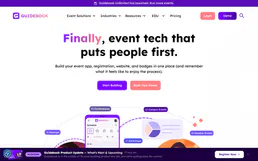
Guidebook
Create branded mobile apps for events, conferences, and organizations with schedules, maps, and attendee engagement features.

Corsizio
Equip your AI agent to manage event registrations, attendees, and payments through the Corsizio API.

Typeform
Conversational form management — fetch submissions, inspect form layouts, and automate Typeform operations elegantly.