
Appfigures MCP. Track app performance and revenue data instantly.
 Gemini
 Works with every AI agent you already use
…and any MCP-compatible client









Just plug in your AI agents and start using Vinkius.
Appfigures MCP Server analyzes your mobile app performance. It connects your AI agent directly to store data, letting you track downloads, revenue, and reviews across iOS and Google Play.
You can list your apps, check rankings, and get detailed sales and subscription reports using natural language commands.
What your AI agents can do
Get account check
Confirms that the Appfigures account is connected and ready to run reports.
Get external accounts
Lists all the store accounts (like Google Play or Apple) linked to your Appfigures profile.
Get ranks
Retrieves the daily ranking data for specific keywords and categories.
The agent can list all apps in your account or search for any app on the market to check its performance.
You can get detailed reports on total downloads, updates, and net revenue for specific time periods.
The agent retrieves user reviews and lists your apps' featured status on major app stores.
You can track daily category and keyword rankings, which is key for ASO strategy.
The agent pulls data on active subscribers, churn rates, and other subscription health indicators.
The agent first checks the account status and lists all linked store accounts before running reports.
Ask AI about this MCP
Supported MCP Clients
Gemini Waiting for input…
Appfigures MCP Server: 11 Tools for App Metrics
These tools let your AI agent access and process every piece of your mobile app store data, from sales records to user reviews.
019d754fget account check
Confirms that the Appfigures account is connected and ready to run reports.
019d754fget external accounts
Lists all the store accounts (like Google Play or Apple) linked to your Appfigures profile.
019d754fget ranks
Retrieves the daily ranking data for specific keywords and categories.
019d754fget revenue report
Generates a report showing total revenue and net proceeds from your apps.
019d754fget sales report
Provides a detailed breakdown of downloads, updates, and returns over a specified period.
019d754fget subscriptions report
Calculates metrics like active subscribers and monthly churn rate.
019d754fget user info
Retrieves basic information about the authenticated user connected to the system.
019d754flist featured
Checks when and if your apps are featured on major app stores.
019d754flist my products
Shows a list of every mobile app you own and track in your Appfigures account.
019d754flist reviews
Pulls recent user reviews and feedback for your products.
019d754fsearch products
Searches for any mobile app across all supported app stores by name or keyword.
Choose How to Get Started
Build a custom MCP for your own tools, or connect a ready-made integration from our catalog.
Build Your Own
Turn any API into an MCP. Import a spec, define Agent Skills, or deploy with MCPFusion.
- Import from OpenAPI, Swagger, or YAML specs
- Create Agent Skills with progressive disclosure
- Deploy to edge with MCPFusion framework
- Built in DLP, auth, and compliance on every call
- Real time usage dashboard and cost metering
- Publish to catalog or keep private
Make Your AI Do More
Start with Appfigures, then connect any of our 4,700+ other servers whenever your AI needs more. One click, no limits.
- Use this MCP plus 4,700+ others, all in one place
- Add new capabilities to your AI anytime you want
- Every connection is secured and compliant automatically
- Track usage and costs across all your servers
- Works with Claude, ChatGPT, Cursor, and more
- New servers added to the catalog every week
What you can do with this MCP connector
Appfigures MCP Server gives your AI client direct access to your mobile app performance data and store metrics. You can track downloads, revenue, and reviews for your apps across both iOS and Google Play using simple natural language commands. First, your agent checks the account status with get_account_check and lists all connected store accounts using get_external_accounts before running any reports.
You can list all apps you own and track with list_my_products, or search for any app across all supported stores using search_products. To check out your app's visibility, your agent runs list_featured to see when and if your apps are featured on major app stores. You can pull recent user reviews and feedback with list_reviews.
When you need to know about your finances, your agent generates a detailed sales report with get_sales_report, and another one for total revenue and net proceeds using get_revenue_report. You can monitor your subscription health by getting active subscribers and the monthly churn rate with get_subscriptions_report. For ASO strategy, your agent retrieves daily ranking data for specific keywords and categories using get_ranks.
You can also get basic information about the connected user with get_user_info.
How Appfigures MCP Works
- 1 First, your AI client calls
get_account_checkto verify the Appfigures connection status. - 2 Next, you prompt your agent to run a specific report, like 'Show me the sales report for Q2.'
- 3 The agent calls
get_sales_reportand returns the structured data, detailing downloads, updates, and returns.
The bottom line is, you talk to your agent in plain English, and it handles the API calls to pull structured, actionable app performance data from Appfigures.
Who Is Appfigures MCP For?
Product Managers and Marketing teams need this. You're the PM who gets tired of logging into five different dashboards just to write a single performance review. You're the Marketing lead who needs to know why a keyword ranking dropped yesterday. This server cuts out the manual dashboard hopping.
Gathers performance data for quarterly reviews. Instead of exporting CSVs from sales, rankings, and reviews into a spreadsheet, the agent pulls all three data points into a single report.
Checks daily metrics and user feedback. Instead of logging into the dashboard, the agent pulls the latest reviews or the daily download count directly into the chat.
Monitors keyword rankings and featured status. The specialist asks the agent to track a keyword's daily performance across categories, immediately identifying ranking dips.
What Changes When You Connect
- See your total downloads and updates immediately. The
get_sales_reporttool pulls raw numbers (downloads, updates, returns) without you needing to navigate a single dashboard. - Pinpoint revenue gaps by running
get_revenue_report. You get a clean breakdown of net proceeds, making it easy to tie performance directly to dollars. - Quickly assess user sentiment using
list_reviews. The agent pulls recent feedback, allowing you to spot recurring bugs or feature requests instantly. - Maintain a competitive edge with
get_ranks. You can track daily keyword and category rankings to see exactly when and where your visibility drops. - Understand your recurring income with
get_subscriptions_report. This tool provides metrics like churn and active subscribers, which is critical for long-term planning. - Avoid manual data collection by combining tools. You can use
list_my_productsto list all apps, and then useget_sales_reporton each one in a single chat session.
Real-World Use Cases
Investigating a sudden drop in downloads.
The ASO Specialist notices a sudden dip in downloads. They ask the agent to run get_sales_report for the last 7 days and cross-reference it with get_ranks for the same period. The agent finds the ranking dip coincided with the sales drop, pointing to a necessary ASO update.
Preparing a quarterly review presentation.
The Product Manager needs a holistic view of success. They prompt the agent to gather data using get_revenue_report (for total dollars), get_subscriptions_report (for recurring revenue), and list_reviews (for qualitative feedback) into one summary.
Monitoring a competitor's launch.
A team member wants to know how a competitor is doing. They use search_products to find the competitor's app, then ask the agent to use get_ranks to monitor its category performance against your own.
Auditing all owned apps' performance.
The developer needs to check metrics for every app they own. They use list_my_products first, and then ask the agent to run get_sales_report on every product ID returned, building a consolidated report.
The Tradeoffs
Reading the manual for every tool
The user reads the descriptions for all 11 tools, trying to map which one handles 'sales' and which one handles 'revenue'. This is slow and overwhelming.
→
Start by stating your goal in plain English: 'What were the sales metrics last month?' The agent figures out if it needs get_sales_report or get_revenue_report and runs the correct tool automatically.
Copying and pasting data between tabs
The user manually copies the list of app IDs from the 'My Products' dashboard and pastes them into a separate spreadsheet to run reports.
→
Use the list_my_products tool to let the agent access all your app IDs. Then, prompt the agent to run get_sales_report for the entire list, keeping the data flow contained within the chat.
Assuming one tool does everything
The user only runs get_sales_report and assumes the total number of downloads represents the full revenue potential.
→
Remember that sales numbers don't equal revenue. Always follow up a sales report with get_revenue_report to get the actual net proceeds data.
When It Fits, When It Doesn't
Use this if you need to combine data points from multiple sources—like 'What did our ranking drop (get_ranks) lead to in terms of revenue (get_revenue_report)?' You need a tool that synthesizes data streams, not just raw numbers. Don't use this if you just need to check a single number, like the current user ID (get_user_info); that's too simple for the agent to handle. Use it when the answer requires multiple API calls and a narrative summary.
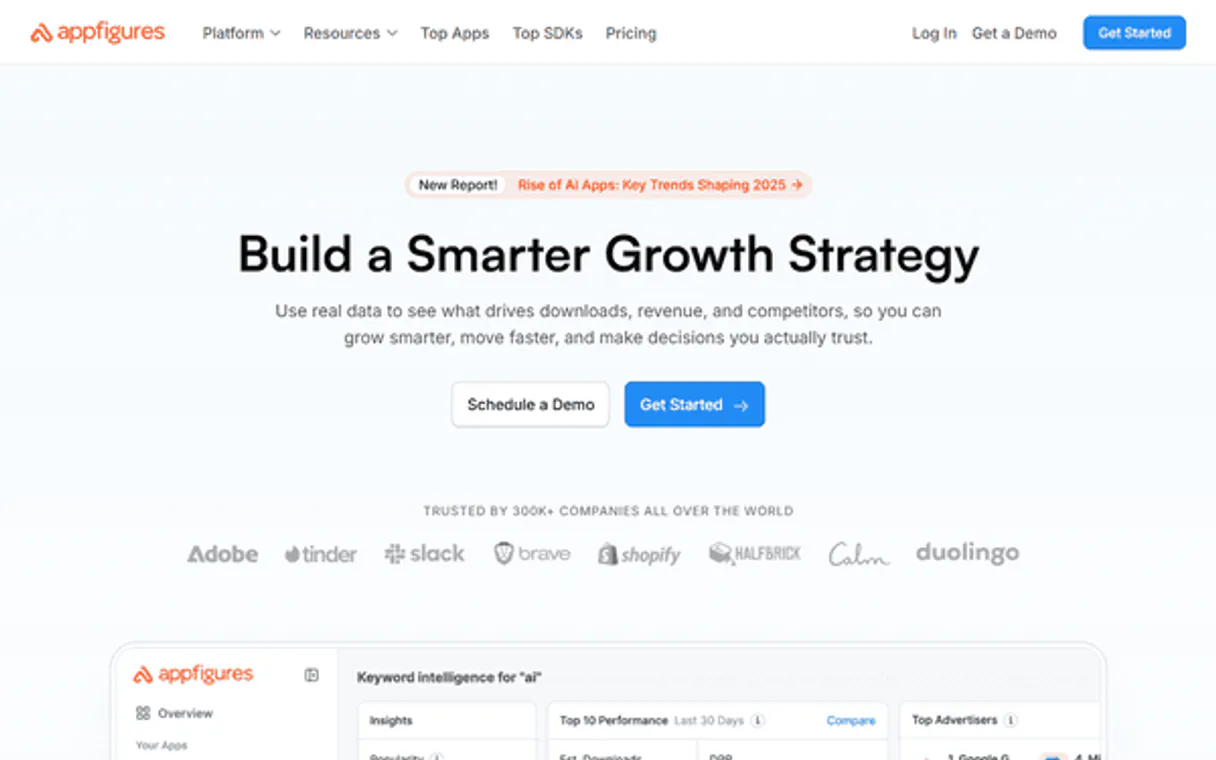
Independent Platform Disclaimer: Vinkius is an independent platform and is not affiliated with, endorsed by, sponsored by, verified by, or otherwise authorized by Appfigures. All third-party trademarks, logos, and brand names are the property of their respective owners. Their use on this website is strictly for informational purposes to identify service compatibility and interoperability.
VINKIUS INFRASTRUCTURE
Cloud Hosted
Managed infra
V8 Isolated
Sandboxed per request
Zero-Trust Proxy
No stored credentials
DLP Enforced
Policy on every call
GDPR Compliant
EU data residency
Token Compression
~60% cost reduction
Works with Claude, ChatGPT, Cursor, and more
The Model Context Protocol standardizes how applications expose capabilities to LLMs. Instead of operating in isolation, your AI gains direct access to external platforms, live data, and real-world actions through secure, standardized connections.
This server provides 11 capabilities that interface natively with Claude, ChatGPT, Cursor, and any MCP client. No middleware. No custom integration required.
Available Capabilities
Juggling dashboards to track app performance is exhausting.
Today, checking performance means logging into the Appfigures site, navigating to the 'Sales' tab, downloading a CSV. Then, you jump to the 'Reviews' tab, copy the latest comments, and finally, you go to the 'Rankings' page to see if your keyword moved. It takes 15 minutes and five different browser tabs.
With the Appfigures MCP Server, you just tell your agent, 'Give me the sales data and the latest reviews.' The agent runs `get_sales_report` and `list_reviews` simultaneously, compiling the results into one readable response. You get the data, not the clicks.
Appfigures MCP Server: See your full app data in chat.
You don't have to run reports piece by piece. You can ask, 'Show me the revenue report for Product X that had a rank drop last week.' The agent automatically uses `get_ranks` to find the drop, then runs `get_revenue_report` to measure the resulting financial impact.
The server doesn't just give you data; it connects the dots. It lets you see how a ranking change impacts revenue, all without leaving your chat window.
Common Questions About Appfigures MCP
How do I check my app's daily ranking using the get_ranks tool? +
You simply ask the agent for the daily category and keyword rankings. The agent calls get_ranks and returns the current data. This is perfect for quickly checking ASO performance after an update.
What data does the get_revenue_report provide? +
The get_revenue_report provides detailed data on net proceeds and overall revenue for your apps. It tells you the actual money coming in, which is different from just tracking downloads.
Can I list reviews using the list_reviews tool? +
Yes, list_reviews retrieves recent user feedback for your products. You can use this to quickly identify common complaints or popular feature requests.
How do I find data for a competitor app using search_products? +
Use search_products and provide the competitor's name or app ID. The agent searches all supported stores and returns the app's current ranking and basic metadata.
What is the difference between get_sales_report and get_revenue_report? +
The get_sales_report tracks activity (downloads, updates, returns). The get_revenue_report tracks money (net proceeds, revenue). You need both to get a full picture.
How do I list all my apps using the list_my_products tool? +
This tool gives you a list of every mobile app tied to your Appfigures account. You can use this list to ensure you're tracking metrics for every product you own.
What does get_external_accounts do? +
It lists all the store accounts that are linked to your Appfigures setup. Before running any reports, you should use this tool to verify all necessary store connections are active.
Can I monitor subscription health using get_subscriptions_report? +
Yes, this report tracks key subscription metrics like active subscribers and churn rates. It helps you understand the overall health and retention of your user base.
How do I get my Appfigures Client Key and Personal Access Token? +
Go to the Appfigures Developer Settings to create an API Client Key and generate a Personal Access Token.
Can I track competitor apps with this server? +
Yes, you can use the search_products tool to find and monitor any app across all supported stores, not just your own.
Which app stores are supported? +
Appfigures supports iOS, Google Play, Amazon Appstore, Windows Store, and many others. If the store is linked to your Appfigures account, you can access its data.
Use it with your favorite AI tools
Connect this server to Cursor, Claude, VS Code, and more.
More in this category

Odicci
Launch interactive marketing campaigns with gamification elements like spin wheels, quizzes, and scratch cards that capture leads.

No2Bounce
Validate email addresses in bulk to reduce bounce rates and protect your sender reputation directly from your AI agent.
Listrak
Manage email and SMS campaigns, contacts, and messaging via the Listrak REST API.
You might also like

JSONCargo Maritime
Track global vessels — audit voyages and ports via AI.

Haystack (deepset Cloud)
Build and manage AI-powered search and RAG pipelines via deepset Cloud — search documents, run pipelines, and manage workspaces.

Restful Booker
Manage hotel bookings via the Restful Booker API—create, retrieve, update, and delete reservations directly from your AI agent.