
ApplicantStack MCP. Manage candidate stages and job data in one chat.
 Gemini
 Works with every AI agent you already use
…and any MCP-compatible client









Just plug in your AI agents and start using Vinkius.
ApplicantStack MCP Server tracks job listings, candidate progress, and onboarding data. Get details for any candidate or job, list all applicants, and move candidates between custom workflow stages.
It connects your AI client directly to your full hiring pipeline data.
What your AI agents can do
Get account check
Verifies the connection status of the ApplicantStack account.
Get candidate
Retrieves the full profile and details for a single, specific candidate.
Get job
Gets all the metadata for a specific job listing.
Gets all the metadata for a specific job opening.
Retrieves the complete record and details for one specific applicant.
Retrieves a list of all candidates, allowing filtering by workflow stage or score.
Updates a candidate's profile or moves them to a new stage in the workflow.
Lists every job opening tracked in the system.
Retrieves a list of all individuals who have been successfully onboarded.
Ask AI about this MCP
Supported MCP Clients
Gemini Waiting for input…
ApplicantStack MCP Server: 7 Tools for Hiring Workflow
These tools let your agent query candidate profiles, manage job listings, and move applicants through their hiring workflow.
019d7550get account check
Verifies the connection status of the ApplicantStack account.
019d7550get candidate
Retrieves the full profile and details for a single, specific candidate.
019d7550get job
Gets all the metadata for a specific job listing.
019d7550list candidates
Lists all candidates in the system, often allowing filtering by stage or score.
019d7550list hires
Lists all individuals who have successfully completed onboarding.
019d7550list jobs
Lists every active and closed job opening managed by ApplicantStack.
019d7550update candidate
Changes a candidate's profile data or moves them to a different stage in the hiring workflow.
Choose How to Get Started
Build a custom MCP for your own tools, or connect a ready-made integration from our catalog.
Build Your Own
Turn any API into an MCP. Import a spec, define Agent Skills, or deploy with MCPFusion.
- Import from OpenAPI, Swagger, or YAML specs
- Create Agent Skills with progressive disclosure
- Deploy to edge with MCPFusion framework
- Built in DLP, auth, and compliance on every call
- Real time usage dashboard and cost metering
- Publish to catalog or keep private
Make Your AI Do More
Start with ApplicantStack, then connect any of our 4,700+ other servers whenever your AI needs more. One click, no limits.
- Use this MCP plus 4,700+ others, all in one place
- Add new capabilities to your AI anytime you want
- Every connection is secured and compliant automatically
- Track usage and costs across all your servers
- Works with Claude, ChatGPT, Cursor, and more
- New servers added to the catalog every week
What you can do with this MCP connector
This server hooks up your AI client directly to your whole hiring pipeline. You can track job listings, candidate progress, and onboarding data without leaving your agent. You'll get details on any candidate or job, list all applicants, and move candidates through your custom workflow stages. It's basically a direct line to all your ApplicantStack data.
get_account_check: Verifies if your ApplicantStack account connection is good to go.
get_job: Pulls every piece of metadata for a specific job listing.
list_jobs: Lists every job opening, whether it's currently active or already closed.
get_candidate: Retrieves the full profile and every detail for a single candidate.
list_candidates: Gives you a list of all candidates in the system; you can even filter that list by a specific workflow stage or their score.
update_candidate: Changes a candidate's profile data, or you can move them to a different stage right in the hiring workflow.
list_hires: Lists every individual who's successfully finished onboarding and is officially hired.
How ApplicantStack MCP Works
- 1 Start by telling your agent what you need (e.g., 'Find all candidates in the Interview stage').
- 2 The agent calls the necessary tool (like
list_candidatesorget_candidate) and pulls the data from ApplicantStack. - 3 The agent gives you the result, or it executes the update (like calling
update_candidate), and confirms the change.
The bottom line is, your AI client manages the entire hiring process in one conversation, without you ever leaving your current workspace.
Who Is ApplicantStack MCP For?
The Hiring Manager who needs to review candidate scores and profiles without leaving their main dashboard. The Recruiter who is tired of jumping between the ATS and the HRIS. The HR Operations Specialist who needs to verify onboarding steps for new hires before payroll hits.
Checks the status of multiple candidates across different job roles and updates their stage in the workflow.
Reviews candidate profiles and scores using AI summaries, and accesses job metadata instantly.
Tracks onboarding data for new employees and ensures all required follow-up tasks are initiated.
What Changes When You Connect
- See candidate status instantly. Use
list_candidatesto pull a list of applicants, then useget_candidateto deep-dive into John Doe's full profile without switching screens. - Control the hiring flow. Use
update_candidateto move a candidate from 'Interview' to 'Hired' and instantly update their record. - Know your open roles. Run
list_jobsto see all job openings, and then useget_jobto retrieve the full requirements and metadata for a specific posting. - Track the finish line. Call
list_hiresto get a clean list of everyone who completed onboarding. This confirms the transition from applicant to employee. - Reduce manual checks. Your agent handles the data requests. You don't have to remember which tool to use for job metadata vs. candidate details.
- Simplify reporting. The server allows you to query complex data—like listing candidates by stage and score—which saves time compiling reports.
Real-World Use Cases
Need to check a candidate's status before a meeting.
A hiring manager needs to know if 'Jane Smith' is still in the 'Interview' stage. They ask their agent, and the agent runs get_candidate to confirm Jane's current status and score, preventing a wasted meeting.
Bulk moving candidates after an interview round.
The recruiting team just finished 10 interviews. Instead of logging into the ATS 10 times, they tell their agent to run update_candidate for all 10 people, moving them from 'Interview' to 'Next Round' simultaneously.
Getting a full picture of open roles and requirements.
The department head needs to know which roles are open and what the requirements are. They ask the agent to run list_jobs and then get_job on the specific ID, pulling all necessary job metadata in one go.
Verifying an employee's onboarding completion.
HR Ops needs to confirm if a new hire, Mark Jones, has all onboarding tasks finished. They run list_hires and check the details, ensuring the transition from applicant to employee was flawless.
The Tradeoffs
Treating data tools as separate APIs
The user manually runs list_candidates in one window, then copies IDs and runs get_job in another window, and finally runs update_candidate in a third window.
→
Don't juggle tabs. Just tell your agent the goal. Ask the agent to 'Find all candidates who should move from Interview to Next Round.' It coordinates list_candidates, identifies the IDs, and runs update_candidate for you.
Relying on manual workflow memory
The user forgets if a candidate's score is stored in the profile or if the job metadata holds it, leading to incomplete updates.
→
Use the agent to check multiple sources. Tell it: 'What is Jane Smith's current score and what stage should she be in?' The agent runs get_candidate and get_job to synthesize the answer.
Ignoring account status checks
The user assumes the connection is active and tries to run list_candidates, only to fail with a generic 'Unauthorized' error because the token expired.
→
Always start by running get_account_check first. This confirms the connection is live and ready for the full hiring cycle.
When It Fits, When It Doesn't
Use this MCP Server if you need to manage the process of hiring, not just the data. You need to move candidates between stages, update profiles, and correlate job openings with available talent. Don't use it if you just need a simple list of job titles; use a basic directory tool instead. If you are building a complex, multi-stage workflow, you need the combination of list_candidates and update_candidate to function. If your core need is finding correlations between skills and roles (e.g., 'who has React and Python'), this server only provides the raw data; you'll need a dedicated matching tool.
Need this if: You must execute actions (like changing a stage) based on data reads.
Don't use this if: You just need to view a static spreadsheet of names. Use a simple data viewer tool instead.

Independent Platform Disclaimer: Vinkius is an independent platform and is not affiliated with, endorsed by, sponsored by, verified by, or otherwise authorized by ApplicantStack. All third-party trademarks, logos, and brand names are the property of their respective owners. Their use on this website is strictly for informational purposes to identify service compatibility and interoperability.
VINKIUS INFRASTRUCTURE
Cloud Hosted
Managed infra
V8 Isolated
Sandboxed per request
Zero-Trust Proxy
No stored credentials
DLP Enforced
Policy on every call
GDPR Compliant
EU data residency
Token Compression
~60% cost reduction
Works with Claude, ChatGPT, Cursor, and more
The Model Context Protocol standardizes how applications expose capabilities to LLMs. Instead of operating in isolation, your AI gains direct access to external platforms, live data, and real-world actions through secure, standardized connections.
This server provides 7 capabilities that interface natively with Claude, ChatGPT, Cursor, and any MCP client. No middleware. No custom integration required.
Available Capabilities
Tracking candidate status shouldn't require logging into three different systems.
Today, checking a candidate's status is a headache. You start in the Applicant Tracking System (ATS) to see their current stage. Then, you open the HRIS to check their onboarding documents. Finally, you jump to the Job Board to confirm the job is still open. It's a cycle of tabs, copy-pasting IDs, and cross-referencing dates.
With the ApplicantStack MCP Server, you tell your agent the goal. 'Check Jane Doe's status.' It runs `get_candidate` and `get_job` to pull all three pieces of information and gives you one clean answer. The whole process happens in the chat.
Update Candidate Status with `update_candidate`
Before, changing a candidate's stage meant logging into the ATS, finding their profile, clicking the status dropdown, and hitting save. If you missed a step, the data was inconsistent.
Now, you just tell your agent: 'Move candidate C12345 to the Hired stage.' The agent executes `update_candidate`, handles the state change, and confirms it. The data is clean, every time.
Common Questions About ApplicantStack MCP
How do I use the `list_candidates` tool with a specific filter? +
You describe the filter to your agent. The agent runs list_candidates and accepts parameters like stage or score. For example, asking for 'candidates in the Interview stage' is enough.
Can I use `get_job` to find all jobs for a department? +
The get_job tool gets details for one job. To find all jobs, you must use list_jobs first. Then, you can ask the agent to run get_job on the specific IDs returned by the list.
Does `update_candidate` require a unique ID? +
Yes, update_candidate needs a unique candidate ID to know who to update. Make sure you provide that ID when you ask the agent to change the status or profile.
What is the difference between `list_candidates` and `get_candidate`? +
list_candidates gives you a list of names and basic statuses. get_candidate pulls the full, detailed record for just one specific person.
How do I use `get_account_check` to verify my ApplicantStack connection? +
You run get_account_check first. This confirms your AI client has the necessary tokens and permissions to access your hiring data. If it fails, check your private access token.
What happens if I try to `update_candidate` with a non-existent candidate ID? +
The tool returns a specific error code and message. This tells your agent the candidate ID is invalid, so you can ask it to search for the correct ID.
Can `list_jobs` handle pagination if I have hundreds of job listings? +
Yes, the tool supports pagination. You just need to request the next page of results, and your agent handles iterating through all job listings.
Which tools should I use to list all hiring outcomes (hires and candidates)? +
Use list_candidates for current applicants and list_hires for employees who have successfully completed onboarding. These two tools cover the full candidate lifecycle.
How do I find my ApplicantStack API Token? +
Log in to ApplicantStack, go to Settings, then Edit Settings. Your API token will be listed under the API section.
What is the subdomain? +
The subdomain is the first part of your ApplicantStack URL (e.g., if your URL is mycompany.applicantstack.com, your subdomain is mycompany).
Can I move a candidate to a new stage? +
Yes, use the update_candidate tool and provide the new stage name in the stage field to advance them in your workflow.
Use it with your favorite AI tools
Connect this server to Cursor, Claude, VS Code, and more.
More in this category

UI/UX Excellence Prover
AI agents generate flat, lifeless interfaces: decorative shadows, linear animations, buttons without hover states, chaotic spacing, and accessibility theater. This tool enforces 2026-era excellence: spatial hierarchy with Liquid Glass, spring-based motion, 8-state microinteractions, 8...

Easelly
Design infographics and visual reports using templates and a drag-and-drop editor that makes data storytelling simple.

Dada Now Delivery
Bring Dada Now's Instant Local Delivery API to your LLM. Schedule swift deliveries, manage your stores, and calculate routing fees.
You might also like
Aidbase
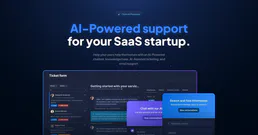
Deploy AI-powered customer support chatbots, manage knowledge bases, and resolve tickets faster with intelligent automation.

Builder.io (Visual CMS)
Manage Builder.io content, assets, and models via AI — fetch entries, update data, and query GraphQL APIs directly.

Paperless-ngx
Manage your digital archive via Paperless-ngx — search documents, upload files, manage tags, and organize correspondents directly from any AI agent.