
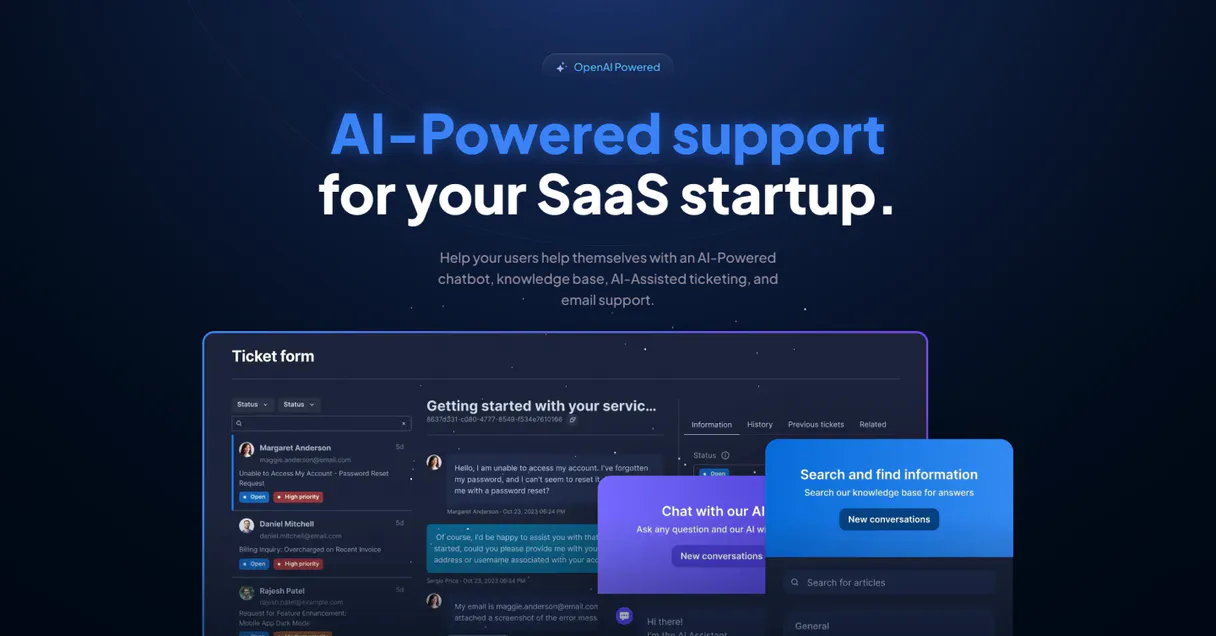
Aidbase MCP. Keep your AI agents knowledgeable and operational.
 Gemini
 Works with every AI agent you already use
…and any MCP-compatible client









Just plug in your AI agents and start using Vinkius.
Aidbase connects your AI clients to automated customer support and knowledge management. It lets you programmatically index entire websites, add specific FAQs, monitor chat performance, and manage email responses using natural conversation.
What your AI agents can do
Add aidbase faq item
Adds a single question and answer pair directly into your knowledge base.
Add aidbase website knowledge
Indexes an entire website URL, making all its content available to the AI.
Check aidbase status
Verifies the current operational status and API connectivity for your account.
Retrieves a full list of every configured chatbot instance you run.
Programmatically indexes new websites or injects specific FAQs into the knowledge base, keeping your AI up-to-date automatically.
Sends messages to a specified chatbot and retrieves its high-fidelity response, allowing you to test integrations or track conversations.
Accesses details about your automated email responders and checks which knowledge bases they are assigned to.
Verifies the current API connectivity and retrieves account-level operational reports for instant troubleshooting.
Ask AI about this MCP
Supported MCP Clients
OAuth 2.0 Compatible Gemini Waiting for input…
Aidbase: 11 Tools for Support Automation
These tools let you programmatically manage every aspect of your customer service AI, from listing chatbots to adding new FAQs and checking API status.
Make your AI actually useful.
Add this MCP to Claude, Cursor, or Windsurf and your AI stops guessing. It gets real tools to look things up, take action, and handle the stuff you keep doing by hand.
Start using Aidbase on Vinkius019dd0b5add aidbase faq item
Adds a single question and answer pair directly into your knowledge base.
019dd0b5add aidbase website knowledge
Indexes an entire website URL, making all its content available to the AI.
019dd0b5check aidbase status
Verifies the current operational status and API connectivity for your account.
019dd0b5get aidbase chatbot
Retrieves specific, detailed configuration settings for one chatbot instance.
019dd0b5get aidbase inbox
Gets the current details and status of an automated email responder inbox.
019dd0b5list aidbase chatbot knowledge
Lists all specific knowledge items indexed for a particular chatbot.
019dd0b5list aidbase chatbots
Retrieves the names and IDs of every chatbot configured in your account.
019dd0b5list aidbase inbox knowledge
Lists all knowledge assets assigned to a specific email inbox responder.
019dd0b5list aidbase inboxes
Retrieves the IDs and names of every automated email inbox you manage.
019dd0b5list aidbase knowledge
Lists all types of knowledge assets available across your entire system, regardless of source.
019dd0b5send aidbase reply
Sends a direct message to a chatbot and gets the resulting answer for logging or testing purposes.
Choose How to Get Started
Build a custom MCP for your own tools, or connect a ready-made integration from our catalog.
Build Your Own
Turn any API into an MCP. Import a spec, define Agent Skills, or deploy with MCPFusion.
- Import from OpenAPI, Swagger, or YAML specs
- Create Agent Skills with progressive disclosure
- Deploy to edge with MCPFusion framework
- Built in DLP, auth, and compliance on every call
- Real time usage dashboard and cost metering
- Publish to catalog or keep private
Make Your AI Do More
Start with Aidbase, then connect any of our 4,800+ other servers whenever your AI needs more. One click, no limits.
- Use this MCP plus 4,800+ others, all in one place
- Add new capabilities to your AI anytime you want
- Every connection is secured and compliant automatically
- Track usage and costs across all your servers
- Works with Claude, ChatGPT, Cursor, and more
- New servers added to the catalog every week
Independent Platform Disclaimer: Vinkius is an independent platform and is not affiliated with, endorsed by, sponsored by, verified by, or otherwise authorized by Aidbase. All third-party trademarks, logos, and brand names are the property of their respective owners. Their use on this website is strictly for informational purposes to identify service compatibility and interoperability.
VINKIUS INFRASTRUCTURE
Cloud Hosted
Managed infra
V8 Isolated
Sandboxed per request
Zero-Trust Proxy
No stored credentials
DLP Enforced
Policy on every call
GDPR Compliant
EU data residency
Token Compression
~60% cost reduction
Works with Claude, ChatGPT, Cursor, and more
The Model Context Protocol standardizes how applications expose capabilities to LLMs. Instead of operating in isolation, your AI gains direct access to external platforms, live data, and real-world actions through secure, standardized connections.
This server provides 11 capabilities that interface natively with Claude, ChatGPT, Cursor, and any MCP client. No middleware. No custom integration required.
Manually keeping the knowledge base current sucks.
Today, if you launch a new product feature or update your return policy, someone has to manually find the FAQ page. They copy the text, log into the support portal, paste it into the right field, and hit 'Save.' If they forget a step, the chatbot gives out wrong info.
With this MCP, that manual process is gone. You point your agent at the source URL, run add_aidbase_website_knowledge, and the AI handles the rest. It indexes everything—the policies, the specs, the how-to guides—so your bot knows it instantly.
send_aidbase_reply: Testing chatbot responses is now a single command.
Before deployment, you used to have to manually open the support console, type in a question like 'What's the warranty period?', wait for the response, and then copy that conversation ID into your audit log. It was tedious.
Now, send_aidbase_reply does all of that. You tell it the bot ID and the message; you get the reply and the session details back in one clean payload. Simple.
What you can do with this MCP connector
This connector gives your agent full control over complex support workflows. You can treat your chatbot like a dedicated employee: listing all configured bots, pulling detailed metadata, or sending test messages to check its response accuracy. If you need the bot to know new stuff, you don't manually update dashboards; you just point it at new website URLs for ingestion, or use tools to inject specific Q&A items into existing FAQs.
You can even monitor automated email responders and verify API connectivity right through your client. It’s all about managing intelligence—from the knowledge graph up to the final reply—all managed within a single flow via Vinkius. Your AI acts as both the support engineer and the knowledge architect, taking over tasks that used to require logging into multiple portals.
019dd0b5-9d76-721a-8a3a-55c68d105f3d 
How Aidbase MCP Works
- 1 First, subscribe to this MCP and grab your dedicated API Key from the Aidbase dashboard.
- 2 Next, give your agent a clear command—like 'list all chatbots' or 'add website knowledge for X URL'.
- 3 Finally, the system executes the tool call. You get back structured data (e.g., bot IDs, status codes) that you can then pass to another step in your workflow.
The bottom line is: your agent handles the API interaction; you just tell it what job needs doing.
Who Is Aidbase MCP For?
This MCP is for people whose day involves keeping support documentation current and ensuring AI systems actually work. It's for the Product Manager who has to prove bot accuracy, or the Support Lead who hates manually updating knowledge bases.
They use this MCP to check chatbot performance by running a test query via send_aidbase_reply before rolling out updates to users.
They manage knowledge ingestion. They'll run add_aidbase_website_knowledge whenever the company launches a new product page or documentation section.
They monitor operational health. They frequently use check_aidbase_status to confirm that the API connection hasn't dropped overnight.
What Changes When You Connect
- Stop manually updating FAQs. You can use add_aidbase_faq_item to inject new Q&A pairs instantly, keeping the knowledge base current without touching a dashboard.
- Ingest entire sites with one call. Use add_aidbase_website_knowledge when your documentation changes, letting the AI read the whole thing instead of just a few linked pages.
- Verify bot functionality before deployment. You can test specific responses using send_aidbase_reply, logging the exact answer to ensure accuracy for high-stakes interactions.
- Manage email automation centrally. list_aidbase_inboxes lets you see every responder set up, and get_aidbase_chatbot lets you check a bot's full configuration settings in one place.
- Always know your status. Run check_aidbase_status anytime to confirm API connectivity; it’s great for error handling before any big workflow runs.
Real-World Use Cases
The new product launch
A Content Strategist needs the AI chatbot to know about a brand-new feature. Instead of waiting for manual review, they run add_aidbase_website_knowledge on the staging site URL. Within minutes, the bot can answer questions about the new feature.
Debugging a broken email responder
The ops engineer notices that certain customer emails aren't getting routed correctly. They use list_aidbase_inboxes to confirm which inboxes exist, then get_aidbase_inbox to check the assigned knowledge base for potential misconfigurations.
Testing a complex conversation path
A Product Manager wants to see how the bot handles refund requests. They use send_aidbase_reply, sending a specific prompt like 'What is your return window?' and capture the response ID for later audit logs.
Auditing knowledge dependencies
A developer needs to know which bots rely on what data. They first list all chatbots using list_aidbase_chatbots, then run list_aidbase_chatbot_knowledge against each ID to map out the full dependency graph.
The Tradeoffs
Assuming knowledge is current
The developer runs a workflow that expects the bot to know about 'Product X' but it fails because they forgot to update the source material.
→ Always check dependencies first. Before relying on the content, run list_aidbase_knowledge and compare the results against your expected sources. If something's missing, use add_aidbase_website_knowledge to index the new docs.
Sending replies without confirmation
The workflow sends a reply via send_aidbase_reply but never checks if the API connection is active first, causing the entire process to fail with an obscure error.
→ Start every major run by calling check_aidbase_status. This confirms connectivity immediately and prevents wasted cycles when the service is down.
Over-indexing data
The user dumps all internal documentation into one place without differentiating between FAQs and website content, creating confusion for the AI.
→ Use specific tools. If it's a single fact, use add_aidbase_faq_item. If it’s a whole department handbook, use add_aidbase_website_knowledge.
When It Fits, When It Doesn't
Use this MCP if your core problem is linking AI agents to external data sources (websites, FAQs) and managing multiple support channels (chatbots, email inboxes). You need the system to know things and then act on that knowledge. Don't use this if you just need a simple webhook; for example, if all you need is to send an alert when a record changes, a basic event-driven MCP might be better. If your goal is only retrieval (RAG) against a static database, consider a pure vector store connector instead of one that also handles bot orchestration and email inboxes.
Common Questions About Aidbase MCP
How do I check if my chatbot is connected using list_aidbase_chatbots? +
Use list_aidbase_chatbots to get a full roster of all available bots and their IDs. This confirms the bot exists in your account before you try to interact with it.
What is the best way to update FAQs? Should I use add_aidbase_faq_item or something else? +
Use add_aidbase_faq_item. This tool is designed for injecting specific, granular knowledge (a single Q&A pair) directly into the system's core knowledge base.
Can I use get_aidbase_chatbot to see how my bot replies? +
No. Use send_aidbase_reply instead. The get_aidbase_chatbot tool only retrieves the configuration settings, not a live conversation or response.
I need to index an entire department handbook; which tool should I use? +
Use add_aidbase_website_knowledge. This handles large volumes of content by taking a full URL and letting the AI crawl and ingest everything on that site.
Before I start calling tools like `list_aidbase_chatbots`, how do I verify that my API key has active connectivity using `check_aidbase_status`? +
The tool immediately confirms if your credentials are valid and the service is operational. It provides a real-time status report, letting you know instantly if there's an issue with authentication or external system downtime.
I want to scope my search; how do I use `list_aidbase_chatbot_knowledge` instead of just listing all knowledge items? +
This tool filters the entire knowledge base down to only what a specific bot knows. It's crucial when you need to verify that a particular chatbot has access to niche or department-specific documentation.
When using `get_aidbase_inbox`, does it provide the full context of an automated email reply? +
Yes, this tool retrieves detailed information about the AI inbox. It shows not just the message content, but also which specific knowledge bases were applied to generate the response, ensuring perfect context tracking.
If I send many messages using `send_aidbase_reply` in a short time, should I worry about rate limiting? +
The API enforces usage limits to maintain stability. If you hit a threshold, your agent will receive an error code rather than failing silently, so be sure to implement proper retry logic.
Use it with your favorite AI tools
Connect this server to Cursor, Claude, VS Code, and more.