
Arbox MCP. Manage member data, leads, and schedules with chat.
 Gemini
 Works with every AI agent you already use
…and any MCP-compatible client









Just plug in your AI agents and start using Vinkius.
Arbox MCP Server manages your entire fitness studio operation. Your AI agent can search for members by profile or engagement score, track sales leads through the pipeline, schedule classes, and process payments.
It gives you a full view of everything—from retail product inventory to coach availability—all through natural conversation.
What your AI agents can do
Get branch info
Retrieves specific operational details for a given studio branch.
Get member
Fetches a complete profile for a specific member.
List coaches
Gets a list of all coaches and trainers working at the studio.
Search for a member's profile, view their current membership plan, and see their attendance history and engagement score.
List and filter sales leads to track their source, current pipeline status, and assigned salesperson.
Get the class schedule, checking which coaches teach, the total spots available, and the number of enrolled members.
List past payments, tracking amounts and methods, and list retail products like supplements or merchandise.
List all available coaches or view the current list of membership plans (e.g., limited, unlimited, punch cards).
Retrieve operational details for a specific studio branch.
Ask AI about this MCP
Supported MCP Clients
Gemini Waiting for input…
Arbox MCP Server: 9 Tools for Studio Operations
Use these tools to manage everything from member profiles and class schedules to payments and sales leads in a conversational way.
019d7551get branch info
Retrieves specific operational details for a given studio branch.
019d7551get member
Fetches a complete profile for a specific member.
019d7551list coaches
Gets a list of all coaches and trainers working at the studio.
019d7551list leads
Lists all sales leads, helping you track the studio's sales pipeline.
019d7551list memberships
Shows all available membership plans, like unlimited, limited, or punch cards.
019d7551list payments
Retrieves a paginated list of past transactions and payments.
019d7551list products
Lists all retail products sold, such as supplements or merchandise.
019d7551list schedule
Provides the current class schedule, including coach assignments and open spots.
019d7551search members
Searches the member database and returns profile data, membership details, attendance records, and engagement score.
Choose How to Get Started
Build a custom MCP for your own tools, or connect a ready-made integration from our catalog.
Build Your Own
Turn any API into an MCP. Import a spec, define Agent Skills, or deploy with MCPFusion.
- Import from OpenAPI, Swagger, or YAML specs
- Create Agent Skills with progressive disclosure
- Deploy to edge with MCPFusion framework
- Built in DLP, auth, and compliance on every call
- Real time usage dashboard and cost metering
- Publish to catalog or keep private
Make Your AI Do More
Start with Arbox, then connect any of our 4,700+ other servers whenever your AI needs more. One click, no limits.
- Use this MCP plus 4,700+ others, all in one place
- Add new capabilities to your AI anytime you want
- Every connection is secured and compliant automatically
- Track usage and costs across all your servers
- Works with Claude, ChatGPT, Cursor, and more
- New servers added to the catalog every week
What you can do with this MCP connector
Arbox MCP Server manages everything for your fitness studio. Your AI agent handles everything—from member profiles to payments—using plain talk. You'll get a full view of your business, period. When you use this server, your AI client can search for members by profile or engagement score, check out their full profiles, and see their membership details and attendance history.
You can also pull up a list of all coaches working at the studio. It lists all membership plans, like unlimited, limited, or punch cards. You can see the class schedule, which tells you who's teaching, how many spots are open, and how many people are signed up. You can track sales leads by listing them, which helps you know their source, current pipeline status, and who owns them.
You can pull up a list of past payments, tracking amounts and methods. You'll also get a list of all retail products, like supplements or merch. You can use get_branch_info to retrieve specific operational details for a given studio branch. You can check out a member's full profile using get_member.
You can also search the member database using search_members, which returns profile data, membership details, attendance records, and engagement score. You can get a list of all coaches using list_coaches. You can list all sales leads with list_leads. You can see all available membership plans by calling list_memberships. You can retrieve past transactions using list_payments and list_products for retail goods.
You can view the current class schedule using list_schedule. Remember, your AI agent handles all this through natural conversation.
How Arbox MCP Works
- 1 You tell your agent what you need (e.g., 'What are the hot leads for cardio this week?').
- 2 The agent figures out it needs to check sales leads and the class schedule, then calls the respective tools (
list_leads,list_schedule). - 3 The server gets the data, combines it, and sends back a single, plain language answer to your agent.
The bottom line is, your AI client talks to the Arbox server and gets a unified answer, so you don't have to switch between five different tabs.
Who Is Arbox MCP For?
This is for the General Manager or the Operations Director who spends half the day toggling between the CRM, the scheduling system, and the payment portal. You're tired of cross-referencing member data from one screen to confirm a payment or checking a coach's availability before calling a client. This server centralizes the view so you can talk to your agent instead of clicking.
Uses the server to check a member's full status—like confirming if they paid their last bill, if they are eligible for a class, and what their current engagement score is.
Relies on the list_leads tool to manage the sales pipeline. They ask the agent to report on cold leads that need a follow-up call this week.
Uses the server to quickly look up a member's profile (get_member) to check their membership status or find the next available coach for a walk-in.
What Changes When You Connect
- Checking member eligibility is fast. Instead of navigating to the member tab, then the membership tab, and then the payments tab, you just ask your agent to
search_membersand get the status instantly. - Keep your sales team accountable. The
list_leadstool lets your agent report on the sales pipeline—identifying exactly which leads are hot, warm, or cold—without you opening a separate dashboard. - Handle scheduling conflicts instantly. When a client asks for a class, the agent uses
list_scheduleandlist_coachesto check real-time availability and spots left, giving you a definitive answer. - Speed up check-ins. Need to know everything about a walk-in?
get_memberpulls the full profile, membership, attendance, and engagement score in one go. It’s massive time savings. - Reconcile finances easily. You can ask the agent to
list_paymentsand get a clean summary of transactions. No more manual exporting and matching of payment records. - Stock management is simple. The
list_productstool lets you see what retail items (supplements, merch) you have in stock without logging into a separate inventory system.
Real-World Use Cases
The New Member Onboarding
A new client, Sarah, signs up. Instead of manually creating her profile and logging her initial payment, you ask your agent: 'Onboard Sarah M. from Instagram.' The agent runs get_member (to create/update) and list_payments (to track the initial payment), confirming her full status and initial lead source in one sequence.
The Day-Of Scheduling Crisis
A coach calls in sick. You ask the agent: 'Find a replacement for the 6 PM Yoga class.' The agent uses list_schedule to identify the conflict, then calls list_coaches to suggest available trainers who specialize in yoga, solving the issue immediately.
The Membership Review
A member, Mike, hasn't been seen in two weeks. You ask the agent: 'Give me a summary of Mike T.'s activity and payment status.' The agent runs search_members and list_payments, giving you a full report showing his engagement score and when his last payment cleared.
Tracking the Sales Funnel
You need to know which sales leads are stalling. You ask the agent: 'Report on all warm leads from the website form.' The agent runs list_leads and filters the results, presenting a prioritized list of people who need a call today.
The Tradeoffs
Checking status across multiple screens
You open the member dashboard to check attendance, then switch to the payments tab to check payment status, and finally click the schedule to see if they are booked. This takes five clicks and takes you off task.
→
Just ask your agent: 'What is John Doe's current membership status and when was his last payment?' The agent uses search_members and list_payments to get both answers in one query.
Guessing lead status
A salesperson remembers a name and manually checks the lead list, but forgets to check the source or the last contact date, missing crucial context.
→
Use list_leads to filter the sales pipeline. Ask the agent to 'Show me all leads from Instagram with status 'Warm' and last contact > 7 days.' This gives you the full context you need.
Ignoring the full member picture
You only look at the attendance log to see if someone came today, but miss that their membership expired last week, making the attendance data useless.
→
Use search_members. This tool combines the profile, membership, attendance, and engagement score into one view, telling you why the attendance data matters.
When It Fits, When It Doesn't
Use this server if your job requires cross-referencing data points from different operational systems—like checking if a paid membership corresponds to an open class slot. You need a single source of truth. You're dealing with member lifecycle management, payments, and scheduling.
Don't use this if you only need to view one specific data set (e.g., just a list of coaches). In that case, using the dedicated list_coaches tool is faster and simpler. Use this server when the relationship between the data points matters more than the data itself.
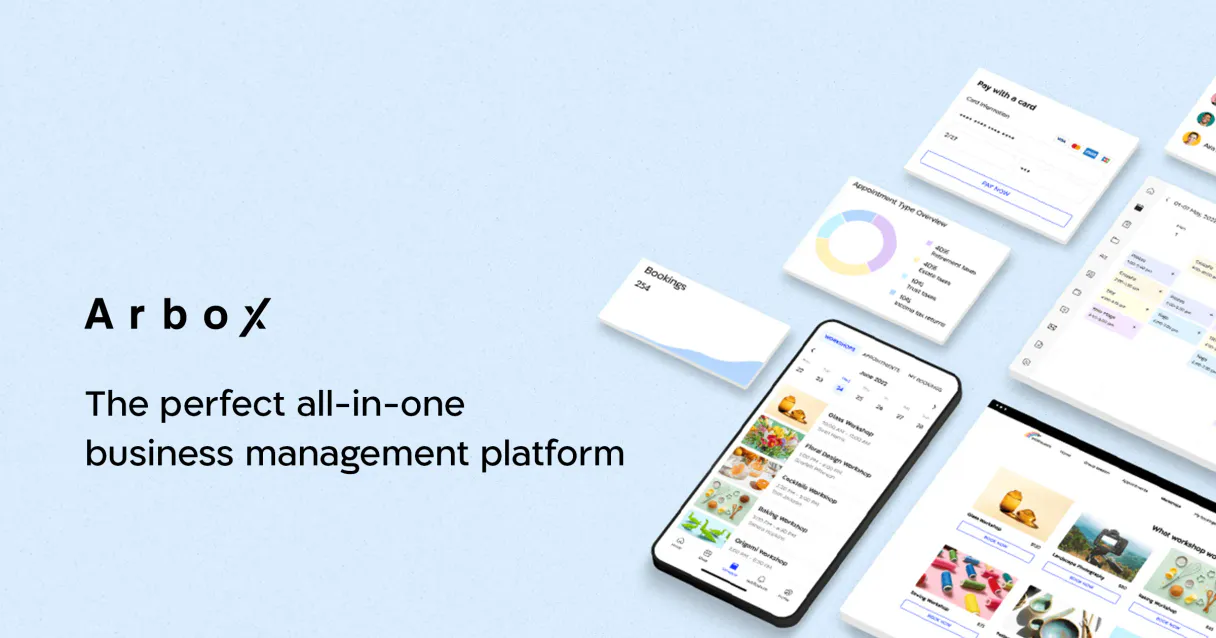
Independent Platform Disclaimer: Vinkius is an independent platform and is not affiliated with, endorsed by, sponsored by, verified by, or otherwise authorized by Arbox. All third-party trademarks, logos, and brand names are the property of their respective owners. Their use on this website is strictly for informational purposes to identify service compatibility and interoperability.
VINKIUS INFRASTRUCTURE
Cloud Hosted
Managed infra
V8 Isolated
Sandboxed per request
Zero-Trust Proxy
No stored credentials
DLP Enforced
Policy on every call
GDPR Compliant
EU data residency
Token Compression
~60% cost reduction
Works with Claude, ChatGPT, Cursor, and more
The Model Context Protocol standardizes how applications expose capabilities to LLMs. Instead of operating in isolation, your AI gains direct access to external platforms, live data, and real-world actions through secure, standardized connections.
This server provides 9 capabilities that interface natively with Claude, ChatGPT, Cursor, and any MCP client. No middleware. No custom integration required.
Available Capabilities
Finding a member's full status shouldn't require five different tabs.
Before this, checking a member meant jumping between the CRM profile, the payments ledger, the membership plan screen, and the attendance tracker. You'd open four different tabs, cross-reference the member ID in each one, and then manually assemble a narrative for the client.
Now, you ask your agent. It runs `search_members` and pulls everything together. You get a single, comprehensive answer that tells you their profile, their membership type, their engagement score, and when they were last seen. Done.
Arbox MCP Server: Get a full operational overview.
You no longer have to export a list of leads to Excel, then manually cross-reference them with the class schedule to see if they are eligible for a trial. The agent runs `list_leads` and `list_schedule` together. It gives you the status, the opportunity, and the next step.
The difference is that you stop performing the data orchestration yourself. The server does it for you, providing actionable intelligence instead of raw data dumps.
Common Questions About Arbox MCP
How do I check a member's status with the Arbox MCP Server? +
Use the search_members tool. This searches the member database and returns profile data, membership details, attendance records, and engagement score all in one go. It's the best tool for a full status check.
Can I see all payments using the Arbox MCP Server? +
Yes, use list_payments. It retrieves a paginated list of past transactions and payments. Remember to specify date ranges and limits to keep the data manageable.
How does Arbox MCP Server help with scheduling? +
You use list_schedule to view the class schedule. This tool lets you see which coaches are teaching and how many spots are open for any given class time.
What is the best way to manage sales leads with Arbox MCP Server? +
Run the list_leads tool. It is designed to track the studio's sales pipeline, allowing you to filter and report on leads by status, source, or assigned salesperson.
Does Arbox MCP Server know about my retail products? +
The list_products tool gives you a list of all retail products. This helps you manage merchandise, supplements, and accessories sold at the studio.
How do I use the `list_coaches` tool to check trainer availability? +
The list_coaches tool provides a directory of your trainers. You can see their specialties and current availability status, letting you quickly pair members with the right coach.
What kind of data does `search_members` return for a fitness studio? +
search_members returns a comprehensive profile including membership details, attendance records, and the member's engagement score. This gives your AI client a full view of the member's activity.
Can I list all membership plans using `list_memberships`? +
Yes, the list_memberships tool retrieves all current membership plans. You'll see whether they are unlimited, limited, or punch card options, helping you manage billing structures.
What makes Arbox different? +
Arbox is CRM-first — it excels at lead tracking, sales pipeline management, and member engagement scoring. While other platforms focus on scheduling, Arbox treats every member interaction as a CRM touchpoint, making it ideal for studios focused on growth and retention.
Use it with your favorite AI tools
Connect this server to Cursor, Claude, VS Code, and more.
More in this category

Adobe Customer Journey Analytics (CJA)
Omnichannel journey insights — manage data views, connections, and reports via AI.

More Trees
Plant trees for every transaction and track your environmental impact with carbon offset certificates for sustainable businesses.

Eurostat Discovery — Dataset Catalog Explorer
Explore Eurostat's catalog of 7,000+ official datasets: search by keyword, inspect dataset dimensions and code lists, and query any dataset with flexible filters — the master key to all European Union statistics.
You might also like

Salesforce Chatter
Read your Chatter feed, post messages, search groups, comment on posts, and collaborate across your Salesforce org through natural conversation.

Google Civic Information
Manage political data — audit representatives and elections via AI.

Santiment (On-chain, Social & Dev Metrics for Crypto)
Access deep on-chain, social, and development metrics for thousands of crypto assets directly from your AI agent.