
Google Civic Information MCP. Audit elections and find representatives by address.
 Gemini
 Works with every AI agent you already use
…and any MCP-compatible client









Just plug in your AI agents and start using Vinkius.
Google Civic Information MCP Server. Audit local government and election data instantly. Use your AI agent to find representatives by address, track upcoming elections, and retrieve detailed polling metadata without visiting government websites.
It processes complex political searches into natural conversation.
What your AI agents can do
Check api status
Confirms if the Google Civic Information API is currently operational.
Get google civic elections
Lists all upcoming and past elections supported by Google Civic.
Get representatives by address
Finds political representatives for a specific street address.
Input a street address, and the server returns the political officials assigned to that exact location.
The server lists upcoming and past elections, providing unique IDs and dates for historical and future civic events.
Provide an address and an election name, and the server retrieves relevant voter information, including polling locations and ballot details.
Search by name or location to find official electoral division IDs (OCD-IDs), mapping out regional administrative boundaries.
Runs a quick check to confirm that the entire Google Civic Information API is currently working.
Ask AI about this MCP
Supported MCP Clients
Gemini Waiting for input…
Google Civic Information MCP Server: 5 Tools for Civic Data
These tools let your agent find representatives, audit election records, and locate polling sites using structured public records.
019d8443check api status
Confirms if the Google Civic Information API is currently operational.
019d8443get google civic elections
Lists all upcoming and past elections supported by Google Civic.
019d8443get representatives by address
Finds political representatives for a specific street address.
019d8443get voter information
Retrieves voter information, including polling sites and ballots, for a given address and election.
019d8443search civic divisions
Searches for electoral divisions (OCD-IDs) using a name or location.
Choose How to Get Started
Build a custom MCP for your own tools, or connect a ready-made integration from our catalog.
Build Your Own
Turn any API into an MCP. Import a spec, define Agent Skills, or deploy with MCPFusion.
- Import from OpenAPI, Swagger, or YAML specs
- Create Agent Skills with progressive disclosure
- Deploy to edge with MCPFusion framework
- Built in DLP, auth, and compliance on every call
- Real time usage dashboard and cost metering
- Publish to catalog or keep private
Make Your AI Do More
Start with Google Civic Information, then connect any of our 4,700+ other servers whenever your AI needs more. One click, no limits.
- Use this MCP plus 4,700+ others, all in one place
- Add new capabilities to your AI anytime you want
- Every connection is secured and compliant automatically
- Track usage and costs across all your servers
- Works with Claude, ChatGPT, Cursor, and more
- New servers added to the catalog every week
What you can do with this MCP connector
This server connects your AI agent to authoritative local government data. You can run complex civic audits—find reps, track elections, and nail down polling sites—all through natural talk. You won't gotta mess with government websites or cross-reference county clerk pages.
get_representatives_by_address finds political reps for a street address you give it. get_voter_information pulls voter info, like polling sites and ballots, for a specific address and election. search_civic_divisions maps electoral divisions (OCD-IDs) using a name or location. get_google_civic_elections lists all upcoming and past elections supported by Google Civic. check_api_status runs a quick check to confirm the whole Google Civic Information API is working.
How Google Civic Information MCP Works
- 1 Subscribe to the server and provide your Google Civic Information API Key.
- 2 Connect your AI client (Claude, Cursor, etc.) to the MCP server.
- 3 Ask your agent a natural language question (e.g., 'What are the representatives for 1600 Pennsylvania Avenue?').
The bottom line is, your agent handles the complex queries and retrieves verified civic data without you writing any code.
Who Is Google Civic Information MCP For?
Political analysts and journalists need this. It eliminates the tedious process of manually checking multiple, disparate government websites to compile a single, verified report. It lets them conduct deep audits on public records, saving hours of cross-referencing.
Runs audits on official data. They use get_representatives_by_address to gather representative metadata and audit election records.
Conducts rapid civic reporting. They use the agent to identify political officials and verify polling locations for stories.
Coordinates outreach. They use get_voter_information to verify polling locations and audit election timelines for upcoming campaigns.
What Changes When You Connect
- Find political representatives instantly. Instead of manually searching county websites, use
get_representatives_by_addressto get names, parties, and office titles tied to a specific address. - Audit elections across time. Use
get_google_civic_electionsto get a full catalog of upcoming and past elections, saving you the headache of checking multiple state election boards. - Verify polling locations accurately. When planning civic outreach,
get_voter_informationchecks specific addresses against election data to locate polling sites and ballots. - Understand local boundaries. Use
search_civic_divisionsto find official OCD-IDs by name or location, which is essential for regional policy mapping. - Streamline data verification. Start with
check_api_statusto ensure the whole political research workflow is online before running any major audits.
Real-World Use Cases
Auditing a Presidential Candidate's Base
A political analyst needs to map key addresses for a campaign report. They ask their agent, 'Who are the representatives for 1600 Pennsylvania Avenue NW?' The agent runs get_representatives_by_address and returns a structured list of all officials, including their party and office titles.
Preparing for a Local Election Coverage
A journalist is covering a municipal vote. They first use search_civic_divisions to get the correct OCD-IDs for the area. Then, they use get_voter_information to confirm polling sites and ballot rules for the specific addresses they are writing about.
Tracking Election Cycles for a Client
A civic lead needs to give a client a timeline of all local political events. They run get_google_civic_elections to get a master list of past and future elections, allowing them to structure their report accurately.
Mapping Regional Policy Impact
An operations lead needs to understand the administrative reach of a new policy. They use search_civic_divisions to find the relevant OCD-IDs, and then they can use get_representatives_by_address to see which officials are responsible for that area.
The Tradeoffs
Manual Government Portal Navigation
A researcher must visit the county clerk site, then the state election board, then the local council page, cross-referencing dates and official IDs for every data point.
→
Use your agent to run get_google_civic_elections for a timeline, and then use get_representatives_by_address and search_civic_divisions to gather all the details in one query.
Assuming Data Consistency
Writing a report that uses an outdated election ID or an incorrect division name, leading to inaccurate political reporting.
→
Always start by calling check_api_status and get_google_civic_elections to verify the current election catalog and ensure the data is up-to-date.
Searching Without Context
Trying to find polling information just by knowing a neighborhood name, which usually results in vague, non-actionable results.
→
Use get_voter_information by providing both a precise street address and the specific election name to get concrete polling sites and ballot details.
When It Fits, When It Doesn't
Use this server if your primary job is compiling complex, verified public record data from multiple civic sources. It excels when you need to link a physical location (address) to a political status (representative) and a historical event (election). You should run this if you need to audit a representative or verify a polling site. Don't use this if you are only tracking general news or need unstructured text content; this tool provides structured, verifiable metadata. If you need to manage a dataset of internal contacts, use a different CRM-style tool instead. Always check check_api_status first, even if you think the data is fine.

Independent Platform Disclaimer: Vinkius is an independent platform and is not affiliated with, endorsed by, sponsored by, verified by, or otherwise authorized by Google Civic Information. All third-party trademarks, logos, and brand names are the property of their respective owners. Their use on this website is strictly for informational purposes to identify service compatibility and interoperability.
VINKIUS INFRASTRUCTURE
Cloud Hosted
Managed infra
V8 Isolated
Sandboxed per request
Zero-Trust Proxy
No stored credentials
DLP Enforced
Policy on every call
GDPR Compliant
EU data residency
Token Compression
~60% cost reduction
Works with Claude, ChatGPT, Cursor, and more
The Model Context Protocol standardizes how applications expose capabilities to LLMs. Instead of operating in isolation, your AI gains direct access to external platforms, live data, and real-world actions through secure, standardized connections.
This server provides 5 capabilities that interface natively with Claude, ChatGPT, Cursor, and any MCP client. No middleware. No custom integration required.
Available Capabilities
Finding political data shouldn't require three different government websites.
Right now, if you need to know who represents a certain area or what the election rules are, you have to jump through hoops. You check the county clerk's site for representative names, then the state board for election dates, and finally the local council page for polling locations. It's tedious, slow, and you're always worried about which piece of data is outdated.
With the Google Civic Information MCP Server, your agent handles the coordination. You ask for the data, and it runs `get_representatives_by_address` and `get_voter_information` to pull verified details. You get a single, clean data set ready for your report.
Google Civic Information MCP Server: Get all election data in a conversation.
Before, tracking election cycles meant manually bookmarking and checking the public records for state primaries, general elections, and local polls. You'd spend hours just organizing the timeline, making it easy to miss key dates or unique election IDs.
Now, you just ask the agent to audit elections. The server uses `get_google_civic_elections` to retrieve the full catalog. It’s immediate, and the data is structured for direct use.
Common Questions About Google Civic Information MCP
How do I find my political representatives using get_representatives_by_address? +
You simply provide the street address to the agent. It returns a list of officials tied to that address, including their party and office titles. You don't need to know who is in charge of the district.
What information does get_voter_information provide? +
This tool gets polling sites and ballot information. You must provide both a specific address and the name of the election for it to work. It helps with civic preparation.
I need to audit elections. Which tool should I use? (get_google_civic_elections) +
Use get_google_civic_elections. It lists both upcoming and past elections, providing unique IDs and dates for your audit.
How do I check the API status? (check_api_status) +
Call check_api_status. It gives a quick check to confirm the Google Civic Information API is operational before you start any research.
How do I search for electoral divisions using search_civic_divisions? +
This tool finds electoral divisions (OCD-IDs) by name or location. You get the required administrative IDs needed for more specific representative audits.
What should I do if I hit a rate limit when using get_representatives_by_address? +
When you hit a rate limit, your agent must pause and retry the request after waiting a short, exponential backoff period. Check the API documentation for specific retry guidelines.
Can I use get_voter_information for an election that isn't upcoming? +
Yes, the tool handles both upcoming and past elections, provided you pass the correct election ID. It pulls polling site and ballot details regardless of the election status.
What information does get_google_civic_elections provide? +
This function lists the catalog of supported elections, including unique IDs and dates. You need the resulting election ID to run voter information or representative audits.
How do I find my Google Civic API Key? +
Log in to the Google Cloud Console, create a project, enable the 'Google Civic Information API', and generate an API Key in the 'Credentials' section. Copy and paste it below.
Can the agent identify state-level representatives? +
Yes. The get_representatives_by_address tool retrieves officials at federal, state, and local levels based on the provided address metadata.
Does it support polling location search? +
Yes. Use the get_voter_information tool providing an address and optionally an election ID to retrieve official polling site metadata.
Use it with your favorite AI tools
Connect this server to Cursor, Claude, VS Code, and more.
More in this category

Moody's
Credit ratings and risk analysis — access issuer ratings, issue details, and rating actions via Moody's.

Quip
Connect Quip to your AI to search documents, read threads, view messages, and edit content seamlessly.
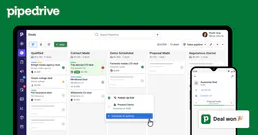
Pipedrive
Automate sales CRM via Pipedrive — manage deals, persons, and activities directly from any AI agent.
You might also like

Rick and Morty
Explore characters, locations, and episodes from the Rick and Morty universe via AI.

Sharpei
Offer product subscriptions and rentals on your Shopify store with flexible recurring payment options your customers will love.

Hiver
Turn Gmail into a helpdesk with shared labels, email assignment, and SLA tracking that works inside the inbox your team already uses.