
Axonaut MCP. Manage your invoices, quotes, and tasks by conversation.
 Gemini
 Works with every AI agent you already use
…and any MCP-compatible client









Just plug in your AI agents and start using Vinkius.
Axonaut. This is an all-in-one ERP and CRM automation server. It lets your AI agent manage core business functions—invoices, quotes, contacts, and tasks—without you ever opening the main Axonaut dashboard.
Your agent reads your business data, audits unpaid invoices, creates follow-up tasks, and pulls product catalogs just by having a conversation.
It keeps your operations running when you're away from the screen.
What your AI agents can do
Create task
Creates a new task record within Axonaut.
Get account check
Verifies the Axonaut connection status and pulls current user information.
Get company
Retrieves specific details for a single company record.
The agent retrieves and filters company and contact records by name, status, or date.
The agent lists invoices, quotes, and expenses, allowing you to track payment status and amounts.
The agent creates, lists, and updates tasks, keeping project timelines and responsibilities clear.
Ask AI about this MCP
Supported MCP Clients
Gemini Waiting for input…
019d7557create task
Creates a new task record within Axonaut.
019d7557get account check
Verifies the Axonaut connection status and pulls current user information.
019d7557get company
Retrieves specific details for a single company record.
019d7557list companies
Lists all company records held in Axonaut.
019d7557list contacts
Lists all individual contact records.
019d7557list expenses
Lists all expense records.
019d7557list invoices
Lists all invoices, allowing you to audit payment status and dates.
019d7557list orders
Lists all active and historical orders.
019d7557list products
Lists all products available in the catalog.
019d7557list projects
Lists all active projects and their milestones.
019d7557list quotations
Lists all quotations (quotes/devis) for potential sales and services.
019d7557list tasks
Lists all current and historical tasks assigned in Axonaut.
Choose How to Get Started
Build a custom MCP for your own tools, or connect a ready-made integration from our catalog.
Build Your Own
Turn any API into an MCP. Import a spec, define Agent Skills, or deploy with MCPFusion.
- Import from OpenAPI, Swagger, or YAML specs
- Create Agent Skills with progressive disclosure
- Deploy to edge with MCPFusion framework
- Built in DLP, auth, and compliance on every call
- Real time usage dashboard and cost metering
- Publish to catalog or keep private
Make Your AI Do More
Start with Axonaut, then connect any of our 4,700+ other servers whenever your AI needs more. One click, no limits.
- Use this MCP plus 4,700+ others, all in one place
- Add new capabilities to your AI anytime you want
- Every connection is secured and compliant automatically
- Track usage and costs across all your servers
- Works with Claude, ChatGPT, Cursor, and more
- New servers added to the catalog every week
What you can do with this MCP connector
Your AI agent can handle your core business functions without you ever opening the main Axonaut dashboard. It reads your business data and manages everything—invoices, quotes, contacts, and tasks—just by having a conversation. You'll find it audits unpaid invoices, creates follow-up tasks, and pulls product catalogs on the fly, keeping your operations running even when you're away from the screen.
Viewing and Searching Client Data
Your agent lets you list and search all company and contact records by name, status, or date. You can get details on any single company using get_company or grab a list of every company with list_companies. It also lets you list all individual contacts with list_contacts.
Auditing Financial Documents
It lets you list all invoices with list_invoices, letting you track payment status and dates. You can list all quotes for potential sales with list_quotations, and you can list every expense record using list_expenses. You'll also get a rundown of all active and historical orders by using list_orders.
Managing Projects and Tasks
To keep project timelines clear, your agent lets you list all active projects and their milestones using list_projects. It manages all tasks, letting you list current and historical tasks with list_tasks, and you can create a new task record at any time using create_task.
Product and System Overview
Need to know what you're selling? You can list every product in the catalog with list_products. It also provides a quick check of your account connection and current user info via get_account_check.
How Axonaut MCP Works
- 1 Subscribe to this server and provide your Axonaut API Key.
- 2 Connect your preferred AI client (Claude, Cursor, etc.) to the MCP Server.
- 3 Ask your agent a business question, like 'List all unpaid invoices from TechCorp last month.' The agent runs the necessary tools and gives you the answer.
The bottom line is you talk to your agent, and the agent talks to your business data.
Who Is Axonaut MCP For?
This is for the small business owner who hates clicking through five different dashboards to get one answer. It's for the sales rep who needs to quickly check a client's payment history before calling them. It's for operations staff who need to manage task backlogs and audit expenses without getting lost in complex menus.
Uses the agent to monitor invoice status and maintain client relationship records through simple conversation.
Quickly lists quotations or updates contact details directly from the chat interface, without leaving the CRM.
Audits team expenses or manages the task backlog using the AI agent, keeping projects moving.
Retrieves lists of financial documents and product details for fast auditing and reconciliation.
What Changes When You Connect
- Automate Audits: Instead of manually running reports for unpaid invoices, ask your agent to run
list_invoicesand immediately get a count of outstanding balances. This cuts audit time from minutes to seconds. - Keep Clients in Context: Need to know everything about a client? Your agent can run
list_contactsandget_companyto give you a complete profile, all from the chat window. No tab switching required. - Drive Projects Forward: Forget manual task reminders. Use
list_tasksandcreate_taskto instantly list the team's current workload or assign a follow-up item to someone. - Audit Sales Pipeline: Don't dig through spreadsheets for quote status. Running
list_quotationsgives you a real-time list of all open quotes, showing exactly where the sales process stands. - Track Financial History: Need to check what was sold?
list_ordersandlist_productslets you review past sales and the product details tied to those orders, without leaving the conversation. - Maintain System Integrity: Running
get_account_checkconfirms your connection is active and gives you the current user context, ensuring your agent's actions are always accurate.
Real-World Use Cases
The Accountant needs an immediate payment status.
The accountant needs to know which invoices are overdue. Instead of pulling the financial report, they simply ask their agent to run list_invoices. The agent immediately reports back the total number of unpaid invoices and their associated totals.
The Sales Rep needs to scope a new project.
A sales rep talks to their agent: 'Find the company record for Acme Corp and list all related projects.' The agent uses get_company and list_projects to provide a full scope of past and current work, helping the rep quickly build a pitch.
The Ops Manager needs to clean up the backlog.
The ops manager asks the agent to list all tasks due this week. The agent runs list_tasks and filters the results by deadline, allowing the manager to redistribute work and clear the team's backlog immediately.
The Owner needs a quick financial snapshot.
The owner asks the agent: 'What are our open quotes and what products are involved?' The agent runs list_quotations and list_products together, giving a single, immediate overview of the sales pipeline.
The Tradeoffs
Juggling multiple dashboards
You open the CRM, then the Accounting module, then the Projects tab. You copy client names from one screen and paste them into a spreadsheet to compare invoice status with project milestones. This takes 20 minutes and requires perfect manual data entry.
→
Keep the chat open. Tell your agent, 'Show me the company details for Acme Corp, and also list all their open invoices.' The agent runs get_company and list_invoices simultaneously and presents the combined data in one response.
Forgetting what data is available
You know you need to check expenses and quotes, but you don't remember the exact menu path. You end up calling a colleague to ask for the report, wasting time.
→
Use the agent to list what you can do. Ask, 'What tools can you run for finance?' The agent lists list_expenses and list_quotations, giving you the names you need to ask for.
Overloading the agent with vague requests
You say, 'Tell me about the client.' The agent responds with, 'Please specify what you need.' You waste time back and forth trying to narrow the scope.
→
Be specific. Say, 'List the contacts for the company named TechCorp, and then list all their outstanding invoices.' This uses list_contacts and list_invoices to get the exact data you need in two steps.
When It Fits, When It Doesn't
Use this server if your core job involves cross-referencing data between separate business functions—like matching a client's contact history to their outstanding invoices, or linking a project's milestones to the final quote. This is for people who need a single, conversational view of their entire operation.
Don't use it if you just need to perform a single, isolated data entry action (like only creating a task, or only listing products). For those simple, single-purpose needs, the native Axonaut interface might be faster. However, if the goal is data retrieval and comparison, this MCP Server is the way to go.

Independent Platform Disclaimer: Vinkius is an independent platform and is not affiliated with, endorsed by, sponsored by, verified by, or otherwise authorized by Axonaut. All third-party trademarks, logos, and brand names are the property of their respective owners. Their use on this website is strictly for informational purposes to identify service compatibility and interoperability.
VINKIUS INFRASTRUCTURE
Cloud Hosted
Managed infra
V8 Isolated
Sandboxed per request
Zero-Trust Proxy
No stored credentials
DLP Enforced
Policy on every call
GDPR Compliant
EU data residency
Token Compression
~60% cost reduction
Works with Claude, ChatGPT, Cursor, and more
The Model Context Protocol standardizes how applications expose capabilities to LLMs. Instead of operating in isolation, your AI gains direct access to external platforms, live data, and real-world actions through secure, standardized connections.
This server provides 12 capabilities that interface natively with Claude, ChatGPT, Cursor, and any MCP client. No middleware. No custom integration required.
Available Capabilities
Tracking client history shouldn't require opening five different tabs.
Before, you needed to jump between the main CRM dashboard, the Invoicing section, and the Contact management module. You'd copy the client name from the CRM, jump to the Invoicing tab, search for the name, and then copy the invoice number. If you needed project milestones too, you had to open a third tab for that.
Now, you just talk to your agent. You tell it, 'Show me all data for Acme Corp.' The agent runs `get_company` and instantly gathers the client's history, associated contacts, and outstanding invoices into one single, coherent chat response.
Axonaut MCP Server: Audit financials and manage projects.
You no longer have to run separate reports for expenses, quotes, and invoices. You ask the agent to combine them. It executes `list_expenses`, `list_quotations`, and `list_invoices` and presents them together, saving you the whole process of running, downloading, and cross-referencing multiple PDFs.
It’s not just about seeing the data; it’s about having the agent perform the connection logic. You get a single source of truth, instantly.
Common Questions About Axonaut MCP
How do I use the list_invoices tool with Axonaut MCP Server? +
You ask your agent to list invoices. You can specify parameters like date ranges or client names. The agent runs the list_invoices tool and provides a summary of the results, including total amounts and unpaid counts.
Can I create tasks using the create_task tool with Axonaut MCP Server? +
Yes. Simply tell the agent to create a task. You provide the title, description, and due date, and the agent executes the create_task tool to log it in Axonaut.
Does Axonaut MCP Server only work for small businesses? +
No. This server manages core business functions for any size operation. The tools are designed to handle basic record retrieval, from contacts to large-scale orders, making it useful for any industry using Axonaut.
How do I check if the Axonaut connection is working with get_account_check? +
Run get_account_check first. This verifies the API connection and returns the current user context, confirming the agent has the right permissions to run other tools.
What information does the `list_contacts` tool provide about company relationships? +
It provides a list of all contacts within Axonaut. You can then search or filter this list to see specific details, like contact roles or associated companies, directly through your AI client.
How do I use the `list_quotations` tool to check for pending quotes? +
You can list all quotations (quotes/devis) using this tool. This helps you quickly identify quotes that are ready for review or require follow-up, saving you from navigating the quotes section manually.
Can I check my financial status by calling `list_expenses`? +
Yes, list_expenses pulls all recorded expenses. You can then ask your AI client to analyze that list, grouping them by category or summarizing the total spent in a given period.
What is the function of `list_products` in managing inventory data? +
list_products retrieves the entire product catalog. This lets you confirm product names, codes, or metadata before generating an invoice or checking order details.
Can I see a list of unpaid invoices through the agent? +
Yes. Use the list_invoices tool to retrieve all your financial records. Your agent can then filter or summarize which ones are pending payment.
Does this support creating new tasks in Axonaut? +
Absolutely. Use the create_task tool by providing a title, optional description, and a deadline to instantly add it to your team's workflow.
Can I check my product catalog via the AI agent? +
Yes. The list_products tool allows your agent to browse your inventory, retrieve descriptions, and audit product availability for quotes or orders.
Use it with your favorite AI tools
Connect this server to Cursor, Claude, VS Code, and more.
More in this category

Grocy (Home ERP)
Automate your household management with Grocy — track inventory, manage shopping lists, and organize chores directly from your AI agent.
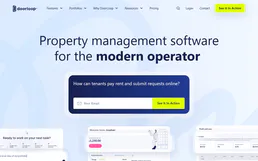
DoorLoop
Manage rental properties, collect rent online, screen tenants, and handle maintenance requests from one landlord platform.
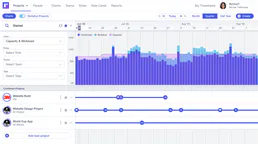
Runn
Connect your AI to Runn for complete visibility into project pipelines, capacity planning, resource allocations, and timesheet actuals directly via chat.
You might also like

One-Hot Encoder Engine
Deterministically convert categorical text columns into dummy binary variables local. Essential machine learning data prep without LLM data corruption.

Matrix Operations Engine
Perform exact linear algebra — multiply, transpose, invert, and compute determinants of massive matrices local. Zero LLM math hallucinations.
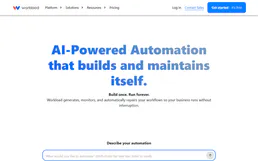
Workload
Build visual workflow automations that connect your favorite apps and eliminate repetitive manual tasks across your business.