
Ayrshare MCP. Manage content scheduling and tracking from your chat.
 Gemini
 Works with every AI agent you already use
…and any MCP-compatible client









Just plug in your AI agents and start using Vinkius.
Ayrshare is an MCP Server that lets your AI agent manage your entire social media presence. It publishes posts immediately to Twitter, Facebook, Instagram, and LinkedIn.
You can schedule content for specific dates, run engagement analytics on posts, and manage multiple client profiles—all without opening a browser.
It's your AI bridge to staying active and data-driven across every major network.
What your AI agents can do
Create post
Publishes a post immediately to social media platforms.
Create profile
Adds a new user profile to manage a separate brand or client account.
Delete auto schedule
Stops a scheduled post or recurring automation for a specific platform.
Your agent sends content and media attachments to multiple social networks at once.
Your agent sets posts to go live on a specific date or manages recurring auto-schedule times.
Your agent retrieves engagement metrics (likes, comments, reach) for any specific post ID.
Your agent pulls high-level analytics for an entire social media account or network.
Your agent creates, lists, and switches between different user profiles for various brands or clients.
Your agent audits a list of all published posts, showing their status (Success, Pending, Error).
Ask AI about this MCP
Supported MCP Clients
Gemini Waiting for input…
Ayrshare MCP Server: 12 Tools for Social Media Management
Use these 12 tools to control every aspect of your social media presence, from initial content publishing to deep performance analytics.
019d7557create post
Publishes a post immediately to social media platforms.
019d7557create profile
Adds a new user profile to manage a separate brand or client account.
019d7557delete auto schedule
Stops a scheduled post or recurring automation for a specific platform.
019d7557delete profile
Removes an existing user profile from the server.
019d7557get account check
Verifies that your connection to Ayrshare is working and active.
019d7557get post analytics
Fetches the detailed engagement statistics for a specific published post.
019d7557get social analytics
Pulls high-level performance data for an entire social network profile.
019d7557list auto schedules
Shows all active recurring or scheduled posts across all connected platforms.
019d7557list history
Retrieves a complete log of all posts, showing their status (Success, Pending, Error).
019d7557list profiles
Shows a list of all user profiles currently set up on the server.
019d7557schedule post
Sets a single post to go live on a future, specific date and time.
019d7557set auto schedule
Establishes recurring posting times or automated publishing rules for a platform.
Choose How to Get Started
Build a custom MCP for your own tools, or connect a ready-made integration from our catalog.
Build Your Own
Turn any API into an MCP. Import a spec, define Agent Skills, or deploy with MCPFusion.
- Import from OpenAPI, Swagger, or YAML specs
- Create Agent Skills with progressive disclosure
- Deploy to edge with MCPFusion framework
- Built in DLP, auth, and compliance on every call
- Real time usage dashboard and cost metering
- Publish to catalog or keep private
Make Your AI Do More
Start with Ayrshare, then connect any of our 4,700+ other servers whenever your AI needs more. One click, no limits.
- Use this MCP plus 4,700+ others, all in one place
- Add new capabilities to your AI anytime you want
- Every connection is secured and compliant automatically
- Track usage and costs across all your servers
- Works with Claude, ChatGPT, Cursor, and more
- New servers added to the catalog every week
What you can do with this MCP connector
Your AI agent needs to run your whole social media operation. Ayrshare gives it the tools to do that. When you connect this server to your AI client, your agent manages everything—from posting content to tracking performance—without you ever opening a browser. You'll run your whole social presence straight from your chat window.
Your agent publishes content and media immediately to Twitter, Facebook, Instagram, and LinkedIn. You can set a single post to go live on a future date, or you can establish recurring posting times and automated publishing rules for any platform. Your agent also manages multiple user accounts, letting you create, list, and switch between different profiles for separate brands or clients.
You'll always know what's going on; your agent pulls high-level performance data for an entire social media account or network, and it can fetch detailed engagement stats for any specific post ID. When you need to check what's been posted, your agent retrieves a complete log of all posts, showing their status: Success, Pending, or Error.
You can also see all active recurring or scheduled posts across every connected platform by listing the auto-schedules. You'll verify your connection status using the account check tool. Need to manage the profiles? You can list all user profiles currently set up, or you can delete an existing user profile, and the server lets you add a new user profile to manage another brand or client.
If you need to kill a scheduled post or recurring automation, the agent deletes the auto schedule for a specific platform.
How Ayrshare MCP Works
- 1 Subscribe to the server and provide your Ayrshare API Key.
- 2 Use your AI client to instruct your agent (e.g., 'Schedule a post for Friday at 2 PM').
- 3 The agent calls the appropriate tool, and the server executes the action, returning confirmation or data.
The bottom line is, you manage your entire social media strategy by talking to your AI client, not by clicking through a dashboard.
Who Is Ayrshare MCP For?
This is for the social media manager who spends hours manually checking analytics across five different platforms. It’s for the content creator who needs to schedule a month’s worth of posts without leaving their writing app. If you manage multiple client accounts, this saves you from context switching and manual dashboard entry.
Uses the agent to run multi-platform campaigns, scheduling posts via schedule_post and tracking success using list_history.
Uses the agent to generate and schedule evergreen content, then retrieves performance data using get_post_analytics.
Uses the agent to manage several client accounts using create_profile and audit all work using list_profiles.
What Changes When You Connect
- Publish content immediately across multiple platforms. The
create_posttool handles simultaneous publishing to Twitter, Facebook, and Instagram, so you don't have to copy/paste the same text three times. - Keep your brand visible 24/7. Use
schedule_postorset_auto_scheduleto build content queues, ensuring your audience sees you even when you're offline. - Know if content worked.
get_post_analyticspulls specific metrics on a post (likes, comments, reach). You can immediately see if the content was successful or if it needs a pivot. - Handle multiple clients effortlessly.
list_profilesandcreate_profilelet your agent switch between different brand accounts, keeping your work organized in one chat session. - Audit everything. The
list_historytool gives you a full log of every post attempt, showing the status (Success, Pending, Error). You can quickly debug why a post failed. - Get a big picture view.
get_social_analyticsgives profile-level data, helping you understand which entire network (e.g., Instagram) is underperforming, separate from any single post.
Real-World Use Cases
Need to launch a campaign across 4 platforms at once.
A marketing lead needs to push out a major product announcement. Instead of logging into four different dashboards, they ask their agent: 'Publish the launch announcement to Twitter, Facebook, Instagram, and LinkedIn.' The agent uses create_post, and the content goes live simultaneously across all four channels.
Need to check the performance of last week's blog post.
A content creator wrote a post and scheduled it for last Thursday. They ask their agent to check the performance. The agent uses get_post_analytics and reports the exact metrics: 150 likes, 12 comments, and 1,200 reach. The creator knows exactly what worked.
Need to manage content for three separate client accounts.
An agency manager has three client brands. They first run list_profiles to see what they have. Then, they ask the agent to 'Switch to Client B and schedule a post.' The agent uses create_profile and schedule_post to handle the context switch and future posting.
Need to ensure all posts are accounted for.
A social media manager runs a bulk post and wants confirmation. They ask the agent to run list_history. The agent provides a complete log, showing the status of every post—whether it succeeded, is pending, or failed.
The Tradeoffs
Manual Dashboard Switching
The manager has to open the Facebook dashboard, copy the text. Then open the Twitter dashboard, paste the text. Then repeat the whole process for LinkedIn and Instagram.
→
Just ask your agent to create_post and list all the platforms you want. The agent handles the publishing across every network in one command.
Forgetting to track scheduled posts
A team schedules content for next month but never checks if the auto-schedule is still active, leading to missed posts or posting to the wrong profile.
→
Run list_auto_schedules to see every active scheduled post. You can also use delete_auto_schedule if you need to stop a post.
Assuming data is current
A user runs get_social_analytics but assumes the data is real-time, only to find out the metrics are stale or inaccurate.
→
Always run get_account_check first. This verifies your connection and ensures your agent is pulling the most up-to-date data before running any reports.
When It Fits, When It Doesn't
Use this if your workflow requires managing content across multiple, distinct social networks (Facebook, X, Instagram, etc.). You need to move content from idea to published post and then track its performance, all without leaving your chat window. This is for high-volume, multi-client, or agency-level operations.
Don't use this if your goal is just to write a single, standalone blog post. If you only need to schedule one post on one platform, a simpler scheduler might suffice. But if you need to manage profiles (create_profile) and then scale that process across different channels, Ayrshare is the tool you need.
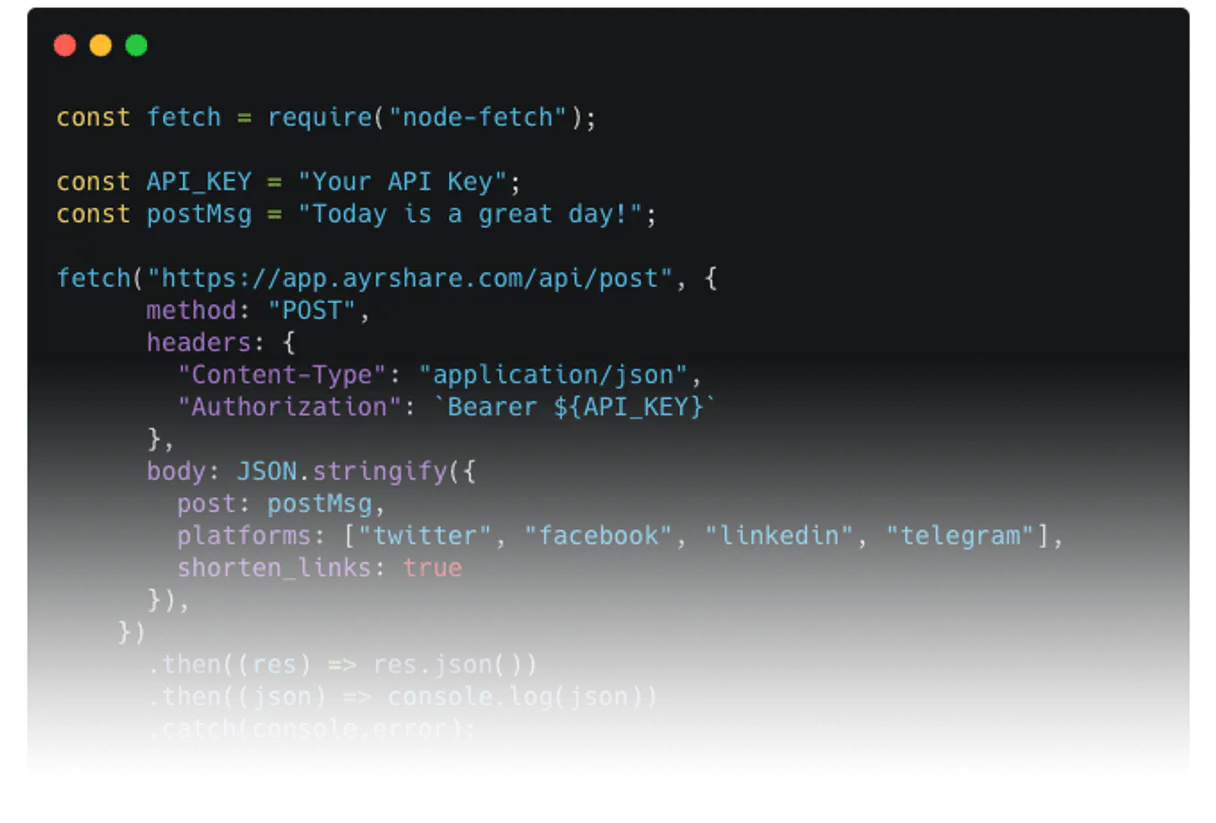
Independent Platform Disclaimer: Vinkius is an independent platform and is not affiliated with, endorsed by, sponsored by, verified by, or otherwise authorized by Ayrshare. All third-party trademarks, logos, and brand names are the property of their respective owners. Their use on this website is strictly for informational purposes to identify service compatibility and interoperability.
VINKIUS INFRASTRUCTURE
Cloud Hosted
Managed infra
V8 Isolated
Sandboxed per request
Zero-Trust Proxy
No stored credentials
DLP Enforced
Policy on every call
GDPR Compliant
EU data residency
Token Compression
~60% cost reduction
Works with Claude, ChatGPT, Cursor, and more
The Model Context Protocol standardizes how applications expose capabilities to LLMs. Instead of operating in isolation, your AI gains direct access to external platforms, live data, and real-world actions through secure, standardized connections.
This server provides 12 capabilities that interface natively with Claude, ChatGPT, Cursor, and any MCP client. No middleware. No custom integration required.
Available Capabilities
Managing a brand's social presence shouldn't require 10 different dashboards.
Today, getting a brand's voice out on multiple channels means jumping between the Facebook Creator Studio, the Twitter API dashboard, the Instagram backend, and the LinkedIn publisher. You copy the text, paste it, and repeat the process for every single platform. It's slow, it's prone to human error, and it takes you hours just to publish a week's worth of content.
With the Ayrshare MCP Server, your agent handles the whole thing. You tell your agent to publish the content, and it instantly pushes the post to every platform. You get the content published, and the chat window gives you the confirmation.
Ayrshare MCP Server: Track and schedule content from chat.
The manual steps that disappear are logging into each platform, manually checking the post status, and updating a spreadsheet with the success/error status. You never have to copy-paste a status update again.
Now, you just ask your agent to `list_history`. It gives you a clean, consolidated report of every post—success, pending, or error. It's one conversation, one answer.
Common Questions About Ayrshare MCP
How do I use the `create_post` tool with multiple platforms? +
Just ask your agent to publish the content and list the platforms. The agent handles the publishing to all specified networks simultaneously. You don't need to call the tool directly.
Can I use `get_post_analytics` to check old posts? +
Yes, get_post_analytics retrieves metrics for any specific post ID. You just need to provide the ID, and the agent fetches the data.
What is the difference between `schedule_post` and `set_auto_schedule`? +
schedule_post sets one post for a specific future time. set_auto_schedule sets a recurring pattern or automated rules for a platform.
Do I need to use `get_account_check` before posting? +
Yes, running get_account_check first verifies your connection to Ayrshare. This ensures your agent has the necessary access before it attempts to publish anything.
How do I manage content for different brands? +
You use list_profiles to see available accounts, and then create_profile to add a new brand. Your agent can switch between these profiles as needed.
How do I list all my user profiles using the `list_profiles` tool? +
Run list_profiles to see every user account configured. This tool shows all the profiles you've created, which is essential for managing content across multiple client brands.
What happens if I use `create_post` and the post fails? +
The list_history tool tracks the status of every post. If a post fails, you'll see the specific error code and the reason in the history log, letting you fix it quickly.
Can I check the auto-schedule times using `list_auto_schedules`? +
Yes, list_auto_schedules retrieves all current auto-schedule settings. This lets you see exactly when and where your content is set to publish automatically.
Can I publish images and videos through my agent? +
Yes. When using the create_post tool, you can provide a JSON array of public URLs for your media files. Ayrshare will automatically process and attach them to your social media posts.
How do I schedule a post for a specific time? +
Use the schedule_post tool and provide an ISO 8601 date string (e.g., 2026-05-01T14:00:00Z) in the scheduleDate parameter. Your agent will confirm the scheduled time across all requested platforms.
Can I see how many people engaged with my post? +
Absolutely. Use the get_post_analytics tool with the Post ID to retrieve real-time stats such as likes, retweets, shares, and impressions directly in your chat interface.
Use it with your favorite AI tools
Connect this server to Cursor, Claude, VS Code, and more.
More in this category
Postscript
Drive Shopify revenue with SMS and MMS marketing that feels personal, converts browsers into buyers, and builds lasting loyalty.
QuickReply.ai
Automate WhatsApp marketing and customer engagement via QuickReply.ai — manage contacts, messages, and broadcasts directly from any AI agent.

Synthesia
Connect your AI to Synthesia. Generate corporate AI avatar videos from text prompt, explore templates, and automatically dub existing media directly from the terminal.
You might also like
IMDB API (Unofficial)
Search movies and TV shows — audit ratings, cast, and metadata via IA.
NCR Voyix
Manage commerce and retail operations via NCR Voyix — track orders, sites, products, and inventory directly from your AI agent.

StayFi
Connect your AI agents to StayFi to capture guest emails, manage WiFi properties, monitor networks, and track marketing analytics.