
Baidu Translate MCP. Translate Text Between 200+ Languages, Instantly.
 Gemini
 Works with every AI agent you already use
…and any MCP-compatible client









Just plug in your AI agents and start using Vinkius.
Baidu Translate / 百度翻译 connects your AI agent to China's premier translation service, handling global content localization and language detection in one place.
Use this server to translate text between over 200 languages—including specific pairs like EN-ZH or ZH-EN—and automatically figure out the source language of any snippet.
It cuts out the need for multiple portals when you’re managing multilingual data.
What your AI agents can do
Check baidu status
Checks the current operational status of the Baidu Translate API gateway.
Detect language
Determines which language a given block of text is written in.
Translate en to zh
Translates English text specifically into Chinese characters.
The detect_language tool identifies the language of any text snippet you provide.
The translate_text tool translates content between languages using a general input method, ideal for variable source/target pairs.
Specific tools (translate_en_to_zh, translate_zh_to_en, etc.) handle high-volume translation needs between two fixed languages, improving reliability for common routes.
The check_baidu_status tool verifies the API connection and gateway status, confirming that your translations will actually work when you need them.
Ask AI about this MCP
Supported MCP Clients
Gemini Waiting for input…
Baidu Translate / 百度翻译: 10 Tools for Global Localization
Use these tools to run language detection, translate specific pairs (EN-ZH, ZH-EN), and manage multi-lingual content flow through your agent.
019d841acheck baidu status
Checks the current operational status of the Baidu Translate API gateway.
019d841adetect language
Determines which language a given block of text is written in.
019d841atranslate en to zh
Translates English text specifically into Chinese characters.
019d841atranslate text
Performs general translation between multiple language pairs using a flexible input format.
019d841atranslate to chinese
Translates provided text into Chinese characters.
019d841atranslate to english
Translates foreign language text back into English.
019d841atranslate to french
Translates provided text into French characters.
019d841atranslate to portuguese
Translates provided text into Portuguese characters.
019d841atranslate to spanish
Translates provided text into Spanish characters.
019d841atranslate zh to en
Translates Chinese text specifically back into English characters.
Choose How to Get Started
Build a custom MCP for your own tools, or connect a ready-made integration from our catalog.
Build Your Own
Turn any API into an MCP. Import a spec, define Agent Skills, or deploy with MCPFusion.
- Import from OpenAPI, Swagger, or YAML specs
- Create Agent Skills with progressive disclosure
- Deploy to edge with MCPFusion framework
- Built in DLP, auth, and compliance on every call
- Real time usage dashboard and cost metering
- Publish to catalog or keep private
Make Your AI Do More
Start with Baidu Translate / 百度翻译, then connect any of our 4,700+ other servers whenever your AI needs more. One click, no limits.
- Use this MCP plus 4,700+ others, all in one place
- Add new capabilities to your AI anytime you want
- Every connection is secured and compliant automatically
- Track usage and costs across all your servers
- Works with Claude, ChatGPT, Cursor, and more
- New servers added to the catalog every week
What you can do with this MCP connector
Look, you gotta handle global content. You don't want your AI agent getting tripped up by a language it doesn't recognize or needing five different APIs just to move text from English to Mandarin. That’s a mess.
This server connects your agent directly to Baidu Translate. It handles localization and language detection for you, keeping all the complex stuff in one place. You can feed content into your client, and it uses these tools to make sure your multilingual data moves fast and right.
Verifying Connectivity
Before you run anything big, you check the API connection first. The check_baidu_status tool confirms the current operational status of the Baidu Translate gateway. It's quick; it tells you if the translations are actually going to work when you need 'em.
Figuring Out the Source Language
If you grab a random text snippet—say, from a forum post or an old document—you don’t know what language it is until you run it through detect_language. This tool figures out exactly which language that block of text's written in. You get the source language ID right away.
General Translation Pipeline
For when you don't know the exact two-way route, use translate_text. It’s your go-to for general translation between multiple languages using a flexible input format. This tool handles variable source and target pairs, making it perfect if your data sources are messy or unpredictable.
Targeted Translation Routes
Sometimes you're dealing with high volume on the same routes. These specific tools make things rock-solid reliable for common needs:
- You can send English text specifically into Chinese characters using
translate_en_to_zh. - If you get Chinese text and need it back in English, use
translate_zh_to_en. - For general translation from any foreign language back to English, run the source through
translate_to_english. - Need to translate your content into Mandarin? Use
translate_to_chinese. - Translating English to Chinese is handled by
translate_en_to_zh, and general text translation into Chinese usestranslate_to_chinese.
Major Language Pairs
It handles the big markets, too. You can translate provided content straight into French characters with translate_to_french. If you're targeting Spanish, use translate_to_spanish. For Portuguese text, just use translate_to_portuguese.
This suite gives your agent the muscle to handle everything from figuring out a language ID with detect_language, running general translations via translate_text, or handling massive data streams through specialized tools like translate_en_to_zh. You just point it at the text, and it gets translated.
How Baidu Translate MCP Works
- 1 Subscribe to this server. You'll enter your specific Baidu Translate App ID and Secret Key.
- 2 Your AI client (Claude, Cursor, etc.) calls the appropriate tool—maybe
translate_to_spanishordetect_language—using a natural language query. - 3 The API processes the request against Baidu’s infrastructure and sends back the translated text or detected language code.
The bottom line is that you tell your agent what to translate, and it handles all the API calls and data formatting for you.
Who Is Baidu Translate MCP For?
Content creators who manage global blogs. E-commerce managers dealing with Chinese market listings. Localization specialists running multilingual campaigns. Anyone whose job involves moving text across language barriers needs this. It cuts out the friction of juggling multiple translation services.
Translates hundreds of product titles and descriptions into Chinese for listings, ensuring consistency across all SKUs.
Needs to localize a long-form article from English into French or Portuguese without leaving their primary workspace.
Takes technical documentation written in one language and translates it reliably into several others, requiring high precision for specialized terminology.
What Changes When You Connect
- Eliminates the need to switch between multiple translation portals. Your agent calls one server, accessing tools like
translate_en_to_zhanddetect_languagein sequence. It keeps your workflow contained. - Handles complex localization tasks—like translating e-commerce product descriptions—by managing the full cycle from language detection to final output via a single API source.
- Reduces manual error risk dramatically. Instead of copy/pasting text into various online widgets, you pass data once to your agent and let it call the appropriate tool (
translate_to_spanish,translate_to_french, etc.). - Provides specific high-volume paths. Need English to Chinese? Use
translate_en_to_zh. This dedicated tool is often faster and more reliable than a generic function call. - Offers system visibility. The agent can run
check_baidu_statusbefore starting a major translation job, so you know the API gateway is live and ready to go.
Real-World Use Cases
Updating Global Product Listings
An e-commerce manager needs to update 50 product listings. They first ask their agent to use detect_language on a source description snippet, confirming it's English. The agent then routes the text through translate_en_to_zh, generating Chinese character equivalents for bulk upload. It handles this entire batch process without manual intervention.
Market Research Synthesis
A researcher collects several snippets of local market data (e.g., Portuguese, Spanish, French) from different regions. They ask the agent to detect each language using detect_language, and then aggregate all results through the general translate_text tool into a single English summary.
Localizing Technical Documentation
A developer needs to translate a complex API guide from Chinese to English. They prompt their agent, which uses translate_zh_to_en. The agent provides the accurate translation immediately, preventing them from needing to use general-purpose tools that might miss technical nuance.
Cross-Language Communication
A team member receives a casual email in Spanish. They ask their AI client to translate it into English. The agent uses translate_to_spanish and returns the plaintext translation, allowing them to reply immediately without leaving their chat window.
The Tradeoffs
The Copy/Paste Method
Opening Google Translate, then opening DeepL, then checking a specific site's API documentation just for one language pair. It’s slow and you always worry if the context is lost.
→
You pass all text to your AI client and ask it to use detect_language first. Then, based on the result, the agent executes the exact tool needed—like translate_to_french. You keep everything in one query.
Assuming Tool Availability
Running a massive translation job without checking if the API key is valid or if there are rate limits. The process fails halfway through, costing time.
→
Always start by having your agent run check_baidu_status. This confirms connectivity before you commit to any large-scale data transfer.
Using a Generic Translator for Key Pairs
Forcing the general translate_text tool when you know you only need English to Chinese. The generic call might be overkill or slightly less optimized than dedicated tooling.
→
When the source and target are fixed (like EN-ZH), use the specialized tools such as translate_en_to_zh. It's faster and more reliable for those common routes.
When It Fits, When It Doesn't
Use this server if your core task is multilingual content management, particularly involving Chinese language pairs or high volume localization. If you need to move text between 200+ languages (Portuguese, Spanish, French, etc.), it's a primary tool in your stack because of its breadth and the general translate_text capability.
Don't use this if:
1. You only ever translate between English and one other language that has a much simpler API available.
2. Your translation needs are highly specialized (e.g., medical terminology requiring deep domain-specific glossaries). In those cases, you might need to integrate another dedicated vocabulary service instead of relying solely on the general model context.
It's best for operationalizing global content flow, not just checking a single phrase.

Independent Platform Disclaimer: Vinkius is an independent platform and is not affiliated with, endorsed by, sponsored by, verified by, or otherwise authorized by Baidu Translate / 百度翻译. All third-party trademarks, logos, and brand names are the property of their respective owners. Their use on this website is strictly for informational purposes to identify service compatibility and interoperability.
VINKIUS INFRASTRUCTURE
Cloud Hosted
Managed infra
V8 Isolated
Sandboxed per request
Zero-Trust Proxy
No stored credentials
DLP Enforced
Policy on every call
GDPR Compliant
EU data residency
Token Compression
~60% cost reduction
Works with Claude, ChatGPT, Cursor, and more
The Model Context Protocol standardizes how applications expose capabilities to LLMs. Instead of operating in isolation, your AI gains direct access to external platforms, live data, and real-world actions through secure, standardized connections.
This server provides 10 capabilities that interface natively with Claude, ChatGPT, Cursor, and any MCP client. No middleware. No custom integration required.
Available Capabilities
Getting text into machine translation shouldn't feel like running a marathon.
Today, if you need to translate a product description from English to Chinese for your e-commerce site, what happens? You copy the text. You open Google Translate in one tab. Then, because it's not quite right, you switch to DeepL in another tab. If you want Portuguese next, you close both and search for a dedicated translation API portal, paste the text, wait for the result, and then copy that into your sheet. It’s clicks, tabs, and context switching—and you lose time.
With this MCP server, you just ask your agent to translate it. The agent executes the right tool (`translate_en_to_zh`) against Baidu's system and feeds you the clean result in one step. You get the accurate translation without ever leaving your chat interface. Period.
Baidu Translate MCP Server: Get reliable, multi-language translations instantly.
Before this server, you had to manually verify API keys and endpoint URLs for every language pair. You’d check if the connection was live using a separate utility, wasting time just confirming that the service wasn't down before you even started translating your content.
Now, the agent can run `check_baidu_status` first. That simple step confirms the gateway is up and running. It gives you reliable data right out of the gate—it’s a foundational check that saves time and prevents failed jobs.
Common Questions About Baidu Translate MCP
How do I start using Baidu Translate / 百度翻译 with my agent? +
You need to subscribe to the server and provide your App ID and Secret Key. Once that's done, you can ask your AI client to run a tool like detect_language or translate_text.
What is the difference between `translate_en_to_zh` and `translate_text`? +
translate_en_to_zh is specialized for English-to-Chinese translations, making it highly reliable for that specific pair. translate_text is a general tool used when you need flexibility across multiple languages or variable pairs.
Can I check if the translation service is working before use? +
Yep. Just call the check_baidu_status tool. It confirms that the API connection and gateway are operational, saving you from starting a job only to find out it’s down.
How do I translate Chinese text back into English? +
You use the translate_zh_to_en tool. It's designed specifically for this direction, ensuring accuracy when reversing the language flow from Chinese to English.
What do I need to know about authentication when using `translate_text`? +
You must provide your unique Baidu App ID and Secret Key during setup. The server uses these credentials to authorize every request, ensuring secure access to the translation service.
What is the output format I get when running `detect_language`? +
The detect_language tool returns a structured object containing two key pieces of data: the detected language code (e.g., 'zh', 'en') and a confidence score for that detection.
When should I prefer using specialized tools like `translate_to_french` over `translate_text`? +
Use the dedicated tool when you know the target language upfront. These specific functions handle common language pairs and optimized workflows, often yielding better consistency than a general call.
If my calls fail due to rate limits, how do I manage retries with `translate_en_to_zh`? +
When you hit a rate limit error, your agent must pause and wait the specified interval before retrying. Check the API documentation for precise retry-after headers to maintain stable throughput.
How do I find my Baidu Translate App ID and Secret Key? +
Log in to the Baidu Translate Open Platform, navigate to the 'Developer Information' (开发者信息) section in your management console to find your unique App ID and Secret Key.
Which language codes are supported? +
Baidu uses standard codes like zh (Chinese), en (English), pt (Portuguese), spa (Spanish), and fra (French). You can use auto for the source language to let the API detect it automatically.
Is there a limit to text length? +
The general translation API supports up to 6000 characters per request. For extremely long documents, it is recommended to split the text into multiple smaller segments.
Use it with your favorite AI tools
Connect this server to Cursor, Claude, VS Code, and more.
More in this category

Lingyi Wanwu
Orchestrate Lingyi Wanwu AI models — manage chat completions, embeddings, and monitor Yi model performance directly from any AI agent.

Jira Software Cloud
Manage Jira Software Agile workflows — list boards, track sprints, manage backlogs, and inspect epics directly from your AI agent.
DingTalk
Alibaba's B2B office platform — manage users, departments, send notifications, track attendance, and automate approval workflows.
You might also like
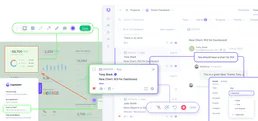
Userback
Collect visual feedback from users with annotated screenshots, screen recordings, and bug reports embedded in your product.
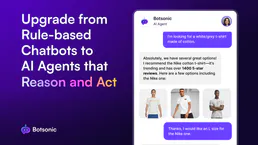
Botsonic
Train custom AI chatbots on your own data to deliver instant, accurate support that learns from your knowledge base.

Deterministic Codec Engine
Empower your AI to perfectly serialize and deserialize data. Effortlessly switch between URL Encoding, HTML Entities, Unicode Escapes, and DNS Punycode with a native V8 engine.