
Banco Inter MCP. Automate payments and financial lookups directly from your agent.
 Gemini
 Works with every AI agent you already use
…and any MCP-compatible client









Just plug in your AI agents and start using Vinkius.
Banco Inter MCP Server connects your AI agent directly to your corporate banking tools. Automate Pix payments, generate structured Boleto bank slips, and pull daily statements and balances without logging into the web portal.
Use `inter_send_pix` to pay, `inter_create_boleto` to bill, and `inter_get_statement` to track everything.
What your AI agents can do
Inter create boleto
Generates a new Banco Inter bank slip (Boleto de Cobrança).
Inter create pix billing
Emits an immediate Pix charge using required CPF/CNPJ and value.
Inter get balance
Retrieves the final daily balance for the corporate digital account.
Sends dynamic, real-time money transfers using the inter_send_pix tool.
Generates structured Brazilian bank slips for billing using the inter_create_boleto tool.
Retrieves the final daily balance of the corporate digital account via inter_get_balance.
Fetches a complete, detailed record of all account movements using inter_get_statement.
Retrieves lists of boletos (inter_list_boletos) or checks the detailed status of one specific slip (inter_get_boleto).
Consults records of Pix charges (Cob) that were either generated or received within a specific time range (inter_list_pix_billings).
Ask AI about this MCP
Supported MCP Clients
Gemini Waiting for input…
Banco Inter MCP Server: 8 Tools for Financial Operations
These tools let your AI agent execute every critical financial action—from sending Pix to generating bills—directly against your corporate Banco Inter account.
019d75bainter create boleto
Generates a new Banco Inter bank slip (Boleto de Cobrança).
019d75bainter create pix billing
Emits an immediate Pix charge using required CPF/CNPJ and value.
019d75bainter get balance
Retrieves the final daily balance for the corporate digital account.
019d75bainter get boleto
Checks the detailed status and data for a specific bank slip.
019d75bainter get statement
Pulls a full statement/extract of all account movements.
019d75bainter list boletos
Searches and lists multiple bank slips in a batch process.
019d75bainter list pix billings
Queries received or generated Pix charges over a date range.
019d75bainter send pix
Sends a payment (Pix) from your Banco Inter account to a specified recipient.
Choose How to Get Started
Build a custom MCP for your own tools, or connect a ready-made integration from our catalog.
Build Your Own
Turn any API into an MCP. Import a spec, define Agent Skills, or deploy with MCPFusion.
- Import from OpenAPI, Swagger, or YAML specs
- Create Agent Skills with progressive disclosure
- Deploy to edge with MCPFusion framework
- Built in DLP, auth, and compliance on every call
- Real time usage dashboard and cost metering
- Publish to catalog or keep private
Make Your AI Do More
Start with Banco Inter, then connect any of our 4,700+ other servers whenever your AI needs more. One click, no limits.
- Use this MCP plus 4,700+ others, all in one place
- Add new capabilities to your AI anytime you want
- Every connection is secured and compliant automatically
- Track usage and costs across all your servers
- Works with Claude, ChatGPT, Cursor, and more
- New servers added to the catalog every week
What you can do with this MCP connector
Banco Inter MCP Server connects your AI agent straight to your corporate banking tools. You automate payments and pull financial data without ever having to log into the web portal. You use the server to manage everything from Pix transfers to generating detailed statements. You'll find that your agent acts like a real treasury assistant, handling complex banking tasks instantly. Using inter_send_pix, you send real-time Pix payments straight from your account. To bill someone, you'll use inter_create_boleto to generate a structured Brazilian bank slip, or you can use inter_create_pix_billing to emit an immediate Pix charge using the required CPF or CNPJ and a value. When you need to track money, you can check the final daily balance with inter_get_balance. For deep history, you'll pull a full statement/extract of all account movements using inter_get_statement. If you're dealing with bank slips, you can search and list multiple boletos at once with inter_list_boletos, or check the specific status and data for one slip using inter_get_boleto. To keep tabs on Pix activity, you can query records of Pix charges—whether they were generated or received—over a set date range using inter_list_pix_billings.
How Banco Inter MCP Works
- 1 Use your corporate Banco Inter app to generate your
API Scopesand Security Certificates (.crtand.key). - 2 Base64 encode both the
.crtand.keyfiles, as the Brazilian BACEN system requires mTLS for secure connection. - 3 Set these long credential strings as environment variables in your MCP host.
The bottom line is, you use environment variables to authenticate your AI client with Banco Inter's API.
Who Is Banco Inter MCP For?
The treasury manager who needs to run daily reconciliation reports without logging in. The finance engineer who has to manually generate hundreds of boletos. The corporate administrator who needs to monitor cash flow instantly during a chat session, avoiding security risks associated with web logins.
Uses the server to confirm current liquidity by running inter_get_balance or generating payment instructions via inter_send_pix.
Automates the creation of complex billing records using inter_create_boleto and bulk querying records with inter_list_boletos.
Monitors incoming funds and historical activity by running inter_get_statement and checking inter_list_pix_billings.
What Changes When You Connect
- Real-time payment execution. You can send funds instantly using
inter_send_pixwithout manual steps or web login. - Full billing control. Generate complex, structured boletos via
inter_create_boletoand list them in bulk usinginter_list_boletos. - Historical auditing. Pull comprehensive records of every transaction—both received and sent—using
inter_get_statement. - Immediate status checks. Check the current day's balance with
inter_get_balanceor verify a specific boleto's status withinter_get_boleto. - Visibility into charges. Track all Pix-related billing activity (Cob) with
inter_list_pix_billings, separating it from general statements. - Bypass the UI. You never have to navigate the Internet Banking portal; the AI agent runs the API calls directly.
Real-World Use Cases
Confirming cash flow for the day
A corporate admin needs to know the final balance before quarter-end reports. Instead of logging into the banking portal and clicking 'Statement,' they prompt their agent. The agent runs inter_get_balance and returns the exact figure needed, immediately.
Handling a bulk payment request
The accounting team needs to pay 50 suppliers using Pix and generate 20 new boletos. The agent sequences the calls: first, inter_list_pix_billings to check available funds, then multiple calls to inter_send_pix and inter_create_boleto. The whole workflow happens in chat.
Investigating a missing payment
A client claims a payment was made last week but the record is unclear. The agent runs inter_get_statement for the date range and, if the payment was a Pix, runs inter_list_pix_billings to pinpoint the exact transaction ID and status.
Automating recurring billing
The billing department needs to issue monthly invoices. They prompt the agent to use inter_list_boletos to pull existing records, then use inter_create_boleto to generate new ones for the next cycle. The agent handles the ID structure and required fields.
The Tradeoffs
Manual copy/paste of data
Opening the bank's website, logging in, finding the statement, downloading the PDF, and then manually copying the total revenue figures into a spreadsheet.
→
Run inter_get_statement via the agent. The data is returned directly as structured JSON, ready for immediate use in your application logic.
Relying on simple API calls
Calling only inter_get_balance and assuming it provides the full transaction history. It only gives the final figure, not the movement details.
→
Run inter_get_statement to pull the full history. If you only need the final number, use inter_get_balance.
Mixing up billing tools
Trying to send a payment using the inter_create_boleto tool, which is for generating bills, not sending money.
→
Sending money requires inter_send_pix. Generating a bill requires inter_create_boleto. Check the tool definitions before you call them.
When It Fits, When It Doesn't
Use this server if your workflow requires confirmed, transactional interactions with Banco Inter—specifically payment initiation (inter_send_pix), bill generation (inter_create_boleto), or detailed account history (inter_get_statement). Don't use it if you only need to check public information or if the required data set is static. If you need to list all possible transactions in a range, use inter_list_pix_billings. If you only need the current, single-day cash total, use inter_get_balance. If you need to see multiple boletos, use inter_list_boletos; otherwise, use inter_get_boleto for a single check.
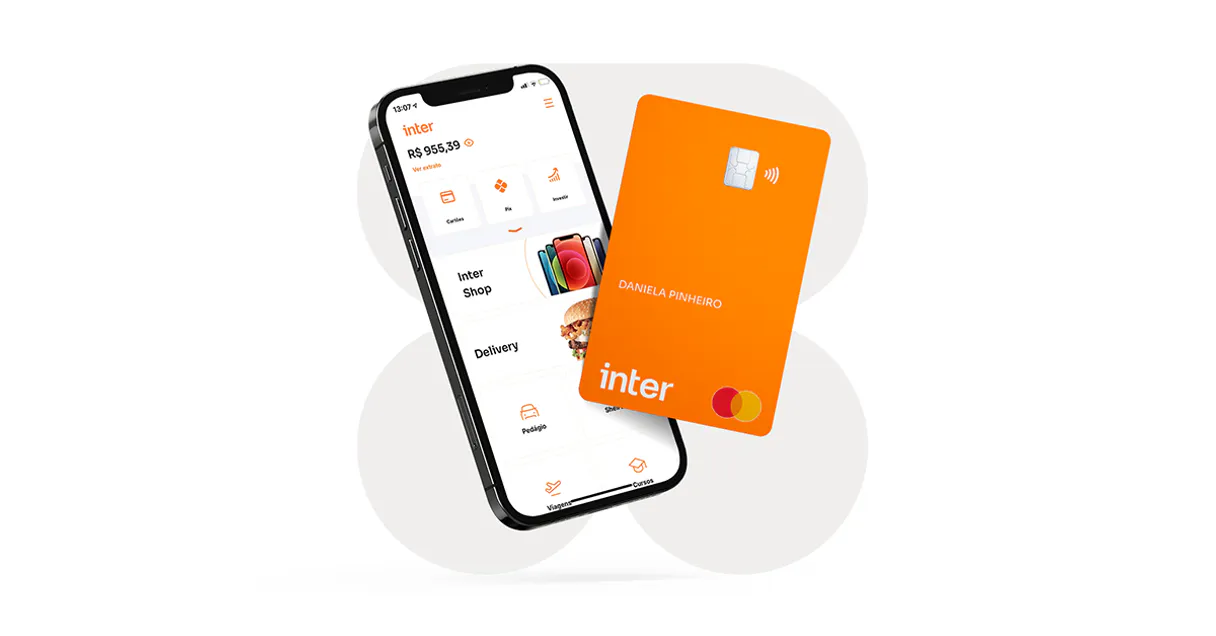
Independent Platform Disclaimer: Vinkius is an independent platform and is not affiliated with, endorsed by, sponsored by, verified by, or otherwise authorized by Banco Inter. All third-party trademarks, logos, and brand names are the property of their respective owners. Their use on this website is strictly for informational purposes to identify service compatibility and interoperability.
VINKIUS INFRASTRUCTURE
Cloud Hosted
Managed infra
V8 Isolated
Sandboxed per request
Zero-Trust Proxy
No stored credentials
DLP Enforced
Policy on every call
GDPR Compliant
EU data residency
Token Compression
~60% cost reduction
Works with Claude, ChatGPT, Cursor, and more
The Model Context Protocol standardizes how applications expose capabilities to LLMs. Instead of operating in isolation, your AI gains direct access to external platforms, live data, and real-world actions through secure, standardized connections.
This server provides 8 capabilities that interface natively with Claude, ChatGPT, Cursor, and any MCP client. No middleware. No custom integration required.
Available Capabilities
Running financial reports shouldn't require logging into a separate banking portal.
Today, generating a simple financial report means juggling tabs: logging into the bank, navigating to statements, selecting date ranges, and downloading a PDF. You then have to open a second system just to manually copy the relevant figures into your spreadsheet.
With the Banco Inter MCP Server, you just ask your agent to get the data. It runs `inter_get_statement` and returns structured, usable data directly in the chat. No PDFs, no copy-pasting, just the numbers you need.
Banco Inter MCP Server: Automate payments and account status updates.
Manual processes involve calling separate endpoints for every action: one call to check the balance, another to list boletos, and a third to send the actual Pix payment. This is slow and prone to state mismatch.
The MCP Server lets your agent manage these steps. You trigger a full workflow—say, checking the balance (`inter_get_balance`) then sending money (`inter_send_pix`)—and the agent handles the sequence, making the process reliable and instant.
Common Questions About Banco Inter MCP
How do I check the current balance using inter_get_balance? +
You ask your agent to run inter_get_balance(). The server returns the final cash amount for the corporate digital account for the day. This is a quick, single-query function.
Can I send money using inter_send_pix? What do I need? +
Yes. The inter_send_pix tool sends a Pix payment. You must ensure your prompt provides the necessary scope and target recipient details for the transfer.
What's the difference between inter_create_boleto and inter_list_boletos? +
Use inter_create_boleto when you need to generate a brand new bank slip. Use inter_list_boletos when you need to search and see a batch of existing or planned slips.
Where do I find historical payments using inter_list_pix_billings? +
The inter_list_pix_billings tool lets you query Pix charges (Cob) that were either generated or received within a specific date interval.
Is inter_get_statement the only way to get account history? +
No, inter_get_statement gives the full statement. If you only need to confirm a specific boleto's status, use inter_get_boleto instead.
How do I check the status of a specific Boleto using inter_get_boleto? +
You use inter_get_boleto to check the detailed status of any specific bank slip. This tool retrieves the full history, including payment status, payment date, and the associated customer identifiers for that single Boleto.
What information does inter_create_pix_billing require, and is it always necessary? +
The inter_create_pix_billing tool requires the recipient's CPF/CNPJ and the monetary value. Including these parameters is mandatory because the tool generates an immediate Pix charge, which requires full identification details.
When should I use inter_list_pix_billings versus inter_get_statement? +
Use inter_list_pix_billings when you need a filtered list of Pix charges—either generated or received—within a specific time window. For a complete, comprehensive view of all account movements, including non-Pix items, use inter_get_statement.
How do I configure my Banco Inter Base64 Certificates during setup? +
Log into Banco Inter Empresas > Aplicações > New application. Select all API scopes (Boleto, Pix, Banking). Download your keys (.crt and .key). To input them securely without uploading files, run base64 -i your_cert.crt and base64 -i your_cert.key in your local terminal. Copy-paste these two respective massive text outputs into the CERT_BASE64 and KEY_BASE64 MCP connection variables.
Can I initiate a Pix transfer (send money) out of my corporate account? +
Yes, using the native inter_send_pix tool your agent has technical capabilities to make outbound transfers. Proceed with immense caution while deploying agents capable of draining liquidity implicitly.
Are boletos automatically registered with the 'Nosso Numero' tag upon creation? +
Yes. Banco Inter API automatically parses the request creating a fully valid and verified registered bank slip payload containing the barcode vector dynamically.
Will checking my bank statement count towards rate limits? +
Banco Inter developer APIs employ basic rate limitations on requests. Using inter_get_statement sparingly throughout an automated chat retains total compliance to the quotas without blocking integrations.
Use it with your favorite AI tools
Connect this server to Cursor, Claude, VS Code, and more.
More in this category

Modulr
Empowers algorithmic control over European Payment volumes. Execute massive HMAC-secured payment schedules, create internal ledgers natively.

Coinbase
Get real-time cryptocurrency prices, exchange rates and currency info — BTC, ETH, SOL and more.
Brankas
Manage open finance operations via Brankas API — process direct payments, send disbursements, and access bank statements from any AI agent.
You might also like

Agify
Predict the age of a person based on their first name using the Agify.io API.

Keycloak
Manage identity and access control — list realms, manage users, configure clients, and handle security roles directly from your AI agent.

TripAdvisor
Search hotels, restaurants, and attractions via TripAdvisor Content API — get reviews, ratings, and POI details.