
Better Proposals MCP. Draft, track, and manage proposals via conversation.
 Gemini
 Works with every AI agent you already use
…and any MCP-compatible client









Just plug in your AI agents and start using Vinkius.
Better Proposals connects your sales process to any AI agent. You can list, create, and manage proposals, contacts, and company details directly from your chat window.
Use the agent to check proposal statuses, retrieve client data, or build new documents without leaving your workflow.
What your AI agents can do
Create contact
Adds a new contact record with the necessary details.
Create proposal
Generates and saves a new proposal draft.
Get analytics
Pulls performance data and status updates for existing proposals.
The agent creates a new contact record using provided names and email addresses.
The agent builds and drafts a new proposal record within the system.
The agent pulls analytics, showing status updates and performance metrics for your proposals.
The agent pulls all necessary data for a specific company based on its identifiers.
The agent retrieves all stored information about a specific client contact.
The agent lists all proposals or retrieves a single proposal by its unique ID.
The agent pulls full lists of all contacts or all companies in the system.
Ask AI about this MCP
Supported MCP Clients
Gemini Waiting for input…
Better Proposals MCP Server: 10 Tools for Sales Workflow
Use these tools to manage the full lifecycle of client relationships, from listing contacts to generating final proposals.
019d755bcreate contact
Adds a new contact record with the necessary details.
019d755bcreate proposal
Generates and saves a new proposal draft.
019d755bget analytics
Pulls performance data and status updates for existing proposals.
019d755bget company
Retrieves all specific details about one company.
019d755bget contact
Gets all stored details for one specific contact.
019d755bget proposal
Retrieves the full details of a single proposal.
019d755blist companies
Lists all companies currently in the system.
019d755blist contacts
Lists all contacts currently in the system.
019d755blist proposals
Lists all proposals, showing their status and ID.
019d755blist templates
Lists all available proposal templates.
Choose How to Get Started
Build a custom MCP for your own tools, or connect a ready-made integration from our catalog.
Build Your Own
Turn any API into an MCP. Import a spec, define Agent Skills, or deploy with MCPFusion.
- Import from OpenAPI, Swagger, or YAML specs
- Create Agent Skills with progressive disclosure
- Deploy to edge with MCPFusion framework
- Built in DLP, auth, and compliance on every call
- Real time usage dashboard and cost metering
- Publish to catalog or keep private
Make Your AI Do More
Start with Better Proposals, then connect any of our 4,700+ other servers whenever your AI needs more. One click, no limits.
- Use this MCP plus 4,700+ others, all in one place
- Add new capabilities to your AI anytime you want
- Every connection is secured and compliant automatically
- Track usage and costs across all your servers
- Works with Claude, ChatGPT, Cursor, and more
- New servers added to the catalog every week
What you can do with this MCP connector
Better Proposals MCP Server - Manage Sales Docs
Your AI agent hooks into your sales process. You can list, create, and manage proposals, contacts, and company details right from your chat window. You'll use the agent to check proposal statuses, grab client data, or build new documents without ever leaving your workflow.
Managing Proposals
- You can use
list_proposalsto see all proposals, grabbing their status and ID. You can then useget_proposalto pull the full details for any single proposal. To make a new one, just callcreate_proposal, and the agent drafts and saves the record for you. You can also useget_analyticsto pull performance data and status updates for existing proposals.
Handling Contacts and Companies
- You can use
list_contactsto pull a full list of every contact in the system, orlist_companiesto get all the companies. When you need details on a specific client, you useget_contactto grab all their stored information, orget_companyto pull every detail about a specific company based on its identifier. To add a new lead, just usecreate_contact, and the agent adds a new contact record with the names and emails you give it.
Templates and Organization
- You can use
list_templatesto see all the proposal templates you've saved.
What This Means For You
You never have to switch screens or jump into a CRM just to get data or make a document. You just tell your agent what you need, and it handles the calls to Best Proposals. You'll keep everything in one spot.
How Better Proposals MCP Works
- 1 1. Subscribe to the Better Proposals server and enter your API Key.
- 2 2. Your AI client recognizes the need for sales data (e.g., 'draft a proposal for Acme Corp').
- 3 3. The agent runs the necessary sequence of tools (like
get_companyandcreate_proposal) and delivers the final document or status update.
The bottom line is, you talk to your agent like you talk to a colleague, and it handles the complex backend calls to build the document or update the record.
Who Is Better Proposals MCP For?
Sales reps who spend too much time switching between the CRM and the proposal tool. Account managers who need to quickly verify client history before a call. Small business owners who need to automate the messy process of proposal follow-up and tracking.
Uses the agent to check the status of outstanding proposals or draft a new document immediately after a discovery call.
Uses the agent to pull specific company details or list contacts to ensure the proposal is customized correctly before sending it out.
Uses the agent to automate the tracking of proposals, getting a summary of which deals are stalled or need follow-up.
What Changes When You Connect
- See the full picture of your pipeline status by running
list_proposals. Instead of logging into the web dashboard, your agent just tells you: 'You have 3 documents waiting for signature.' - Never guess client details again. Use
get_companyorget_contactto pull accurate, up-to-date client history right when you're drafting a proposal. - Speed up your sales cycle. Use
create_proposalto instantly build a new document, pulling necessary data from a company you just checked withget_company. - Keep your records clean. Use
create_contactto add a new lead, and then useget_companyto associate them with the correct corporate entity. - Consistency is key. Use
list_templatesso you can select the right starting point and ensure every proposal looks professional and on-brand. - Know your numbers. Running
get_analyticsgives you performance data instantly, telling you exactly which proposals are stalling and why.
Real-World Use Cases
The proposal is stuck, and I need to follow up.
A sales rep needs to know why a deal is delayed. They ask the agent: 'What proposals are waiting for signature?' The agent runs list_proposals and reports the IDs and names of the stalled documents, allowing the rep to follow up with the right people.
I need to onboard a brand new client quickly.
An account manager has a new client, Alpha Corp, and the primary contact, Jane Doe. They ask the agent to set up the data. The agent runs get_company for Alpha Corp, then uses create_contact for Jane Doe, and finally runs create_proposal to generate the initial draft.
I'm doing a quick pre-call check on a prospect.
A salesperson needs to verify the client's current setup before talking to them. They ask the agent to check the company. The agent runs get_company and returns the latest operational data, ensuring the proposal they send is accurate.
I need to draft a proposal, but I don't know which template to use.
A junior sales associate asks the agent to show the options. The agent runs list_templates, providing a list of available document styles so the associate can pick the right one for the client's industry.
The Tradeoffs
Manual data entry in multiple places
The rep manually copies the client's company name from an email, pastes it into the CRM, and then types it again into the proposal system. This leads to typos and data mismatch.
→
Use the agent to run get_company first. This pulls the definitive data source, which you can then use to reliably generate the proposal with create_proposal.
Guessing proposal status
The account manager relies on a dashboard that might be outdated or hard to read, making them unsure if the deal is pending signature or just delayed.
→
Use list_proposals or get_analytics. These tools give you a direct, real-time status list, telling you exactly which proposals are active and what stage they're in.
Starting from scratch
The user opens the proposal tool and starts typing a new document without pulling in any client data or using a standard template.
→
Start by running list_templates to pick a format, then use get_company and get_contact to pull the necessary data, and finally call create_proposal.
When It Fits, When It Doesn't
Use this server if your job involves turning conversations into structured sales documents. You need to connect client data (company details, contact records) to a document creation workflow. You're asking questions like: 'What's the status of the deal?' or 'Draft a proposal for X.'
Don't use this if you only need to store raw data or manage simple spreadsheets. If your goal is just to keep a list of contacts, a basic CRM might suffice. If you need to build complex, multi-step workflows that require conditional logic (e.g., 'If Company X has paid > $10k, then generate Proposal Y'), you might need an external workflow orchestration tool.
This tool is best for the core, linear sales flow: GET Data -> CREATE/UPDATE Data -> BUILD Proposal.
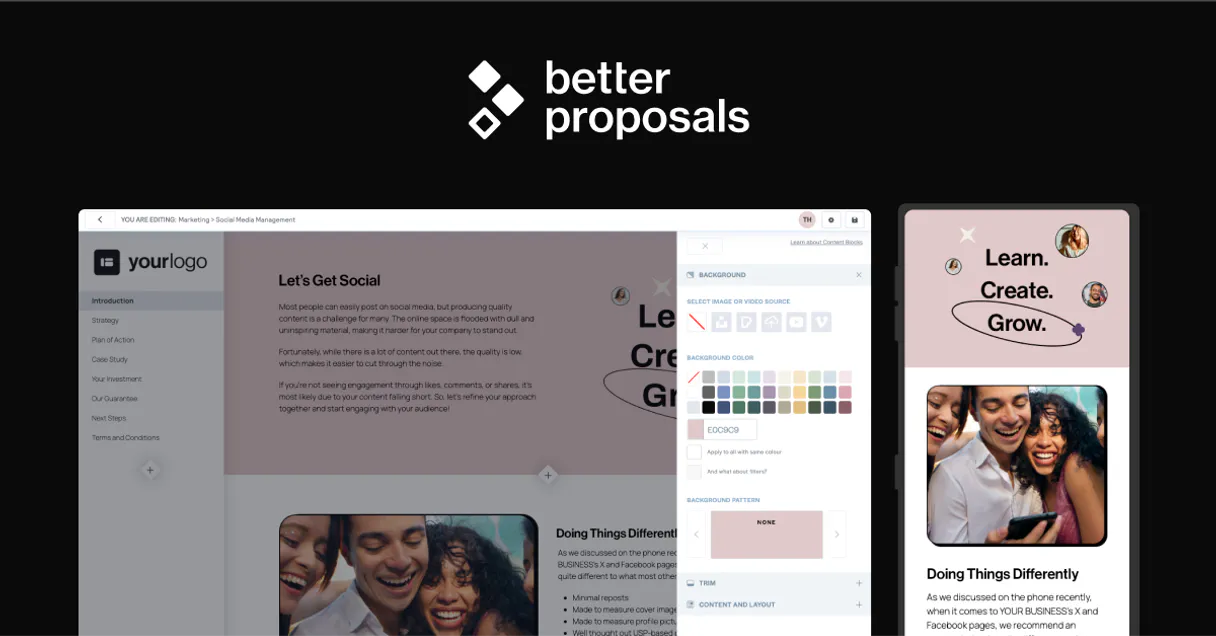
Independent Platform Disclaimer: Vinkius is an independent platform and is not affiliated with, endorsed by, sponsored by, verified by, or otherwise authorized by Better Proposals. All third-party trademarks, logos, and brand names are the property of their respective owners. Their use on this website is strictly for informational purposes to identify service compatibility and interoperability.
VINKIUS INFRASTRUCTURE
Cloud Hosted
Managed infra
V8 Isolated
Sandboxed per request
Zero-Trust Proxy
No stored credentials
DLP Enforced
Policy on every call
GDPR Compliant
EU data residency
Token Compression
~60% cost reduction
Works with Claude, ChatGPT, Cursor, and more
The Model Context Protocol standardizes how applications expose capabilities to LLMs. Instead of operating in isolation, your AI gains direct access to external platforms, live data, and real-world actions through secure, standardized connections.
This server provides 10 capabilities that interface natively with Claude, ChatGPT, Cursor, and any MCP client. No middleware. No custom integration required.
Available Capabilities
Tracking client details shouldn't require logging into three different systems.
Right now, when a client changes their corporate structure or the contact person changes, you spend time jumping between the CRM, the accounting portal, and the proposal platform. You're copying names, company IDs, and addresses, hoping you didn't miss a tab or misspell a name.
With Better Proposals, you just ask your agent. It runs `get_company` or `get_contact` and gives you the clean, definitive data. You can then feed that data directly into `create_proposal`. You get the right data, instantly.
Better Proposals MCP Server: Write the proposal, not the data.
You don't have to manually pull template IDs, check which data fields are available, or remember the exact API endpoints for a proposal. The agent handles the sequence: it uses `list_templates` to find the best fit, then gathers data via `get_company`, and finally executes `create_proposal`.
The result is a seamless process. Your focus stays on the client conversation, not the API calls. The agent does the heavy lifting.
Common Questions About Better Proposals MCP
How do I use the `list_proposals` tool with Better Proposals MCP Server? +
You ask your agent to 'List all proposals.' The agent runs list_proposals and gives you a list of all documents, including their status and ID. This helps you see exactly which deals are stuck.
Can I create a new contact using the `create_contact` tool? +
Yes. Just ask your agent to create the contact, providing the name and email address. It runs create_contact and confirms the new record ID.
What is the purpose of `get_analytics` with Better Proposals MCP Server? +
get_analytics pulls performance data for proposals. Use it to see status updates, track views, and figure out which deals are stalling out.
Does `get_company` require a specific ID? +
Yes, it needs a company identifier. You must provide the ID or name so the agent can run get_company and pull the correct, specific corporate data.
How do I ensure the proposal uses the right formatting? +
First, use list_templates to see all available formats. Then, ask the agent to use one of those templates when you run create_proposal.
What do I need to do before using the `create_proposal` tool? +
You must first connect your Better Proposals API Key to the server. After connecting, your AI client gains the ability to create proposals by calling the create_proposal tool. You'll need to provide the necessary client and service details when you call it.
If I call `list_contacts` and get too many results, what should I know? +
The list_contacts tool handles pagination, so you just need to ask for the next batch of results. If you need more than the default page size, simply specify the required page number or offset.
How can I use the `list_templates` tool to find a specific proposal style? +
You can filter the results of list_templates by keywords or categories. If you're looking for a specific style, just tell your agent to filter the list by the template name or type.
Can I see if a client has opened my proposal using the agent? +
Yes! Use the get_proposal tool with the Proposal ID. Your agent will fetch the latest status, which includes whether the proposal has been viewed, signed, or paid.
How do I list all my saved proposal templates? +
Simply ask the agent to list_templates. It will retrieve all the proposal templates available in your account for you to review and use.
Does the integration allow me to create a new contact? +
Yes! Use the create_contact action with the name and email. Your agent will register the new contact in your Better Proposals CRM instantly.
Use it with your favorite AI tools
Connect this server to Cursor, Claude, VS Code, and more.
More in this category
ThePDFMaker
Transform HTML templates into pixel-perfect PDF documents with an API designed for invoices, reports, and branded output.

Documo
Equip your AI agent to manage digital faxes, track fax numbers, and monitor transmissions via the Documo API.

Superdocu
Automate document collection and client onboarding with Superdocu and AI agents.
You might also like

T-Test Statistics Engine
Run exact Student's, Welch's, and Paired t-tests local. Get CPU-guaranteed p-values instead of LLM-hallucinated guesses.

Vald
Power your agent with Vald — query, insert, and manage dense vectors on a highly scalable, distributed nearest-neighbor engine.

Readwise
Equip your AI to directly search, read, and retrieve your unified digital highlights, books, and Reader documents stored in Readwise.