
Better Stack MCP. Automate SRE tasks and manage downtime from chat.
 Gemini
 Works with every AI agent you already use
…and any MCP-compatible client









Just plug in your AI agents and start using Vinkius.
Better Stack MCP Server automates incident management and SRE tasks. Connect your monitoring platform to your AI agent to diagnose downtime, manage escalations, and audit infrastructure health without leaving your chat window.
Use tools like `list_incidents` and `get_monitor` to inspect technical payloads and determine who's on call right now.
What your AI agents can do
Acknowledge incident
Marks an ongoing incident as acknowledged, which stops the paging alerts.
Get heartbeat
Retrieves specific, detailed information about a single passive heartbeat node.
Get incident
Pulls the full timeline and technical payload data for a specific incident ID.
The agent lists current, active incidents, allowing immediate inspection of the technical details and scope of the downtime.
The agent fetches the precise configuration details—like HTTP endpoints or DNS probes—for any specific uptime monitor.
The agent investigates passive tracking endpoints to check the health and limits of cron heartbeats.
The agent reads the active on-call rotations, telling you exactly who is scheduled to respond right now.
The agent reads the configured public status pages, providing a quick overview of the global infrastructure status.
Ask AI about this MCP
Supported MCP Clients
Gemini Waiting for input…
Better Stack MCP Server: 10 Tools for SRE Automation
Use these ten tools to manage the full lifecycle of service health, from listing active incidents to resolving alerts and checking on-call schedules.
019d755backnowledge incident
Marks an ongoing incident as acknowledged, which stops the paging alerts.
019d755bget heartbeat
Retrieves specific, detailed information about a single passive heartbeat node.
019d755bget incident
Pulls the full timeline and technical payload data for a specific incident ID.
019d755bget monitor
Fetches all detailed configuration information for a single Better Stack monitor.
019d755blist heartbeats
Lists every configured cron heartbeat node across your system.
019d755blist incidents
Gets a list of all active and past incidents recorded in Better Stack.
019d755blist monitors
Retrieves a list of all configured uptime monitors on Better Stack.
019d755blist on call
Lists the exact on-call routing calendars and team schedules.
019d755blist status pages
Lists all configured public status pages for your global infrastructure.
019d755bresolve incident
Forces a specific incident to a resolved state, stopping all associated alerts.
Choose How to Get Started
Build a custom MCP for your own tools, or connect a ready-made integration from our catalog.
Build Your Own
Turn any API into an MCP. Import a spec, define Agent Skills, or deploy with MCPFusion.
- Import from OpenAPI, Swagger, or YAML specs
- Create Agent Skills with progressive disclosure
- Deploy to edge with MCPFusion framework
- Built in DLP, auth, and compliance on every call
- Real time usage dashboard and cost metering
- Publish to catalog or keep private
Make Your AI Do More
Start with Better Stack, then connect any of our 4,700+ other servers whenever your AI needs more. One click, no limits.
- Use this MCP plus 4,700+ others, all in one place
- Add new capabilities to your AI anytime you want
- Every connection is secured and compliant automatically
- Track usage and costs across all your servers
- Works with Claude, ChatGPT, Cursor, and more
- New servers added to the catalog every week
What you can do with this MCP connector
Better Stack MCP Server turns your AI client into a Level 1 Site Reliability Engineer. You'll use this server to diagnose downtime, manage escalations, and check your monitoring setup without leaving your chat window. You can run tools like list_incidents and get_monitor to inspect technical payloads and figure out who's on call right now.
When you need to determine active incidents, your agent runs list_incidents to get a list of all past and current incidents recorded in Better Stack, and then uses get_incident to pull the full timeline and technical payload data for a specific incident ID. You can also use acknowledge_incident to mark an ongoing incident as acknowledged, which stops the paging alerts, and resolve_incident to force a specific incident to a resolved state, stopping all associated alerts.
To inspect monitor definitions, your agent uses list_monitors to retrieve a list of all configured uptime monitors on Better Stack, and then uses get_monitor to fetch all detailed configuration information for a single monitor, like HTTP endpoints or DNS probes. You can validate background workers by running list_heartbeats to list every configured cron heartbeat node across your system, and then use get_heartbeat to retrieve specific, detailed information about a single passive heartbeat node.
For checking on-call schedules, your agent calls list_on_call to read the active on-call rotations and team schedules, and you can check global infrastructure status by running list_status_pages to list all configured public status pages. You'll also find you can run list_heartbeats to check the status of all configured cron heartbeat nodes.
You'll also use list_on_call to determine who's scheduled to respond right now, and list_status_pages to get a quick overview of your global infrastructure status.
How Better Stack MCP Works
- 1 Subscribe to the Better Stack server and provide your API Token.
- 2 Grant your AI agent permission to interact with the monitoring data.
- 3 Ask your agent to run a specific check, like 'List all active incidents' or 'Who is on call for backend?'
The bottom line is you stop jumping between your monitoring dashboard and your chat client; the agent handles the data retrieval and conversation.
Who Is Better Stack MCP For?
This is for the ops engineer who's tired of clicking through dashboards at 2 AM. It’s for DevOps, SREs, and Backend Developers who need to run complex checks—like tracing a failure from a monitor definition to an on-call schedule—without ever leaving their terminal or chat window.
Audits on-call matrices, tracks firing pages, and orchestrates initial debugging workflows without leaving chat.
Manages incident response by listing active incidents and determining the appropriate escalation path.
Rapidly debugs failing cron heartbeats while simultaneously checking status pages for related service impacts.
What Changes When You Connect
- Inspect the full incident history and payload details. Use
get_incidentto see the complete timeline for any past outage, which is faster than digging through raw logs. - Keep your team informed without context switching. Use
list_on_callto instantly check who is paged right now, eliminating manual calendar lookups during an incident. - Confirm service health status across your whole stack. Use
list_monitorsandget_monitorto get definitions for all HTTP pings and DNS probes at a glance. - Control the alert flow directly from your agent. Use
acknowledge_incidentorresolve_incidentto manage the state of an alert without logging into the main dashboard. - Audit system stability proactively. Use
list_heartbeatsto check all cron endpoints andget_heartbeatto validate specific background workers. - Check global service status instantly. Use
list_status_pagesto read your public dashboards, providing immediate visibility to stakeholders.
Real-World Use Cases
Need to understand a recent outage.
The system went down last night. Instead of logging into the dashboard, the agent runs get_incident for the relevant ID. The agent reads the full timeline and reports the root cause structure back to the chat, letting the team know what happened and why.
A new service needs to be monitored.
The backend team finishes a service and needs it tracked. The agent uses list_monitors to see what's already set up, then uses get_monitor to confirm the exact ping type and latency constraints before the Ops team deploys it.
The team needs to know who to call.
It's 3 AM and an alert fires. The agent runs list_on_call to check the schedule. It tells the team who is Level 1 and who is backing them up, so they know exactly who to call immediately.
Need to silence a false alarm.
An alert fired for a service that recovered 10 minutes ago. The agent runs list_incidents to confirm the ID, then uses resolve_incident to force the status to resolved, stopping the paging.
The Tradeoffs
Switching Tabs for Status
An engineer gets an alert, clicks the dashboard, finds the incident ID, copies it, switches to the chat window, and pastes it into the prompt. This process wastes 30 seconds and breaks focus.
→
Just ask your agent. Prompt it: 'Check the status of incident ID #1234.' The agent handles the whole sequence, running get_incident and presenting the payload directly in the chat.
Manual On-Call Lookups
During an outage, the engineer has to remember which team manages which service, then manually check the on-call calendar, and finally find the person's contact details.
→
Run list_on_call. The agent returns the current schedule and the designated Level 1 responder immediately, telling you exactly who is paged.
Ignoring Heartbeat Failures
The service is slow, but the team assumes the problem is application code. They forget to check if the underlying background worker (cron heartbeat) is failing because of limits or configuration issues.
→
Run list_heartbeats to see all background workers. If suspicious, use get_heartbeat to get explicit details on the failure node. This narrows the search scope immediately.
When It Fits, When It Doesn't
Use this if you need to manage complex, time-sensitive operational state changes. You need to know who is on call, what the current state of a service is, and why it failed (the incident payload). It's built for the SRE who needs to triage and act fast. Don't use it if you are just writing a status report or checking simple, static documentation; those are better handled by basic status page tools. If your primary need is just monitoring data visualization, use a dedicated dashboarding platform, not this conversation-based control layer.
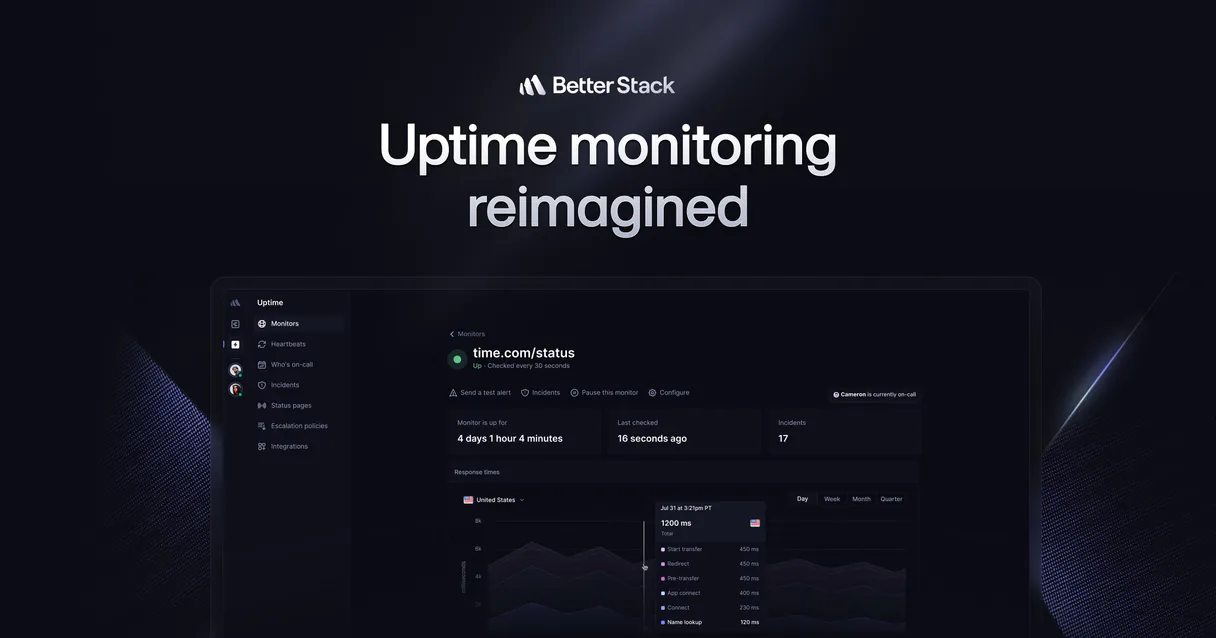
Independent Platform Disclaimer: Vinkius is an independent platform and is not affiliated with, endorsed by, sponsored by, verified by, or otherwise authorized by Better Stack. All third-party trademarks, logos, and brand names are the property of their respective owners. Their use on this website is strictly for informational purposes to identify service compatibility and interoperability.
VINKIUS INFRASTRUCTURE
Cloud Hosted
Managed infra
V8 Isolated
Sandboxed per request
Zero-Trust Proxy
No stored credentials
DLP Enforced
Policy on every call
GDPR Compliant
EU data residency
Token Compression
~60% cost reduction
Works with Claude, ChatGPT, Cursor, and more
The Model Context Protocol standardizes how applications expose capabilities to LLMs. Instead of operating in isolation, your AI gains direct access to external platforms, live data, and real-world actions through secure, standardized connections.
This server provides 10 capabilities that interface natively with Claude, ChatGPT, Cursor, and any MCP client. No middleware. No custom integration required.
Available Capabilities
Triage shouldn't require jumping between 5 different dashboards.
Today, when an alert fires, you get the ID. You switch to the incident dashboard to see the timeline. Then you jump to the monitoring dashboard to see the monitor definition. After that, you have to switch to the on-call page just to figure out who to call. It’s a copy-paste marathon that kills momentum.
With the Better Stack MCP Server, you tell your agent to 'What do I do about this alert?' The agent runs `list_incidents`, pulls the technical details from `get_incident`, checks the current owner via `list_on_call`, and presents the entire actionable workflow right in your chat.
Better Stack MCP Server: Control Incidents and Status
You don't have to manually acknowledge an alert and then switch to the monitoring tool to verify the service is back up. The agent can find the incident ID via `list_incidents`, run `get_monitor` to confirm the service definition, and then use `acknowledge_incident` or `resolve_incident`—all in one flow.
This isn't just reading data. It's executing commands and managing state. Your agent acts as the single point of control for the entire incident lifecycle, keeping you focused on the fix, not the UI.
Common Questions About Better Stack MCP
How do I use the `list_incidents` tool to check for current outages? +
Run list_incidents to get a list of all active and past incidents. The output provides the ID and a summary of the issue, telling you immediately if something is firing.
Can I use `get_monitor` to see the specific ping details for a service? +
Yes, get_monitor fetches the full configuration payload for a single monitor. This shows the exact HTTP endpoint, DNS probe, or latency constraint used by that service.
What is the difference between `list_incidents` and `get_incident`? +
Use list_incidents first to find the active ID. Then, use get_incident with that ID to pull the detailed, technical timeline payload, which contains the root cause data.
How do I find out who is on call using the `list_on_call` tool? +
Simply call list_on_call. The agent reads the routing calendars and tells you who is currently assigned to Level 1 support and who is on backup.
Can I resolve an incident using the `resolve_incident` tool? +
Yes. The resolve_incident tool forces a specific incident ID into a resolved state, which stops the associated paging and updates the status page.
How do I use `list_monitors` to check all the different types of uptime checks running? +
The list_monitors tool gives you a complete inventory of all configured uptime checks. You'll see the specific type of monitor, like HTTP endpoint pings, DNS probes, and latency tests, alongside their current status.
What is the purpose of the `get_heartbeat` tool, and how does it differ from `list_heartbeats`? +
list_heartbeats shows you a list of all passive tracking endpoints. get_heartbeat then retrieves the detailed, specific data for just one of those nodes, letting you inspect its current performance metrics.
After I use `acknowledge_incident`, how do I track if the incident is still active? +
After acknowledging an incident, you should run list_incidents again. This confirms the current state and tells you if the issue has resolved itself or if further action is needed.
Can my AI automatically acknowledge an incident so my phone stops ringing? +
Yes! Running the acknowledge_incident capability pushes a verified API command halting escalation cycles (like SMS and phone calls) natively while you debug.
Is it possible to see the exact HTTP response body or headers that caused a monitor to fail? +
Yes, pulling details via get_incident exposes the raw nested trace containing the root cause payloads and server errors Better Stack historically received when the check failed.
Can the agent create new monitors automatically? +
No. The integration focuses safely on observation, alerting resolution, and tracking currently. Creation endpoints represent mutation vectors decoupled to ensure you preserve billing and account structure intentionally.
Use it with your favorite AI tools
Connect this server to Cursor, Claude, VS Code, and more.
More in this category
Railway
Equip your AI with direct access to your Railway infrastructure — manage projects, deployments, services, and environment variables.

Argo CD (GitOps)
Manage Kubernetes deployments via Argo CD — sync applications, check logs, and manage clusters/repositories directly from your AI agent.

Drupal
Manage headless content via Drupal — list nodes, handle taxonomy terms, manage files, and audit users directly from any AI agent.
You might also like

Amilia
Recreation and activity management — manage programs, accounts, and registrations via AI.

Zoho CRM Admin
Manage Zoho CRM users, roles, profiles, layouts, territories, and tags — complete admin control through conversation.

Swan
Empowers algorithmic control over European Bank Accounts. Execute SEPA transfers and manage Virtual Corporate Cards programmatically.