
Swan MCP. Automate SEPA transfers and bank ledger management.
 Gemini
 Works with every AI agent you already use
…and any MCP-compatible client









Just plug in your AI agents and start using Vinkius.
Swan MCP Server handles European banking operations for AI agents. It lets your client programmatically provision local bank accounts (IBANs), execute SEPA transfers across Europe, and manage virtual corporate Mastercard cards using tools like `swan_create_account` and `swan_create_sepa_transfer`.
Essential for fintech systems needing real-time fund movement.
What your AI agents can do
Swan add virtual card
Generates a new Mastercard Virtual Debit card for a specific contractor or entity.
Swan cancel card
Immediately and permanently closes a specified corporate card, preventing any future use.
Swan create account
Dynamically provisions a new European bank account under your ledger, returning a unique IBAN format.
Creates a local European account ledger with a unique IBAN format using the swan_create_account tool.
Initiates standard, regulated credit transfers across any connected European banking network via swan_create_sepa_transfer.
Adds new Mastercard Virtual Debit cards for contractors using swan_add_virtual_card or lists existing cards with swan_list_cards.
Retrieves a list of all connected IBANs via swan_get_accounts, or pulls detailed ledger records for one account using swan_get_transactions.
Injects fake funds into an account ledger. This is limited to the sandbox environment via swan_simulate_incoming_transfer.
Ask AI about this MCP
Supported MCP Clients
Gemini Waiting for input…
Swan MCP Server: 9 Tools for Financial Operations
These nine tools give your AI client direct control over European bank accounts, SEPA transfers, card issuance, and ledger history.
019d760fswan add virtual card
Generates a new Mastercard Virtual Debit card for a specific contractor or entity.
019d760fswan cancel card
Immediately and permanently closes a specified corporate card, preventing any future use.
019d760fswan create account
Dynamically provisions a new European bank account under your ledger, returning a unique IBAN format.
019d760fswan create sepa transfer
Sends standardized funds across the European network as an SEPA Credit Transfer.
019d760fswan get accounts
Lists all currently operational Swan Bank Accounts and their corresponding IBANs linked to your project node.
019d760fswan get project info
Fetches high-level, overarching details about the connected Swan Project Node for validation purposes.
019d760fswan get transactions
Pulls a detailed ledger history showing all transactions for one specific account ID.
019d760fswan list cards
Returns a list of every physical and virtual card associated with the project node.
019d760fswan simulate incoming transfer
Injects dummy funds into an account for testing purposes; this only works in sandbox mode.
Choose How to Get Started
Build a custom MCP for your own tools, or connect a ready-made integration from our catalog.
Build Your Own
Turn any API into an MCP. Import a spec, define Agent Skills, or deploy with MCPFusion.
- Import from OpenAPI, Swagger, or YAML specs
- Create Agent Skills with progressive disclosure
- Deploy to edge with MCPFusion framework
- Built in DLP, auth, and compliance on every call
- Real time usage dashboard and cost metering
- Publish to catalog or keep private
Make Your AI Do More
Start with Swan, then connect any of our 4,700+ other servers whenever your AI needs more. One click, no limits.
- Use this MCP plus 4,700+ others, all in one place
- Add new capabilities to your AI anytime you want
- Every connection is secured and compliant automatically
- Track usage and costs across all your servers
- Works with Claude, ChatGPT, Cursor, and more
- New servers added to the catalog every week
What you can do with this MCP connector
You're running fintech operations in Europe? This server gives your agent direct access to a full Banking-as-a-Service stack, letting it handle everything from opening local accounts to moving money across borders using real SWIFT/SEPA protocols. It's built for agents that need reliable, programmatic fund movement.
Account Management and Provisioning
You gotta get set up before you move a dime. You use swan_create_account to dynamically provision a new European bank account under your ledger; it spits out a unique IBAN format right away. When you need to know what accounts you've got running, you run swan_get_accounts, which lists every operational Swan Bank Account and its associated IBAN linked to your project node.
You can also check high-level details about the whole setup by calling swan_get_project_info for validation purposes.
Moving Money (Transfers)
The core function here is executing regulated fund movement. When you want to send standardized funds across the European network, you use swan_create_sepa_transfer to initiate an SEPA Credit Transfer. To track where that money went, or what happened in general, you pull a detailed ledger history for one specific account ID using swan_get_transactions.
You'll need to test stuff first—if you run it in sandbox mode, swan_simulate_incoming_transfer injects dummy funds into an account ledger so you can check your logic without spending real dough.
Card Operations and Lifecycle Management
Managing virtual cards is straightforward. You use swan_add_virtual_card to generate a brand new Mastercard Virtual Debit card for any contractor or entity. When that worker leaves, you gotta shut it down fast; run swan_cancel_card to immediately and permanently close the specified corporate card, making sure it can't be used again.
If you need an inventory of every physical and virtual card tied to your project node, call swan_list_cards.
Putting It Together
The tools work together seamlessly for complex financial workflows. You use swan_create_account to provision a new local ledger, then swan_add_virtual_card for the contractor who needs it. When they get paid, you send those funds using swan_create_sepa_transfer. After the transfer hits, you check the full history with swan_get_transactions, and if everything looks right, you're good to go.
How Swan MCP Works
- 1 First, log into your Swan Partner dashboard and generate a Project Access Token in Developer Settings.
- 2 Bind that token securely to Vinkius. If you're testing, ensure the 'sandbox' environment flag is set before calling any tools.
- 3 The agent then executes required actions (e.g.,
swan_get_accountsfollowed byswan_create_sepa_transfer) using your bound credentials.
The bottom line is: you provide the secure token, and the AI client handles the stateful sequence of API calls for you.
Who Is Swan MCP For?
This is built for FinTech developers and backend operations engineers. If your job involves moving money or issuing corporate payments across borders, you need this. It's specifically for the person who gets sick of manually verifying IBANs and tracking ledger movements in separate dashboards.
Integrates banking services into proprietary systems by managing account provisioning (swan_create_account) and executing compliance-driven transfers.
Automates vendor payments, ensuring that every contractor gets a unique virtual card issued via swan_add_virtual_card before the payment cycle starts.
Runs automated sweeps using swan_get_transactions to build audit trails and verify ledger movements across multiple accounts after a period of activity.
What Changes When You Connect
- Build reliable fund movements: Don't write custom transfer logic. Use
swan_create_sepa_transferto initiate regulated payments across European borders, handling the complexity of cross-border compliance natively. - Maintain strict card control: Issue temporary vendor access with
swan_add_virtual_card. When a contract ends, runswan_cancel_cardimmediately to prevent unauthorized usage. - Automate account setup: Need a new receiving ledger? Use
swan_create_accountto programmatically provision local IBANs (FRA/ESP) and integrate them instantly into your system's flow. - Full visibility on accounts: Instead of clicking through dashboards, run
swan_get_accountsto list all active IBANs, or useswan_get_transactionsto pull the full ledger history for auditing. - Test transfers safely: Need to test a payout workflow? Use
swan_simulate_incoming_transferin sandbox mode. It lets you validate your logic without moving actual money.
Real-World Use Cases
Processing payroll payouts for contractors.
The HR system needs to pay 50 contractors across three EU countries. Instead of manually generating transfers, the agent first runs swan_get_accounts to confirm all required IBANs exist. Then, it loops through and calls swan_create_sepa_transfer five times for each contractor, ensuring every payment is logged instantly.
Setting up a new regional branch ledger.
A company expands into France and needs a dedicated local bank account. The agent calls swan_create_account, providing the necessary entity IDs. This returns an active FRA IBAN which is immediately usable for receiving funds.
Onboarding a new vendor with limited access.
A temporary consulting firm needs payment capability only. The agent calls swan_add_virtual_card to issue a Mastercard Virtual Debit card tied to the project node, restricting their spending scope from day one.
Investigating suspicious account activity.
The finance team suspects unauthorized withdrawals on an old ledger. The agent uses swan_get_transactions for the specific Account ID to pull a full, time-stamped history and pinpoint exactly when and how much money was moved.
The Tradeoffs
Assuming success.
The agent calls swan_create_sepa_transfer and assumes the funds move. It doesn't check if the source account has enough balance, leading to a failed transaction that isn't flagged until hours later.
→
Before running any transfer, always call swan_get_transactions or confirm balances via dedicated tools. Handle the API response code for insufficient funds programmatically; don't just assume success.
Mixing physical and virtual card logic.
A developer tries to use a tool designed for basic bank transfers (swan_get_transactions) to track card usage, which fails because cards are managed separately from the main ledger.
→
Use swan_list_cards first. If you need transaction details on a specific card's spending, your workflow must check the card ID against the transaction history retrieved by other means.
Running transfers without checking account validity.
Attempting to create an account or transfer funds using an old or inactive IBAN. The request fails silently or hits a compliance wall, wasting time and money.
→
Always start by running swan_get_accounts to get the definitive list of operational IBANs before calling swan_create_sepa_transfer or swan_create_account.
When It Fits, When It Doesn't
Use this server if your core problem is moving money (SEPA transfers) or managing financial assets (IBANs, virtual cards). The key is the ability to run stateful workflows: check accounts -> provision new account -> transfer funds. Don't use it if you simply need to read static data—you’d be better off using a general ledger access tool. If your only goal is tracking user clicks on a dashboard, this server has nothing for you. You need the ability to execute financial primitives and handle their specific success/failure states.
Remember: This set of tools forces you to build an external orchestration layer that manages state—it doesn't do it for you. Use swan_get_accounts as your foundational check before any write operation.
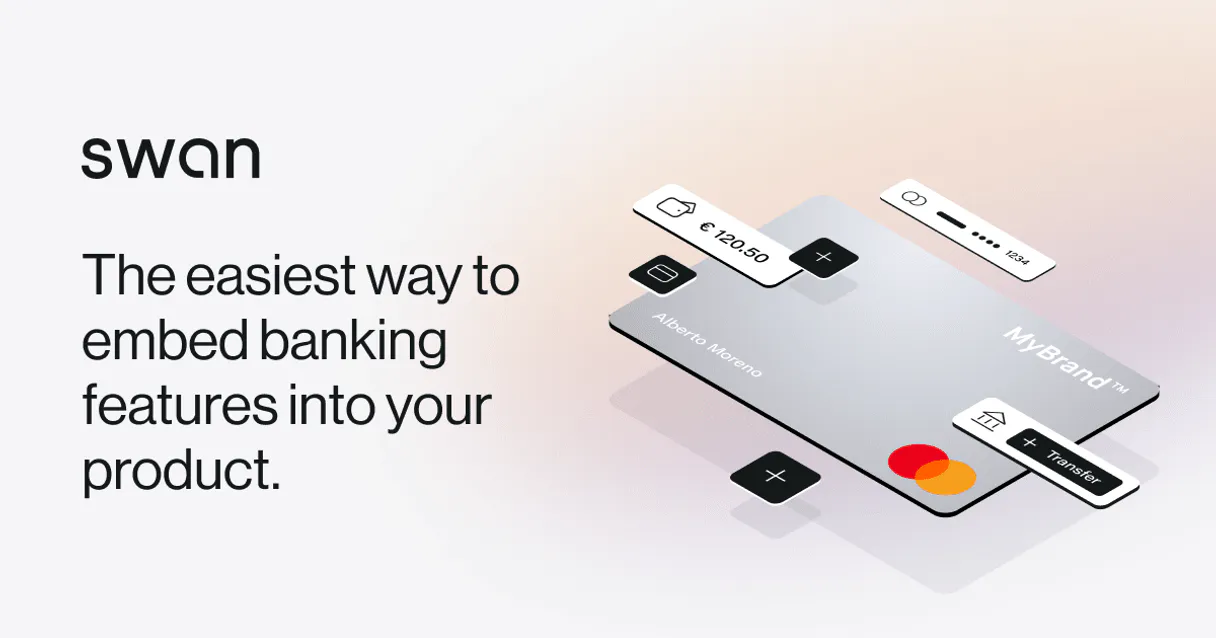
Independent Platform Disclaimer: Vinkius is an independent platform and is not affiliated with, endorsed by, sponsored by, verified by, or otherwise authorized by Swan France. All third-party trademarks, logos, and brand names are the property of their respective owners. Their use on this website is strictly for informational purposes to identify service compatibility and interoperability.
VINKIUS INFRASTRUCTURE
Cloud Hosted
Managed infra
V8 Isolated
Sandboxed per request
Zero-Trust Proxy
No stored credentials
DLP Enforced
Policy on every call
GDPR Compliant
EU data residency
Token Compression
~60% cost reduction
Works with Claude, ChatGPT, Cursor, and more
The Model Context Protocol standardizes how applications expose capabilities to LLMs. Instead of operating in isolation, your AI gains direct access to external platforms, live data, and real-world actions through secure, standardized connections.
This server provides 9 capabilities that interface natively with Claude, ChatGPT, Cursor, and any MCP client. No middleware. No custom integration required.
Available Capabilities
The hassle of cross-border payments is always the same.
Right now, moving money between companies in different EU countries means jumping through hoops. You have to log into one bank portal to get an IBAN, then copy that data into a separate payment system, manually verifying that the recipient's account is active before you can even attempt the transfer. The whole thing is slow, requires multiple logins, and if any single field is wrong—a country code, a BIC—the money gets stuck or bounces back.
With this MCP server, your agent handles all of that in one go. You simply tell it to run `swan_create_sepa_transfer` for the necessary amount. The server validates the IBANs and runs the transaction across Europe's network. What you get is a confirmed, traceable movement record, end-to-end.
Swan MCP Server: Manage bank accounts & transfers
Before Swan, managing card access meant calling the finance department and waiting for physical cards to be cut and shipped. If a contractor needed immediate payment capability, you were stuck until the next cycle—a massive bottleneck.
Now, your agent calls `swan_add_virtual_card`. It generates a unique Mastercard Debit number instantly, giving that contractor access right now. The process is automated, compliant, and happens in seconds.
Common Questions About Swan MCP
How do I check if an IBAN exists before running a transfer with swan_create_sepa_transfer? +
You must run swan_get_accounts first. This lists all operational accounts and their valid IBANs, ensuring the source account is active and ready for funds movement.
Is swan_simulate_incoming_transfer safe to use in production? +
No, it's only for testing. It injects fake money into the ledger via swan_simulate_incoming_transfer and is specifically limited to the sandbox environment. Use this to validate your transfer logic before going live.
What if I need a new account IBAN, how do I get it? +
Use the swan_create_account tool. It provisions the ledger and returns the unique European format (FRA or ESP) that you can then use for transfers.
How many cards can I manage using swan_list_cards? +
swan_list_cards pulls all associated physical and virtual cards. The limit depends on your Swan Partner tier, but the tool itself is designed to list everything tied to your project node.
When I use `swan_get_project_info`, does it reveal my specific access token or internal credentials? +
No. This tool only fetches high-level metadata about your connection node. It validates the scope and status of your project ID without exposing raw tokens, which is a security measure.
If `swan_create_sepa_transfer` fails, what data do I use to troubleshoot the error? +
The API returns an explicit failure reason and a detailed status code. You must check the transfer object's final state field; it tells you exactly why the SEPA network rejected the funds.
Are there any rate limits when running `swan_get_transactions` on large accounts? +
The endpoint supports batch querying. To prevent hitting limits, always pass specific start and end dates, along with a defined limit count, instead of requesting the entire ledger history at once.
Can I use `swan_add_virtual_card` to create cards for regions outside the SEPA zone? +
No. The virtual card service is configured only for Mastercard debit networks operating within European, SEPA-compliant geographies. It won't provision non-Eurozone accounts.
Are actions simulated or operating live on real Ledgers? +
If you inject your core Project Access Token with full production permissions and leave the env string off sandbox, yes! It executes heavy Core Banking GraphQL mutations that immediately provision legally compliant EU ledgers behind the scenes.
Can the AI Agent manage physical or virtual credit cards? +
Yes. Via swan_add_virtual_card and swan_cancel_card the LLM has complete programmatic control over debit and spend cards mapped to underlying accounts.
Does the system support sandbox incoming money simulation? +
Yes! We expose the swan_simulate_incoming_transfer specifically so you can test your programmatic workflows in SandBox by pushing fake money into target ledgers.
Use it with your favorite AI tools
Connect this server to Cursor, Claude, VS Code, and more.
More in this category

Spendesk
Empower your AI with real-time spend management. Track budgets, audit invoices, and review expense claims directly from your IDE.
BILL Spend & Expense
Manage corporate spend via BILL — list budgets, cards, and transactions directly from any AI agent.

GoCardless
Manage direct debit payments, track mandates, and oversee customers via AI agents with GoCardless.
You might also like

Duoplane
Equip your AI agent to manage multi-vendor orders, track purchase orders, and monitor vendor inventory via the Duoplane API.

Pipedrive Mail
Browse email threads, read messages, and view deal-linked emails — manage your Pipedrive mail integration through conversation.

Taskworld
Manage Taskworld projects, tasks, and team collaboration directly from your AI agent.