
Better Stack MCP. Get instant status reports for your entire stack.
 Gemini
 Works with every AI agent you already use
…and any MCP-compatible client









Just plug in your AI agents and start using Vinkius.
Better Stack connects your infrastructure monitoring and incident management to your AI agent. Use the Better Stack MCP Server to list, create, and manage all your HTTP, Ping, and Keyword monitors.
You can also get real-time updates on active incidents, check on-call schedules, and verify public status pages directly from your chat client.
What your AI agents can do
Create monitor
Creates a new uptime monitor for a specific service or endpoint.
Delete monitor
Removes an existing uptime monitor from the system.
Get incident
Retrieves the full details of a single, specified service incident.
List, get details, create, and update any type of uptime monitor (HTTP, Ping, Keyword).
List recent service failures and retrieve deep details on a specific, active incident.
Access current on-call schedules and rotation assignments for core infrastructure teams.
List and check the status of recurring tasks and cron job monitors.
List and verify the current status of your company's public status pages.
Ask AI about this MCP
Supported MCP Clients
Gemini Waiting for input…
019d755bcreate monitor
Creates a new uptime monitor for a specific service or endpoint.
019d755bdelete monitor
Removes an existing uptime monitor from the system.
019d755bget incident
Retrieves the full details of a single, specified service incident.
019d755bget monitor
Gets all the current configuration details for a single monitor.
019d755blist heartbeats
Lists all scheduled heartbeat monitors and their current status.
019d755blist incidents
Shows a list of recent service outages and incident reports.
019d755blist monitors
Lists all active uptime monitors configured for your services.
019d755blist on calls
Displays the current on-call schedule and team rotations.
019d755blist status pages
Lists and checks the current status of your public status pages.
019d755bupdate monitor
Modifies the settings or scope of an existing uptime monitor.
Choose How to Get Started
Build a custom MCP for your own tools, or connect a ready-made integration from our catalog.
Build Your Own
Turn any API into an MCP. Import a spec, define Agent Skills, or deploy with MCPFusion.
- Import from OpenAPI, Swagger, or YAML specs
- Create Agent Skills with progressive disclosure
- Deploy to edge with MCPFusion framework
- Built in DLP, auth, and compliance on every call
- Real time usage dashboard and cost metering
- Publish to catalog or keep private
Make Your AI Do More
Start with Better Stack, then connect any of our 4,700+ other servers whenever your AI needs more. One click, no limits.
- Use this MCP plus 4,700+ others, all in one place
- Add new capabilities to your AI anytime you want
- Every connection is secured and compliant automatically
- Track usage and costs across all your servers
- Works with Claude, ChatGPT, Cursor, and more
- New servers added to the catalog every week
What you can do with this MCP connector
Better Stack connects your infrastructure monitoring and incident management right into your AI agent. You'll use this server to list, create, and manage all your HTTP, Ping, and Keyword monitors. You can also get real-time updates on active incidents, check on-call schedules, and verify public status pages directly from your chat client.
Check and Control Monitors: You've got tools to list all active uptime monitors with list_monitors, get the full configuration for a specific monitor using get_monitor, create a new uptime monitor for a service or endpoint with create_monitor, and modify existing monitor settings with update_monitor.
Manage Incidents: You can show a list of recent service outages and incident reports with list_incidents, or grab the full details for one specific, active incident using get_incident.
View On-Call Staffing: You'll display the current on-call schedule and team rotations by running list_on_calls.
Verify System Heartbeats: You'll list all scheduled heartbeat monitors and check their current status using list_heartbeats.
Check Public Status Pages: You can list and check the current status of your company's public status pages with list_status_pages.
How Better Stack MCP Works
- 1 First, subscribe to the Better Stack server and provide your API Token.
- 2 Next, your AI agent uses the tool names (like
list_monitorsorlist_incidents) to pull the necessary data. - 3 You get back a clean, conversational summary of the infrastructure status, ready for your next action.
The bottom line is, you treat your entire monitoring stack like a chat conversation, getting status reports without manual dashboard clicks.
Who Is Better Stack MCP For?
The DevOps engineer who needs to know which service broke and who owns the fix at 2 AM. The SRE who can't afford to click through three different dashboards during an outage. It's for anyone who needs to move from 'Wait, what broke?' to 'I'm pinging Sarah now' in the span of seconds.
Uses list_monitors and get_incident during an outage to quickly confirm failure scope and pull historical data for root cause analysis.
Runs list_heartbeats to check if scheduled tasks (like nightly backups) are running correctly, and uses create_monitor to add new checks.
Runs list_on_calls and list_status_pages to gather incident summaries and report status updates to stakeholders without manual reporting.
What Changes When You Connect
- Instantly check service availability. Instead of navigating to a monitor dashboard, just ask the agent to
list_monitorsto see if everything is green or red. - Cut down on manual RCA. Use
get_incidentto pull up deep details on an outage. You get the timeline and error messages without leaving your chat window. - Stop guessing who's on call. Run
list_on_callsto see the current rotation. You know who to ping immediately, reducing MTTR. - Keep background tasks healthy. Check scheduled jobs with
list_heartbeatsto confirm cron jobs are firing and staying within their expected time windows. - Manage status pages on the fly. Use
list_status_pagesto verify your public status page is accurate before your next press release. - Build better monitoring. When a service changes, use
create_monitororupdate_monitorto ensure the new endpoint is covered and visible to the agent.
Real-World Use Cases
Incident Triage During Outage
A major API endpoint fails. Instead of clicking through the main dashboard, the engineer asks the agent to list_incidents. The agent responds with the recent failure, and the engineer follows up with get_incident to pull the exact timeline and root cause data needed for the incident bridge call.
Pre-Deployment Health Check
A developer is about to push a change. They ask the agent to list_monitors to confirm all necessary services are covered. They then use get_monitor to verify the specific monitor for the new service exists before deployment starts.
Team Status Report
The manager needs an all-hands status update. They prompt the agent to run list_on_calls and list_status_pages to compile who is responsible for what, and what the public-facing status actually is. This saves 15 minutes of manual communication.
Debugging Scheduled Jobs
The team notices a scheduled task (like a daily cleanup script) failed. They use list_heartbeats to find the job name, and then use get_monitor to check the specific configuration and last successful run time.
The Tradeoffs
Dashboard Overload
Opening the main monitoring dashboard, clicking through tabs for APIs, databases, and keywords, and then manually cross-referencing the failure times with the on-call rotation spreadsheet.
→
Start by asking the agent to list_incidents. This gives you the summary. Then, use get_incident to drill into the details. You keep the data flow contained in the chat, not across 10 tabs.
Manual Status Checks
Having to manually visit the public status page, then check the internal monitoring dashboard, and finally email the status to stakeholders to ensure everything matches.
→
Run list_status_pages and list_monitors in one prompt. The agent compares the public status against the actual operational health, giving you a single source of truth.
Missing Monitor Coverage
Thinking a new endpoint is covered just because it's in the app code. You forget to manually create a monitor, and only find out about the failure hours later.
→
Before any new service goes live, use create_monitor to build the check. If you need to adjust the check, use update_monitor. Make it part of the deployment checklist.
When It Fits, When It Doesn't
Use this if you need to move from reactive firefighting to proactive status management. You need to centralize the raw data streams: incident reports, on-call lists, and monitor definitions. It's best when your team's primary pain point is 'too many clicks' or 'too much context switching' during an outage. Don't use this if your only need is to view a single, static metric (like CPU usage); a dedicated metrics dashboard is better. If you only need to know who is on call, running list_on_calls is sufficient, but if you need to know what they are on call for, you need the full suite.
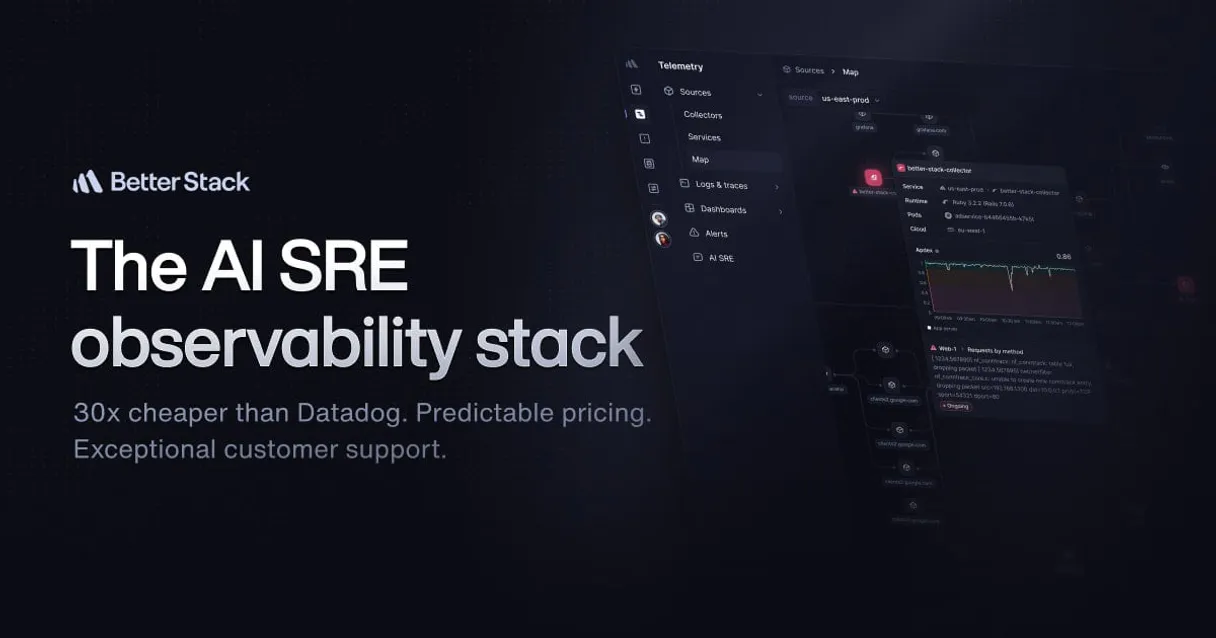
Independent Platform Disclaimer: Vinkius is an independent platform and is not affiliated with, endorsed by, sponsored by, verified by, or otherwise authorized by Better Stack. All third-party trademarks, logos, and brand names are the property of their respective owners. Their use on this website is strictly for informational purposes to identify service compatibility and interoperability.
VINKIUS INFRASTRUCTURE
Cloud Hosted
Managed infra
V8 Isolated
Sandboxed per request
Zero-Trust Proxy
No stored credentials
DLP Enforced
Policy on every call
GDPR Compliant
EU data residency
Token Compression
~60% cost reduction
Works with Claude, ChatGPT, Cursor, and more
The Model Context Protocol standardizes how applications expose capabilities to LLMs. Instead of operating in isolation, your AI gains direct access to external platforms, live data, and real-world actions through secure, standardized connections.
This server provides 10 capabilities that interface natively with Claude, ChatGPT, Cursor, and any MCP client. No middleware. No custom integration required.
Available Capabilities
Knowing what broke shouldn't take 20 clicks across 4 different internal tools.
Today, when a service goes down, you open the main dashboard. You check the alerts tab, then jump to the incident management system to see if it's active. You then have to open the status page and manually cross-reference if the outage is public knowledge. It's a mess of tabs and copy-pasting.
With the Better Stack MCP Server, you just ask your agent: 'What's the status of the checkout service?' It runs the necessary checks and gives you a single, immediate answer, pointing you to the exact monitor or incident record you need.
Better Stack MCP Server: Manage your whole stack from chat.
You eliminate the need to manually navigate to the monitoring UI to check if a specific cron job failed. You just ask about heartbeats, and the agent uses `list_heartbeats` to give you the status, regardless of where the job is hosted.
It moves monitoring from a destination (a dashboard) to a conversation. You get the data immediately, without the UI overhead. You're done clicking, and you're ready to fix the thing.
Common Questions About Better Stack MCP
How do I check if a specific monitor is down using the Better Stack MCP Server? +
You use the get_monitor tool to pull the configuration and status of a monitor by its ID. This gives you all the technical details you need to know why it failed.
What is the difference between `list_monitors` and `list_incidents`? +
list_monitors shows you every single check you have set up (e.g., HTTP, Ping). list_incidents shows you reports of actual failures that happened in the past or are happening now.
Can I update an existing monitor using the Better Stack MCP Server? +
Yes, you use the update_monitor tool. This lets you change the check parameters, like changing the target URL or the interval, without needing to log into the full UI.
How do I see who is responsible for the current incident? +
First, use list_incidents to confirm the outage. Then, run list_on_calls to see the current rotation and identify the person responsible for that system.
How do I use `list_on_calls` to check the current rotation schedule? +
The list_on_calls tool shows who is currently responsible for system health. It provides the names, roles, and expiration dates for the current on-call rotation.
What data does `list_heartbeats` provide about cron jobs? +
list_heartbeats lists all recurring tasks and their status. You get the last successful ping time and the expected monitoring window for each heartbeat.
If I need to change a monitor's settings, which tool do I use? Is it `update_monitor` or something else? +
You use the update_monitor tool. This lets you change settings like ping intervals or target URLs for an existing monitor.
How do I manage the list of public status pages using the Better Stack MCP Server? +
Use the list_status_pages tool to see all public status pages. This helps you verify the current status and list them directly in your AI conversation.
Can I check if a specific website is down using the agent? +
Yes! Use the list_monitors tool to see the status of all your monitored URLs. You can also use get_monitor with a specific ID to see its current status and last checked timestamp.
How do I see who is currently on-call? +
Simply ask the agent to list_on_calls. It will retrieve the current schedules and rotations, showing you who is responsible for incident response right now.
Does the integration allow me to create a new heartbeat monitor? +
Currently, the toolset focuses on managing monitors and retrieving incident/on-call data. You can list and inspect heartbeats, but for creating new monitors with complex notification rules, we recommend using the Better Stack dashboard.
Multi-server workflows that include Better Stack MCP
MCP Recipe for Faster Incident Response
Endpoints monitored, failures detected, incidents auto-created, root cause traced to the commit , respond to outages before users tweet
MCP Servers That Correlate Incidents Across Tools
OpsGenie wakes your on-call engineer at 3am, Better Stack shows the uptime check failed, and nobody knows if this is the same incident that happened last Tuesday or something new
Use it with your favorite AI tools
Connect this server to Cursor, Claude, VS Code, and more.
More in this category
YepCode
Run serverless code snippets in the cloud with a platform that lets you build integrations and automations in any programming language.
Linear (Issue Tracking & PM)
Manage product development via Linear — track issues, monitor sprint cycles, and audit team projects.

Netlify Alternative
Modern web development platform — manage sites, deploys, and forms via AI.
You might also like

Jina AI
Search and read the web for AI — audit search results and reader content via AI.

Bates Numbering Generator Engine
Generate flawless, sequentially accurate Bates numbering arrays for massive e-Discovery documentation without LLM skipping.

BambooHR Alternative
Human Resources management platform — organize employee data, track time off, and audit HR workflows via AI.