
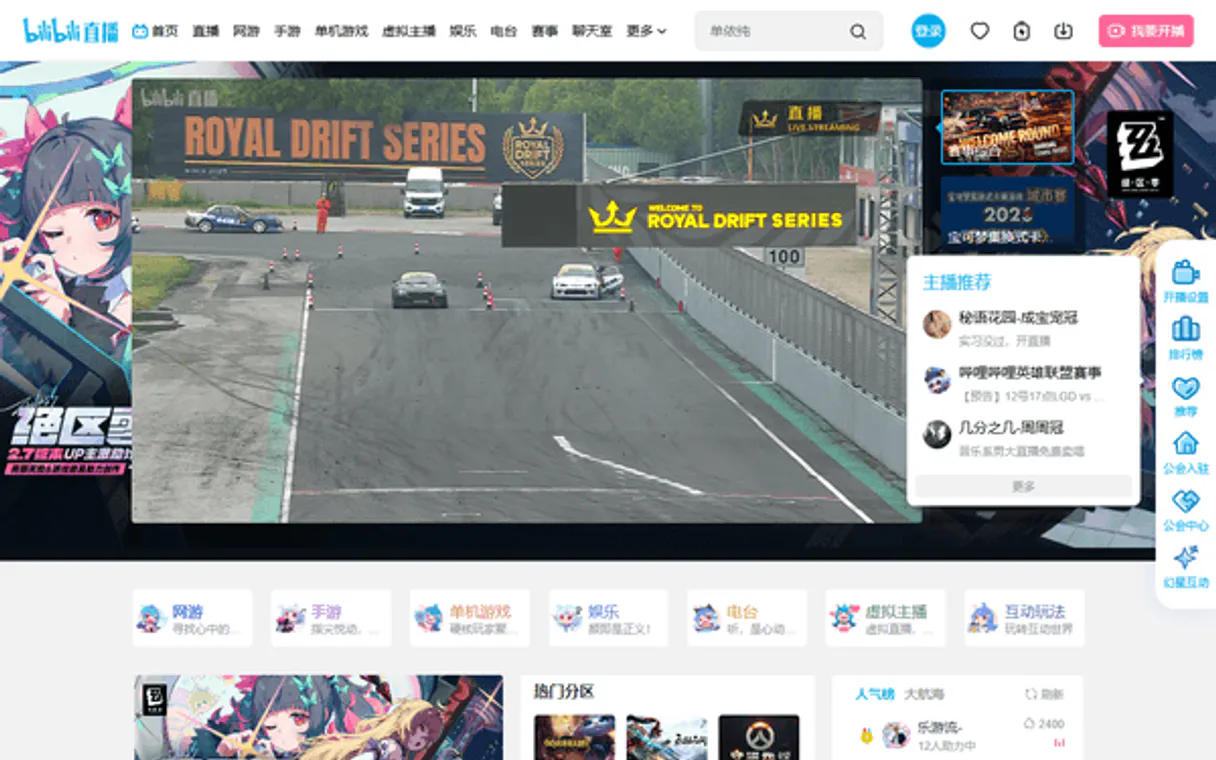
Bilibili Live MCP. Monitor every chat interaction and donation stream.
 Gemini
 Works with every AI agent you already use
…and any MCP-compatible client









Just plug in your AI agents and start using Vinkius.
Bilibili Live MCP Server automates interaction parsing for VTuber broadcasts. Monitor Super-Chats, extract Danmaku streams, and manage host rooms directly from your AI agent.
Use it to track financial donations, get user fan medal levels, and monitor room popularity metrics without manual dashboards. It gives your agent continuous, deep access to the largest Danmaku network globally.
What your AI agents can do
Get danmu config
Retrieves the WebSocket configuration needed to stream live bullet chat data.
Get fans medal info
Checks and returns a user's current fan medal status within the live room.
Get gift history
Displays a list of virtual items that were recently gifted during the broadcast.
The agent retrieves the necessary WebSocket settings needed to start monitoring the Danmaku (bullet chat) stream.
The agent looks up and reports a specific user's current fan medal level in the live room.
The agent pulls a list of virtual items that were recently gifted in the room.
The agent fetches a list of all active 'Guards' (moderators/captains) currently managing the room.
The agent connects and retrieves high-level configuration details about the live room.
The agent fetches the live stream URLs and current playback status of the broadcast.
The agent fetches the public account details and metadata for the broadcaster.
Ask AI about this MCP
Supported MCP Clients
Gemini Waiting for input…
Bilibili Live MCP Server: 10 Tools for Stream Data
Use these tools to programmatically get room info, track donations, manage titles, and monitor live chat streams from Bilibili.
019d841dget danmu config
Retrieves the WebSocket configuration needed to stream live bullet chat data.
019d841dget fans medal info
Checks and returns a user's current fan medal status within the live room.
019d841dget gift history
Displays a list of virtual items that were recently gifted during the broadcast.
019d841dget guard list
Fetches the names of all active 'Guards' or moderators in the current room.
019d841dget room info
Gets the high-level setup details and configuration for the live room.
019d841dget room play info
Retrieves the live stream URLs and current playback status of the broadcast.
019d841dget streamer info
Retrieves the public profile details and metadata for the broadcaster.
019d841dget super chats
Extracts a list of actively purchased Super Chats from the stream.
019d841dsend danmu
Sends a specified message into the broadcast chat using the developer account credentials.
019d841dupdate room title
Changes the title of the streamer's live broadcast room.
Choose How to Get Started
Build a custom MCP for your own tools, or connect a ready-made integration from our catalog.
Build Your Own
Turn any API into an MCP. Import a spec, define Agent Skills, or deploy with MCPFusion.
- Import from OpenAPI, Swagger, or YAML specs
- Create Agent Skills with progressive disclosure
- Deploy to edge with MCPFusion framework
- Built in DLP, auth, and compliance on every call
- Real time usage dashboard and cost metering
- Publish to catalog or keep private
Make Your AI Do More
Start with Bilibili Live, then connect any of our 4,700+ other servers whenever your AI needs more. One click, no limits.
- Use this MCP plus 4,700+ others, all in one place
- Add new capabilities to your AI anytime you want
- Every connection is secured and compliant automatically
- Track usage and costs across all your servers
- Works with Claude, ChatGPT, Cursor, and more
- New servers added to the catalog every week
What you can do with this MCP connector
Bilibili Live MCP Server gives your agent deep access to Bilibili's live stream data, letting it parse interactions and manage broadcasts without touching a browser. You'll get continuous data feeds for the massive Danmaku network. get_danmu_config retrieves the WebSocket settings you need to start monitoring the live bullet chat stream. get_fans_medal_info lets your agent check a specific user's current fan medal level in the room. get_gift_history pulls a list of virtual items recently gifted during the broadcast. get_guard_list fetches the names of all active 'Guards' or moderators managing the room. get_room_info connects and pulls high-level configuration details about the live room. get_room_play_info fetches the live stream URLs and current playback status. get_streamer_info pulls the public profile details and metadata for the broadcaster. get_super_chats extracts a list of Super Chats that were actively purchased during the stream. send_danmu lets your agent send a specified message into the broadcast chat using your developer account. update_room_title changes the title of the streamer's live broadcast room.
How Bilibili Live MCP Works
- 1 Enlist officially at the Bilibili Open Live Console and generate your AccessKey and Secret.
- 2 Plug those mandatory credentials into your local LLM environment.
- 3 Your agent can then use the exposed tools to handle real-time chat parsing and access stream metrics.
The bottom line is that you give your agent the credentials, and it handles the constant, real-time data connection.
Who Is Bilibili Live MCP For?
This is for agency ops managers, community moderators, and esports broadcasters. If your job involves tracking high-volume, time-sensitive social data from live streams, you need this. It handles the sheer volume and complexity of live chat and donation data better than any dashboard.
Uses the agent to filter toxic messages in real-time, injecting AI safety layers across hundreds of messages per second.
Maps and stores automated logs summarizing entire broadcast donation waves, bridging data directly into daily ledger CRMs.
Runs reports on room stability and heavy influx metrics, generating historical data directly for executive review.
What Changes When You Connect
- Process continuous chat data. Use
get_danmu_configto start monitoring the raw WebSocket stream, giving your agent a real-time feed of every message. - Track financial activity. The
get_super_chatstool extracts all actively purchased donations, whileget_gift_historylists specific virtual items gifted during the stream. - Gauge audience health. Run
get_room_infoto check room metrics, and useget_fans_medal_infoto track user loyalty and status within the community. - Manage the broadcast. You can use
update_room_titleto change the room title orsend_danmuto post announcements directly from your agent. - Identify key players. Use
get_guard_listto fetch the list of moderators, orget_streamer_infoto get the broadcaster's public account details. - Understand the stream.
get_room_play_infoprovides the stream URLs and current playback status, making it easy to integrate the video feed into your workflow.
Real-World Use Cases
Detecting Coordinated Bot Activity
A moderator notices unusual spikes. They ask their agent to run get_room_info for high-level metrics. The agent reads the concurrency metrics, isolating fake viewership bots. It then uses get_danmu_config to monitor the raw chat stream, pinpointing the source of the spam for removal.
Tracking High-Value Donations
A marketing analyst needs to quantify donations. The agent runs get_super_chats to extract all paid chats, then runs get_gift_history to log specific virtual items. This provides a complete, traceable financial record for the agency's CRM.
Automated Moderation and Safety
A community manager needs to filter toxic speech. They ask the agent to monitor the stream and use the tool to filter heavy toxic word dumps across hundreds of messages per second, keeping the chat clean automatically.
Updating Broadcast Status
The streamer needs to change the topic quickly. Instead of manually logging into a dashboard, the agent executes update_room_title to instantly change the room's title, keeping the audience informed.
The Tradeoffs
Over-relying on single-point data
A developer only uses get_room_info and assumes they have all the data they need. They miss critical details like who the key moderators are or what the user's status is.
→
Always cross-reference room data. After checking get_room_info, run get_guard_list to identify moderators, and then check get_fans_medal_info on specific users to gauge their loyalty.
Missing the full financial picture
Only using get_super_chats to track money, but ignoring the physical gifts. The report is incomplete because it misses the value of non-chat donations.
→
Combine get_super_chats with get_gift_history. This gives a complete log of both paid chat messages and tangible virtual items gifted.
Manual chat posting
Manually copying a message to post it or changing the title through a web interface, which is slow and prone to human error.
→
Use send_danmu to post messages instantly, or use update_room_title to manage the room status programmatically. It's faster and reliable.
When It Fits, When It Doesn't
Use this if you need deep, real-time, programmatic access to the complex, high-volume data generated by major live streaming platforms. Specifically, if you need to monitor chat content, track donations, or manage room metadata at scale, this is the tool. Don't use this if you only need basic, static profile lookups (use a general user API instead). If your goal is simply to send one-off messages, send_danmu works, but if you need to monitor the state changes around that message, you need the full suite of tools.
Independent Platform Disclaimer: Vinkius is an independent platform and is not affiliated with, endorsed by, sponsored by, verified by, or otherwise authorized by Bilibili Live. All third-party trademarks, logos, and brand names are the property of their respective owners. Their use on this website is strictly for informational purposes to identify service compatibility and interoperability.
VINKIUS INFRASTRUCTURE
Cloud Hosted
Managed infra
V8 Isolated
Sandboxed per request
Zero-Trust Proxy
No stored credentials
DLP Enforced
Policy on every call
GDPR Compliant
EU data residency
Token Compression
~60% cost reduction
Works with Claude, ChatGPT, Cursor, and more
The Model Context Protocol standardizes how applications expose capabilities to LLMs. Instead of operating in isolation, your AI gains direct access to external platforms, live data, and real-world actions through secure, standardized connections.
This server provides 10 capabilities that interface natively with Claude, ChatGPT, Cursor, and any MCP client. No middleware. No custom integration required.
Available Capabilities
Sifting through a live chat log shouldn't require dozens of browser tabs.
Right now, if you want to track what's happening in a big broadcast, you open the streaming platform. You open one tab for the chat, another for the donation ticker, and a third for the user list. You're constantly copy-pasting data, jumping between dashboards, and hoping you don't miss a key interaction.
With this MCP Server, your agent handles it all. It continuously polls the raw data streams—from `get_danmu_config` to `get_super_chats`—and feeds the structured metrics directly to your workflow. You get a unified, actionable data feed, not just a bunch of raw screenshots.
Bilibili Live MCP Server: Control the stream's metadata and interactions.
Manual changes mean logging in, finding the settings, and clicking through multiple confirmation pop-ups just to change the room title or check the stream status. This is slow, and it's only available during business hours.
Now, your agent runs `get_room_info` for current status, and you can run `update_room_title` to change the title instantly. You control the metadata and the stream's state programmatically, 24/7.
Common Questions About Bilibili Live MCP
How do I get the raw chat data using get_danmu_config? +
You must first use get_danmu_config to retrieve the WebSocket settings. This tells your agent the endpoint and parameters it needs to start receiving the constant, raw chat stream data.
Can I track donations using get_super_chats? +
Yes, get_super_chats extracts the list of all actively purchased Super Chats. It's a dedicated tool for capturing the paid chat messages and associated donor data.
How do I check who the moderators are with get_guard_list? +
Simply call get_guard_list. The tool returns a list of all active 'Guards' (moderators/captains) currently assigned to the room.
Is there a tool to send a message, like send_danmu? +
Yes, send_danmu allows you to send a message into the broadcast chat directly using the developer account credentials, bypassing the user interface.
What info does get_streamer_info provide? +
get_streamer_info retrieves the broadcaster's public account details, including profile metadata, which is useful for linking performance data to an official identity.
How do I get the room's current status and metadata using get_room_info? +
This tool provides high-level room configuration details. It's essential for knowing the room ID, the stream's current state, and other necessary identifiers before using other tools.
What can I check using get_gift_history to understand user giving patterns? +
It shows a record of recent virtual items gifted in the room. This lets you track what kinds of gifts are popular and when they happen, which is useful for market analysis.
Can I view the stream's playback URLs and live status with get_room_play_info? +
Yes, this tool retrieves the actual stream playback URLs and the live status. You use this when your agent needs to know exactly where and if the video feed is currently broadcasting.
Can my AI automatically aggregate bullet-chat density from a major active esports broadcast directly? +
Yes! Utilize the get_room_danmu endpoint integration tool. Your agent will dynamically hook to the channel pinging the rapid incoming stream mapping it natively to your terminal workspace seamlessly bypassing clunky UI obstacles totally.
How do I fetch the exact real-time audience capacity on a specified VTuber room? +
Simply ask the agent to run get_room_popularity targeting the internal integer Room ID. The pipeline will isolate the live audience metric securely displaying the engagement index free of visual latency delays instantly in markdown format natively.
Are there destructive capabilities enabling unwarranted permanent room shutdowns programmatically? +
Absolutely not. This suite adheres to read-only data mining directives strictly mapping traffic, messages, and identities. No system administration functions or destructive endpoints are configured assuring unbreakable security fences from external tampering continuously.
Use it with your favorite AI tools
Connect this server to Cursor, Claude, VS Code, and more.
More in this category
Product Hunt
Discover the latest tech products, submit your startup launch, and engage with early adopters on the leading product discovery platform.

Azure Synapse Analytics
Manage your Azure Synapse data pipelines seamlessly — audit Spark pools, SQL pools, datasets, and integration pipelines via your AI agent.

Google Lighthouse SEO Auditor
Transform your AI into a Technical SEO & Performance Agency. Instantly run official Google PageSpeed Insights (Lighthouse) audits on any website and get exact code fixes to achieve a perfect 100/100 score.
You might also like

Collect
Enable your AI agent to manage data collection campaigns, send requests, and track submissions via the Collect API.

New Relic
Monitor and query your entire stack via New Relic NerdGraph — track entities, NRQL, and alerts directly from your AI agent.
Betterfly
Automate ESG and HR Wellness data via Betterfly — track global corporate steps, extract social donations, and orchestrate health engagement via agents.