
Collect MCP. Manage document requests and submission status in chat.
 Gemini
 Works with every AI agent you already use
…and any MCP-compatible client









Just plug in your AI agents and start using Vinkius.
Collect. This MCP Server lets your AI agent manage document collection campaigns. You can send new requests via email for KYC or onboarding, check campaign status, and track submissions in one conversation.
It’s for automating compliance and document workflows.
What your AI agents can do
Create request
Sends a new data collection request to a specific client.
Get campaign
Retrieves detailed information about one specific data collection campaign.
Get element details
Retrieves details for a specific field or block within a request.
Your agent sends a new, secure data collection request to a specified client via email.
Your agent retrieves and summarizes detailed information about a specific data collection campaign.
Your agent gets the status and full details for any specific data request ID.
Your agent fetches a complete list of all active data collection campaigns you manage.
Your agent sends follow-up messages to clients regarding a specific request, or retrieves a history of all messages sent.
Ask AI about this MCP
Supported MCP Clients
Gemini Waiting for input…
Collect MCP Server: 10 Tools for Document Management
Send requests, check campaign progress, and manage client communications using these tools in your AI agent.
019d7577create request
Sends a new data collection request to a specific client.
019d7577get campaign
Retrieves detailed information about one specific data collection campaign.
019d7577get element details
Retrieves details for a specific field or block within a request.
019d7577get request
Gets the full status and details for a single data request.
019d7577get team info
Retrieves information about your internal team settings in Collect.
019d7577get user info
Retrieves information about the user currently authenticated to the system.
019d7577list campaigns
Gets a list of all active data collection campaigns.
019d7577list messages
Gets a list of all messages sent through the Collect platform.
019d7577list requests
Gets all data requests associated with a specific campaign.
019d7577send message
Sends a follow-up message to a client about a specific data request.
Choose How to Get Started
Build a custom MCP for your own tools, or connect a ready-made integration from our catalog.
Build Your Own
Turn any API into an MCP. Import a spec, define Agent Skills, or deploy with MCPFusion.
- Import from OpenAPI, Swagger, or YAML specs
- Create Agent Skills with progressive disclosure
- Deploy to edge with MCPFusion framework
- Built in DLP, auth, and compliance on every call
- Real time usage dashboard and cost metering
- Publish to catalog or keep private
Make Your AI Do More
Start with Collect, then connect any of our 4,700+ other servers whenever your AI needs more. One click, no limits.
- Use this MCP plus 4,700+ others, all in one place
- Add new capabilities to your AI anytime you want
- Every connection is secured and compliant automatically
- Track usage and costs across all your servers
- Works with Claude, ChatGPT, Cursor, and more
- New servers added to the catalog every week
What you can do with this MCP connector
You're gonna use your AI agent to manage document collection campaigns right outta the gate. This MCP Server connects your agent to Collect, letting it handle the whole data gathering gig—from sending the first ask to tracking down the final paperwork. Your agent can send new, secure data collection requests to a client via email using create_request.
It can check the overall status of a specific data collection campaign by calling get_campaign, and it'll pull the full status and details for any single data request ID with get_request. If you need to know what campaigns you're running, list_campaigns gives you a complete rundown of all active ones.
You can manage communications by sending a follow-up message to a client about a specific request using send_message, or you can pull the history of every message sent through the platform with list_messages. You can also check the specific details for any field or block within a request by using get_element_details.
If you need to see all data requests associated with one campaign, list_requests gets you that list. For general system info, your agent can retrieve your internal team settings using get_team_info and get information about the user authenticated to the system with get_user_info.
How Collect MCP Works
- 1 Add the Collect integration to your AI client's toolset.
- 2 Provide the API Key in your agent settings.
- 3 Ask your agent to perform a task (e.g., 'Show me the status of the Tax Documents 2025 campaign').
The bottom line is, your agent handles the complex, multi-step process of document collection using simple chat commands.
Who Is Collect MCP For?
This is for compliance officers, accounting staff, and HR professionals. If your job involves gathering sensitive documents—KYC, tax records, employee onboarding files—and you hate switching between dashboards, this is for you. Your agent keeps the entire workflow in one place.
Runs and tracks KYC requests. Sends follow-up reminders and checks the completion status of compliance documentation without logging into the main portal.
Manages document collection for multiple clients. Checks if tax documents or bank statements are submitted and sends reminders from the chat interface.
Tracks employee onboarding. Monitors if required documents (W4, I-9, etc.) are submitted and sends automated follow-ups to missing employees.
What Changes When You Connect
- Track status instantly: Instead of navigating through multiple dashboards, ask your agent to check the status of a campaign. It reports the completion percentage and identifies which specific requests are pending (using
list_campaignsandget_request). - Send targeted follow-ups: Need to remind a client? Use
send_messageto send a direct follow-up to a specific request ID. This keeps the entire communication history in the chat, eliminating the need to copy and paste messages between apps. - Onboard clients faster: The
create_requesttool sends a new, secure data request instantly. You don't need to build a custom form; just tell your agent who needs what, and it handles the email delivery and tracking. - Audit campaigns easily: If you need to know what campaigns are running,
list_campaignspulls the list. If you need deep details on one,get_campaigngives you the whole picture, letting you audit the process flow. - Understand data context: When you're troubleshooting a request,
get_element_detailslets you see exactly what data point (field or block) is causing trouble, giving you the specific context needed to guide the client. - View history and users: Your agent can pull system data, like
get_user_infoorlist_messages, keeping you informed about who accessed what and when, all from one conversation.
Real-World Use Cases
Compliance check for a new client
A compliance officer needs to verify a client's identity. Instead of logging into the Collect portal, they ask their agent to run create_request for the 'KYC Process' campaign. The agent sends the secure request via email, and the officer can then monitor the status using get_request until everything is submitted.
Sending reminders for overdue tax docs
An accounting manager realizes five clients haven't submitted their 2025 tax documents. They prompt their agent to send an automatic reminder using send_message across the 'Tax Documents 2025' campaign. The agent confirms the message was sent to the right people.
Reviewing a stalled employee onboarding
An HR coordinator notices an employee's file is stuck. They use list_requests to pull all requests for that employee's campaign. Then, they use get_element_details to see which specific document (like the I-9 form) is missing, allowing them to send a targeted follow-up.
Getting a full view of active work
A team lead needs a quick overview of all departments that have active data collection work. They ask the agent to run list_campaigns. The agent returns a list of all campaigns, showing how many requests are completed versus how many are still pending.
The Tradeoffs
Juggling status checks
Logging into the Collect dashboard, manually checking the 'KYC Process' tab, then switching to email to send a reminder, and finally opening a separate spreadsheet to track completion percentages.
→
Keep it in the chat. Ask your agent to run list_campaigns for the overall status. Then, use get_request or send_message to handle specific follow-ups without leaving your conversation.
Missing context details
Telling the agent to 'Check the request.' The agent asks for an ID, and you have to manually copy and paste the ID from a previous email or spreadsheet.
→
First, use list_requests to get the list of relevant requests and IDs for the campaign. Then, reference the specific ID when asking the agent to run get_request for full details.
Ignoring user context
Trying to send a message without knowing which user or campaign it applies to, resulting in generic failure messages.
→
Start by confirming the context. Use get_user_info or get_team_info to ground the agent in the right user/team data before attempting any action like create_request or send_message.
When It Fits, When It Doesn't
Use this if your job requires managing regulated, multi-step data collection processes. Specifically, if you need to initiate requests (create_request), monitor progress across multiple campaigns (list_campaigns), and communicate status updates (send_message) all from a single chat interface. Don't use this if you only need to read a single, static document. For simple read-only data retrieval, an API that only supports get_campaign might be enough. But if you need the full loop—request, status, message, reminder—you need the full Collect suite.

Independent Platform Disclaimer: Vinkius is an independent platform and is not affiliated with, endorsed by, sponsored by, verified by, or otherwise authorized by Collect. All third-party trademarks, logos, and brand names are the property of their respective owners. Their use on this website is strictly for informational purposes to identify service compatibility and interoperability.
VINKIUS INFRASTRUCTURE
Cloud Hosted
Managed infra
V8 Isolated
Sandboxed per request
Zero-Trust Proxy
No stored credentials
DLP Enforced
Policy on every call
GDPR Compliant
EU data residency
Token Compression
~60% cost reduction
Works with Claude, ChatGPT, Cursor, and more
The Model Context Protocol standardizes how applications expose capabilities to LLMs. Instead of operating in isolation, your AI gains direct access to external platforms, live data, and real-world actions through secure, standardized connections.
This server provides 10 capabilities that interface natively with Claude, ChatGPT, Cursor, and any MCP client. No middleware. No custom integration required.
Available Capabilities
Tracking down a missing document shouldn't take 15 minutes of clicks.
Today, finding out why a client hasn't submitted a required tax document is a manual pain. You check the dashboard, realize it's missing. Then you copy the client's name, switch to your email, draft a reminder, and wait for them to acknowledge it. If they don't reply, you have to repeat the cycle, copying, pasting, and restarting the whole process.
With the Collect MCP Server, you keep it all in your chat. You tell your agent: 'Check the status for the Smith account.' The agent runs `get_request` and tells you exactly which document is missing. Then, it runs `send_message` to send the reminder. You get the status, the failure reason, and the follow-up, all in one shot.
Send and track requests with Collect MCP Server
Before, initiating a compliance check meant logging into a separate platform, manually selecting the client, and hitting 'send.' Tracking meant checking a different tab. Now, you just tell your agent to `create_request` for the 'KYC Process' campaign. The agent handles the secure email delivery and the tracking setup automatically.
The difference is that your agent manages the entire lifecycle. It doesn't just send the request; it monitors it, tracks its status, and sends reminders when it stalls. You're operating the full workflow, not just a single button press.
Common Questions About Collect MCP
How do I check the status of a campaign using the Collect MCP Server? +
You run list_campaigns to see all active campaigns, then use get_campaign to get detailed status information for one specific campaign. This shows completion percentages and overall health.
Can I send a reminder message with the Collect MCP Server? +
Yes, use the send_message tool. You just need to tell your agent the target recipient and the request ID, and it sends the follow-up message.
What tools do I use to send a new request? +
You use the create_request tool. You provide the necessary campaign context and the recipient's details, and the agent sends the secure request immediately.
How do I find out what documents are required for a request? +
Use get_element_details to retrieve a detailed breakdown of any specific field or block within a request. This tells you exactly what the client needs to submit.
Does the Collect MCP Server track messages? +
Yes. You can use list_messages to retrieve a history of all communication sent through the Collect platform, giving you a full audit trail.
How do I get user information using the Collect MCP Server? +
The get_user_info tool retrieves details about the currently authenticated user. This lets your AI client confirm permissions or pull user-specific context before running a campaign.
What tools do I use to list all data collection campaigns with the Collect MCP Server? +
You use the list_campaigns tool to retrieve a list of all data collection campaigns. This function gives you the campaign names and their current status for oversight.
What tools are available to manage messages with the Collect MCP Server? +
The list_messages and send_message tools handle message flow. You can list all messages sent through Collect or send a targeted message to a recipient about a specific request.
Where do I find my Collect API key? +
In the Collect dashboard, go to Settings > Integrations > API and generate a key. Copy it and paste it below.
Which authentication method does this use? +
This integration uses Basic Authentication with your API Key as the password.
Can I export requests as PDF? +
The API supports PDF exports. While this integration focuses on data management, you can retrieve the metadata needed to trigger an export.
Use it with your favorite AI tools
Connect this server to Cursor, Claude, VS Code, and more.
More in this category
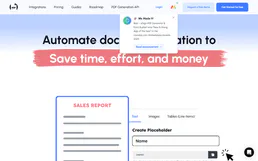
ThePDFMaker
Transform HTML templates into pixel-perfect PDF documents with an API designed for invoices, reports, and branded output.

Eversign (Cloud Electronic Signature)
Manage electronic signatures via Eversign — list businesses, create documents, and handle templates directly from any AI agent.

Widen (Acquia DAM)
Search and manage digital assets, metadata, and CDN embed links on Widen (Acquia DAM) — the leading enterprise DAM solution.
You might also like
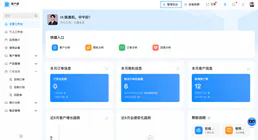
Yida
Enterprise low-code development platform by DingTalk — manage forms, data instances, and approval workflows via AI.

Mav
Let AI text your leads automatically with human-like conversations that schedule appointments and qualify prospects by SMS.

Greenhouse Alternative
Manage your recruiting pipeline via Greenhouse — list applications, track candidate activity, and manage job board posts directly from any AI agent.