
Bookingmood MCP. Manage bookings, calendars, and guest contacts instantly.
 Gemini
 Works with every AI agent you already use
…and any MCP-compatible client









Just plug in your AI agents and start using Vinkius.
Bookingmood MCP Server manages your entire rental portfolio. Use it to check real-time availability, list all products, manage guest contacts, and create or update bookings directly from your AI agent.
It handles the whole booking lifecycle, letting you track occupancy and run reports without logging into the dashboard.
What your AI agents can do
Create booking
Makes a new reservation in your rental portfolio.
Delete booking
Permanently cancels or removes an existing reservation.
Get product
Fetches detailed metadata for one specific rental unit.
The agent can query or search for open dates and units across specified date ranges using query_availability and search_availability.
You can create new bookings with create_booking, modify existing ones with update_booking, or cancel them permanently using delete_booking.
The agent can list all available rental products (list_products) or get detailed information on a single product (get_product).
You can pull lists of all guest contacts (list_contacts) and manage the associated booking data.
The agent can retrieve raw calendar events and occupancy blocks using list_calendar_events.
You can list all current bookings (list_bookings) or retrieve a detailed list of all managed rental units.
Ask AI about this MCP
Supported MCP Clients
Gemini Waiting for input…
Bookingmood MCP Server: 10 Tools for Rental Management
Use these 10 tools to manage the entire lifecycle of your rental units, from listing products to creating and modifying bookings.
019d7561create booking
Makes a new reservation in your rental portfolio.
019d7561delete booking
Permanently cancels or removes an existing reservation.
019d7561get product
Fetches detailed metadata for one specific rental unit.
019d7561list bookings
Retrieves a list of all current and past reservations.
019d7561list calendar events
Gets a raw list of calendar blocks and events for occupancy tracking.
019d7561list contacts
Retrieves the full directory of guest contacts associated with the platform.
019d7561list products
Lists every rental product and its basic details.
019d7561query availability
Checks if a specific product is available for a defined date range.
019d7561search availability
Finds all available products across a specified range of dates.
019d7561update booking
Changes details on an already existing reservation.
Choose How to Get Started
Build a custom MCP for your own tools, or connect a ready-made integration from our catalog.
Build Your Own
Turn any API into an MCP. Import a spec, define Agent Skills, or deploy with MCPFusion.
- Import from OpenAPI, Swagger, or YAML specs
- Create Agent Skills with progressive disclosure
- Deploy to edge with MCPFusion framework
- Built in DLP, auth, and compliance on every call
- Real time usage dashboard and cost metering
- Publish to catalog or keep private
Make Your AI Do More
Start with Bookingmood, then connect any of our 4,700+ other servers whenever your AI needs more. One click, no limits.
- Use this MCP plus 4,700+ others, all in one place
- Add new capabilities to your AI anytime you want
- Every connection is secured and compliant automatically
- Track usage and costs across all your servers
- Works with Claude, ChatGPT, Cursor, and more
- New servers added to the catalog every week
What you can do with this MCP connector
Bookingmood manages your whole rental lineup. Hook it up to your AI agent and you can run your whole operation through natural talk. You'll get your hands on the core booking functions:
Check and Search Availability: Your agent can check or search for open dates and units across any date range using query_availability or search_availability.
Full Booking Lifecycle Management: You can create a new reservation with create_booking, change details on an existing one with update_booking, or cancel it forever with delete_booking.
Product and Inventory Oversight: You can list every rental product and its basic details using list_products, or get deep info on just one unit with get_product.
Guest Contact Management: You can pull the full directory of guest contacts using list_contacts and manage the bookings tied to those contacts.
Calendar Monitoring: The agent can get a raw list of calendar events and occupancy blocks using list_calendar_events.
Booking Status Retrieval: You can list all current and past reservations with list_bookings, or pull a detailed list of all managed rental units. You can also get a list of every rental product and its basic details using list_products.
How Bookingmood MCP Works
- 1 Subscribe to the server and enter your Bookingmood API Key.
- 2 Connect your preferred AI client (Claude, Cursor, etc.) to the Vinkius Marketplace.
- 3 Ask your agent a direct question (e.g., 'What's available next month?') and it uses the tools to get the answer.
The bottom line is you talk to your agent, and it talks to Bookingmood.
Who Is Bookingmood MCP For?
Property Managers, Vacation Rental Owners, and Ops Engineers. If your job involves keeping track of multiple rental calendars, managing guest details, or manually updating booking statuses across different platforms, this is for you. It lets you handle the whole portfolio from a single chat window.
Checks real-time occupancy status and updates guest details without opening the main dashboard.
Monitors booking flow and availability straight from their workflow tools, reducing manual dashboard checks.
Quickly verifies if a unit is available for a specific date range and creates a preliminary booking record.
What Changes When You Connect
- You get real-time data without opening the dashboard. Use
query_availabilityorsearch_availabilityto check unit status instantly, even if the booking was made last week. - Handling changes is fast. Instead of logging in and finding the reservation, just ask your agent to
update_bookingordelete_booking. It's direct, conversational control. - The entire guest list is available. Use
list_contactsto pull names and emails, so you don't have to copy/paste data from a separate CRM. - You maintain full visibility of your inventory.
list_productsgives you a clean roster of every unit, whileget_productlets you pull specific specs on demand. - Occupancy tracking is easy. You can run
list_calendar_eventsto see raw calendar blocks, which is better for deep analysis than just looking at a summary view. - Bookings are fully controlled. You can
create_bookingorlist_bookingsright from your workflow, making the entire process traceable and immediate.
Real-World Use Cases
Checking Availability for a New Client
A real estate agent needs to know if the 'Beachfront Villa' is open the second week of July. They prompt their agent: 'Check availability for Villa X, July 8th-15th.' The agent runs query_availability and tells them the status, letting the agent continue the conversation to book it.
Updating a Reservation After a Client Call
A property manager gets a call and needs to change the check-in date for a guest. Instead of digging through the dashboard, they ask their agent to update_booking with the new dates and confirm the change. The process takes seconds.
Generating a Client Roster
An owner needs a list of all people who have booked in the last month. They ask their agent to list_contacts. The agent pulls the complete, structured guest directory, ready for export or reporting.
Auditing All Current Bookings
An ops engineer needs to see every reservation active right now. They run list_bookings, getting a comprehensive, up-to-date list of every active stay across the whole portfolio.
The Tradeoffs
Manual Dashboard Navigation
Logging into the website, clicking 'Bookings,' filtering by date, then clicking 'Product Details' to check specs. This takes 5+ minutes and is prone to user error.
→
Ask your agent to list_products first to confirm the unit name, then use get_product for the specs, and finally use query_availability to check dates. It's a few prompts, not five clicks.
Confusing List vs. Search
Telling the agent to 'show all bookings' when they only meant the last 5 entries, resulting in a massive, unmanageable list.
→
Use list_bookings for a full historical view. If you only want recent activity, frame the prompt to the agent to limit the scope, or use a targeted search query if the tool supports it.
Trying to Update without ID
Asking the agent to 'change the booking for the Smith family' without specifying the booking ID, leading to ambiguous results or an outright failure.
→
First, run list_bookings to get the exact booking ID, then run update_booking with both the ID and the required changes.
When It Fits, When It Doesn't
Use this server if your job requires constant coordination across multiple data silos: booking systems, contact lists, and inventory records. You need to check availability, create, or modify bookings, and pull guest data, all in one conversational flow. Don't use it if you are only doing basic, single-purpose lookups, like just needing a list of product names, because sometimes a simpler, dedicated API might be better. However, because this server groups list_products and list_bookings together, it's the best single place to manage the core inventory and reservation data.
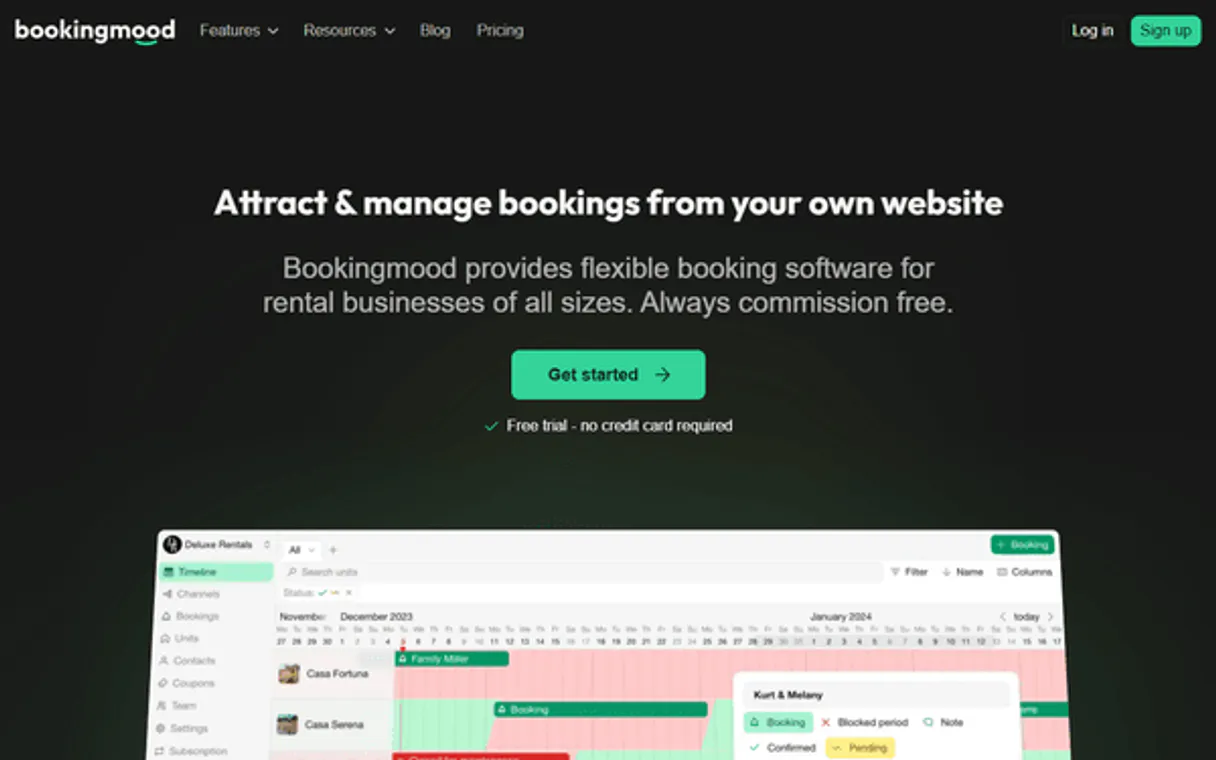
Independent Platform Disclaimer: Vinkius is an independent platform and is not affiliated with, endorsed by, sponsored by, verified by, or otherwise authorized by Bookingmood. All third-party trademarks, logos, and brand names are the property of their respective owners. Their use on this website is strictly for informational purposes to identify service compatibility and interoperability.
VINKIUS INFRASTRUCTURE
Cloud Hosted
Managed infra
V8 Isolated
Sandboxed per request
Zero-Trust Proxy
No stored credentials
DLP Enforced
Policy on every call
GDPR Compliant
EU data residency
Token Compression
~60% cost reduction
Works with Claude, ChatGPT, Cursor, and more
The Model Context Protocol standardizes how applications expose capabilities to LLMs. Instead of operating in isolation, your AI gains direct access to external platforms, live data, and real-world actions through secure, standardized connections.
This server provides 10 capabilities that interface natively with Claude, ChatGPT, Cursor, and any MCP client. No middleware. No custom integration required.
Available Capabilities
Managing rental calendars shouldn't require jumping between four different tabs.
Today, checking a unit's availability means logging into the dashboard, navigating to the calendar view, clicking the specific unit, and then looking at the booking overlay to see if dates are free. If you need product specs or guest names, you open a second tab and copy-paste the IDs, making it slow and messy.
With the Bookingmood MCP Server, you tell your agent exactly what you need. You run `search_availability` to see open dates, then `get_product` for specs, and finally `list_contacts` for guest info. Everything flows from one chat window. It’s immediate data, no clicks required.
Bookingmood MCP Server: Control your inventory and reservations.
Manual processes include checking if a unit is free (`query_availability`), then logging the booking details, and finally sending a confirmation email with manually copied data. This is a multi-step, high-friction process.
Now, you ask your agent to `create_booking`. It validates the availability, records the booking, and gets the data ready for your next step. The whole transaction happens in a single, cohesive, conversational step. It works.
Common Questions About Bookingmood MCP
How do I check availability using the Bookingmood MCP Server? +
You use the query_availability tool. You just need to tell your agent the product ID and the specific date range you want to check. It returns a simple true/false status for that unit.
What is the difference between `list_products` and `get_product` in Bookingmood? +
list_products gives you a list of all units you manage. get_product requires a specific ID and gives you all the detailed metadata for just that one unit.
Can I cancel a booking using the Bookingmood MCP Server? +
Yes, use the delete_booking tool. You just need to provide the booking ID, and the agent cancels it permanently in the system.
How do I find all guest contacts with Bookingmood MCP Server? +
Run list_contacts. This pulls the entire guest directory, giving you all the contact details linked to your rentals.
Does `list_bookings` show only current reservations? +
No, list_bookings retrieves a list of all current bookings, including past and future reservations, giving you a full history.
How does `update_booking` handle changes to a booking's dates or guest info? +
You update a booking by providing the booking ID and the specific fields you want to change. This tool lets you adjust dates, add notes, or change guest details without affecting other data.
What tools should I use to get raw calendar data, like `list_calendar_events`? +
list_calendar_events retrieves raw calendar blocks, which is useful for seeing occupancy status exactly as it appears in Bookingmood. This is different from viewing simple confirmed bookings.
Is there a way to filter results when using `list_products` or `list_contacts`? +
Yes, you can filter results using PostgREST-powered filters. This lets you retrieve only the specific product IDs or contacts you need, making data querying much more precise.
Can I check if a rental is available for a specific weekend? +
Yes! Use the query_availability tool with the Product IDs. Your agent will check the real-time calendar status in Bookingmood to confirm if the unit is free or booked.
How do I see the contact details for a guest with a confirmed booking? +
Simply ask the agent to list_contacts. You can filter for specific guests linked to bookings to retrieve their names, emails, and phone numbers directly from the directory.
Does the integration allow updating the price of a rental? +
The current toolset focuses on availability, booking management, and contact oversight. Updating core pricing calendars or complex rate seasons should be done through the Bookingmood dashboard.
Use it with your favorite AI tools
Connect this server to Cursor, Claude, VS Code, and more.
More in this category

JSON5 Resilient Parser
Parse malformed JSON with trailing commas, comments, and single quotes into perfect strict JSON. Powered by JSON5 (32M+ weekly downloads).

Nylas
Equip your AI agent to manage emails, calendars, and contacts across all providers (Gmail, Outlook) through a single unified interaction.
Infinity
Organize any kind of work with flexible boards, lists, and tables that adapt to how your team thinks and operates.
You might also like

Mela
Team communication and project management.

Render Alternative
Automate your PaaS infrastructure via Render — list your services, deploy code, check logs, and scale resources directly from any AI agent.

Colossyan
Automate AI video creation via Colossyan — generate videos from templates, manage avatars, and track rendering jobs directly from any AI agent.