
Colossyan MCP. Automate the entire video asset pipeline.
 Gemini
 Works with every AI agent you already use
…and any MCP-compatible client









Just plug in your AI agents and start using Vinkius.
Colossyan MCP Server automates synthetic media production. Generate videos using saved templates or custom JSON descriptors, manage AI avatars, and track job status directly from your AI agent.
List available actors and voices, or create new avatars from images. This tool handles the entire video asset lifecycle, from drafting content to rendering final videos.
What your AI agents can do
Create actor
Creates an instant avatar using a provided image or video link.
Delete job
Removes a specified video generation job.
Delete video
Deletes a previously generated video file.
Generates an instant avatar using an image or video link.
Deletes a video generation job from the system.
Deletes a specific generated video file.
Creates a video draft from structured textual data.
Renders a video using a predefined, saved template.
Manually renders a video using a full JSON descriptor.
Retrieves the current status (queue, generating, finished) of a video job.
Gets metadata and status for a finished video.
Retrieves a list of all available avatars for the workspace.
Retrieves a list of available voices across different languages.
Ask AI about this MCP
Supported MCP Clients
Gemini Waiting for input…
019e5d0acreate actor
Creates an instant avatar using a provided image or video link.
019e5d0adelete job
Removes a specified video generation job.
019e5d0adelete video
Deletes a previously generated video file.
019e5d0agenerate draft
Generates a preliminary video draft from structured text data.
019e5d0agenerate from template
Renders a video using a predefined, saved template.
019e5d0agenerate video
Renders a video manually using a complete JSON descriptor.
019e5d0aget job status
Checks and retrieves the current processing status of a video job.
019e5d0aget video
Retrieves detailed information about a completed video.
019e5d0alist actors
Lists all available avatars and actors configured for the workspace.
019e5d0alist voices
Lists all available voices, showing supported languages and styles.
Choose How to Get Started
Build a custom MCP for your own tools, or connect a ready-made integration from our catalog.
Build Your Own
Turn any API into an MCP. Import a spec, define Agent Skills, or deploy with MCPFusion.
- Import from OpenAPI, Swagger, or YAML specs
- Create Agent Skills with progressive disclosure
- Deploy to edge with MCPFusion framework
- Built in DLP, auth, and compliance on every call
- Real time usage dashboard and cost metering
- Publish to catalog or keep private
Make Your AI Do More
Start with Colossyan, then connect any of our 4,700+ other servers whenever your AI needs more. One click, no limits.
- Use this MCP plus 4,700+ others, all in one place
- Add new capabilities to your AI anytime you want
- Every connection is secured and compliant automatically
- Track usage and costs across all your servers
- Works with Claude, ChatGPT, Cursor, and more
- New servers added to the catalog every week
What you can do with this MCP connector
You're getting a full-stack video production suite through your AI agent. This server handles everything from creating avatars to rendering final videos. You'll manage the whole video asset lifecycle—drafting content, generating the video, and tracking it until it's done.
list_actors lets you see every avatar and actor configured for your workspace. You can also list_voices to check out all available voices and which languages they support. Need a new face? Use create_actor to instantly generate an avatar from an image or video link.
For making videos, you've got three ways to go. You can generate_draft to create a preliminary video draft using structured text data. If you've got a saved look, generate_from_template renders a video using a predefined template. For maximum control, generate_video lets you manually render a video using a complete JSON descriptor.
To keep tabs on what's cooking, you can get_job_status to check the current status of any video job—whether it's queued up, generating, or finished. Once the video is ready, get_video pulls up all the details and metadata for the finished asset. You also gotta be able to clean house; delete_job removes a video generation job from the system, and delete_video deletes a specific generated video file.
It's simple: you tell your agent what you need, and it uses the right tool call. You're all set to make and manage professional video content right from your chat window.
How Colossyan MCP Works
- 1 Subscribe to this server and input your Colossyan API Key.
- 2 Prompt your AI agent with a request (e.g., 'Generate a video for the new product using template ABC').
- 3 The agent calls the appropriate tool (
generate_video,generate_from_template, etc.), and you monitor the job status usingget_job_statusuntil the final URL is returned.
The bottom line is, you use your agent to manage the entire video pipeline—from asset selection to final delivery—without leaving the chat interface.
Who Is Colossyan MCP For?
Marketing teams needing to scale personalized campaigns. L&D professionals updating training materials quickly. Content creators who need to automate the technical aspects of video rendering and asset management. You're the person who spends more time managing assets than creating content.
Injects dynamic variables into templates via AI to scale personalized video campaigns.
Updates training modules and checks available actors to find the right fit for educational content.
Automates the rendering and asset management process, turning structured text into finished video files.
What Changes When You Connect
- Scale Campaigns: Use
generate_from_templateto inject dynamic variables into saved templates, letting you personalize video content for thousands of recipients at once. - Full Control: When a template won't cut it, use
generate_videoand provide a full JSON descriptor. This gives you granular control over every aspect of the render. - Asset Management: Need to clean up? Use
delete_videoordelete_jobto remove unwanted assets or jobs, keeping your library organized. - Pre-production Drafts: Don't commit to a final render. Use
generate_draftto quickly see how structured text looks as a video before wasting compute time. - Find Your Assets: Use
list_actorsandlist_voicesto browse all available human-like avatars and voice options before starting a project.
Real-World Use Cases
Personalizing Marketing Video Campaigns
A marketing manager needs 100 variations of a product ad. Instead of manually editing, they tell their agent: 'Run the template 'ProductLaunch' using the variable 'ClientName' as 'Acme Corp'.' The agent calls generate_from_template, automatically handling the dynamic variable injection and starting the rendering process.
Updating Training Modules Fast
An L&D specialist must update a compliance video with a new speaker. They first use list_actors to find a suitable new actor, then call create_actor if needed. Finally, they use generate_video with the new actor's ID and the updated script JSON to render the final module.
Checking Rendering Status
A content creator starts a complex video render and needs to know if it's done. They ask their agent to get_job_status with the job ID. The agent reports the status (e.g., 'Finished') and uses get_video to pull the final public URL.
Auditing and Cleaning Assets
A team finishes a campaign but has hundreds of draft videos. They ask their agent to list the assets, and then use delete_video on the old versions and delete_job on the associated jobs to clear out the workspace.
The Tradeoffs
Treating it like a single shot
Just calling generate_video every time you change one word. This wastes money and time because the tool requires a full JSON payload and doesn't handle simple text edits.
→
First, use generate_draft to test the text flow. Once the script is good, use generate_from_template to apply it to the correct template, which is more efficient than a raw generate_video call.
Forgetting to check the status
Calling generate_video and then immediately asking for the link. The video hasn't finished rendering, and the call will fail or return a placeholder.
→
Always follow a render call with get_job_status until the status is 'finished'. Only then should you call get_video to retrieve the public URL.
Starting from scratch every time
Trying to manually select every voice and actor every time. This is slow and repetitive work.
→
Use list_actors and list_voices first. This gives you a manifest of all available assets, letting you select components quickly and reliably.
When It Fits, When It Doesn't
Use this server if your workflow is centered on structured, template-driven video production. You need to manage complex state: drafting, rendering, tracking, and asset cleanup. The process must be repeatable and scalable (e.g., running 100 versions of the same ad).
Don't use this if your primary need is subjective, frame-by-frame post-production editing (i.e., changing a single jump cut). For that, you need dedicated video editing software. This server is for generation and assembly. If you only need to check an asset's status, you could use simpler job monitoring tools, but for the full lifecycle, Colossyan is the standard.

Independent Platform Disclaimer: Vinkius is an independent platform and is not affiliated with, endorsed by, sponsored by, verified by, or otherwise authorized by Colossyan. All third-party trademarks, logos, and brand names are the property of their respective owners. Their use on this website is strictly for informational purposes to identify service compatibility and interoperability.
VINKIUS INFRASTRUCTURE
Cloud Hosted
Managed infra
V8 Isolated
Sandboxed per request
Zero-Trust Proxy
No stored credentials
DLP Enforced
Policy on every call
GDPR Compliant
EU data residency
Token Compression
~60% cost reduction
Works with Claude, ChatGPT, Cursor, and more
The Model Context Protocol standardizes how applications expose capabilities to LLMs. Instead of operating in isolation, your AI gains direct access to external platforms, live data, and real-world actions through secure, standardized connections.
This server provides 10 capabilities that interface natively with Claude, ChatGPT, Cursor, and any MCP client. No middleware. No custom integration required.
Available Capabilities
Video production shouldn't feel like a manual, multi-tab chore.
Today, creating a batch of videos means opening the template editor, manually swapping out variables, exporting the first version, downloading it, uploading it to a spreadsheet, changing the next variable, and repeating the process. It's a cycle of clicks, exports, and copy-pasting that eats up hours.
With the Colossyan MCP Server, you tell your agent the goal. It calls `generate_from_template`, handles the variable mapping, and kicks off the job. You get the result without touching a GUI. It just works.
Colossyan MCP Server: Automate Video Rendering and Asset Management
You don't have to manually track job IDs or wait in a dashboard. The agent handles the whole sequence: it kicks off the render (`generate_video`), and when you ask for the status, it calls `get_job_status` and waits. You simply ask, and you get the final link.
This changes the game from 'I need to run this process' to 'Just get me the finished video.'
Common Questions About Colossyan MCP
How do I check the status of a video using the `get_job_status` tool? +
You provide the job ID to get_job_status. The agent returns the current status (e.g., 'queued', 'generating', 'finished'). You keep calling it until it says 'finished' before retrieving the video.
Can I generate a video without a template using `generate_video`? +
Yes. generate_video lets you submit a full JSON descriptor. This gives you the highest level of creative control because you define all parameters directly, bypassing saved templates.
What is the difference between `list_actors` and `create_actor`? +
list_actors shows you all the avatars you currently have access to. create_actor takes an image or video link and generates a brand new, instant avatar for use.
Do I need to delete assets after I'm done? Which tool should I use? +
Yes, you should clean up. Use delete_video to remove the final video file, and delete_job to remove the associated job record.
Can I get a video preview before running a full render using `generate_draft`? +
Yes. generate_draft lets you create a preliminary video draft using structured text. This saves you compute time and money by ensuring the script works before you commit to a full render.
How do I manage my video content library using the `get_video` tool? +
The get_video tool retrieves specific details for a completed video. You can use this to find metadata, check the public URL, and confirm the video's length without needing the job ID.
If I want to make a new avatar, should I use `create_actor` or `list_actors`? +
Use create_actor to generate a new instant avatar from an image or video link. list_actors just shows you all the available avatars currently in your workspace.
What if my video generation fails? How can I check the status using `get_job_status`? +
The get_job_status tool tells you the current state (e.g., failed, pending, generating). If it fails, the response usually provides an error code or message explaining the failure reason.
How can I check if my video has finished rendering? +
You can use the get_job_status tool by providing the videoId. The agent will return the current status, such as 'finished', 'generating', or 'failed'.
Can I generate videos using my existing Colossyan templates? +
Yes! Use the generate_from_template tool. You'll need the templateJobId and a JSON object for dynamicVariables to fill in the placeholders in your template.
How do I see which AI avatars are available in my account? +
Simply ask the agent to run the list_actors tool. It will retrieve all available avatars, including Studio, Scenario, and Instant types configured for your workspace.
Use it with your favorite AI tools
Connect this server to Cursor, Claude, VS Code, and more.
More in this category

HubSpot Marketing Hub
Manage marketing emails, forms, contact lists, campaigns, and landing pages through natural conversation.
Plunk Email Marketing
Automate your email marketing via Plunk — send transactional emails, track events, and manage contacts.
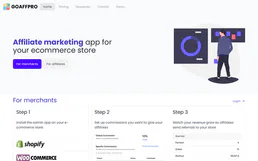
Goaffpro
Manage affiliates, track referral orders, and oversee commissions via AI agents with Goaffpro.
You might also like

Fig Finance
Connect Fig Finance to automate embedded lending — manage customers, query loan offers, and handle disbursements directly from your AI agent.

SpyFu
Automate SEO and PPC research via SpyFu — analyze domain metrics, track keyword stats, and uncover competitor ad history directly from any AI agent.
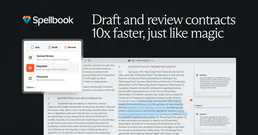
Spellbook Legal AI
AI-powered contract drafting and review — analyze contracts, draft clauses, detect risks, and compare against 2,000+ market precedents via Spellbook.