
BrandMentions MCP. Monitor brand sentiment and manage tracking projects from your chat.
 Gemini
 Works with every AI agent you already use
…and any MCP-compatible client









Just plug in your AI agents and start using Vinkius.
BrandMentions. Monitor social listening and brand mentions by connecting your BrandMentions account to any AI agent. Run immediate web and social media searches for keywords, manage tracking projects, audit mentions, and discover key influencers directly from your AI client.
What your AI agents can do
Add project
Creates a new, dedicated tracking project for ongoing brand monitoring.
Delete project
Permanently removes an existing tracking project.
Get influencers
Retrieves a list of key influencers connected to a specific project.
Initiates a search for keywords across the web and social media, returning results when the job is complete.
Creates, lists, or deletes entire tracking campaigns for monitoring brands or competitors.
Retrieves specific mention data and sentiment analysis for an existing project or a completed search job.
Lists the top influencers and key voices associated with a defined project or set of keywords.
Checks your API limits and remaining credits to keep track of your usage.
Ask AI about this MCP
Supported MCP Clients
Gemini Waiting for input…
BrandMentions MCP Server: 9 Tools for Social Listening
These nine tools let your AI client manage the entire lifecycle of brand monitoring—from starting a search to retrieving final, structured data.
019d7562add project
Creates a new, dedicated tracking project for ongoing brand monitoring.
019d7562delete project
Permanently removes an existing tracking project.
019d7562get influencers
Retrieves a list of key influencers connected to a specific project.
019d7562get mentions
Fetches the full results for a search job that has already finished running.
019d7562get processed mentions
Retrieves partial, ongoing results from a web or social media search job.
019d7562get project mentions
Gets all mentions and sentiment analysis for a specific, active tracking project.
019d7562get remaining credits
Checks your current API credit usage and remaining limits.
019d7562list projects
Lists all current, active tracking campaigns and projects.
019d7562post search
Starts an immediate, one-time search job for a specific keyword across web and social media.
Choose How to Get Started
Build a custom MCP for your own tools, or connect a ready-made integration from our catalog.
Build Your Own
Turn any API into an MCP. Import a spec, define Agent Skills, or deploy with MCPFusion.
- Import from OpenAPI, Swagger, or YAML specs
- Create Agent Skills with progressive disclosure
- Deploy to edge with MCPFusion framework
- Built in DLP, auth, and compliance on every call
- Real time usage dashboard and cost metering
- Publish to catalog or keep private
Make Your AI Do More
Start with BrandMentions, then connect any of our 4,700+ other servers whenever your AI needs more. One click, no limits.
- Use this MCP plus 4,700+ others, all in one place
- Add new capabilities to your AI anytime you want
- Every connection is secured and compliant automatically
- Track usage and costs across all your servers
- Works with Claude, ChatGPT, Cursor, and more
- New servers added to the catalog every week
What you can do with this MCP connector
Connect your BrandMentions account to your AI agent. You can run brand monitoring workflows using natural conversation—you won't have to open the main dashboard to get insights.
Find Mentions
To start a one-time search, you'll use post_search to run an immediate job for keywords across web and social media; you'll then use get_processed_mentions to grab partial results while the job's running, and get_mentions once the search finishes.
Manage Projects
Need to set up continuous monitoring? You can start a dedicated tracking project with add_project and later manage it all by listing existing campaigns with list_projects. If a project is done, you can scrap it completely using delete_project.
Analyze Results
For a specific, active project, get_project_mentions gives you all the mentions and their sentiment analysis. You can also check the full results of a job that's already finished with get_mentions.
Identify Key Voices
To find who's talking about your brand, get_influencers retrieves a list of key influencers tied to a project.
Monitor Usage
You'll keep tabs on your budget using get_remaining_credits to check your current API usage and remaining limits.
How BrandMentions MCP Works
- 1 Subscribe to the BrandMentions server and provide your API Key.
- 2 Use your AI client to call a specific tool (e.g.,
list_projects) to manage campaigns. - 3 The server executes the API call and returns the structured data—like project lists or mention summaries—to your AI client.
The bottom line is, you talk to your AI agent, and the agent talks to BrandMentions, pulling structured data back into your chat window.
Who Is BrandMentions MCP For?
This is for PR and Marketing teams who need real-time visibility into brand sentiment. It's for Brand Managers who need to set up tracking campaigns without leaving their workflow tools. It's for Analysts who need structured data—like mention lists or influencer data—fast, without opening a web dashboard.
Checks recent brand mentions and sentiment instantly to draft quick responses or flag crises, without opening the BrandMentions dashboard.
Sets up new tracking campaigns for a product launch or competitor monitoring directly within their agent workflow.
Retrieves structured mention data and full lists of key influencers using natural language prompts for reporting.
What Changes When You Connect
- Instant Search: Run
post_searchto check for keywords right now. You don't have to navigate to a separate search page to get immediate results. - Full Campaign Control: Use
add_projectandlist_projectsto set up and manage continuous monitoring campaigns, all within your agent's conversational flow. - Deep Data Retrieval: Need context?
get_project_mentionspulls detailed mention data and sentiment analysis for an entire project, which is better than viewing a simple list. - Influencer Mapping: Run
get_influencersto identify who is talking about your brand. It pulls a list of key voices tied directly to your active campaigns. - Real-time Visibility:
get_remaining_creditslets you check your API usage. This prevents you from running expensive jobs and hitting an unexpected paywall. - Async Monitoring: Use
get_processed_mentionsto track a search job that's running in the background. You get updates without having to keep refreshing a dashboard.
Real-World Use Cases
Crisis Response: Need to know about a negative mention right now.
A PR team member sees a rumor circulating. Instead of logging into the BrandMentions dashboard, they prompt their agent: 'Run a quick search for [Negative Keyword].' The agent calls post_search, gets a tracking hash, and when prompted again, calls get_processed_mentions to pull the immediate results. They get the data fast and draft a response.
Product Launch Planning: Setting up competitor tracking.
A Brand Manager is preparing for a launch. They tell their agent: 'Start tracking Competitor X.' The agent calls add_project. Later, they use get_project_mentions to pull all data for that new project, then get_influencers to see who is discussing the competitor.
Post-Mortem Analysis: Understanding a past campaign's reach.
An analyst needs to summarize a quarter's worth of data. They first use list_projects to find the relevant campaign ID. Then, they use get_project_mentions to pull the raw mention data, which they structure and export from their agent workspace.
Ad-Hoc Research: Finding relevant voices for a campaign.
A marketing strategist needs to find experts to quote. They prompt their agent: 'Find influencers for the 'AI' project.' The agent calls get_influencers, delivering a list of relevant names and scores without needing to manually filter a large dataset.
The Tradeoffs
Copying/Pasting from Dashboards
The user opens the BrandMentions website, filters by date range, copies 50 mentions, and pastes them into the agent chat. This loses the original project context and requires manual cleanup.
→
Instead, tell your agent to call get_project_mentions using the correct project ID. This pulls the data directly into the chat in a structured, usable format.
Forgetting Project IDs
The user tries to get mentions for 'Q3 Launch' but only types the name. The agent fails because the API needs a specific project identifier, leading to an error.
→
First, call list_projects to get the exact ID (e.g., proj_3). Then, pass that ID to get_project_mentions to pull the right data.
Overloading the Agent
The user asks the agent to 'find mentions, list projects, and check credits' all in one giant prompt. This can cause the agent to fail or only execute the first tool.
→
Break it into steps. First, call list_projects to get an overview. Then, in a separate prompt, ask the agent to get_remaining_credits for billing visibility.
When It Fits, When It Doesn't
Use this if your workflow demands real-time, conversational data access. If you need to monitor brand sentiment, manage campaigns, or analyze who is talking about your brand, the BrandMentions MCP Server is built for that. It's best for people who already use BrandMentions and need to integrate its data into their existing AI-powered tools.
Don't use this if your goal is simply to view historical data on a calendar or build complex, multi-layered reports that require spreadsheet manipulation outside of the agent. For those needs, exporting the data and using a dedicated BI tool is better. If you just need to check a single keyword once, post_search works, but for continuous monitoring, you need the full project lifecycle.
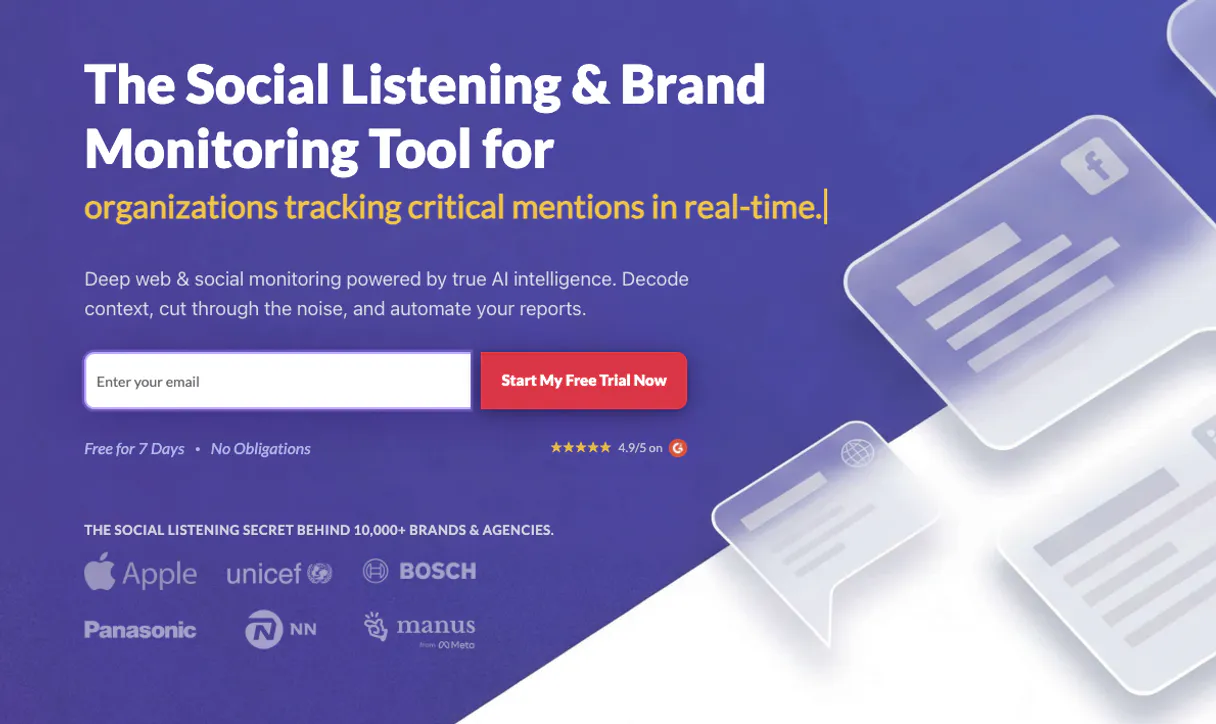
Independent Platform Disclaimer: Vinkius is an independent platform and is not affiliated with, endorsed by, sponsored by, verified by, or otherwise authorized by BrandMentions. All third-party trademarks, logos, and brand names are the property of their respective owners. Their use on this website is strictly for informational purposes to identify service compatibility and interoperability.
VINKIUS INFRASTRUCTURE
Cloud Hosted
Managed infra
V8 Isolated
Sandboxed per request
Zero-Trust Proxy
No stored credentials
DLP Enforced
Policy on every call
GDPR Compliant
EU data residency
Token Compression
~60% cost reduction
Works with Claude, ChatGPT, Cursor, and more
The Model Context Protocol standardizes how applications expose capabilities to LLMs. Instead of operating in isolation, your AI gains direct access to external platforms, live data, and real-world actions through secure, standardized connections.
This server provides 9 capabilities that interface natively with Claude, ChatGPT, Cursor, and any MCP client. No middleware. No custom integration required.
Available Capabilities
Sifting through brand mentions shouldn't feel like opening a dashboard.
Today, checking brand sentiment means logging into the BrandMentions platform. You click the 'Projects' tab, then select the relevant campaign. You filter by date, then hit 'View Mentions.' You copy the resulting list and paste it into your team's chat for review. It's slow, it's clunky, and you lose context every time you switch tabs.
With this MCP server, you just tell your agent what you need. You ask for the 'Q3 Launch' project mentions. The agent calls `get_project_mentions` and spits out the structured, analyzed data right into your chat window. The information moves at the speed of conversation.
BrandMentions MCP Server: Get the data, not just the links.
Previously, finding a list of top influencers meant navigating to the 'Influencers' section, searching by category, and manually curating a list. This was a tedious process that required multiple clicks just to get names and scores.
Now, you ask your agent to find the key influencers for your project. The agent calls `get_influencers` and immediately delivers the list of top voices and their associated scores. You get actionable intelligence, period.
Common Questions About BrandMentions MCP
How do I use the BrandMentions MCP Server to check my API limits? +
Use the get_remaining_credits tool. This immediately tells you your current credit usage and how many credits you have left, stopping you from overspending on searches.
Can I start a quick search using the BrandMentions MCP Server? +
Yes, call post_search. This starts an immediate, one-time search job for a keyword and gives you a tracking hash you can use to check results later.
What is the difference between `get_mentions` and `get_project_mentions`? +
get_mentions retrieves full results for a single, completed search job. get_project_mentions pulls data specifically tied to an ongoing, structured monitoring project.
How do I manage my tracking projects with BrandMentions MCP Server? +
Use list_projects to see all active campaigns. You can also add_project to start a new one, or delete_project if a campaign is finished.
How does the `get_influencers` tool find key voices for a project? +
The get_influencers tool identifies key people discussing your brand or competitors. It analyzes the project's mention data to provide a list of top voices and their associated scores.
What is the difference between `get_processed_mentions` and `get_mentions`? +
get_processed_mentions retrieves partial results for a search job that is still running. Use get_mentions when the search job has finished and you need the full, final dataset.
How do I handle errors or check my API status with the BrandMentions MCP Server? +
You should check your API credits first using get_remaining_credits. If an operation fails, review the API documentation for specific error codes and required parameters.
Can I delete an old campaign using the `delete_project` tool? +
Yes, the delete_project tool permanently removes a tracking campaign. Be sure you want to delete it, as this action cannot be undone.
Can I perform a quick search for a brand name? +
Yes! Use the post_search action to trigger an immediate query. The tool will return a search hash, which you can then use with get_mentions to read the results.
How do I see the influencers for my tracked project? +
Simply ask the agent to get_influencers and provide the Project ID. It will return the list of top voices mentioning your brand.
Does creating a search consume my account API credits? +
Yes, standard API billing applies. You can always use the get_remaining_credits tool to check your quota before running large queries.
Use it with your favorite AI tools
Connect this server to Cursor, Claude, VS Code, and more.
More in this category
NiftyImages
Manage personalized images and dynamic content via NiftyImages — track images, widgets, and countdown timers directly from your AI agent.

Clearscope
Optimize content via Clearscope — create SEO reports, grade drafts using NLP, perform keyword research, and audit SERP competitors directly from any AI agent.
Envoke Marketing
Equip your AI agent to manage email campaigns, track contact lists, and monitor performance via the Envoke API.
You might also like
Stark Bank
Equip your AI with Brazil's enterprise Developer Bank. Automate corporate virtual cards, Boletos, Outbound Pix (Transfers), and statements inside chats.
MIT DBLP
Search millions of computer science publications, find author profiles, and explore academic citation networks across conferences.

Harness
Automate CI/CD and DevOps workflows via Harness — manage pipelines, executions, and secrets directly from any AI agent.