
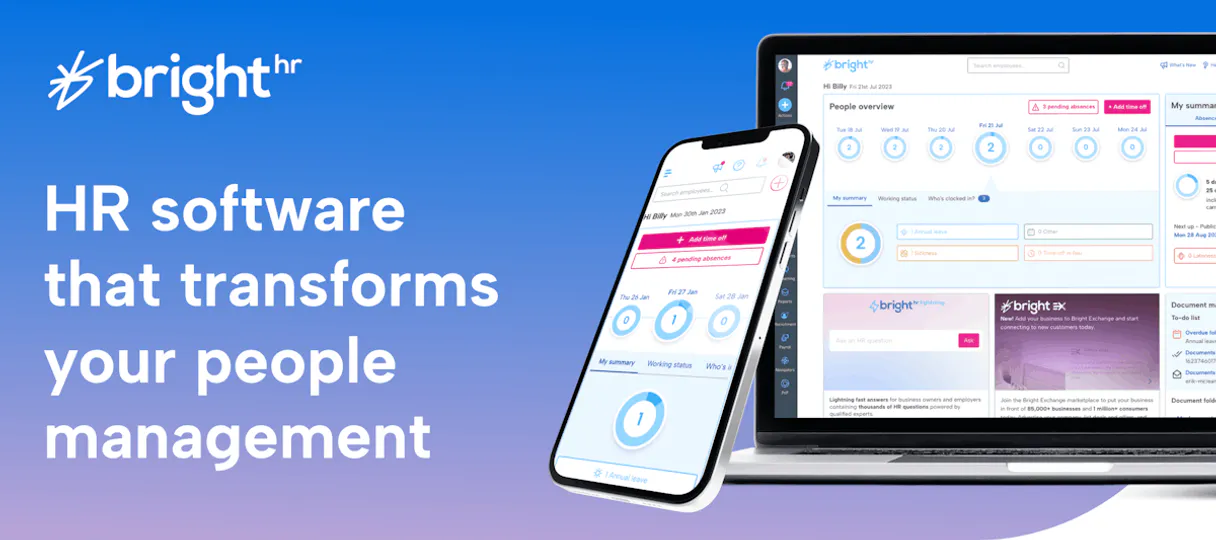
BrightHR MCP. Manage all workforce data using natural conversation.
 Gemini
 Works with every AI agent you already use
…and any MCP-compatible client









Just plug in your AI agents and start using Vinkius.
BrightHR connects your AI agent directly to your employee records, allowing you to manage everything from holiday requests to compensation data using natural conversation.
It handles absence tracking, shift scheduling, and full workforce visibility for UK and ANZ businesses.
What your AI agents can do
Check api health
Tests and confirms if the BrightHR API connection is currently working.
Get employee details
Pulls general information for a single, specified employee.
Get employee job details
Retrieves the specific job title and metadata associated with an employee's role.
Retrieve a complete directory of every employee in the organization.
View upcoming planned holidays or track current absences for any team member.
Get specific details about an employee's role, department, salary, and benefits package.
Log a new absence or track leave requests that need approval.
Access current company details, check API health, and monitor active webhooks for system reporting.
Ask AI about this MCP
Supported MCP Clients
OAuth 2.0 Compatible Gemini Waiting for input…
BrightHR: 12 Tools for Workforce Management
Use these specific tools to perform targeted actions like checking API status or logging a new absence record. They break down the entire HR data flow into discrete, reliable operations.
Make your AI actually useful.
Add this MCP to Claude, Cursor, or Windsurf and your AI stops guessing. It gets real tools to look things up, take action, and handle the stuff you keep doing by hand.
Start using BrightHR on Vinkius019dd0c5check api health
Tests and confirms if the BrightHR API connection is currently working.
019dd0c5get employee details
Pulls general information for a single, specified employee.
019dd0c5get employee job details
Retrieves the specific job title and metadata associated with an employee's role.
019dd0c5get employee salary info
Gets detailed salary information for a particular staff member.
019dd0c5get organization info
Pulls general details about the overall company structure and setup.
019dd0c5list absences
Lists all reported employee absences, optionally filtering by a specific staff ID.
019dd0c5list configured webhooks
Shows a list of webhooks that are currently set up to trigger alerts or actions.
019dd0c5list employee benefits
Lists all the benefits packages available for a specific employee.
019dd0c5list employees
Generates a full list of every individual currently employed by the company.
019dd0c5list holiday requests
Displays all planned leave or holiday requests, which can be filtered by staff ID.
019dd0c5list training records
Retrieves a history of training and certifications completed by an employee.
019dd0c5record absence
Logs a new absence record, such as sickness or planned leave, for any staff member.
Choose How to Get Started
Build a custom MCP for your own tools, or connect a ready-made integration from our catalog.
Build Your Own
Turn any API into an MCP. Import a spec, define Agent Skills, or deploy with MCPFusion.
- Import from OpenAPI, Swagger, or YAML specs
- Create Agent Skills with progressive disclosure
- Deploy to edge with MCPFusion framework
- Built in DLP, auth, and compliance on every call
- Real time usage dashboard and cost metering
- Publish to catalog or keep private
Make Your AI Do More
Start with BrightHR, then connect any of our 4,800+ other servers whenever your AI needs more. One click, no limits.
- Use this MCP plus 4,800+ others, all in one place
- Add new capabilities to your AI anytime you want
- Every connection is secured and compliant automatically
- Track usage and costs across all your servers
- Works with Claude, ChatGPT, Cursor, and more
- New servers added to the catalog every week
Independent Platform Disclaimer: Vinkius is an independent platform and is not affiliated with, endorsed by, sponsored by, verified by, or otherwise authorized by BrightHR. All third-party trademarks, logos, and brand names are the property of their respective owners. Their use on this website is strictly for informational purposes to identify service compatibility and interoperability.
VINKIUS INFRASTRUCTURE
Cloud Hosted
Managed infra
V8 Isolated
Sandboxed per request
Zero-Trust Proxy
No stored credentials
DLP Enforced
Policy on every call
GDPR Compliant
EU data residency
Token Compression
~60% cost reduction
Works with Claude, ChatGPT, Cursor, and more
The Model Context Protocol standardizes how applications expose capabilities to LLMs. Instead of operating in isolation, your AI gains direct access to external platforms, live data, and real-world actions through secure, standardized connections.
This server provides 12 capabilities that interface natively with Claude, ChatGPT, Cursor, and any MCP client. No middleware. No custom integration required.
The constant juggling of multiple employee portals is a time sink.
Right now, finding out who can work next week means opening the HR dashboard to check holidays. Then you open the team calendar to see planned leave and manually cross-reference that against payroll records for salary details. It's a mess of tabs, manual filtering, and copy-pasting data just to get one solid answer.
With this MCP, your AI agent handles all that overhead. You ask it naturally: 'Show me the available staff who are paid over $60k.' The system runs through listing employees, checking salary info, and calculating availability—and gives you a clean list back without you clicking anything.
Manage absence tracking with BrightHR.
The old way required someone to fill out a paper form for sickness or leave, which then had to be scanned into the system by an administrator. If that admin was busy, your record was delayed, and team leads were flying blind on coverage.
Now, you tell your agent: 'Log a sick absence for John Doe starting tomorrow.' It updates the official BrightHR records immediately. The data is current, accurate, and actionable—period.
What you can do with this MCP connector
Stop jumping between HR portals just to get a simple answer about staff availability or leave balances. This MCP lets you take control of your entire employee lifecycle through your agent's chat interface. You can ask questions like, 'Who is out next week?' or 'What are the benefits for new hires?' and get instant, structured data back.
It handles complex tasks—like logging a sickness absence or listing every active staff member—in plain language. When you connect it via Vinkius, your agent acts less like an assistant and more like a dedicated HR administrator sitting right next to you. You maintain full visibility into job roles, salary information, training history, and organizational structure without ever touching the raw dashboard.
It's about getting answers immediately, keeping your team coordinated, and automating the oversight of people management.
019dd0c6-0a03-7109-b2f9-37a8572e5346 
How BrightHR MCP Works
- 1 Subscribe to this MCP on Vinkius and generate an Access Token from your BrightHR developer dashboard.
- 2 Connect the token credentials to your preferred AI client (Claude, Cursor, etc.).
- 3 Use natural language prompts with your agent; it sends structured queries to BrightHR and returns actionable data.
The bottom line is that you talk to your AI client, and it handles all the complex API calls behind the scenes.
Who Is BrightHR MCP For?
This MCP is essential for HR Managers who need real-time compliance data; Team Leaders who must coordinate shifts without leaving their primary workspace; and Business Owners who want a simple way to audit organizational structure.
Uses the agent to list all staff members, verify job metadata, or retrieve historical training records for compliance checks.
Checks holiday requests and monitors current absences across a department to ensure team coverage before scheduling shifts.
Queries the system for high-level organizational info or salary data to run quick reports on workforce structure.
What Changes When You Connect
- Coordinate team scheduling instantly. Instead of manually checking multiple dashboards, you can ask the agent to list available staff and review
list_holiday_requestsagainst current absences in one query. - Maintain compliance oversight simply. You can pull comprehensive reports on employee roles and compensation by using
get_employee_job_detailsalongside salary data fromget_employee_salary_info. - Keep records clean. If someone gets sick, you don't need to fill out a form; your agent logs the sickness absence immediately with
record_absenceand notifies the right people. - Get full visibility into employee development. You can instantly pull training history using
list_training_records, ensuring managers know when staff are due for required compliance courses. - Audit system status proactively. Before relying on the data, use
check_api_healthto confirm that all your integration links are active and working correctly. - Understand benefits at a glance. For onboarding or review periods, you can run a query using
list_employee_benefitswithout needing access to multiple payroll systems.
Real-World Use Cases
A team lead needs to know who is available for the Q3 launch.
The team leader asks the agent: 'Who can cover the West Coast shift next week?' The agent runs list_holiday_requests and cross-references it with list_absences, providing a list of fully available staff members, saving an hour of manual calendar checking.
HR needs to audit compensation structure after a policy change.
The HR manager prompts the agent: 'Show me the salary and job metadata for all department heads.' The system uses list_employees combined with get_employee_job_details and get_employee_salary_info, generating an immediate, comparative spreadsheet view.
A staff member calls in sick; the manager needs to update records.
Instead of filling out a form and emailing it, the manager tells their agent: 'Log a sickness absence for Jane Doe starting tomorrow.' The agent uses record_absence instantly, making the record accurate before the end of the day.
The company is onboarding new hires and needs to know their entitlements.
The manager asks: 'What benefits does a developer get in this department?' The agent uses list_employee_benefits against the specific role data, providing an accurate list of perks immediately.
The Tradeoffs
Manually tracking leave balances.
Using a spreadsheet to track every holiday request and absence log. This is always out of date because someone forgets to update the shared document when they go on vacation or get sick.
→
Use list_holiday_requests and list_absences. Your agent pulls real-time data directly from BrightHR, so you're working with the source of truth every time. This is accurate.
Relying on old department reports.
Pulling an employee directory report that hasn't been refreshed in months. You might think John works in Marketing when he actually moved to Sales last week.
→
Use list_employees and get_employee_job_details. These tools pull the live, current metadata from BrightHR, ensuring you always have the right department and role.
Checking system connectivity manually.
Waiting until a report fails to load before checking if the API is down. This causes delays while IT figures out if it's an endpoint issue or a credentials problem.
→
Run check_api_health first thing in the morning. It confirms connectivity status quickly, so you know right away if your data feeds are good to go.
When It Fits, When It Doesn't
Use this MCP if your core need is real-time visibility into workforce status and structured HR records (e.g., 'Who was paid what?' or 'Are there enough people on shift?'). It's perfect for connecting complex, structured data like salary info (get_employee_salary_info) and absence tracking (list_absences). Don't use this if you simply need to draft an internal memo or summarize a meeting. For those tasks, just use your AI client directly—it doesn't need HR data. Also, don't expect it to manage payroll itself; it only provides the salary info using get_employee_salary_info. It is purely for reading and logging records, not executing financial transactions.
Common Questions About BrightHR MCP
How do I use the list_employees tool in BrightHR? +
The agent runs list_employees when you ask for a full staff directory. It pulls all current records from BrightHR, allowing you to see every person and their basic details instantly.
Can I use get_employee_salary_info with this MCP? +
Yes, if you need salary data for a specific employee, you prompt the agent to run get_employee_salary_info. It retrieves the exact pay details directly from BrightHR.
What is the difference between list_absences and list_holiday_requests? +
Use list_holiday_requests for pre-approved, planned time off. Use list_absences to see records of actual sickness or unplanned time away.
Is the BrightHR MCP good for managing shifts? +
While it doesn't schedule them, you can check availability by combining list_employees, list_holiday_requests, and list_absences to determine who is free when.
How do I check if the BrightHR API is working? +
Just run the check_api_health tool. It sends a quick ping to the system and tells you immediately if there are any connectivity issues before your agent tries to pull data.
How do I use the get_employee_job_details tool to understand organizational structure? +
The tool returns rich job metadata, including specific roles, department hierarchies, and associated reporting lines. You can's map out how different positions relate to the overall company structure for better oversight.
What does the list_configured_webhooks tool show me about data flow? +
This MCP lets you check all active webhooks set up in BrightHR. You can quickly see what automated reporting streams are running, verifying which systems are receiving live employee or HR updates.
What parameters do I need when calling the record_absence tool? +
You must provide the employee ID, a start date, and an end date. The tool also requires a reason code to accurately log the absence type—whether it's sick leave or planned time off.
Use it with your favorite AI tools
Connect this server to Cursor, Claude, VS Code, and more.