
Browse AI MCP. Extract structured data from any webpage via your agent.
 Gemini
 Works with every AI agent you already use
…and any MCP-compatible client









Just plug in your AI agents and start using Vinkius.
Browse AI lets your agent take full control of web scraping and data monitoring. You can run custom extraction robots, monitor specific web pages for changes, and pull massive datasets in bulk.
It's designed to let your AI client grab structured data from any target URL, all without you having to open a browser or click a button.
What your AI agents can do
Download bulk data
Downloads all extracted results from a completed Browse AI bulk data run as a JSON array.
Get bulk task
Checks the execution status of a bulk task run in Browse AI.
Get robot
Retrieves the detailed configuration settings for a specific Browse AI robot.
You trigger a specific robot to extract data from one target URL.
You send multiple URLs to run the same robot across a group of pages simultaneously.
You list active monitors and check the status of automated page change detection.
You retrieve the final JSON data output from a completed, successful extraction task.
You retrieve your current API credit usage and plan limits.
Ask AI about this MCP
Supported MCP Clients
Gemini Waiting for input…
Browse AI MCP Server: 10 Tools for Web Data Extraction
Use these 10 tools to run scrapers, manage tasks, check quotas, and retrieve structured data from any web source.
019d7564download bulk data
Downloads all extracted results from a completed Browse AI bulk data run as a JSON array.
019d7564get bulk task
Checks the execution status of a bulk task run in Browse AI.
019d7564get robot
Retrieves the detailed configuration settings for a specific Browse AI robot.
019d7564get task
Checks the current status of a single, specific Browse AI extraction task.
019d7564get task data
Retrieves the final extracted JSON data from a successful single Browse AI task run.
019d7564list credits
Checks your current Browse AI quota limits and API credit usage.
019d7564list monitors
Lists all active web monitoring robots that run on a schedule to detect page changes.
019d7564list robots
Lists every extraction and monitoring robot configured in Browse AI.
019d7564run bulk task
Runs a configured Browse AI robot across a set of multiple URLs simultaneously.
019d7564run robot
Triggers a single Browse AI robot to extract data from a specific target URL.
Choose How to Get Started
Build a custom MCP for your own tools, or connect a ready-made integration from our catalog.
Build Your Own
Turn any API into an MCP. Import a spec, define Agent Skills, or deploy with MCPFusion.
- Import from OpenAPI, Swagger, or YAML specs
- Create Agent Skills with progressive disclosure
- Deploy to edge with MCPFusion framework
- Built in DLP, auth, and compliance on every call
- Real time usage dashboard and cost metering
- Publish to catalog or keep private
Make Your AI Do More
Start with Browse AI, then connect any of our 4,700+ other servers whenever your AI needs more. One click, no limits.
- Use this MCP plus 4,700+ others, all in one place
- Add new capabilities to your AI anytime you want
- Every connection is secured and compliant automatically
- Track usage and costs across all your servers
- Works with Claude, ChatGPT, Cursor, and more
- New servers added to the catalog every week
What you can do with this MCP connector
Browse AI lets your agent take full control of web scraping and data monitoring. You can run custom extraction robots, monitor specific web pages for changes, and pull massive datasets in bulk. It's designed to let your AI client grab structured data from any target URL, all without you having to open a browser or click a button. list_robots shows every extraction and monitoring robot you've set up. list_monitors lists all the web monitoring robots that run on a schedule to catch page changes. run_robot triggers a single robot to pull data from one specific URL. run_bulk_task runs a configured robot across a group of multiple URLs at once.
To check the status, get_task checks a single extraction task's current status, while get_bulk_task checks a bulk task's execution status. Once done, get_task_data retrieves the final JSON data from a successful single task, and download_bulk_data downloads all results from a completed bulk data run as a JSON array. You can check your API credit usage and plan limits using list_credits; to see the setup details for a specific robot, use get_robot.
How Browse AI MCP Works
- 1 First, subscribe to the server and provide your Browse AI Secret API Key.
- 2 Next, instruct your AI agent to call the desired tool (e.g.,
run_robot) with the target URL and robot name. - 3 Finally, your agent receives the task ID, monitors the status (using
get_task), and retrieves the final data viaget_task_data.
The bottom line is that your AI agent manages the entire web scraping workflow, from initiation to data delivery, without you leaving the chat.
Who Is Browse AI MCP For?
Data analysts who need to pull massive, structured datasets from web pages without writing code. SEO specialists who need to run competitor checks across dozens of URLs. Market researchers who need targeted metrics extracted without logging into multiple third-party dashboards. Developers who need to programmatically test robot configurations and monitor API usage.
Pulls large datasets from recent bulk tasks straight into the agent for immediate filtering and analysis.
Executes scraping robots against competitor URLs to generate instant, comparative market reports.
Extracts complex, targeted metrics from specific websites without manually opening or clicking through dashboards.
Verifies robot configurations, checks API credit usage, and inspects raw JSON payloads rapidly.
What Changes When You Connect
- Massive Data Output: Use
download_bulk_datato grab all extracted results from a completed bulk run in one go. You get a unified JSON array, not a series of manual downloads. - Zero-Click Monitoring: Check for site changes with
list_monitors. Your agent can track target web pages automatically, notifying you only when the monitored content changes. - Targeted Extraction:
run_robotlets you test a scraping robot on a single URL immediately. You get a task ID, and your agent can check its status withget_taskuntil the data is ready. - Scale Your Scrapes: Instead of hitting 50 URLs one by one, use
run_bulk_task. This runs your robot across multiple URLs concurrently, saving you time and API calls. - Full Transparency:
list_creditsgives you an immediate status report on your API usage. You know exactly how many credits you've used and what your monthly limits are. - Configuration Review: Use
list_robotsandget_robotto verify exactly how each scraping workflow is set up before running it, preventing unexpected data gaps.
Real-World Use Cases
Competitor Price Tracking
A marketing analyst needs to know the current pricing on five competitor product pages. They ask their agent to use run_bulk_task with the five URLs and the 'Price Checker' robot. The agent reports the status using get_task and finally gives the full JSON data using download_bulk_data.
Monitoring Policy Changes
A compliance officer needs to know if a specific legal page changes its terms. They use the monitoring capabilities (listed via list_monitors) and have the agent wait. When the page changes, the agent alerts them and retrieves the new data using get_task_data.
Gathering Industry Benchmarks
A researcher needs to pull key metrics (e.g., user counts, feature lists) from ten different industry leader websites. They use run_bulk_task to hit all ten sites, then use download_bulk_data to get one massive JSON file to analyze in a single spreadsheet.
Validating Robot Setup
A developer needs to confirm a new scraping robot works before production. They first check the setup using get_robot, then use run_robot on a staging URL, and finally check the raw output with get_task_data to verify the data structure.
The Tradeoffs
Manual Dashboard Checks
Opening the Browse AI dashboard, manually selecting the task ID, clicking 'Run', waiting for the status to change, and then hitting 'Download' for every single piece of data.
→
Instead, tell your agent to call run_robot or run_bulk_task and then use get_task to poll the status. Once successful, use get_task_data or download_bulk_data to get the data directly into the chat.
Ignoring Quota Limits
Running a massive scrape job without checking the quota, leading to a hard failure when the API credit limit is hit halfway through the process.
→
Always call list_credits first. This tells you your usage and remaining credits before you commit to a large scrape job.
Running Single Tasks in Bulk
Running run_robot repeatedly for 50 URLs, which is slow and inefficient compared to dedicated bulk processing.
→
Use run_bulk_task. This tool is built to run the same robot against many URLs concurrently, saving time and processing resources.
When It Fits, When It Doesn't
Use this if your goal is to systematically extract structured data from web pages or monitor for changes. You need the data in a machine-readable format (JSON array) that your agent can process. Don't use this if you simply need to browse a site visually or if you only need a small, one-off piece of text. If you only need to check a single status, get_task is enough, but if you need the data, you need the full pipeline (run -> check status -> download).
Don't use this if you are building a UI element that requires real-time streaming updates; this is for structured data retrieval. If your data source is already structured (like a database), use a dedicated database tool instead.
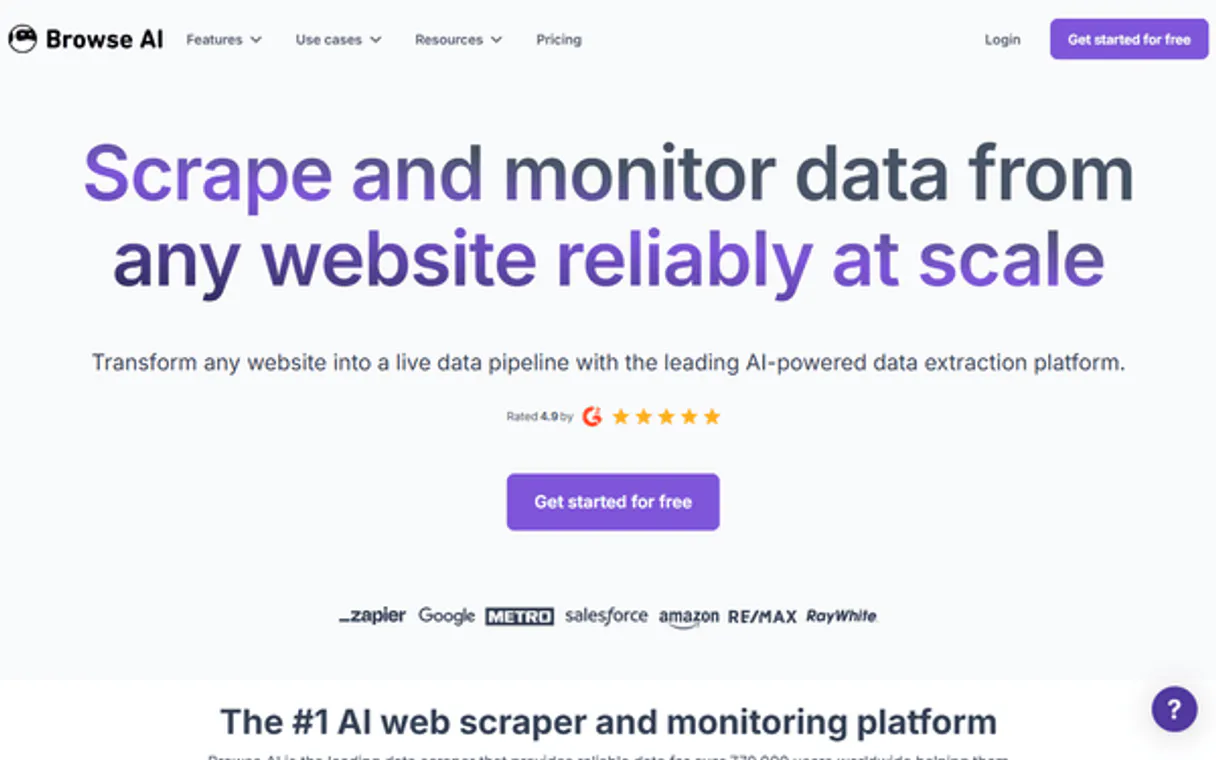
Independent Platform Disclaimer: Vinkius is an independent platform and is not affiliated with, endorsed by, sponsored by, verified by, or otherwise authorized by Browse AI. All third-party trademarks, logos, and brand names are the property of their respective owners. Their use on this website is strictly for informational purposes to identify service compatibility and interoperability.
VINKIUS INFRASTRUCTURE
Cloud Hosted
Managed infra
V8 Isolated
Sandboxed per request
Zero-Trust Proxy
No stored credentials
DLP Enforced
Policy on every call
GDPR Compliant
EU data residency
Token Compression
~60% cost reduction
Works with Claude, ChatGPT, Cursor, and more
The Model Context Protocol standardizes how applications expose capabilities to LLMs. Instead of operating in isolation, your AI gains direct access to external platforms, live data, and real-world actions through secure, standardized connections.
This server provides 10 capabilities that interface natively with Claude, ChatGPT, Cursor, and any MCP client. No middleware. No custom integration required.
Available Capabilities
Manually scraping data means constant switching between dashboards and copy-pasting.
Today, pulling data means logging into a web scraping dashboard. You have to manually check the task status, wait for it to finish, find the correct dataset, and then download the JSON file. You repeat this whole cycle for every single scrape job.
With the Browse AI MCP Server, you just tell your agent to run the job. The agent handles the entire sequence—from starting the scrape to confirming the data is ready—and delivers the final, structured JSON array right into your conversation.
Browse AI MCP Server: Use `download_bulk_data` to get unified datasets.
Before, getting results from multiple URLs meant running separate jobs and downloading separate JSON files. If you had 50 URLs, you had 50 separate files to manage and stitch together.
Now, the agent calls `download_bulk_data`. It combines all the results into one single, downloadable JSON array. You process everything in one place.
Common Questions About Browse AI MCP
How do I use the `run_robot` tool to scrape data? +
You tell your agent to run the robot and provide the target URL. The agent returns a Task ID. You then use get_task to check if the scrape is finished before trying to get the data with get_task_data.
Can I download data from multiple URLs at once using `download_bulk_data`? +
Yes. The download_bulk_data tool is designed to take the results from multiple URLs run simultaneously, giving you a single, unified JSON output.
What does the `list_monitors` tool do? +
The list_monitors tool lists all active web monitoring robots. These monitors run on a schedule to automatically detect and capture changes on target web pages.
How do I check my API usage with `list_credits`? +
Simply ask your agent to call list_credits. It returns your current quota usage and the monthly plan limits, keeping you from hitting unexpected API paywalls.
Is `get_task_data` different from `download_bulk_data`? +
Yes. get_task_data retrieves the final JSON from a single, specific task run. download_bulk_data is used for collecting results from multiple tasks or bulk operations.
How do I check the status of a specific scraping job using `get_task`? +
The get_task tool checks the current status of a single extraction job. You pass the unique Task ID, and the tool reports if the task is pending, running, or successful. This lets you build a reliable wait loop into your agent.
What is the difference between `run_robot` and `run_bulk_task`? +
Use run_robot when you need to scrape a single, specific URL. If you have a list of URLs, use run_bulk_task to trigger concurrent extractions across multiple locations at once. Bulk mode is for high-volume runs.
How can I view the setup and parameters of my scraping tools using `list_robots`? +
list_robots provides a list of all your defined extraction and monitoring robots. This output shows the robot IDs and names, letting you verify which scraping workflows you have access to.
Can my AI start a data extraction and let me know when it finishes? +
Yes! You can ask your agent to run_robot on a certain URL. The agent receives the newly created task ID and can immediately invoke get_task sequentially to poll for completion. Once successful, it calls get_task_data to dump the JSON right into your conversation without breaking workflow.
How do bulk operations work natively through the agent? +
When you have a trained robot, you can feed the run_bulk_task command an array of different URLs. Browse AI's backend splits them virtually into independent task instances. Your agent tracks the bulk run via get_bulk_task and eventually pulls the mega JSON merge using download_bulk_data.
Is there a risk of my agent suddenly spending all my API credits? +
You have complete visibility—the agent can query list_credits at any moment to inform you precisely of your available balance and monthly limit. Also, since tools execute your natural directives, your AI agent only triggers extractions you specifically prompt for.
Use it with your favorite AI tools
Connect this server to Cursor, Claude, VS Code, and more.
More in this category

Every.org Charity
Universal charity intelligence — search non-profits, causes, and mission data via AI.

iCal Calendar Parser
Parse exported .ics calendar files from Google Calendar, Apple Calendar, or Outlook local. Let your AI find free slots, count meetings, and manage your schedule.

RubyGems
Manage Ruby packages directly from your AI agent — search for gems, inspect versions, and track download statistics on RubyGems.org.
You might also like
Siteimprove
Monitor and improve your website quality — track accessibility, SEO, content QA, and broken links across your domains with AI agents.

Tronscan (TRON Blockchain Explorer API)
Explore the TRON blockchain — analyze accounts, track token balances, inspect smart contracts, and monitor network resources directly from any AI agent.
Plunk Email Marketing
Automate your email marketing via Plunk — send transactional emails, track events, and manage contacts.