
MaintainX MCP. Track asset health and manage orders without logging into a portal.
 Gemini
 Works with every AI agent you already use
…and any MCP-compatible client









Just plug in your AI agents and start using Vinkius.
MaintainX MCP Server connects your AI client directly to operational data for asset management and work orders. You list assets, retrieve deep metadata, create new maintenance tasks, or update order statuses—all through natural language prompts.
Stop opening 12 different dashboards; talk to your facility system instead.
What your AI agents can do
Create new work order
Creates a brand new work order record with a specified title in MaintainX.
Get asset details
Retrieves complete metadata for one specific asset using its ID.
Get work order details
Fetches all details for a single, known work order ID.
Use the agent to fetch deep metadata for any specific asset ID.
Create new work orders, get status updates on existing tasks, or change a task's progress (e.g., from 'Pending' to 'In Progress').
List and inspect all facility sites where your assets and teams are assigned.
List team members to see who is currently available or assigned to tasks.
Retrieve lists of all maintenance orders, allowing you to filter by date or priority.
Ask AI about this MCP
Supported MCP Clients
Gemini Waiting for input…
MaintainX MCP Server: 8 Tools for Operations Management
Use these eight tools to programmatically list, create, read, and update everything from individual assets to entire site facilities.
019d75cdcreate new work order
Creates a brand new work order record with a specified title in MaintainX.
019d75cdget asset details
Retrieves complete metadata for one specific asset using its ID.
019d75cdget work order details
Fetches all details for a single, known work order ID.
019d75cdlist facility locations
Returns a list of every physical site location managed in the system.
019d75cdlist maintenance assets
Retrieves a comprehensive list of all registered equipment and machinery assets.
019d75cdlist maintenance orders
Lists multiple work orders, with optional parameters to filter by date or status.
019d75cdlist team members
Provides a list of all users and team members within the MaintainX account.
019d75cdupdate work order status
Changes the status of an existing work order to 'DONE' or 'IN_PROGRESS'.
Choose How to Get Started
Build a custom MCP for your own tools, or connect a ready-made integration from our catalog.
Build Your Own
Turn any API into an MCP. Import a spec, define Agent Skills, or deploy with MCPFusion.
- Import from OpenAPI, Swagger, or YAML specs
- Create Agent Skills with progressive disclosure
- Deploy to edge with MCPFusion framework
- Built in DLP, auth, and compliance on every call
- Real time usage dashboard and cost metering
- Publish to catalog or keep private
Make Your AI Do More
Start with MaintainX, then connect any of our 4,700+ other servers whenever your AI needs more. One click, no limits.
- Use this MCP plus 4,700+ others, all in one place
- Add new capabilities to your AI anytime you want
- Every connection is secured and compliant automatically
- Track usage and costs across all your servers
- Works with Claude, ChatGPT, Cursor, and more
- New servers added to the catalog every week
What you can do with this MCP connector
This server lets your AI client talk directly to MaintainX's guts, giving you hands-on access to operational data without touching any code or dashboards. You just prompt it, and it handles the rest. It’s built for people who need to manage assets and work orders fast—you gotta stop opening twelve different tabs just to figure out what went wrong.
Managing Work Orders:
You can create a brand new job using create_new_work_order, specifying a title right off the bat. Need to check up on an existing task? You'll pull all the details for a single work order ID with get_work_order_details. If you know the general scope, you can list multiple maintenance orders using list_maintenance_orders; this tool lets you filter by date or status if you need it.
When the job’s done, or even when the crew gets started, you can change a task's progress—you update the work order status with update_work_order_status to set it to 'DONE' or 'IN_PROGRESS'.
Inspecting Assets and Locations:
Need to know what equipment is out there? You’ll get a complete rundown of every registered piece of gear and machinery using list_maintenance_assets. If you gotta deep-dive on just one thing, use get_asset_details with an asset ID to pull all its specific metadata. For knowing where your crew or assets are physically located, list_facility_locations returns a list of every site managed in the system.
Team and Roster Info:
To see who's available or assigned, you can grab a roster of team members using list_team_members. This gives you all the users inside the MaintainX account. The agent handles everything: it takes your natural language prompt, translates that into specific tool calls like get_asset_details or update_work_order_status, retrieves the raw data, and then formats a clean, actionable answer for you.
You'll get exactly what you asked for, without any fluff.
How It Works:
When you talk to your agent, it figures out if you need to check status updates on existing tasks using list_maintenance_orders, or if you just wanna log a new issue with create_new_work_order. You tell it what you want—'What’s the deal with Boiler 3?'—and it uses that info to run through tools like get_asset_details and then spits out the full picture.
It keeps everything structured so you get data you can actually use.
How MaintainX MCP Works
- 1 First, subscribe to the MaintainX server and pass your API Bearer Token.
- 2 Next, prompt your AI client with a request (e.g., 'List all open work orders for Section B').
- 3 The agent executes the necessary tool calls (
list_maintenance_orders) and returns the structured data needed to answer your query.
The bottom line is that you manage complex operational systems using simple, natural conversation.
Who Is MaintainX MCP For?
This tool is for anyone who spends too much time in maintenance dashboards. Think Field Technicians needing quick asset checks before starting a job, Maintenance Managers tracking compliance across multiple sites, or Ops Engineers building internal tools that need real-time access to operational data.
Tracks overall performance by using list_maintenance_orders to see pending tasks and update_work_order_status when a job is complete.
Quickly audits asset locations using list_facility_locations or checks equipment health by calling get_asset_details without having to open the main portal.
Builds custom scripts that need to reliably create records (create_new_work_order) and pull specific, structured data points from the maintenance system.
What Changes When You Connect
- See all pending tasks immediately. Instead of clicking through multiple filters, asking your agent to
list_maintenance_ordersgives you the current status and priority list in one shot. - Audit equipment status on demand. You don't need to open the asset register; just prompt for
get_asset_detailsand get metadata (e.g., 'Main Boiler, Section A') instantly. - Close out tasks from chat. When a job is finished, use
update_work_order_statusdirectly with your agent—no need to navigate back into the portal just to hit 'Done'. - Map physical sites quickly. Use
list_facility_locationswhen you need to know if an asset belongs in Building B or Facility C. It’s instant location checking. - Streamline assignments. Need a name? Run
list_team_members. Then, use the agent to assign that task to someone specific via its APIs.
Real-World Use Cases
The Morning Shift Handoff
A shift lead wakes up and needs to know what's wrong across three buildings. Instead of logging into the facility dashboard, they ask their agent: 'What are all open work orders across the site?' The agent runs list_maintenance_orders and provides a consolidated list, prioritizing tasks by location.
The Unexpected Failure
A field tech finds an asset with strange readings. They ask their AI client: 'Tell me everything about this pump (ID 500).' The agent runs get_asset_details, giving the tech the full metadata, associated work orders, and current status in one response.
The Project Completion Check
An engineer finishes a repair. Instead of logging into three separate systems (the asset register, the work order system, the user directory), they tell their agent: 'I finished the HVAC unit job.' The agent calls update_work_order_status and confirms completion.
The Location Audit
A coordinator needs to know which assets belong in a newly acquired annex. They ask their agent to cross-reference the facility with equipment data, running list_facility_locations first, then using that data to guide subsequent asset searches.
The Tradeoffs
Manual Status Updates
A user has to open the portal, search for ID 456, click 'Edit,' change the status dropdown from 'In Progress' to 'Done', and finally hit save. It takes four clicks.
→
Just ask your agent: 'Mark work order 456 as DONE.' The agent runs update_work_order_status and handles the entire transaction in one step.
Guessing Asset Details
A user only knows a general description, like 'the main air handler unit.' They waste time clicking through menus trying to find the correct asset ID.
→
Use list_maintenance_assets first. Get the precise ID, then run get_asset_details for guaranteed metadata.
Over-relying on UI Filtering
A manager wants to see all 'High Priority' jobs created last week. They have to set three date/status filters in the web interface.
→
Just ask your agent: 'Show me high priority work orders from the past seven days.' The tool uses list_maintenance_orders with filtered parameters.
When It Fits, When It Doesn't
Use this server if your primary bottleneck is moving data between systems (e.g., getting asset ID X, then using that ID to find associated order Y). This MCP Server excels at structured lookups and programmatic updates of state.
Don't use it if you need complex visualization or reporting based on multiple datasets (that requires a BI tool). Also, don't expect it to handle unstructured data input—it works with established records. If your process involves decision-making that requires human judgment (e.g., 'Should we actually fix this?'), the server only provides the data; you still have to make the call. It's a data conduit, not a final decision layer.
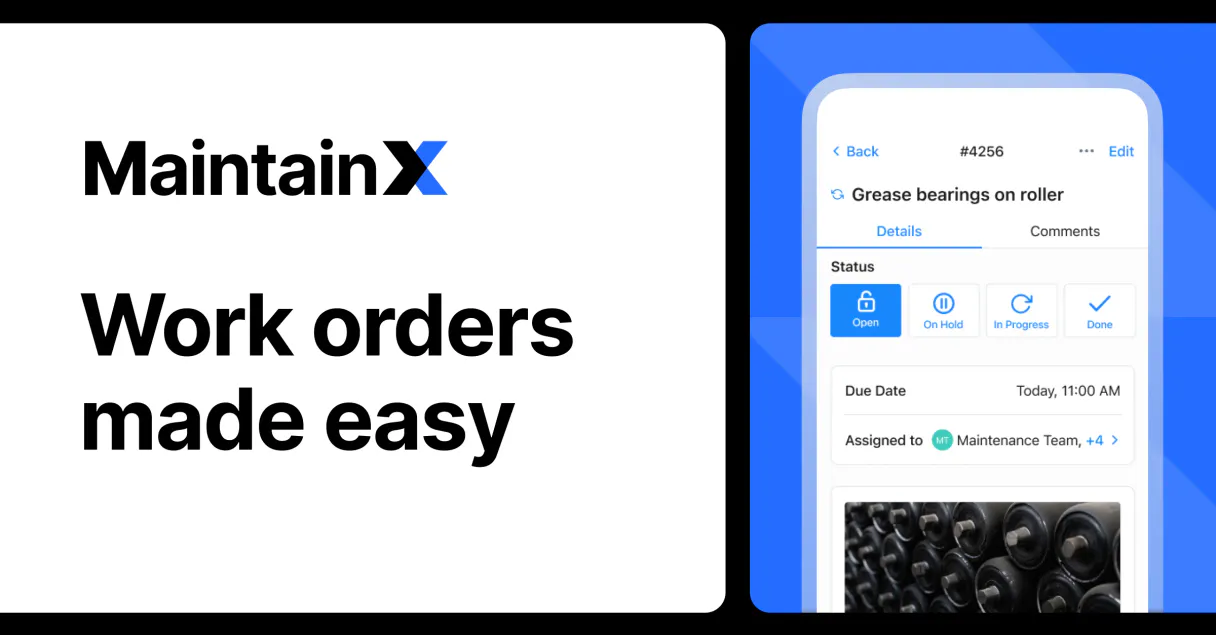
Independent Platform Disclaimer: Vinkius is an independent platform and is not affiliated with, endorsed by, sponsored by, verified by, or otherwise authorized by MaintainX. All third-party trademarks, logos, and brand names are the property of their respective owners. Their use on this website is strictly for informational purposes to identify service compatibility and interoperability.
VINKIUS INFRASTRUCTURE
Cloud Hosted
Managed infra
V8 Isolated
Sandboxed per request
Zero-Trust Proxy
No stored credentials
DLP Enforced
Policy on every call
GDPR Compliant
EU data residency
Token Compression
~60% cost reduction
Works with Claude, ChatGPT, Cursor, and more
The Model Context Protocol standardizes how applications expose capabilities to LLMs. Instead of operating in isolation, your AI gains direct access to external platforms, live data, and real-world actions through secure, standardized connections.
This server provides 8 capabilities that interface natively with Claude, ChatGPT, Cursor, and any MCP client. No middleware. No custom integration required.
Available Capabilities
Looking up operational status shouldn't require three different dashboards.
Right now, checking on maintenance issues is a process of clicking. You start in the Asset Register to find ID 456. Then you jump to the Work Order system using that ID to see if it's open or closed. Finally, you check the Location Map just to confirm which building it lives in.
With this MCP server, your agent handles all those jumps. You ask: 'What is status and location for pump 456?' And boom—you get the answer instantly, pulling data from asset metadata (`get_asset_details`), work order lists (`list_maintenance_orders`), and facility locations (`list_facility_locations`) in one response.
Update Work Order Status with `update_work_order_status`.
The manual process is tedious: you have to log into the portal, find the specific order ID, open it up, navigate to the status field, and then hit save. It's a multi-step dance every single time.
Now, if your agent knows the ID, you just tell it: 'Mark work order 789 as IN PROGRESS.' The server handles the API call and updates the system record instantly. It’s cleaner, faster, and leaves an audit trail.
Common Questions About MaintainX MCP
How do I list all open work orders using the `list_maintenance_orders` tool? +
You ask your agent to run list_maintenance_orders. You can specify optional parameters like a date range or status (e.g., 'OPEN') in your prompt to filter results.
What specific data does `get_asset_details` give me? +
It returns the full metadata for one asset, including its current status, associated work order IDs, and location details. This is much better than just seeing a simple name.
Can I use `update_work_order_status` to change it back from 'DONE'? +
Yes. The tool accepts statuses like 'IN_PROGRESS' and 'DONE'. If you need to revert status, just tell your agent to update the order ID with the new desired state.
Which tool should I use to see all buildings on site? +
Use list_facility_locations. This tool gives you a clean list of every physical location managed by MaintainX, which is useful for audits and asset grouping.
What authentication method do I need to use when calling `list_maintenance_assets`? +
You must provide a Bearer Token in the request header. This is your unique MaintainX API key, which controls access to all asset data. Without this token, any call, including using get_asset_details, will fail immediately with an authentication error.
If I use `get_work_order_details` but supply a non-existent work order ID, what response should I expect? +
The server returns a 404 Not Found status. The JSON payload will confirm the resource was missing, usually stating that the provided Work Order ID does not map to any active record in your MaintainX account.
How do I use `list_maintenance_orders` to filter results by a specific date range? +
You pass start and end date parameters when calling the tool. Specify these dates using YYYY-MM-DD format, and the API returns only work orders that fall within that window. This lets you quickly audit maintenance records over time.
What are the required fields I must supply when running `create_new_work_order`? +
At a minimum, you must provide a title for the work order and an associated asset ID. The system needs these two pieces of data to correctly categorize the task. Adding a description improves traceability.
How do I find my MaintainX API Key? +
Log in to your MaintainX account as an admin, navigate to Settings > Integrations, and click 'New Key' to generate your token. Your token is encrypted at rest and injected securely at runtime.
What status codes should I use for work orders? +
Common status codes include 'OPEN', 'IN_PROGRESS', 'DONE', and 'ON_HOLD'. Use the update_work_order_status tool with these values.
Can I see which asset is linked to a work order? +
Yes, when using list_maintenance_orders, you can provide params with include=assets to see linked equipment names in the results.
Use it with your favorite AI tools
Connect this server to Cursor, Claude, VS Code, and more.
More in this category

Skedda
Manage your workspace scheduling — create, update, and track bookings for desks, meeting rooms, and special venues directly through AI agents.

McLeod Software
Transportation management via McLeod Software — manage orders, dispatches, and carriers.

SmartHR
Empower your AI to manage employee records, organizational structures, and payrolls directly from your SmartHR workspace.
You might also like

OwnerRez
Manage vacation rental bookings, properties, guests, calendars, financials, inquiries, and channel connections for your OwnerRez account through natural conversation.

Airtable
Query databases, manage records, and orchestrate workflows across your connected Airtable bases with full flexibility.

Celoscan (Celo Network Explorer)
Access Celo network data via Celoscan — check account balances, track transactions, and inspect smart contracts directly from your AI agent.