
CallRail MCP. Track calls, leads, and marketing attribution instantly.
 Gemini
 Works with every AI agent you already use
…and any MCP-compatible client









Just plug in your AI agents and start using Vinkius.
CallRail MCP Server lets your AI agent manage call tracking, leads, and marketing attribution directly from natural conversation. You can list all tracked calls, check lead form submissions, and pull company profiles.
It connects your AI client to all your core marketing data, giving you a single view of how leads become customers.
What your AI agents can do
Get account info
Retrieves the core account information for your CallRail setup.
Get call details
Fetches all metadata for one specific phone call.
Get company details
Pulls a detailed profile for a specific company or client.
The agent retrieves a list of every phone call tracked in your CallRail account.
The agent fetches full metadata for one specific call, including duration and source.
The agent retrieves a list of all companies associated with your account.
The agent pulls a detailed profile for a single, specified company.
The agent pulls a list of all leads generated from web forms.
The agent monitors all your active tracking numbers and where they are sourced.
The agent checks for and lists any critical alerts across your CallRail account.
Ask AI about this MCP
Supported MCP Clients
Gemini Waiting for input…
CallRail MCP Server: 10 Tools for Call & Lead Management
These tools let your AI agent read and organize all your call data, company profiles, and web form leads so you can focus on making sales.
019d7568get account info
Retrieves the core account information for your CallRail setup.
019d7568get call details
Fetches all metadata for one specific phone call.
019d7568get company details
Pulls a detailed profile for a specific company or client.
019d7568list alerts
Lists any active account alerts and critical notifications.
019d7568list calls
Retrieves a list of all tracked phone calls made through CallRail.
019d7568list companies
Lists every company profile associated with your CallRail account.
019d7568list form submissions
Gets a list of leads that came through web forms.
019d7568list tags
Lists all available tags for both leads and calls.
019d7568list trackers
Retrieves a list of all active tracking numbers and their sources.
019d7568list users
Lists every user account and agent within the CallRail directory.
Choose How to Get Started
Build a custom MCP for your own tools, or connect a ready-made integration from our catalog.
Build Your Own
Turn any API into an MCP. Import a spec, define Agent Skills, or deploy with MCPFusion.
- Import from OpenAPI, Swagger, or YAML specs
- Create Agent Skills with progressive disclosure
- Deploy to edge with MCPFusion framework
- Built in DLP, auth, and compliance on every call
- Real time usage dashboard and cost metering
- Publish to catalog or keep private
Make Your AI Do More
Start with CallRail, then connect any of our 4,700+ other servers whenever your AI needs more. One click, no limits.
- Use this MCP plus 4,700+ others, all in one place
- Add new capabilities to your AI anytime you want
- Every connection is secured and compliant automatically
- Track usage and costs across all your servers
- Works with Claude, ChatGPT, Cursor, and more
- New servers added to the catalog every week
What you can do with this MCP connector
CallRail MCP Server lets your AI agent manage call tracking, leads, and marketing attribution right out of your chat. You'll get a single view of how leads become customers without jumping between dashboards. You can list every tracked call, check lead form submissions, and pull company profiles, all through natural conversation.
Call Oversight
list_calls pulls a list of every phone call tracked in your CallRail account. If you need the full scoop on one call, get_call_details fetches all the metadata, including the duration and the tracking number used. You can also pull a list of all available tags for calls using list_tags.
Lead Management
list_form_submissions gives you a list of all leads that came through web forms. Company Coordination
list_companies pulls a list of every company profile associated with your CallRail account. You can then grab a detailed profile for a specific client using get_company_details.
Tracker and Account Status
list_trackers shows you all your active tracking numbers and where they're sourced. list_alerts checks for and lists any critical alerts across your CallRail account. You can also grab the core setup info with get_account_info and list every user account and agent in the directory with list_users.
How CallRail MCP Works
- 1 Subscribe to the CallRail server.
- 2 Input your CallRail API Key and Account ID.
- 3 Ask your AI client to perform an action, like 'List all calls from last week.' The agent runs the appropriate tool and returns the data.
The bottom line is, your AI client uses your API credentials to talk directly to CallRail, making marketing data available for conversation.
Who Is CallRail MCP For?
Marketing Analysts who need call volume or source performance instantly, without exporting dashboards. Sales Managers who need to check lead quality and form submissions inside their workflow tools. Agency Leads who must orchestrate multiple client companies and tracking numbers using simple natural language commands.
Checks call volume or source performance without manually exporting data from the CallRail dashboard.
Monitors lead quality and reviews form submissions directly inside their sales tools.
Orchestrates data across multiple client companies and various tracking numbers using natural language.
What Changes When You Connect
- See total call volume and source performance immediately using the
list_callstool. No manual dashboard exports needed. - Track lead quality by listing form submissions with
list_form_submissions. You see who filled out the form, what page they used, and when. - Manage client data by listing all companies with
list_companies. You can then drill down usingget_company_detailsto see a full client history. - Verify data accuracy by monitoring all active tracking numbers with
list_trackers. You know exactly where every call is coming from. - Get deep call context by using
get_call_detailson a single call ID. You pull metadata like duration and status in one go. - Stay operational by checking for issues using
list_alerts. You get a quick rundown of critical account issues, preventing downtime.
Real-World Use Cases
Investigating a sudden drop in calls
A marketing analyst notices call volume dropped sharply yesterday. They ask their agent to run list_calls filtered by date. The agent returns the list, showing the source breakdown and confirming the drop originated from a specific campaign, allowing the analyst to fix the ad spend immediately.
Onboarding a new client
An agency lead needs to set up a new client. They ask the agent to run list_companies to see existing clients, then use get_company_details to pull the correct profile, ensuring all historical call data is attached to the right client record.
Checking a high-value lead's history
A sales manager gets a lead ID and asks their agent to check the details. The agent uses list_form_submissions and then get_call_details to correlate the form data with the call metadata, giving the sales team a full picture of the lead's journey.
Auditing tracking number sources
A marketing team member suspects a tracker is sending bad data. They run list_trackers to see all active numbers and their sources, cross-referencing it with list_tags to verify that the number is correctly associated with the intended campaign.
The Tradeoffs
Manually exporting call data
Opening the CallRail dashboard, clicking the date range selector, hitting 'Export,' waiting for the CSV to generate, and then importing it into a spreadsheet. This takes 10-15 minutes and the data is often stale.
→
Just ask your agent to 'List all calls from last week.' The agent runs list_calls and returns the structured data instantly, keeping your workflow moving.
Searching for company info in multiple tabs
To get a client's contact info, you check the 'Companies' tab, then switch to 'Forms' to find the last submission, and finally check 'Trackers' to see which numbers they used. This is a multi-page, slow process.
→
Ask your agent to 'Get the details for the company [Client Name].' The agent uses get_company_details and can pull related data points in a single conversational step.
Guessing which data is missing
A user sees a low conversion rate and manually checks 10 different reports (calls, forms, users, alerts) to see if something is wrong. This is exhausting and misses correlations.
→
Ask your agent to 'List active alerts and check the top 5 form submissions.' The agent coordinates list_alerts and list_form_submissions to give you a unified status report.
When It Fits, When It Doesn't
Use this server if your job revolves around understanding the customer journey, especially the gap between a lead submitting a form and calling your number. You need to correlate call metadata (get_call_details) with lead source data (list_form_submissions) and company profiles (get_company_details).
Don't use this if you only need basic data logging or simple website analytics that don't involve phone calls or structured lead forms. For simple, non-call-related data (like just website traffic counts), use a dedicated web analytics tool instead. If you only need to list users, you can use the list_users tool, but this server gives you the full context: the why behind the user activity.
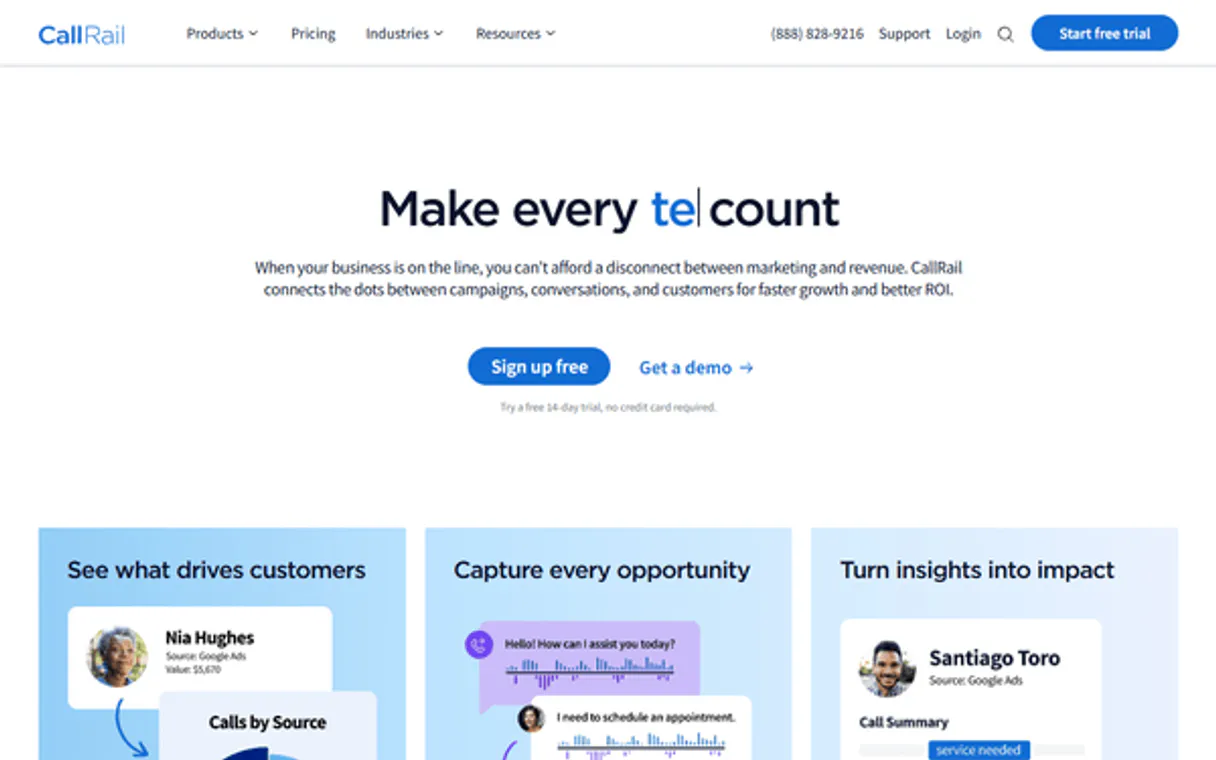
Independent Platform Disclaimer: Vinkius is an independent platform and is not affiliated with, endorsed by, sponsored by, verified by, or otherwise authorized by CallRail. All third-party trademarks, logos, and brand names are the property of their respective owners. Their use on this website is strictly for informational purposes to identify service compatibility and interoperability.
VINKIUS INFRASTRUCTURE
Cloud Hosted
Managed infra
V8 Isolated
Sandboxed per request
Zero-Trust Proxy
No stored credentials
DLP Enforced
Policy on every call
GDPR Compliant
EU data residency
Token Compression
~60% cost reduction
Works with Claude, ChatGPT, Cursor, and more
The Model Context Protocol standardizes how applications expose capabilities to LLMs. Instead of operating in isolation, your AI gains direct access to external platforms, live data, and real-world actions through secure, standardized connections.
This server provides 10 capabilities that interface natively with Claude, ChatGPT, Cursor, and any MCP client. No middleware. No custom integration required.
Available Capabilities
Sifting through dashboards to find one data point shouldn't take 15 minutes.
Today, finding out why a lead dropped off is a nightmare. You open the web form dashboard, check the call reports, then you jump to the company directory. You spend 20 minutes copy-pasting IDs and cross-referencing dates in spreadsheets just to build one simple narrative of the customer's journey.
With the CallRail MCP Server, you just ask your agent: 'Tell me about the lead from the pricing page.' The agent runs the necessary tools, pulls the `list_form_submissions` data, links it to the relevant company via `get_company_details`, and gives you the whole story—call data, lead data, everything—in seconds.
CallRail MCP Server: See all call and lead data in chat.
You stop opening 10 different tabs. No more jumping between the CallRail reports, the web form logs, and the user management section. The agent runs `list_calls` and `list_form_submissions` and gives you the combined view right where you are working.
It's simple. You ask a question; your AI client executes the tool calls; you get the answer. That's the difference.
Common Questions About CallRail MCP
How do I check all my calls from last week using list_calls? +
You ask your agent to 'List all calls from last week.' The agent runs list_calls and returns the data set. You can then ask follow-up questions about the source or duration.
What is the difference between list_calls and get_call_details? +
Use list_calls when you need a summary of many calls (e.g., 'list all calls today'). Use get_call_details when you need the full, granular metadata for one specific call ID.
Can I use list_form_submissions to find a specific lead? +
Yes. You ask your agent to 'List form submissions for John Doe.' The agent uses list_form_submissions and gives you the lead's details, including the landing page they visited.
How do I get details for a specific company using get_company_details? +
You tell your agent, 'What are the details for Company X?' The agent runs get_company_details and pulls the complete profile, keeping all the relevant info together.
Do I need to call list_tags to see what tags were used on a call? +
You usually don't. You just ask your agent to 'List calls tagged 'Webinar'.' The agent handles the filtering and retrieval using list_calls and the tag context.
How do I use list_trackers to see all the sources and tracking numbers? +
The list_trackers tool shows every active tracking number and its source. You get a list of numbers, which helps you check if your campaigns are pointing to the correct source data.
What is the difference between list_form_submissions and get_company_details? +
The list_form_submissions tool lists leads that came through web forms. get_company_details retrieves the profile information for a specific client or company.
How do I monitor account health using list_alerts? +
The list_alerts tool retrieves any active account warnings or critical issues. This lets you check for problems across your setup without manually checking the dashboard.
Can I check the source of a specific call using the agent? +
Yes! Use the get_call_details tool with the Call ID. Your agent will fetch the detailed metadata, which typically includes the source or tracking_number associated with the call.
How do I list all the leads from my website forms? +
Simply ask the agent to list_form_submissions. It will retrieve the latest leads captured through web forms from your CallRail account, including names and submission times.
Does the integration allow creating a new tracking number? +
The current toolset focuses on querying and monitoring (Read-Only) for marketing attribution analysis. Provisioning new numbers or changing core routing should be managed via the CallRail administrator dashboard.
Use it with your favorite AI tools
Connect this server to Cursor, Claude, VS Code, and more.
More in this category

HelpCrunch
Engage customers with live chat, email automation, and a knowledge base that reduces support workload and boosts satisfaction.

Adjust
Mobile measurement and attribution — track app installs, events, and performance via AI.
Landbot
Build conversational landing pages and chatbot flows with a visual builder that replaces boring forms with engaging conversations.
You might also like

TED EU
Search EU public procurement tenders via TED — find contracts by country, sector, or value range from any AI agent.

Zeev
Digitize business processes with BPMN workflows, electronic forms, and approval chains that replace paper and email chaos.

NAICS/SIC Classification API
Search industry codes — audit NAICS and SIC via AI.