
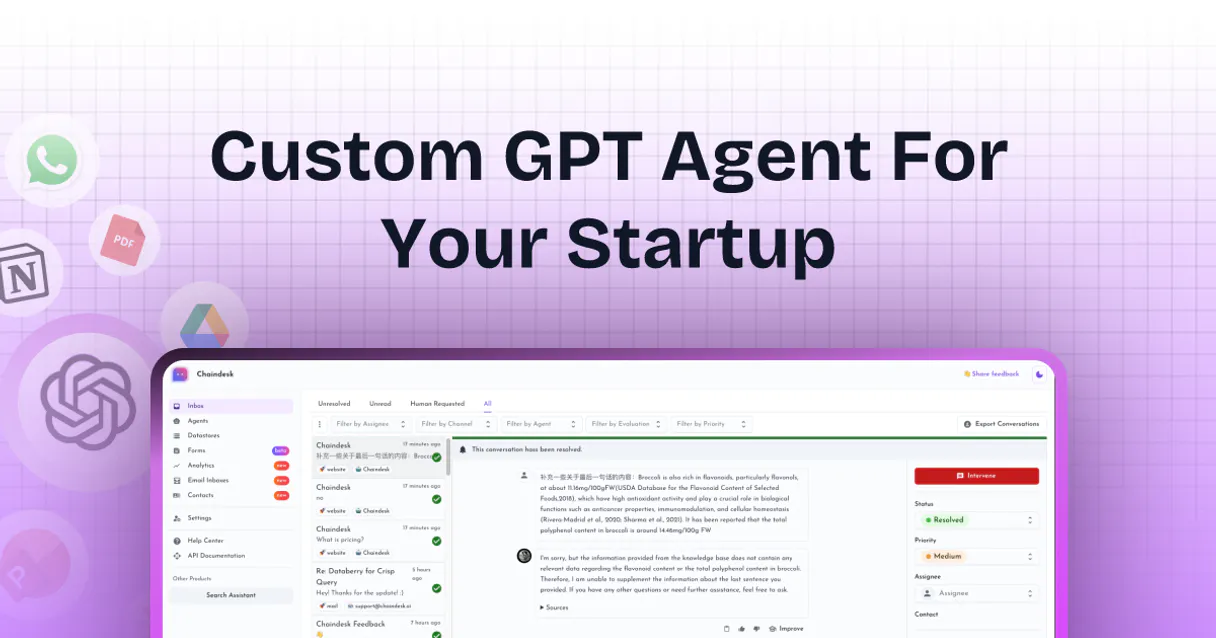
Chaindesk MCP. Give your AI access to all of your company's private data.
 Gemini
 Works with every AI agent you already use
…and any MCP-compatible client









Just plug in your AI agents and start using Vinkius.
Chaindesk gives you control over custom AI agents trained on your specific company knowledge. You can build bots to answer support questions, qualify leads, and resolve FAQs using only your own documents, websites, and databases—all without writing code.
What your AI agents can do
Create agent
Build a new, specialized AI agent by defining its name, knowledge base, and core instructions.
Delete agent
Remove an existing agent from the system entirely.
Get agent
Fetch specific details about a single AI agent, like its status or current prompt settings.
See an inventory of every custom AI agent you've built.
Programmatically build, modify, and maintain your specialized AI bots with specific instructions.
Ingest new knowledge by adding or updating entire documents, websites, or text chunks into the system's memory.
Send a question to an agent and get context-aware answers based on your proprietary data.
Retrieve the full message thread from any chat session for perfect continuity in research tasks.
Ask AI about this MCP
Supported MCP Clients
OAuth 2.0 Compatible Gemini Waiting for input…
Chaindesk: 11 Tools for Agent & Data Management
These tools let you manage the entire lifecycle of your custom AI agents, from building them to constantly feeding them new internal knowledge sources.
Make your AI actually useful.
Add this MCP to Claude, Cursor, or Windsurf and your AI stops guessing. It gets real tools to look things up, take action, and handle the stuff you keep doing by hand.
Start using Chaindesk on Vinkius019dd0cacreate agent
Build a new, specialized AI agent by defining its name, knowledge base, and core instructions.
019dd0cadelete agent
Remove an existing agent from the system entirely.
019dd0caget agent
Fetch specific details about a single AI agent, like its status or current prompt settings.
019dd0caget datastore
Retrieve detailed information on a specific knowledge collection (datastore).
019dd0caget messages
Fetch the complete text history from any recorded chat conversation.
019dd0calist agents
Get a list of every AI agent currently set up in your account.
019dd0calist conversations
Retrieve metadata for all chat conversations, optionally filtered by which agent handled them.
019dd0calist datastores
Get a list of all available knowledge collections (datastores) you've created or connected.
019dd0caquery agent
Send an input message to a specific agent, triggering it to generate a response using its trained data.
019dd0caupdate agent
Modify the configuration of an existing AI agent's prompt or associated knowledge base.
019dd0caupsert datasource
Add entirely new data (like a website URL) or update existing content sources into your knowledge base.
Choose How to Get Started
Build a custom MCP for your own tools, or connect a ready-made integration from our catalog.
Build Your Own
Turn any API into an MCP. Import a spec, define Agent Skills, or deploy with MCPFusion.
- Import from OpenAPI, Swagger, or YAML specs
- Create Agent Skills with progressive disclosure
- Deploy to edge with MCPFusion framework
- Built in DLP, auth, and compliance on every call
- Real time usage dashboard and cost metering
- Publish to catalog or keep private
Make Your AI Do More
Start with Chaindesk, then connect any of our 4,800+ other servers whenever your AI needs more. One click, no limits.
- Use this MCP plus 4,800+ others, all in one place
- Add new capabilities to your AI anytime you want
- Every connection is secured and compliant automatically
- Track usage and costs across all your servers
- Works with Claude, ChatGPT, Cursor, and more
- New servers added to the catalog every week
Independent Platform Disclaimer: Vinkius is an independent platform and is not affiliated with, endorsed by, sponsored by, verified by, or otherwise authorized by Chaindesk. All third-party trademarks, logos, and brand names are the property of their respective owners. Their use on this website is strictly for informational purposes to identify service compatibility and interoperability.
VINKIUS INFRASTRUCTURE
Cloud Hosted
Managed infra
V8 Isolated
Sandboxed per request
Zero-Trust Proxy
No stored credentials
DLP Enforced
Policy on every call
GDPR Compliant
EU data residency
Token Compression
~60% cost reduction
Works with Claude, ChatGPT, Cursor, and more
The Model Context Protocol standardizes how applications expose capabilities to LLMs. Instead of operating in isolation, your AI gains direct access to external platforms, live data, and real-world actions through secure, standardized connections.
This server provides 11 capabilities that interface natively with Claude, ChatGPT, Cursor, and any MCP client. No middleware. No custom integration required.
The current way of managing company knowledge is a mess of silos and clicks.
Today, updating a single piece of policy information means logging into the wiki, finding the right document, editing it, saving it, and then hoping that every chatbot or internal tool built on top of it actually sees the change. It's manual, it takes hours, and frankly, it usually misses something.
With this MCP, you point the agent at the source data using tools like `upsert_datasource`. The system handles the ingestion and update process automatically. You don't copy a single paragraph; you feed an entire site, and your agents are instantly updated for everyone to use.
Querying Agents with Chaindesk
Manual processes force users to jump between the support dashboard, the documentation portal, and the internal wiki just to get a full answer. You end up copying chunks of text and pasting them into a chat window for context.
Now, your agent pulls that information directly from its knowledge base. The user asks the question once via `query_agent`, and the agent synthesizes the final answer using multiple sources internally—all without you ever having to manually combine or copy data.
What you can do with this MCP connector
Building powerful AI requires more than just a prompt; it needs context. Chaindesk lets you connect your custom agents to deep internal data stores so they can talk about your business like an expert who's read every manual. You manage the entire knowledge base, from uploading website URLs and documents to defining how many specialized agents you need.
Instead of relying on general model knowledge, these agents pull answers directly from the specific sources you feed them. Because complex automation relies on knowing what happened step-by-step, Vinkius AI Analytics provides full visibility into every single tool call and data point that flows through your agent, keeping you in control and giving you a perfect audit trail of how decisions are made.
019dd0cb-0cc0-72c0-b7f9-fc5469da33dc 
How Chaindesk MCP Works
- 1 First, subscribe to this MCP and get your API key from your Chaindesk dashboard.
- 2 Next, use the agent tools to list existing agents or add new data sources by pointing them to URLs or files.
- 3 Finally, query an agent using your preferred client (Claude, Cursor, etc.) to let it answer questions using the knowledge you just supplied.
The bottom line is that you treat your internal documentation and websites like a database, and then use AI agents as the perfect interface for searching it.
Who Is Chaindesk MCP For?
This MCP is essential for technical product managers or support operations leads who get tired of having to manually update knowledge bases every time a policy changes. It's built for people whose job is documentation, process automation, and keeping complex systems running.
Use it to ingest entire company wikis or manuals into an agent, allowing staff to ask questions without you having to rebuild the knowledge base every month.
Automate the creation of specialized support bots that draw answers from product documentation and current ticket history, freeing up agents from basic FAQ work.
Integrate custom-trained AI models into internal tools to automate document ingestion and provide immediate context for complex development tasks.
What Changes When You Connect
- Build specialized bots with
create_agentthat act as expert knowledge consultants, not general chat tools. They only answer questions based on the data you approve. - Stop manual content uploads; use
upsert_datasourceto programmatically feed entire websites or documents into your knowledge base in minutes. - When troubleshooting a support query, access
get_messagesto provide the agent with perfect context from previous interactions, eliminating repetitive questions. - Keep track of everything: Use
list_agentsandlist_datastoresto maintain a clear inventory of every piece of intelligence your bots use. - Need to adjust an agent's instructions? The
update_agenttool lets you fine-tune its personality or focus without rebuilding it from scratch.
Real-World Use Cases
Onboarding a new product line
A Product Lead needs the support team to answer questions about a brand-new feature. They use upsert_datasource to feed all internal specs and guides, then use create_agent to build an 'X Feature Bot'. The agent immediately answers complex technical queries without any human intervention.
Auditing agent performance
An Operations Engineer wants to know if the 'Legal Analyst' bot is using outdated information. They use list_datastores and then check the data source details via get_datastore before running a query, ensuring accuracy.
Fixing bad chatbot responses
A Support Manager notices an agent is giving generic answers. Instead of rewriting prompts manually, they use update_agent to narrow the bot's system prompt and then immediately test it with a query_agent call.
Building a multi-stage workflow
A developer needs an agent that first checks if a user exists (get_datastore), then drafts a response, and finally logs the conversation history using list_conversations to complete the task.
The Tradeoffs
Assuming agents know everything
Asking an agent to answer about 'Company Policy 2025' when you forgot to run upsert_datasource for the new policy guide.
→
Always check your knowledge base first. Use list_datastores and verify that the source data is current, then use create_agent with the correct datastore ID.
Overwriting an agent accidentally
Running a generic 'update' command without knowing which specific agent or prompt configuration you are affecting.
→
Before modifying anything, always run list_agents to get the exact IDs. Then use get_agent first to confirm its current state before calling update_agent.
Querying without context
Sending a question like 'What did we talk about last week?' and getting a vague, unhelpful response.
→
Use list_conversations to find the correct session ID, then use get_messages to feed the agent the exact historical context it needs before querying.
When It Fits, When It Doesn't
You should use this MCP if your business problem requires an AI agent to answer questions based on proprietary data—data that isn't already indexed by a public model. For example, if you need agents to interpret internal policy manuals or technical specs, Chaindesk is mandatory. Don't use it if you just want a general chat bot; those can run off standard platforms. Use this when the core requirement is 'grounding.' If your goal is simple message automation (like sending an email), look at dedicated messaging tools instead of trying to build that logic here. Always map out your data flow first: do you need to list agents, add sources, or just query? Knowing this helps you use get_datastore vs. query_agent correctly.
Common Questions About Chaindesk MCP
How do I use the query_agent tool with Chaindesk? +
You send a question and an agent ID. The system then uses that specific agent's configured knowledge base to find the best answer, keeping results highly relevant and accurate.
Can I update my data sources using upsert_datasource? +
Yes, upsert_datasource is designed to add entirely new documents or URLs while also updating existing ones. This keeps your knowledge base current with minimal effort.
What if I need multiple agents working together? (list_agents) +
You use list_agents to manage them, and then you can chain actions: an agent might query another agent's data before generating a final answer.
Is there a way to see what the AI agent is looking at? (get_messages) +
Yes. list_conversations helps you find a session, and then get_messages pulls out the full chat history so you can review exactly what was said.
What details do I need to pass when using the `create_agent` tool? +
You must provide a name, a datastoreId, and a system prompt. The system prompt is critical because it defines the agent's persona and core instructions for all future interactions.
How can I check which knowledge bases are available using `list_datastores`? +
The tool returns an inventory of all linked datastores, including their unique IDs and current status. This lets you confirm that the data sources required for your new agents are active and accessible.
If I need to change my agent's behavior, how do I use the `update_agent` tool? +
You run update_agent, supplying the existing agent ID along with the specific parameters you want to modify. This allows you to refine the system prompt or name without needing to rebuild the entire assistant.
My agent seems stuck; how do I use `get_agent` to check its status? +
Running get_agent with the ID provides a snapshot of the agent's current configuration. You can verify which datastore it is linked to and confirm that all required system prompts are intact.
Use it with your favorite AI tools
Connect this server to Cursor, Claude, VS Code, and more.