
Chatham Financial MCP. Get valuations and market data from chat.
 Gemini
 Works with every AI agent you already use
…and any MCP-compatible client









Just plug in your AI agents and start using Vinkius.
Chatham Financial MCP Server connects your ChathamDirect account to your AI agent. You manage financial risk and valuations by listing transactions, getting mark-to-market values, and accessing market data like SOFR and EURIBOR directly through natural conversation.
It gives you full control over debt and derivatives oversight.
What your AI agents can do
Get chatham market data
Retrieves benchmark rates and forward curves for financial analysis.
Get hedge effectiveness
Pulls the test results for how well a hedge performed.
Get trade accounting
Gets the detailed hedge accounting records for a specific transaction.
List every legal entity and portfolio set up in your Chatham account.
List and get details on debt and derivative transactions.
Retrieve the current and historical mark-to-market value for any trade.
Get the payment schedule and history for specific financial instruments.
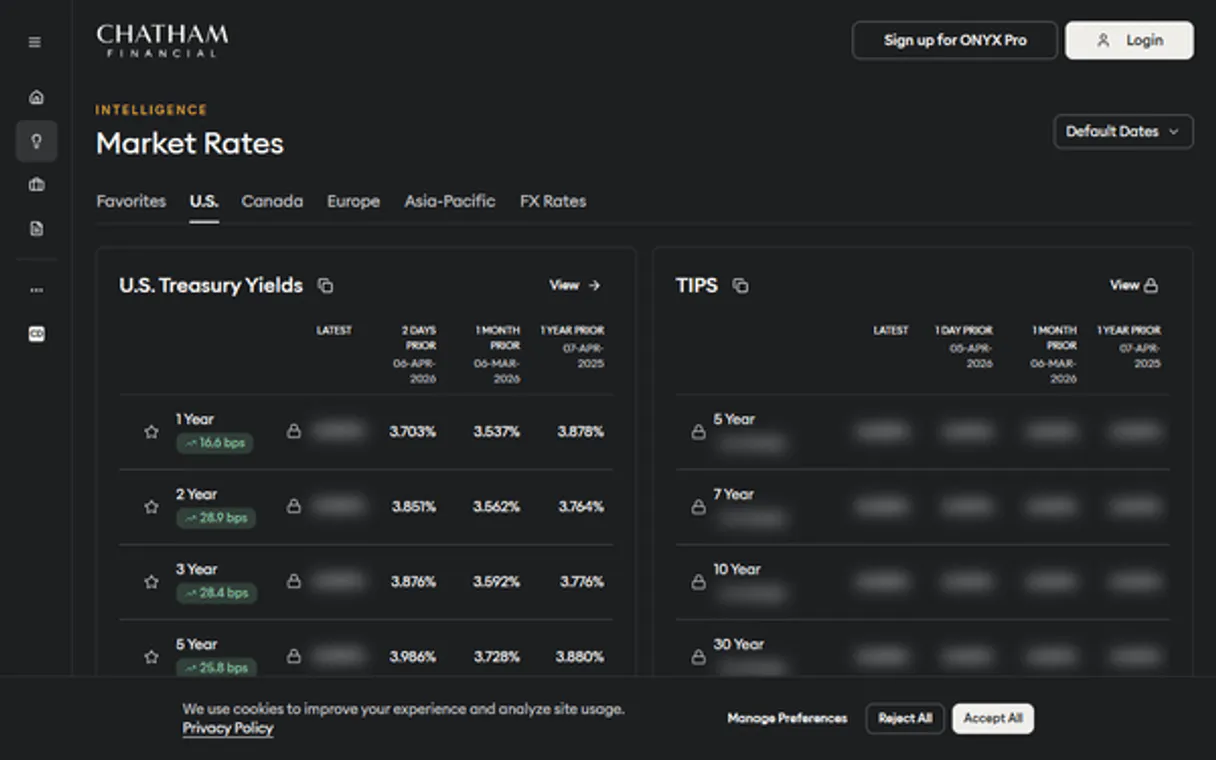
Retrieve benchmark rates (like SOFR and EURIBOR) and forward curves.
Access hedge accounting details and the results of effectiveness tests.
Ask AI about this MCP
Supported MCP Clients
Gemini Waiting for input…
Chatham Financial MCP Server: 8 Tools for Financial Analysis
Use these tools to query benchmark rates, valuation reports, and transaction histories from your ChathamDirect account using natural language commands.
019d756dget chatham market data
Retrieves benchmark rates and forward curves for financial analysis.
019d756dget hedge effectiveness
Pulls the test results for how well a hedge performed.
019d756dget trade accounting
Gets the detailed hedge accounting records for a specific transaction.
019d756dget trade valuations
Retrieves the current and historical mark-to-market value for a trade.
019d756dlist chatham entities
Lists every legal entity configured within your Chatham account.
019d756dlist chatham portfolios
Lists all the managed portfolios in your account.
019d756dlist chatham transactions
Lists all your financial transactions and trades.
019d756dlist trade payments
Lists payment schedules and the payment history for a transaction.
Choose How to Get Started
Build a custom MCP for your own tools, or connect a ready-made integration from our catalog.
Build Your Own
Turn any API into an MCP. Import a spec, define Agent Skills, or deploy with MCPFusion.
- Import from OpenAPI, Swagger, or YAML specs
- Create Agent Skills with progressive disclosure
- Deploy to edge with MCPFusion framework
- Built in DLP, auth, and compliance on every call
- Real time usage dashboard and cost metering
- Publish to catalog or keep private
Make Your AI Do More
Start with Chatham Financial, then connect any of our 4,700+ other servers whenever your AI needs more. One click, no limits.
- Use this MCP plus 4,700+ others, all in one place
- Add new capabilities to your AI anytime you want
- Every connection is secured and compliant automatically
- Track usage and costs across all your servers
- Works with Claude, ChatGPT, Cursor, and more
- New servers added to the catalog every week
What you can do with this MCP connector
Chatham Financial MCP Server connects your AI agent directly to your ChathamDirect account. You manage financial risk and valuations by listing transactions, getting mark-to-market values, and accessing market data like SOFR and EURIBOR—all through natural conversation. You'll get full control over debt and derivatives oversight. You can use list_chatham_entities to see every legal entity configured in your Chatham account.
You can also call list_chatham_portfolios to list all the managed portfolios. To track your financial transactions, you'll run list_chatham_transactions, which lists all your debt and derivative trades. You can get specific payment details for a trade using list_trade_payments, which gives you the payment schedule and history. For valuation, get_trade_valuations retrieves the current and historical mark-to-market value for any trade.
You can check how a hedge performed by calling get_hedge_effectiveness, and you can get detailed hedge accounting records for a transaction with get_trade_accounting. Market analysis is covered by get_chatham_market_data, which retrieves benchmark rates and forward curves. You'll find all this info, letting your agent talk to your accounts.
How Chatham Financial MCP Works
- 1 1. Subscribe to the Chatham Financial server and provide your API Key and Client ID (these come from your relationship manager).
- 2 2. Your AI agent runs a natural language query (e.g., 'What was the last valuation for trade T-987?').
- 3 3. The server invokes the correct tool (
get_trade_valuations) and returns the specific financial data directly to your agent's chat window.
The bottom line is, you talk to your agent, and it pulls complex financial data from Chatham directly.
Who Is Chatham Financial MCP For?
Financial Controllers, Treasury Managers, Risk Officers, and Investment Analysts need this. If your job involves tracking complex financial instruments, derivatives, or regulatory reporting, this tool saves you from opening multiple, complex dashboards. You get the data you need, right where you are.
Audits accounting entries and payment schedules without having to navigate the complex, native dashboard.
Monitors hedge performance and reviews trade valuations using natural language prompts.
Quickly verifies market rates and hedge effectiveness results straight from their chat interface.
Verifies portfolio summaries and legal entity data for reporting purposes.
What Changes When You Connect
- See the current and historical mark-to-market value of any trade using
get_trade_valuations. You don't need to open a dashboard to check a trade's worth. - Monitor all payment schedules and history for a trade with
list_trade_payments. This keeps your payment tracking records immediately available in your chat. - Access benchmark rates (SOFR, EURIBOR) and forward curves instantly via
get_chatham_market_data. Use this to ground your analysis without leaving your workflow. - Audit hedge performance by calling
get_hedge_effectiveness. You instantly see the test results and accounting details without manually pulling reports. - List all legal entities and portfolios using
list_chatham_entitiesandlist_chatham_portfolios. This helps you verify which accounts are in scope for reporting. - Get a full overview of transactions with
list_chatham_transactions. It gives you the necessary starting point to dive into any specific trade or portfolio.
Real-World Use Cases
Need to verify a portfolio summary for a client report
An investment analyst needs to summarize portfolio data. Instead of running three separate reports, they ask their agent to use list_chatham_portfolios and list_chatham_entities. The agent gathers the necessary scope data, letting the analyst verify the full legal structure before writing the report.
A trade's value changed, need to know why
A treasury manager notices a valuation variance. They ask the agent to run get_trade_valuations and then immediately follow up with get_trade_accounting for the same trade ID. This sequence gives the full financial picture: the current value and the underlying accounting details.
Checking market rates for a new derivative deal
A risk officer needs the latest SOFR curve for a deal. They ask the agent to run get_chatham_market_data. This returns the expected rates, which they can then use to calculate the required hedge coverage, all from the chat.
Auditing payment history for compliance
A financial controller needs to prove payment compliance. They ask the agent to run list_chatham_transactions to find the trade ID, and then use list_trade_payments on that ID. This confirms the payment schedule and history in a single, verifiable process.
The Tradeoffs
Treating data endpoints as separate queries
Running list_chatham_transactions and then separately running get_trade_valuations for each ID. This forces the user to manually reconcile two lists in a spreadsheet.
→
Tell your agent the full goal: 'Give me the valuation for all trades listed in the last 30 days.' The agent orchestrates the calls, linking list_chatham_transactions to get_trade_valuations automatically.
Ignoring the transaction lifecycle
Only checking list_chatham_portfolios to see what's managed. This gives scope but no idea if the assets are paid off, valued, or if the hedge is effective.
→
Use a multi-step prompt: 'Show me the portfolio status, and for the top three trades, check their payments and hedge effectiveness.' This links list_chatham_portfolios, list_trade_payments, and get_hedge_effectiveness in one go.
Over-relying on the native dashboard
Opening the Chatham portal to find market data. This involves logging in, navigating three tabs, and manually reading the SOFR curve.
→
Ask your agent to run get_chatham_market_data. It pulls the SOFR curve directly into the chat, saving you the login and navigation time.
When It Fits, When It Doesn't
Use this if your job requires connecting multiple, distinct financial data points to tell a story. For example, if you need to know a trade's current value, and its historical accounting details, and the current benchmark rates, this is the right tool. Don't use it if you just need a simple list of trades—use list_chatham_transactions alone. Don't use it if you only need to see what entities exist—use list_chatham_entities. This tool shines when you need to correlate data from get_trade_valuations, get_trade_accounting, and get_chatham_market_data in a single conversational flow.
Independent Platform Disclaimer: Vinkius is an independent platform and is not affiliated with, endorsed by, sponsored by, verified by, or otherwise authorized by Chatham Financial. All third-party trademarks, logos, and brand names are the property of their respective owners. Their use on this website is strictly for informational purposes to identify service compatibility and interoperability.
VINKIUS INFRASTRUCTURE
Cloud Hosted
Managed infra
V8 Isolated
Sandboxed per request
Zero-Trust Proxy
No stored credentials
DLP Enforced
Policy on every call
GDPR Compliant
EU data residency
Token Compression
~60% cost reduction
Works with Claude, ChatGPT, Cursor, and more
The Model Context Protocol standardizes how applications expose capabilities to LLMs. Instead of operating in isolation, your AI gains direct access to external platforms, live data, and real-world actions through secure, standardized connections.
This server provides 8 capabilities that interface natively with Claude, ChatGPT, Cursor, and any MCP client. No middleware. No custom integration required.
Available Capabilities
Pulling trade data usually means jumping between five different portals.
You start in the portfolio dashboard to see a list of instruments. Then you open the transactions tab to find the ID. Next, you click the valuation report, and then you open a separate tab to see the market rates. You copy IDs and paste them across three different windows, wasting time and risking manual errors.
With the Chatham Financial MCP Server, you just ask your agent for the full picture. You ask for the valuation, and the agent uses `get_trade_valuations` and `get_chatham_market_data` to pull the data and give you a single, cohesive answer right in your chat.
Chatham Financial MCP Server: Get complete financial reports from chat.
Forget manually running reports for hedge effectiveness, checking the payment history, and listing the legal entities. You ask for all three. The agent runs `get_hedge_effectiveness`, `list_trade_payments`, and `list_chatham_entities`, and you get the three results, cross-referenced, in one response.
The whole workflow stays in the chat. You don't leave your current screen. You just ask the question.
Common Questions About Chatham Financial MCP
How do I check the current valuation for a trade using get_trade_valuations? +
To check a trade's current value, ask your agent to run get_trade_valuations and provide the specific trade ID. The agent returns the mark-to-market value, including percentage changes, right away.
What is the difference between list_chatham_transactions and list_chatham_portfolios? +
The list_chatham_transactions tool lists the actual financial movements and trades. The list_chatham_portfolios tool lists the containers—the managed portfolios—that hold those trades.
Can I get benchmark rates using get_chatham_market_data? +
Yes, get_chatham_market_data retrieves key benchmark rates like SOFR and EURIBOR, and it shows the forward curves needed for pricing derivatives.
How do I check hedge effectiveness? +
Run get_hedge_effectiveness and specify the relevant trade ID. The tool provides the results of the effectiveness test, confirming if the hedge is working as expected.
What is the purpose of list_trade_payments? +
The list_trade_payments tool tracks a transaction's payment schedule and its payment history, helping you ensure all financial obligations are met.
How do I use list_chatham_entities to see all my legal entities? +
list_chatham_entities retrieves a list of all legal entities configured in your account. This helps you confirm which corporate structures are linked to your financial records before running other reports.
Can I use list_chatham_portfolios to see my managed portfolios? +
list_chatham_portfolios provides a list of every managed portfolio. It's useful for scoping out which specific group of assets you need to run valuation checks on.
What is the difference between get_trade_accounting and list_chatham_transactions? +
list_chatham_transactions lists all your financial trades and movements. get_trade_accounting gives specific details on how the hedge accounting applies to a single, selected transaction.
Can I see the mark-to-market valuation for a specific trade? +
Yes! Use the get_trade_valuations tool with the trade ID. The agent will return the latest calculated valuation from ChathamDirect.
How do I check current SOFR or EURIBOR rates? +
Use the get_chatham_market_data tool and specify the index (e.g., 'SOFR'). Your agent will fetch the latest benchmark rates and available forward curves.
Where do I find my Chatham API credentials? +
API access is typically provided to ChathamDirect clients. Contact your Chatham Relationship Manager to request API access and obtain your API Key and Client ID.
Use it with your favorite AI tools
Connect this server to Cursor, Claude, VS Code, and more.
More in this category

Celoscan (Celo Network Explorer)
Access Celo network data via Celoscan — check account balances, track transactions, and inspect smart contracts directly from your AI agent.

Datos Abiertos Castilla-La Mancha
Access the official Open Data portal of Castilla-La Mancha. Explore datasets, resources, and query tabular data directly through your AI agent.

Dotloop
Manage real estate transactions via Dotloop — list loops, manage participants, and oversee documents.
You might also like

Intelligent Loan Comparator
Empower your AI Agent with deterministic financial modeling. Instantly compare loan options and calculate exact amortization schedules offline, guaranteeing precision and privacy.

Balena
Manage IoT fleets and edge devices via Balena — list devices, manage environment variables, and track releases directly from your AI agent.

SonarCloud
Merge your SaaS DevOps workflow with SonarCloud to review AI code and prevent production vulnerabilities.