
Chattermill MCP. Analyze CX data, themes, and scores directly from your chat.
 Gemini
 Works with every AI agent you already use
…and any MCP-compatible client









Just plug in your AI agents and start using Vinkius.
Chattermill. Unify customer feedback from Zendesk, App Store, Typeform, and dozens of other sources. Use your AI client to analyze sentiment, track NPS/CSAT scores, and find recurring themes by calling tools like `list_feedback_sources` and `list_feedback_themes`.
What your AI agents can do
Get chattermill metric
Retrieves calculated scores (NPS, CSAT, sentiment, volume) for a project, optionally filtering by date range.
Get chattermill project
Gets full details for a specific Chattermill project using its ID.
Get response details
Retrieves the comment, score, metadata, and applied themes for one specific feedback response.
Retrieve calculated scores like NPS, average score, net sentiment, and volume for a given project using get_chattermill_metric.
Get detailed information about a single customer comment, including its score, metadata, and applied themes, using get_response_details.
List every configured data ingestion source (e.g., Zendesk, App Store) feeding the feedback pipeline with list_feedback_sources.
List AI-generated themes and categories to pinpoint common customer issues using list_feedback_themes.
List paginated feedback responses, filtering by date range or specific sources using list_feedback_responses.
List available projects (list_chattermill_projects) or access custom user-defined segments for advanced cohort analysis using list_custom_segments.
Ask AI about this MCP
Supported MCP Clients
Gemini Waiting for input…
Chattermill MCP Server: 11 Tools for CX Intelligence
These tools let your AI client access structured data about customer feedback, allowing you to calculate metrics, audit sources, and analyze themes in one conversation.
019d756dget chattermill metric
Retrieves calculated scores (NPS, CSAT, sentiment, volume) for a project, optionally filtering by date range.
019d756dget chattermill project
Gets full details for a specific Chattermill project using its ID.
019d756dget response details
Retrieves the comment, score, metadata, and applied themes for one specific feedback response.
019d756dlist chattermill projects
Lists all available feedback projects in your Chattermill account.
019d756dlist custom segments
Lists custom, user-defined segments for advanced filtering and cohort analysis.
019d756dlist data types
Lists all data classification types (like NPS or review) used to categorize responses for a project.
019d756dlist feedback responses
Lists paginated feedback responses for a project, allowing date and source filtering.
019d756dlist feedback sources
Lists all configured data ingestion sources (like Zendesk or App Store) for a project.
019d756dlist feedback themes
Lists AI-generated themes and categories that classify recurring customer topics in a project.
019d756dlist theme categories
Lists parent categories that group related feedback themes together for high-level trend analysis.
019d756dsubmit feedback response
Submits a new, manual feedback response to a project, including optional score and source details.
Choose How to Get Started
Build a custom MCP for your own tools, or connect a ready-made integration from our catalog.
Build Your Own
Turn any API into an MCP. Import a spec, define Agent Skills, or deploy with MCPFusion.
- Import from OpenAPI, Swagger, or YAML specs
- Create Agent Skills with progressive disclosure
- Deploy to edge with MCPFusion framework
- Built in DLP, auth, and compliance on every call
- Real time usage dashboard and cost metering
- Publish to catalog or keep private
Make Your AI Do More
Start with Chattermill, then connect any of our 4,700+ other servers whenever your AI needs more. One click, no limits.
- Use this MCP plus 4,700+ others, all in one place
- Add new capabilities to your AI anytime you want
- Every connection is secured and compliant automatically
- Track usage and costs across all your servers
- Works with Claude, ChatGPT, Cursor, and more
- New servers added to the catalog every week
What you can do with this MCP connector
Chattermill MCP Server - Analyze Feedback & Sentiment
This server pulls together customer feedback from sources like Zendesk, the App Store, and Typeform. It lets your AI client analyze sentiment, track NPS/CSAT scores, and find recurring customer issues by calling specific tools.
To find all your data sources: Use list_feedback_sources to list every configured data ingestion source for a project. To see what kind of projects you've got: Call list_chattermill_projects to list all available feedback projects in your Chattermill account. To get the full scoop on one project: Run get_chattermill_project with a project ID to pull all its details.
Analyzing the Data: You can track key scores—NPS, CSAT, sentiment, and volume—for a whole project using get_chattermill_metric, and you can narrow those metrics down by a specific date range. You've got tools to dig into the actual feedback. list_feedback_responses lets you list pages of feedback responses for a project, and you can filter those responses by date or by the source they came from.
If you need the deep dive on one comment, get_response_details pulls the comment, score, metadata, and any themes applied to that single response.
Finding Themes and Segments: Want to know what customers are complaining about? Use list_feedback_themes to list AI-generated themes and categories that classify recurring customer topics in a project. For a higher-level look, list_theme_categories lists the parent categories that group those related themes together for trend analysis. You can also see what data classification types are in use by calling list_data_types.
For advanced analysis, list_custom_segments lists custom, user-defined segments, letting you do advanced cohort analysis. You can also see what parent categories group themes using list_theme_categories.
Managing Feedback: You can see what sources feed your data pipeline with list_feedback_sources, and if you need to manually log something, submit_feedback_response lets you submit a new feedback response to a project, including an optional score and source detail.
How it works: Your AI client uses these tools to gather structured data, letting you interpret complex customer insights directly from the chat interface. You just ask for it, and your agent does the heavy lifting.
How Chattermill MCP Works
- 1 First, run
list_chattermill_projectsto get the project key. This key is needed for every other tool call. - 2 Next, run a specific list tool (e.g.,
list_feedback_sourcesorlist_data_types) to understand the filtering options available. - 3 Finally, use the required key and parameters in a tool like
list_feedback_responsesorget_chattermill_metricto pull the specific data you need.
The bottom line is: You use the AI client to run discovery tools first, which provides the necessary keys and parameters to run the main data retrieval tools.
Who Is Chattermill MCP For?
CX Managers and Product Managers who get stuck in dashboard clicks. If you spend your mornings opening Zendesk, then App Store Connect, then a spreadsheet to find out why users are unhappy, this is for you. You need a single source of truth for customer sentiment, right in your chat window.
Monitors sentiment trends and drills down into specific customer comments by asking the agent to execute get_response_details based on keywords or dates.
Identifies recurring product issues by asking the agent to list and analyze themes using list_feedback_themes, without having to build a complex report.
Quickly retrieves and compares NPS and CSAT metrics across different time periods or sources by calling get_chattermill_metric.
What Changes When You Connect
- See overall performance metrics instantly. Instead of navigating to a reporting dashboard, use
get_chattermill_metricto pull the current NPS or CSAT score for a project in one request. - Identify what's broken faster. Run
list_feedback_themesto pull a list of the top recurring customer issues (e.g., 'UI Complexity') and see their volume without leaving the chat. - Audit your data sources. Use
list_feedback_sourcesto verify that all expected channels (Zendesk, App Store) are actively feeding data into the system. - Pinpoint specific issues. Use
list_feedback_responsesandlist_data_typestogether to filter for responses that mention 'login' and fall within the last 30 days. - Scope your research. Use
list_custom_segmentsto narrow down feedback to specific user cohorts, allowing for focused analysis on a small, critical group. - Streamline data input. Need to log a piece of feedback?
submit_feedback_responselets you send new entries directly from your agent, bypassing manual form entry.
Real-World Use Cases
Reviewing a new feature launch
The PM launched a new checkout flow. Instead of waiting for the weekly report, they ask their agent to run list_feedback_themes for the 'Checkout' project. The agent returns 15 active themes, showing 'Payment Error' is the top problem. The PM immediately knows where to focus development.
Investigating a dip in satisfaction
The CX Manager notices a dip in scores. They run get_chattermill_metric for NPS and see a drop. They then use list_feedback_sources to check if the drop correlates with a specific source, like 'App Store', indicating a platform issue.
Preparing for a Quarterly Business Review (QBR)
The Insights Team needs QBR data. They first call list_chattermill_projects to confirm the correct project key, then use get_chattermill_metric to pull the historical NPS and CSAT data for the last quarter, compiling it all in the chat transcript.
Debugging a data pipeline failure
The Operations Team gets an alert that Zendesk data is missing. They run list_feedback_sources and check the status. If the source is listed but inactive, they know the problem is upstream, saving hours of manual investigation.
The Tradeoffs
Treating feedback data like a database query
Asking the agent to 'Give me all negative reviews from the last month that mention login.' This vague query fails because it doesn't specify the required filters or data types.
→
You must use a sequence of tools. First, use list_data_types to confirm the correct type key, then use list_feedback_responses with the appropriate date and source filters, and finally, filter the resulting data by the agent.
Forgetting the project context
Calling get_chattermill_metric without providing a project key, leading to a vague error or default metrics that don't match the current business unit.
→
Always start by running list_chattermill_projects to confirm the project key. Use that key when calling any metric or detail tool.
Relying on manual data export
Exporting data from the dashboard and then manually comparing it to data from a different source (e.g., comparing App Store data to Typeform data).
→
Use list_feedback_sources to confirm all channels are connected. Then, use list_feedback_responses to pull the unified data set, allowing you to compare sources side-by-side in the chat.
When It Fits, When It Doesn't
Use this server if your primary pain is data fragmentation. You need to compare sentiment, scores, and themes across multiple sources (Zendesk, App Store, etc.) without opening a web browser. You're looking for the 'why' behind the numbers.
Don't use this if you just need a single, static report (use a dedicated BI tool). Also, don't use this if you only need to submit data—though you can with submit_feedback_response, it's overkill. If you only need to see the list of available projects, just run list_chattermill_projects and stop.
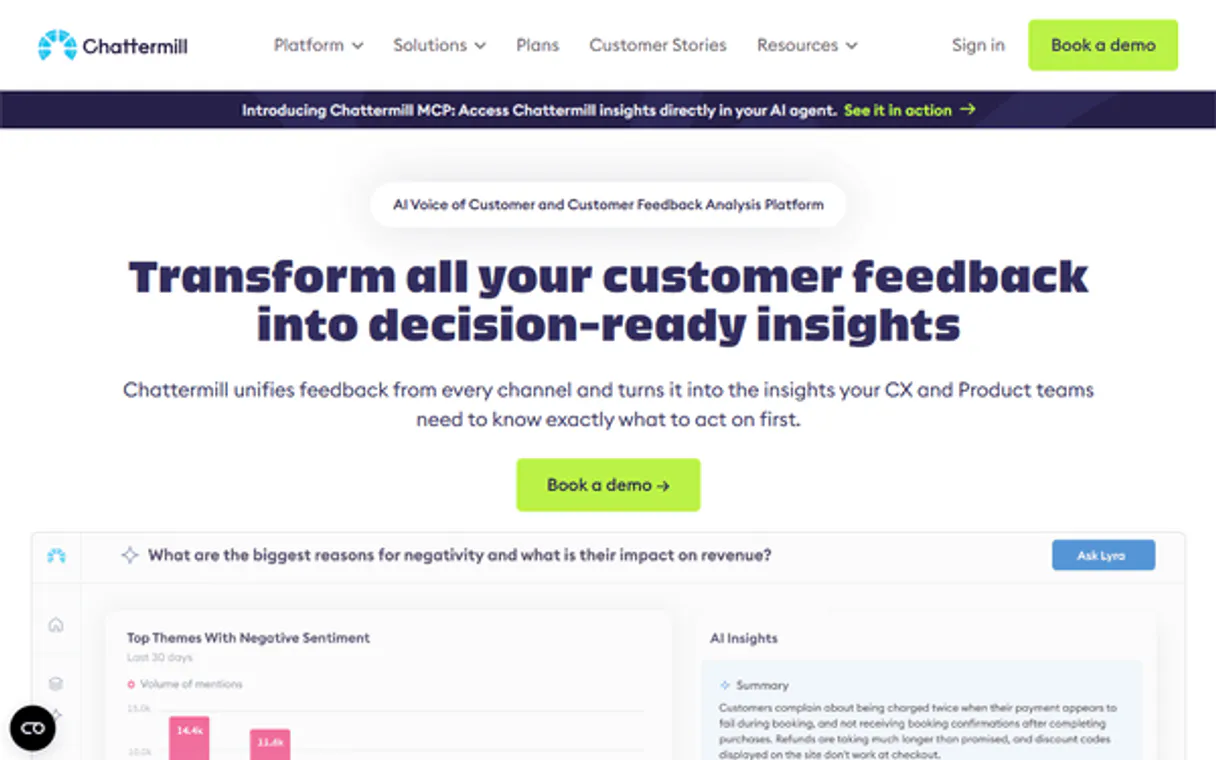
Independent Platform Disclaimer: Vinkius is an independent platform and is not affiliated with, endorsed by, sponsored by, verified by, or otherwise authorized by Chattermill. All third-party trademarks, logos, and brand names are the property of their respective owners. Their use on this website is strictly for informational purposes to identify service compatibility and interoperability.
VINKIUS INFRASTRUCTURE
Cloud Hosted
Managed infra
V8 Isolated
Sandboxed per request
Zero-Trust Proxy
No stored credentials
DLP Enforced
Policy on every call
GDPR Compliant
EU data residency
Token Compression
~60% cost reduction
Works with Claude, ChatGPT, Cursor, and more
The Model Context Protocol standardizes how applications expose capabilities to LLMs. Instead of operating in isolation, your AI gains direct access to external platforms, live data, and real-world actions through secure, standardized connections.
This server provides 11 capabilities that interface natively with Claude, ChatGPT, Cursor, and any MCP client. No middleware. No custom integration required.
Available Capabilities
Sifting through feedback means jumping between 5+ dashboards.
Today, finding out why users are upset means logging into Zendesk, checking the App Store feedback portal, pulling Typeform submissions, and then cross-referencing all that data in a spreadsheet. You spend more time copying and pasting links and IDs than actually analyzing the cause.
With the Chattermill MCP Server, you ask your agent to pull all the data. It executes `list_feedback_responses` across all sources, giving you a unified, paginated list in the chat. You get the full picture without leaving your workflow.
Get CX scores and themes in seconds with Chattermill MCP Server
You used to have to build a custom report in the dashboard, select a date range, and hit 'Run' just to get the NPS score or a list of common complaints. This took clicks, waiting, and often required multiple attempts.
Now, your agent runs `get_chattermill_metric` or `list_feedback_themes` and delivers the answer instantly in the chat. It's direct, immediate, and ready for your next thought.
Common Questions About Chattermill MCP
How do I check if my data sources are connected using the Chattermill MCP Server? +
Run list_feedback_sources. This tool lists every configured data ingestion source (like Zendesk or App Store) and confirms if the data is flowing into the system.
What is the difference between `list_feedback_themes` and `list_theme_categories`? +
list_feedback_themes gives you the specific, granular topics (e.g., 'slow loading'). list_theme_categories provides the parent groups these themes belong to, useful for high-level trend spotting.
How do I get the current NPS score using the Chattermill MCP Server? +
Use get_chattermill_metric and specify nps as the metric_type. You can also narrow the date range using UNIX timestamps for precision.
Can I filter feedback by date and source using `list_feedback_responses`? +
Yes. list_feedback_responses supports filtering by date_from/date_to and requires specifying the source key, giving you precise control over the response set.
Do I need to know the project ID before I use any Chattermill MCP tool? +
Yes. Always start by calling list_chattermill_projects to obtain the necessary project key, which is required by almost every other tool.
How do I find all the projects I can analyze using `list_chattermill_projects`? +
You call list_chattermill_projects first. This tool returns a list of all available feedback projects in your Chattermill account, giving you the necessary project key for all other tools.
What information does `get_response_details` return about a single feedback response? +
get_response_details returns the comment text, the calculated score, metadata, and any themes applied to that specific feedback response.
How can I submit new feedback using `submit_feedback_response`? +
You use submit_feedback_response by providing the project key and the comment text. You can optionally include score, data source, and data type keys if you have them.
How do I find the project key I need to use with most tools? +
Start by asking the agent to run list_chattermill_projects. This returns all your projects with their keys. Most Chattermill API endpoints — responses, themes, metrics, etc. — require this project key as the first parameter.
What customer experience metrics can I retrieve? +
Use get_chattermill_metric with a metric type of nps, average_score, net_sentiment, or volume. You can filter by date range, category, or theme for more targeted insights. All metrics require a project key.
Where do I find my Chattermill API Key? +
Log in to your Chattermill account and navigate to Settings > API. You can generate and copy your personal API Key from that section. The key is used as a Bearer token on every API request.
Use it with your favorite AI tools
Connect this server to Cursor, Claude, VS Code, and more.
More in this category

Desku.io
Unify customer support across email, chat, and social with AI-assisted ticket resolution that speeds up response times.

Clickatell
Manage mobile messaging via Clickatell — send SMS, track delivery status, monitor balance, and handle inbound rules directly from any AI agent.

YouCanBook.me
Automate scheduling workflows via YouCanBook.me — manage booking pages, appointments, and availability directly from any AI agent.
You might also like

Xweather Renewable
Access weather forecasts, solar irradiance, and renewable energy farm data via Vaisala Xweather API for wind and solar assessment.

GoCardless
Collect recurring payments directly from bank accounts with automated direct debit that reduces failed payment rates.
Truto Unified Calendar
Empower your AI agent with a universal API to read, schedule, and sync events seamlessly across Google, Outlook, and other major calendar providers.