
Chuanglan 253 / 创蓝 MCP. Send SMS and audit identity in China via your AI agent.
 Gemini
 Works with every AI agent you already use
…and any MCP-compatible client









Just plug in your AI agents and start using Vinkius.
Chuanglan 253 / 创蓝 MCP Server is a direct connection to China's cloud communication and KYC platform. It lets your AI agent send high-volume SMS messages and perform real-time identity checks.
Your agent handles everything from standard texting to complex 3-element KYC audits, giving you reliable communication and verification data instantly.
What your AI agents can do
Flash check
Runs a one-click login check for user accounts.
Get balance
Checks the current account credit balance for SMS services.
Pull sms reports
Retrieves detailed historical reports on delivered SMS messages.
Sends text messages, supporting standard, variable content, and international destinations.
Performs real-time identity checks using name and ID numbers (2-element KYC).
Checks if a person owns a phone number using a 3-element KYC process (name, ID, phone).
Retrieves current credit balances and monitors overall service status.
Pulls detailed reports and queries specific message statuses for reliability checks.
Ask AI about this MCP
Supported MCP Clients
Gemini Waiting for input…
Chuanglan 253 / 创蓝 MCP Server: 9 Tools for SMS & KYC
Manage all your communications and identity checks. Use these nine tools to send messages, audit status, and verify users in one place.
019d8424flash check
Runs a one-click login check for user accounts.
019d8424get balance
Checks the current account credit balance for SMS services.
019d8424pull sms reports
Retrieves detailed historical reports on delivered SMS messages.
019d8424query sms status
Checks the delivery status of a specific sent SMS message.
019d8424send intl sms
Sends a text message to an international destination.
019d8424send sms
Sends a standard, domestic text message.
019d8424send variable sms
Sends a text message where parts of the content can be changed (variable content).
019d8424verify identity
Performs a 2-element check to verify a user's name and ID number.
019d8424verify phone
Performs a 3-element check to verify phone ownership using name, ID, and phone number.
Choose How to Get Started
Build a custom MCP for your own tools, or connect a ready-made integration from our catalog.
Build Your Own
Turn any API into an MCP. Import a spec, define Agent Skills, or deploy with MCPFusion.
- Import from OpenAPI, Swagger, or YAML specs
- Create Agent Skills with progressive disclosure
- Deploy to edge with MCPFusion framework
- Built in DLP, auth, and compliance on every call
- Real time usage dashboard and cost metering
- Publish to catalog or keep private
Make Your AI Do More
Start with Chuanglan 253 / 创蓝, then connect any of our 4,700+ other servers whenever your AI needs more. One click, no limits.
- Use this MCP plus 4,700+ others, all in one place
- Add new capabilities to your AI anytime you want
- Every connection is secured and compliant automatically
- Track usage and costs across all your servers
- Works with Claude, ChatGPT, Cursor, and more
- New servers added to the catalog every week
What you can do with this MCP connector
Your agent connects to Chuanglan 253, giving it full control over high-volume SMS and KYC operations. It handles everything from basic texting to complex identity audits, keeping your communication and verification processes running smoothly.
Your agent can send standard text messages using send_sms, or variable content texts with send_variable_sms. You can also send international texts to any destination with send_intl_sms. When you need to check on a specific message, query_sms_status tells you the delivery status. To get a full picture of your message history, pull_sms_reports pulls detailed records of all sent SMS messages.
You can check the current credit balance for SMS services with get_balance.
For verifying users, your agent performs a basic login check using flash_check. You can run a 2-element KYC check with verify_identity, which verifies a user's name and ID number. To confirm phone ownership, verify_phone runs a 3-element KYC process using name, ID, and phone number.
How Chuanglan 253 / 创蓝 MCP Works
- 1 Subscribe to the server and input your Chuanglan Account and Password credentials.
- 2 Connect your AI client (like Claude or Cursor) to the MCP endpoint.
- 3 Instruct your agent with a natural language request (e.g., 'Verify identity for John Doe' or 'Send a code to 138...') and the agent executes the necessary tools.
The bottom line is: your AI client uses the credentials to talk to Chuanglan 253, running the communication tasks without you ever opening the main console.
Who Is Chuanglan 253 / 创蓝 MCP For?
This is for the Product Operations team that spends hours manually generating and tracking verification codes. It’s for security analysts who need to run KYC audits faster than humanly possible. If your workflow depends on sending bulk messages or verifying user accounts in China, you need this.
Automates the entire verification code lifecycle and monitors SMS delivery status by asking the AI agent questions instead of clicking through dashboards.
Conducts rapid, auditable KYC audits and verifies user identities directly within the AI-powered workspace.
Integrates a complex library of communication and identity APIs into the daily routines of an AI agent, eliminating manual API calls.
What Changes When You Connect
- Run KYC audits and verify identities instantly. The
verify_identityandverify_phonetools let your agent perform real-time, multi-element checks, which saves hours of manual data entry. - Manage all message traffic from one place. You can send domestic (
send_sms), variable (send_variable_sms), and international (send_intl_sms) SMS types, all managed by your agent. - Track usage and delivery reliability easily. Use
get_balanceto check credits andquery_sms_statusorpull_sms_reportsto confirm every message arrived. - Streamline user onboarding. The
flash_checktool handles one-click login validations, making user sign-up flows faster and more reliable. - Eliminate console navigation. Your agent accesses all nine tools—from
send_smstoverify_phone—without you ever having to log into the Chuanglan web console.
Real-World Use Cases
Handling User Onboarding and Verification
A new user signs up. The agent first runs verify_phone (using name, ID, and phone) to confirm ownership. Then, it uses send_variable_sms to send a unique, time-sensitive code. Finally, it runs flash_check to complete the one-click login, completing the entire flow in a single agent interaction.
Security Audit of User Accounts
A security team needs to validate a list of suspicious accounts. They ask the agent to run verify_identity for each user ID and then use pull_sms_reports to check if any recent suspicious activity was flagged by a failed delivery status.
Automating Bulk Campaign Messaging
A marketing team needs to send 500 promotional SMS messages to international users. Instead of manual API calls, the agent uses send_intl_sms, confirming the required credit first by checking get_balance.
Investigating Failed Messages
A product team notices some user messages are failing. They instruct the agent to use query_sms_status for specific message IDs and send_sms to send a manual follow-up message to the user.
The Tradeoffs
Calling tools manually and sequentially
Trying to check the balance, then sending the message, then checking the status, and stopping if any step fails. This requires complex, multi-step human logic and doesn't account for failure recovery.
→
Let your agent manage the sequence. Start by running get_balance. If the credits are fine, the agent selects the right sender (send_sms or send_intl_sms), and then it automatically tracks the delivery using query_sms_status.
Using the wrong SMS sender
Attempting to send an international SMS using the standard send_sms tool, which fails because the destination code is not supported.
→
Always check the destination first. Use send_intl_sms for overseas numbers. If it's a domestic number, use send_sms. If the message has changing parts, use send_variable_sms.
Ignoring pre-send validation
Sending a critical message without first verifying the user's identity or checking the balance, risking both failure and inaccurate records.
→
Always validate first. Run verify_identity or verify_phone before sending sensitive messages. Always run get_balance first to confirm funds.
When It Fits, When It Doesn't
Use this server if your primary need is reliably sending high-volume SMS in China, or if you need to perform mandatory KYC checks (2-element or 3-element) within your workflow. It’s essential for product sign-ups, security audits, and communication infrastructure. Don't use it if you only need basic email sending or general data retrieval, as those tools aren't included. If you only need to check a balance, you only need get_balance, but the server provides the entire communication stack."

Independent Platform Disclaimer: Vinkius is an independent platform and is not affiliated with, endorsed by, sponsored by, verified by, or otherwise authorized by Chuanglan 253 / 创蓝. All third-party trademarks, logos, and brand names are the property of their respective owners. Their use on this website is strictly for informational purposes to identify service compatibility and interoperability.
VINKIUS INFRASTRUCTURE
Cloud Hosted
Managed infra
V8 Isolated
Sandboxed per request
Zero-Trust Proxy
No stored credentials
DLP Enforced
Policy on every call
GDPR Compliant
EU data residency
Token Compression
~60% cost reduction
Works with Claude, ChatGPT, Cursor, and more
The Model Context Protocol standardizes how applications expose capabilities to LLMs. Instead of operating in isolation, your AI gains direct access to external platforms, live data, and real-world actions through secure, standardized connections.
This server provides 9 capabilities that interface natively with Claude, ChatGPT, Cursor, and any MCP client. No middleware. No custom integration required.
Available Capabilities
Managing user verification and SMS delivery is a nightmare of dashboards and copy-pasting.
Today, running a simple user verification flow means logging into the Chuanglan console. You manually run the ID check, copy the resulting user ID, then navigate to the SMS section, manually type the phone number, and send the code. If you're doing this for bulk users, it's a full-time job of clicking and switching tabs.
With this MCP server, your agent handles the whole thing. You tell it: 'Verify this user and send them a code.' It runs `verify_identity` first, checks the balance with `get_balance`, and then uses `send_variable_sms`—all in one chat. You just get the final confirmation.
Chuanglan 253 / 创蓝 MCP Server: Send messages and verify identities
You no longer need to stitch together multiple APIs or write complex, brittle code to manage the flow. The agent treats the nine tools as a single, unified communication layer, handling the sequence, error checks, and data retrieval automatically.
This means your workflow moves from 'Execute Step 1, then call API B, then parse response C' to simply 'Tell your AI client what you need done.' It's a massive shift in how you build reliable, automated systems.
Common Questions About Chuanglan 253 / 创蓝 MCP
How do I send international SMS using the Chuanglan 253 / 创蓝 MCP Server? +
Use the send_intl_sms tool. This tool specifically handles sending messages to international destinations. You just need to provide the target number and the text body.
What is the difference between `send_sms` and `send_variable_sms`? +
send_sms sends a basic, fixed text message. send_variable_sms is for messages that need dynamic content, like personalized codes or names, making it more flexible for campaigns.
Can I check my SMS credit balance with the Chuanglan 253 / 创蓝 MCP Server? +
Yes, use the get_balance tool. It instantly reports your current account credit balance, letting you know if you have enough funds before sending anything.
How do I run a full KYC audit using the Chuanglan 253 / 创蓝 MCP Server? +
Run verify_phone for a full audit. This tool requires three data points (name, ID, and phone) to confirm ownership, giving you the highest level of identity assurance.
What is `query_sms_status` for the Chuanglan 253 / 创蓝 MCP Server? +
query_sms_status lets you check the current delivery status of a message you already sent. It confirms if the message is pending, delivered, or failed, improving tracking reliability.
How do I check my account balance using the `get_balance` tool? +
You call get_balance to see your current SMS credit amount. This tells you exactly how many credits you have available for sending messages.
What is the `flash_check` tool used for? +
flash_check performs a one-click login verification. This helps you confirm user identity quickly without needing multiple steps.
How do I find out if an SMS was delivered using `pull_sms_reports`? +
You use pull_sms_reports to gather full delivery reports. This gives you detailed status information and ensures communication reliability.
How do I find my Chuanglan Account and Password? +
Log in to the Chuanglan Developer Portal, navigate to the 'Application Management' or 'API Settings' section, and you will find your unique Account (username) and Password/Key for integration.
What is Variable SMS? +
Variable SMS allows you to send template-based messages where specific placeholders (like names or codes) are replaced with different values for each recipient in a single API call.
Does this work for international numbers? +
Yes! Use the send_intl_sms tool to reach users globally. Ensure you provide the phone number with the correct international country code.
Use it with your favorite AI tools
Connect this server to Cursor, Claude, VS Code, and more.
More in this category

Automate Reddit interactions via AI — search subreddits, list hot posts, and retrieve comment threads directly.

WeCom / 企业微信
Enterprise communication and management platform — manage departments, users, and messages via AI.
Vonage Alternative
Manage your Vonage communications — send SMS and audit account data via AI.
You might also like

Apple App Store
Manage your iOS apps and TestFlight builds with Apple App Store Connect — track reviews, versions, and sales via AI.
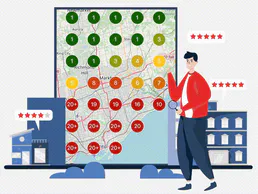
Local Falcon
Track your Google Maps rankings across geographic grids and monitor local SEO performance for every business location.
DocsBot
Equip your AI agent to manage AI-powered knowledge bases, track sources, and query your bots via the DocsBot API.