
DocsBot MCP. Manage your knowledge sources and query bots in one chat.
 Gemini
 Works with every AI agent you already use
…and any MCP-compatible client









Just plug in your AI agents and start using Vinkius.
DocsBot lets your AI agent manage and query knowledge bases. Use it to list bot configurations, check source indexing status, and retrieve answers by querying bots with natural language.
It gives you oversight into your entire AI knowledge infrastructure.
What your AI agents can do
Ask bot question
Sends a technical question to a specific bot and gets an AI-generated answer.
Get bot details
Retrieves the detailed settings and information for a specific bot.
Get bot knowledge summary
Gets a high-level count of the knowledge base size and source count.
Sends a question to a specific bot and gets an AI-generated answer based on its knowledge base.
Retrieves specific settings and metadata for any given bot.
Provides a high-level summary of the knowledge base size and the count of data sources.
Retrieves metadata about the user currently authenticated to the DocsBot API.
Fetches a list of recent questions and answers that a specific bot handled.
Shows all the data sources (URLs, PDFs, etc.) used to train a specific bot.
Allows you to list all bots in a team, identify recently updated bots, or search for sources by name.
Ask AI about this MCP
Supported MCP Clients
Gemini Waiting for input…
DocsBot MCP Server: 10 Tools for Bot and Knowledge Management
Use these tools to manage your AI bots, audit knowledge sources, and query documentation without leaving your agent chat.
019d7587ask bot question
Sends a technical question to a specific bot and gets an AI-generated answer.
019d7587get bot details
Retrieves the detailed settings and information for a specific bot.
019d7587get bot knowledge summary
Gets a high-level count of the knowledge base size and source count.
019d7587get docsbot account metadata
Retrieves metadata for the user who is currently logged in.
019d7587list bot interaction logs
Lists the recent questions and answers that a specific bot handled.
019d7587list bot knowledge sources
Lists all the data sources (URLs, PDFs, etc.) used to train a specific bot.
019d7587list docsbot teams
Lists every team the current user belongs to in DocsBot.
019d7587list recently indexed bots
Identifies bots whose knowledge base was updated recently.
019d7587list team bots
Lists all the AI bots configured within a specific team.
019d7587search bot sources
Searches for specific knowledge sources using a name keyword.
Choose How to Get Started
Build a custom MCP for your own tools, or connect a ready-made integration from our catalog.
Build Your Own
Turn any API into an MCP. Import a spec, define Agent Skills, or deploy with MCPFusion.
- Import from OpenAPI, Swagger, or YAML specs
- Create Agent Skills with progressive disclosure
- Deploy to edge with MCPFusion framework
- Built in DLP, auth, and compliance on every call
- Real time usage dashboard and cost metering
- Publish to catalog or keep private
Make Your AI Do More
Start with DocsBot, then connect any of our 4,700+ other servers whenever your AI needs more. One click, no limits.
- Use this MCP plus 4,700+ others, all in one place
- Add new capabilities to your AI anytime you want
- Every connection is secured and compliant automatically
- Track usage and costs across all your servers
- Works with Claude, ChatGPT, Cursor, and more
- New servers added to the catalog every week
What you can do with this MCP connector
DocsBot lets your AI agent manage and query your knowledge bases. You can use it to list bot configurations, check source indexing status, and get answers by querying bots with natural language. This gives you full oversight of your entire AI knowledge infrastructure.
Ask a bot a technical question
When you run ask_bot_question, your AI client sends a specific technical question to a bot and gets an answer generated from that bot's knowledge base. You can also use list_bot_interaction_logs to pull up a list of the recent questions and answers a bot handled.
Check bot details and sources
get_bot_details pulls up the detailed settings and info for any bot. You'll get a rundown of all the data sources (URLs, PDFs, etc.) that trained a specific bot when you run list_bot_knowledge_sources. You can also run search_bot_sources to look for specific knowledge sources using a name keyword, or use list_bot_knowledge_sources to see everything.
Track your bots and teams
list_docsbot_teams shows every team you belong to. You can use list_bot_teams to see all the AI bots configured in a specific team, and list_recently_indexed_bots identifies bots whose knowledge base was updated lately. You can also get a high-level count of the knowledge base size and source count by running get_bot_knowledge_summary.
Manage user and general info
get_docsbot_account_metadata retrieves metadata about the user who's logged into the DocsBot API. You'll also get a list of all the data sources used to train a specific bot by running list_bot_knowledge_sources.
How DocsBot MCP Works
- 1 Connect the DocsBot integration to your AI agent.
- 2 Authenticate using your DocsBot API Key (you find this in your account settings).
- 3 Use the agent to run commands like
list_bot_knowledge_sourcesto map out the bot's data, orask_bot_questionto get an answer.
The bottom line is, your agent acts as a single pane of glass for managing and querying your entire AI knowledge system.
Who Is DocsBot MCP For?
This is for the Knowledge Manager who needs to prove the completeness of their documentation. It's for the Support Team Lead who needs instant answers without clicking through five different internal wikis. It's for the Product Team Lead who needs to audit conversations to see what questions users are asking that the bots don't know the answer to.
Uses the agent to query documentation bots via chat to resolve customer issues instantly. They don't have to switch apps.
Monitors bot source coverage and indexing status to ensure the knowledge base stays current and complete.
Checks bot interaction logs to find common user questions or content gaps that require new documentation.
What Changes When You Connect
- See a bot's source coverage and indexing status immediately. Use
list_bot_knowledge_sourcesto map out exactly what data a bot knows, andget_bot_knowledge_summaryfor a quick count. - Audit bot interactions without diving into logs.
list_bot_interaction_logspulls the last questions and answers for a bot, letting you see patterns at a glance. - Quickly identify configuration gaps. Use
get_bot_detailsto check a bot's specific settings, orlist_team_botsto see every bot within a team. - Improve support workflows with direct querying.
ask_bot_questionlets your agent get an answer immediately from the knowledge base, bypassing manual search steps. - Keep your documentation fresh.
list_recently_indexed_botstells you which bots were updated lately, helping you prioritize maintenance efforts. - Find sources fast. Instead of browsing files, use
search_bot_sourcesto pinpoint a specific knowledge document by name.
Real-World Use Cases
Investigating a sudden drop in support quality
The support team notices answers are getting vague. They ask their agent to run list_bot_interaction_logs for the 'Support Bot'. They see a spike in questions about 'Billing API' that the logs don't cover. The agent then runs list_bot_knowledge_sources to confirm the 'Billing API' sources are missing, allowing the Knowledge Manager to fix the gap.
Onboarding a new product line
Product Managers need to ensure the new 'Widget X' documentation is ready. They ask the agent to run list_team_bots to see all existing bots. They then use get_bot_details and list_recently_indexed_bots to confirm the new bot is configured and its sources are actively indexing.
Auditing compliance documentation
Compliance Officers must prove that all bots use approved sources. They ask the agent to run list_bot_knowledge_sources on every bot. They then use search_bot_sources to verify that only documents tagged 'Approved 2024' appear in the results.
Checking a bot's technical limits
A developer needs to know if the 'API Bot' is configured for beta features. They run get_bot_details to check the configuration. They also use get_bot_knowledge_summary to understand the total scope of data available for the bot to use.
The Tradeoffs
Manual data source review
A user manually logs into the docs portal, clicks 'Sources', scrolls through hundreds of PDFs, and tries to remember if a key document was added or indexed.
→
Just ask the agent to run list_bot_knowledge_sources or search_bot_sources. It pulls the list of sources and their status for you.
Guessing bot capability
A new user tries to ask a question and gets a generic answer, assuming the bot is broken. They waste time checking the bot's settings manually.
→
First, run get_bot_details to confirm the bot is active and configured. Then, run get_bot_knowledge_summary to check the data scope before querying.
Tracking bot history across teams
A team lead has to check the 'Support Bot' logs, then check the 'Sales Bot' logs, and then check the 'API Bot' logs in separate dashboards.
→
First, use list_docsbot_teams to see all available teams. Then, use list_team_bots to list all bots in that team, and finally, run list_bot_interaction_logs for the specific bot you care about.
When It Fits, When It Doesn't
Use this if you need a single source of truth for your entire AI knowledge stack. You need to know what data the bots are using, if the bots are active, and how they are performing. This is for Knowledge Managers and Support Leads. Don't use this if you just need to ask a simple, one-off question. For simple queries, just use ask_bot_question. This server is for auditing, monitoring, and systemic management. If your goal is to list data sources, use list_bot_knowledge_sources. If your goal is to see what bots exist, use list_team_bots.
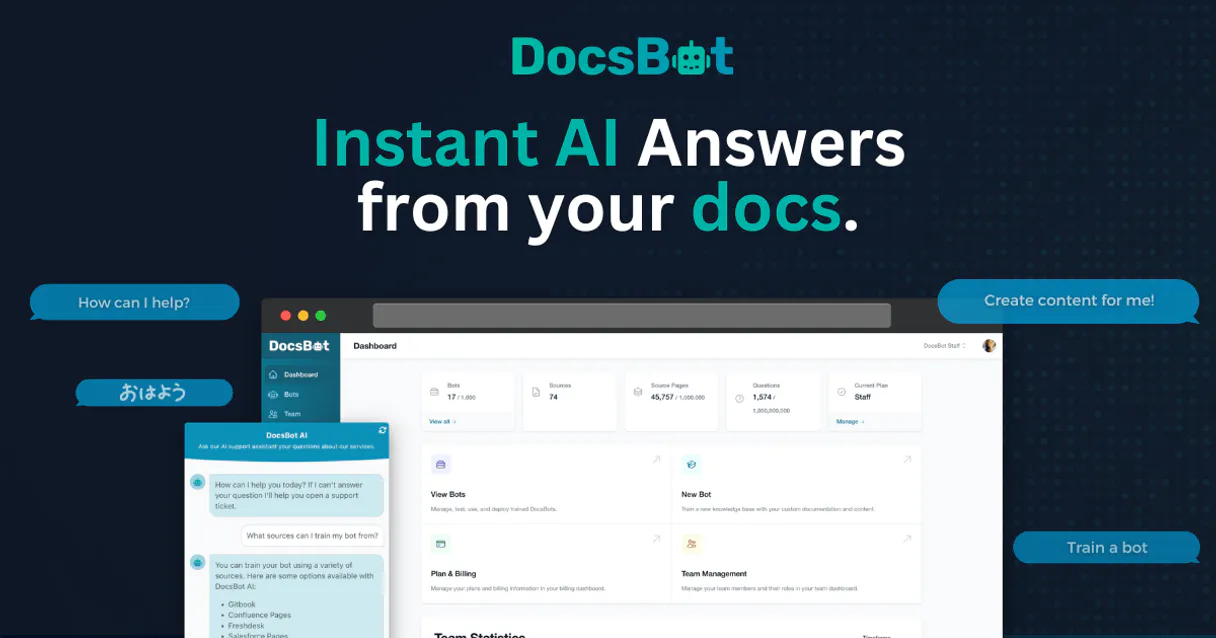
Independent Platform Disclaimer: Vinkius is an independent platform and is not affiliated with, endorsed by, sponsored by, verified by, or otherwise authorized by DocsBot. All third-party trademarks, logos, and brand names are the property of their respective owners. Their use on this website is strictly for informational purposes to identify service compatibility and interoperability.
VINKIUS INFRASTRUCTURE
Cloud Hosted
Managed infra
V8 Isolated
Sandboxed per request
Zero-Trust Proxy
No stored credentials
DLP Enforced
Policy on every call
GDPR Compliant
EU data residency
Token Compression
~60% cost reduction
Works with Claude, ChatGPT, Cursor, and more
The Model Context Protocol standardizes how applications expose capabilities to LLMs. Instead of operating in isolation, your AI gains direct access to external platforms, live data, and real-world actions through secure, standardized connections.
This server provides 10 capabilities that interface natively with Claude, ChatGPT, Cursor, and any MCP client. No middleware. No custom integration required.
Available Capabilities
Tracking bot data sources shouldn't feel like digging through an old file server.
Today, if you need to check what a bot is trained on, you have to jump into the admin panel. You click the bot, then you find the 'Sources' tab. You scroll through a list of URLs and PDFs, and you have to manually check the last indexed date for each one. It’s a tedious, multi-step process just to confirm coverage.
With DocsBot MCP, you ask your agent to check the sources. It runs `list_bot_knowledge_sources` and gives you the list, the status, and the last indexing timestamp—all in one conversation. You get the full picture without opening a single tab.
DocsBot MCP Server: Monitor bot performance and data scope.
Before asking a user a question, you used to guess if the bot had the necessary info, or you had to run several reports to verify its configuration and data scope. You were guessing based on the UI.
Now, you run `get_bot_details` to confirm the bot is ready, and then you run `get_bot_knowledge_summary` to know its full data scope. You know if you can trust the answer before you even ask it.
Common Questions About DocsBot MCP
How do I list all the data sources used by a bot using `list_bot_knowledge_sources`? +
You tell the agent to run list_bot_knowledge_sources on the target bot. The agent returns a list of all data sources, including URLs, PDFs, and their current indexing status.
What is the difference between `list_team_bots` and `list_team_bots`? +
Wait, you misspelled the second tool name. list_team_bots lists all the individual bots configured within a specific team. Use this to see the full roster of bots.
Can I check the performance history using `list_bot_interaction_logs`? +
Yes. list_bot_interaction_logs retrieves a list of the most recent questions and the answers the bot provided. This is key for performance auditing.
How do I find out if a bot was updated recently? +
Run list_recently_indexed_bots. This tool identifies bots that have had their knowledge base updated in a recent timeframe.
How do I check the overall knowledge size of the platform? +
Use get_bot_knowledge_summary. This gives you a high-level count of the knowledge base size and the total number of sources available.
How do I get a summary of the knowledge base size using `get_bot_knowledge_summary`? +
This tool provides a high-level summary of your knowledge base. It reports the total number of sources and the overall size, letting you gauge the scale of the bot's knowledge immediately.
What information does `get_bot_details` provide for a specific bot? +
The tool retrieves detailed configuration and metadata for the bot. You can check settings, owners, and last updated status all in one call.
How do I list recent interactions using `list_bot_interaction_logs`? +
You pass the bot ID to view a log of recent questions and answers. This helps product teams spot common user questions or identify content gaps.
How do I get a DocsBot API Key? +
Log in to your DocsBot account, navigate to the API section in your account settings, and you can generate or retrieve your unique API Key from there.
Can the agent train my bots? +
This integration currently focuses on querying bots and auditing sources. Adding new sources or triggering full training cycles should be managed via the DocsBot dashboard.
Which AI models are used? +
DocsBot supports various models including GPT-3.5 and GPT-4. The agent will retrieve results based on the specific model configured for your bot in your account.
Use it with your favorite AI tools
Connect this server to Cursor, Claude, VS Code, and more.
More in this category

Junip
Manage product reviews, questions, and campaigns via Junip API.

MonkeyLearn
Analyze text data with custom machine learning models that classify sentiment, extract keywords, and tag topics automatically.
SimplyBook.me
Manage services, providers, and bookings on SimplyBook.me with AI agents.
You might also like

Phone Validator Engine
Stop LLMs from hallucinating phone numbers. Validates and formats numbers to E.164 natively.
Clientjoy
Manage your entire client lifecycle from proposals and contracts through invoicing and payments in one streamlined platform.

HUD Fair Market Rents
Access official US Department of Housing and Urban Development (HUD) data for Fair Market Rents and Income Limits.