
CloudConvert MCP. Automate file conversions across 200+ formats.
 Gemini
 Works with every AI agent you already use
…and any MCP-compatible client









Just plug in your AI agents and start using Vinkius.
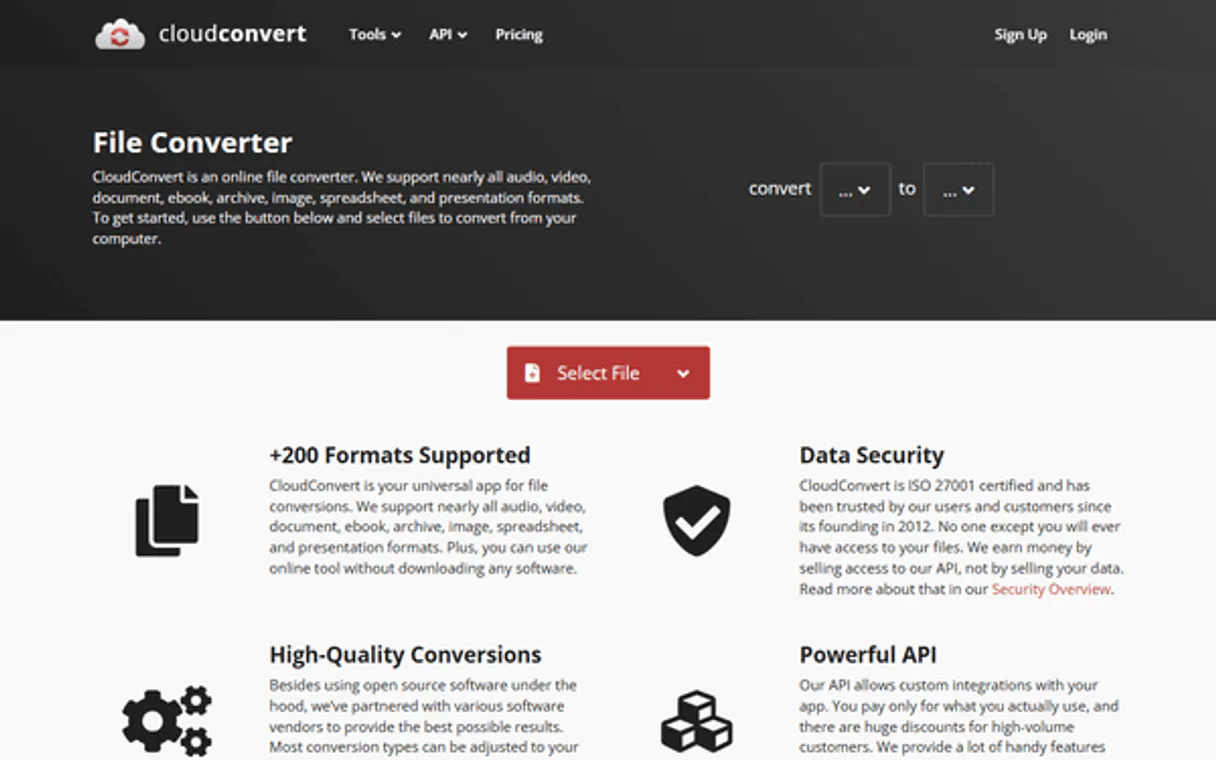
CloudConvert manages files across 200+ formats. It lets your AI agent build complex, programmatic pipelines to convert anything—PDFs, videos, audio, images, and documents—from a public URL into a specified format.
Stop manually uploading; start automating high-fidelity media processing from plain text commands.
What your AI agents can do
Cancel job
Stops a conversion job that is currently running or stuck in the queue.
Create simple job
Starts basic conversions by sending a source URL and defining the required output format.
Get job
Retrieves comprehensive details about a specific job, including its current status and history.
Check the live status and detailed progress of any running conversion job or task.
Start new, simple conversions by providing a source URL and specifying the target output format.
Create and oversee complex jobs that run multiple tasks in sequence, coordinating high-fidelity processing steps.
Pull your current user profile details and view remaining conversion credits before starting a job.
See a full directory of all supported input, output, and export formats to plan the perfect conversion strategy.
Ask AI about this MCP
Supported MCP Clients
OAuth 2.0 Compatible Gemini Waiting for input…
CloudConvert MCP: 11 Tools for File Processing
These tools let you manage every step of file conversion: checking user credits, listing formats, creating jobs, tracking status, and canceling tasks.
Make your AI actually useful.
Add this MCP to Claude, Cursor, or Windsurf and your AI stops guessing. It gets real tools to look things up, take action, and handle the stuff you keep doing by hand.
Start using CloudConvert on Vinkius019dd0d1cancel job
Stops a conversion job that is currently running or stuck in the queue.
019dd0d1create simple job
Starts basic conversions by sending a source URL and defining the required output format.
019dd0d1get job
Retrieves comprehensive details about a specific job, including its current status and history.
019dd0d1get task
Gets detailed information for one specific task within a larger conversion pipeline.
019dd0d1get task status
Checks the current, real-time status of an individual processing task.
019dd0d1get user
Retrieves your account details, including profile information and how many conversion credits you have left.
019dd0d1list conversion formats
Lists every single input and output file format that the system supports for conversion.
019dd0d1list export operations
Shows all available methods or operations used to export final converted files.
019dd0d1list import operations
Lists the various ways files can be imported into the conversion system, such as from URLs.
019dd0d1list jobs
Provides a list of all conversion jobs you've initiated or that are currently pending.
019dd0d1list tasks
Lists individual tasks associated with your historical and current conversion jobs.
Choose How to Get Started
Build a custom MCP for your own tools, or connect a ready-made integration from our catalog.
Build Your Own
Turn any API into an MCP. Import a spec, define Agent Skills, or deploy with MCPFusion.
- Import from OpenAPI, Swagger, or YAML specs
- Create Agent Skills with progressive disclosure
- Deploy to edge with MCPFusion framework
- Built in DLP, auth, and compliance on every call
- Real time usage dashboard and cost metering
- Publish to catalog or keep private
Make Your AI Do More
Start with CloudConvert, then connect any of our 4,800+ other servers whenever your AI needs more. One click, no limits.
- Use this MCP plus 4,800+ others, all in one place
- Add new capabilities to your AI anytime you want
- Every connection is secured and compliant automatically
- Track usage and costs across all your servers
- Works with Claude, ChatGPT, Cursor, and more
- New servers added to the catalog every week
Independent Platform Disclaimer: Vinkius is an independent platform and is not affiliated with, endorsed by, sponsored by, verified by, or otherwise authorized by CloudConvert. All third-party trademarks, logos, and brand names are the property of their respective owners. Their use on this website is strictly for informational purposes to identify service compatibility and interoperability.
VINKIUS INFRASTRUCTURE
Cloud Hosted
Managed infra
V8 Isolated
Sandboxed per request
Zero-Trust Proxy
No stored credentials
DLP Enforced
Policy on every call
GDPR Compliant
EU data residency
Token Compression
~60% cost reduction
Works with Claude, ChatGPT, Cursor, and more
The Model Context Protocol standardizes how applications expose capabilities to LLMs. Instead of operating in isolation, your AI gains direct access to external platforms, live data, and real-world actions through secure, standardized connections.
This server provides 11 capabilities that interface natively with Claude, ChatGPT, Cursor, and any MCP client. No middleware. No custom integration required.
The biggest pain point is file format incompatibility.
Right now, if your content team generates a new video and the sales department needs it as an MP3 for podcasts, you're dealing with manual downloads, email attachments, or specialized apps. You copy the link, open the converter, select the correct profile, hit process, wait 20 minutes, and then download the file—it's slow and brittle.
With this MCP, your agent handles the entire chain. You give it a source URL and say, 'Convert this video to an MP3.' The system takes care of the conversion job internally, giving you immediate control over the process without ever touching a manual dashboard or hitting 'download'.
Getting status updates with get_task_status
Manually tracking progress means refreshing multiple tabs and waiting for confirmation messages. You're always guessing if the job is stuck, queued, or actually finished.
Now, you just ask your agent to check the status using `get_task_status`. It gives a definitive answer on whether the task succeeded, failed, or is still working—no guesswork required.
What you can do with this MCP connector
Tired of file conversion bottlenecks? This MCP lets your AI agent handle the whole process: taking files from public links and converting them through dozens of formats (like turning an MKV video into an MP3 audio track, or a DOCX spec sheet into a PDF). You can build multi-step jobs—importing data, running conversions, and getting secure download links for the finished assets.
If your work involves moving files between different media types, this is what you need. For example, instead of manually checking if an asset conversion succeeded, your agent can use its tools to track job status in real time. This capability helps build automations that span multiple platforms; you could chain this file processing MCP with a CRM MCP and then send the resulting document via a messaging MCP through one AI agent.
And when it comes to security, Vinkius handles all of it inside an isolated sandbox, meaning your credentials are used only in transit—they never sit on disk.
019dd0d1-e240-70eb-88d5-9f76aa29cfbb 
How CloudConvert MCP Works
- 1 Get your API key from the CloudConvert dashboard and set the 'Use Sandbox' option to true for testing.
- 2 Connect this MCP to any compatible AI client (like Claude or Cursor) through Vinkius.
- 3 Tell your agent exactly what you need, like: 'Take this public URL file and convert it to MP3 format.' The agent manages the rest.
The bottom line is you talk to your AI client in natural language; the MCP handles the complex job orchestration behind the scenes.
Who Is CloudConvert MCP For?
Engineers, content managers, and operations leads who are tired of manually managing file formats. This is for anyone whose daily work involves taking a media asset from one platform and making it usable on another.
Runs bulk conversions—like turning 50 high-res images into optimized web formats or converting video archives to required broadcast standards.
Needs to integrate file processing into a larger workflow, requiring the agent to check if a job finished before calling another service.
Must quickly adapt assets for different channels, such as converting a master DOCX document into multiple PDF and image formats simultaneously.
What Changes When You Connect
- Start with simple, one-off tasks using
create_simple_joband instantly convert a URL's content to any format you specify. No manual uploading needed. - Build complex pipelines by managing multi-stage jobs; use tools like
get_taskandlist_tasksto coordinate high-fidelity processing flow from import through export. - Never wonder if your files are ready again. Use
get_task_statusto check the real-time status of any conversion, letting your agent know exactly when a job is done. - Understand your limits before you start. Quickly check your remaining credits and profile data using
get_user, preventing unexpected spending. - Don't get stuck on formats. Use
list_conversion_formatsto see the full directory of supported file types, ensuring your conversion strategy is perfect upfront.
Real-World Use Cases
Need to update a client presentation?
A marketing director needs to take a single master Word document and convert it into three different formats: PDF for legal review, JPG for the website, and MP4 video of the slides. The agent uses list_conversion_formats first, then triggers multiple conversions using create_simple_job, tracking completion via get_task_status until all assets are ready.
Migrating old media archives?
An archivist has a folder of old MKV videos and needs them converted into modern, web-friendly MP4 files. They instruct the agent to create a complex job using list_import_operations and then monitor progress by calling get_job until all assets are successfully exported.
Building an automated reporting pipeline?
The finance team wants to take daily Excel reports (XLSX) from a public URL, convert them into clean PDF summaries, and then trigger another process. The agent uses create_simple_job for the conversion, and if it fails, the user can immediately use get_task to pinpoint which step broke.
Debugging a failed batch job?
A developer runs a large list of conversions that fail. Instead of guessing, they ask the agent to run list_jobs and then focus on specific failures by calling get_task_status for the problematic task ID.
The Tradeoffs
Assuming success
Just asking your AI client to 'convert this video.' It might start a job and then hang, leaving you unsure if it's running or if it failed silently.
→
Always make the agent check first. Ask the MCP to use create_simple_job and immediately follow up by calling get_task_status with the returned task ID. This confirms the job is active, not just started.
Trying random formats
Guessing that 'archival' means a certain format, only to find out the system doesn't support it.
→
Before writing a single command, use list_conversion_formats to get the authoritative list of supported inputs and outputs. This keeps your workflow precise.
Ignoring existing jobs
Starting two similar conversion jobs without checking if one is already running, leading to unnecessary credit usage.
→
Start by listing all active work using list_jobs. If the job you need is there and still processing, don't start a new one; just wait or use get_job for an update.
When It Fits, When It Doesn't
Use this MCP if your core problem is file format conversion. Specifically, if you need to change a media asset from X type (e.g., MKV) to Y type (e.g., MP3), or if you need to manage complex pipelines that involve multiple conversions and status checks. Don't use it if you only need to store data—that's for database MCPs. Also, don't use it just because your file is big; the conversion process itself doesn't guarantee storage capacity. If your workflow involves converting files and then sending them via email, you'll want to chain this with a messaging MCP through Vinkius so that one agent handles both steps.
Common Questions About CloudConvert MCP
How do I start a conversion job with create_simple_job? +
You give the agent a public URL and specify both the source file type and the desired output format. The system handles creating the simple job for you.
What is get_task_status used for? +
It checks the current, immediate status of one specific task within a larger conversion pipeline. This is useful if you need to know exactly where in a multi-step process things are running.
Can I see all my past jobs using list_jobs? +
Yes, list_jobs gives you a summary of every conversion job you've ever initiated or that is currently waiting. It’s your historical record of work.
Do I need to use get_user before converting files? +
It’s good practice, but not mandatory for the conversion itself. Running get_user first lets you check your remaining credits and confirm that your account connection is healthy.
What if I need to stop a job midway? Should I use cancel_job? +
Absolutely, yes. If a job stalls or the requirements change mid-process, calling cancel_job stops it cleanly so you don't waste credits.
What does get_task give me about a specific task's internal workings? +
It provides granular details on a single conversion component. You can pull metadata that goes beyond simple status checks, letting you see the exact input and output parameters used for that specific stage of work.
Before starting a job, how do I check available format options using list_conversion_formats? +
You call this tool to pull the complete directory of supported file types. This lets you verify if your input or target formats are compatible before writing a conversion request.
If a job has multiple steps, how does list_tasks help me monitor them individually? +
It gives you a comprehensive listing of every individual task associated with your account. This is useful for debugging or monitoring complex pipelines that are broken down into several distinct operations.
Use it with your favorite AI tools
Connect this server to Cursor, Claude, VS Code, and more.