
Conta Azul MCP. Manage Brazilian ERP and financial records via natural conversation.
 Gemini
 Works with every AI agent you already use
…and any MCP-compatible client









Just plug in your AI agents and start using Vinkius.
Conta Azul MCP Server manages Brazilian ERP functions. Use it to track customer details, list products and services, monitor sales logs, and audit financial contracts directly from your AI agent.
It gives you full control over your Brazilian business finances without logging into the full ERP interface.
What your AI agents can do
Create customer
Registers a new financial entity (PF/PJ) in the ERP, defining its formal structure.
Create product
Maps a physical product, creating a new billable component in the financial ledger.
Create service
Registers an intangible service, pricing it directly into the accounting ledger.
Registers a new financial entity in the ERP, defining its formal structure.
Maps a physical good, creating a new billable component in the financial ledger.
Registers an intangible, priced service directly into the accounting records.
Fetches a customer's static financial profile using their UUID, detailing explicit limits.
Reads all data for a single physical item, including its limit and unit of measure.
Displays confirmed sales batches, including detailed accounting matrices for the sale's UUID.
Maps physical bank accounts and reconciles their integration positions.
Retrieves the core structure (DRE) of expenses and revenues, classifying resources.
Searches for recurring agreements, verifying automatic contracts and tracking expiration dates.
Provides a paginated list of all corporate entities registered in the ERP.
Searches the governmental list of issued product invoices (NF-e).
Maps all cataloged physical items, including their static SKUs and values.
Lists continuous logs of sales, assessing pending invoices generated during the workflow.
Reads categorized, billable service offerings from the paginated accounting structure.
Searches corporate or fiscal profiles by comparing restricted documents like CPF/CNPJ.
Ask AI about this MCP
Supported MCP Clients
Gemini Waiting for input…
Conta Azul MCP Server: 15 Tools for Brazilian Finance
These tools let your AI agent interact with your Conta Azul ERP. Use them to create, list, search, and audit financial data for customers, products, sales, and contracts.
019d757acreate customer
Registers a new financial entity (PF/PJ) in the ERP, defining its formal structure.
019d757acreate product
Maps a physical product, creating a new billable component in the financial ledger.
019d757acreate service
Registers an intangible service, pricing it directly into the accounting ledger.
019d757aget customer
Retrieves a customer's static financial profile using their UUID, detailing explicit limits.
019d757aget product
Reads all data for a physical item, including its limit and unit of measure.
019d757aget sale
Displays confirmed sales batches, including detailed accounting matrices for the sale's UUID.
019d757alist bank accounts
Maps physical bank accounts and reconciles their integration positions.
019d757alist categories
Retrieves the core structure (DRE) of expenses and revenues, classifying resources.
019d757alist contracts
Searches for recurring agreements, verifying automatic contracts and tracking expiration dates.
019d757alist customers
Provides a paginated list of all corporate entities registered in the ERP.
019d757alist nfe
Searches the governmental list of issued product invoices (NF-e).
019d757alist products
Maps all cataloged physical items, including their static SKUs and values.
019d757alist sales
Lists continuous logs of sales, assessing pending invoices generated during the workflow.
019d757alist services
Reads categorized, billable service offerings from the paginated accounting structure.
019d757asearch customers
Searches corporate or fiscal profiles by comparing restricted documents like CPF/CNPJ.
Choose How to Get Started
Build a custom MCP for your own tools, or connect a ready-made integration from our catalog.
Build Your Own
Turn any API into an MCP. Import a spec, define Agent Skills, or deploy with MCPFusion.
- Import from OpenAPI, Swagger, or YAML specs
- Create Agent Skills with progressive disclosure
- Deploy to edge with MCPFusion framework
- Built in DLP, auth, and compliance on every call
- Real time usage dashboard and cost metering
- Publish to catalog or keep private
Make Your AI Do More
Start with Conta Azul, then connect any of our 4,700+ other servers whenever your AI needs more. One click, no limits.
- Use this MCP plus 4,700+ others, all in one place
- Add new capabilities to your AI anytime you want
- Every connection is secured and compliant automatically
- Track usage and costs across all your servers
- Works with Claude, ChatGPT, Cursor, and more
- New servers added to the catalog every week
What you can do with this MCP connector
Need to handle your Brazilian ERP finances? Hook up your Conta Azul account to your AI agent. It lets you manage customer details, inventory, sales logs, and financial contracts straight from your client. You'll have full control over your business books without ever logging into the full ERP interface.
Customer Management
Use list_customers to get a paginated rundown of every corporate entity registered in the ERP. Need to find a specific client? search_customers lets you look up corporate or fiscal profiles using restricted documents like CPF or CNPJ. You can pull a client's static financial profile using their UUID with get_customer to see explicit limits.
If you need to add a new client, create_customer registers a new financial entity (PF/PJ) and defines its formal structure.
Product and Service Inventory
To manage goods and services, you've got a few tools. list_products maps all cataloged physical items, giving you their static SKUs and values. You can read all data for a physical item using get_product, which includes its limit and unit of measure. If you need to add a physical product, create_product maps it and makes it a new billable component in the financial ledger.
For services, list_services reads categorized, billable service offerings from the paginated accounting structure. If you need to register a new service, create_service registers an intangible service and prices it directly into the accounting records.
Sales and Financial Tracking
list_sales lists continuous logs of sales, assessing any pending invoices generated during the workflow. You can view confirmed sales batches and see detailed accounting matrices for a specific sale's UUID using get_sale. For compliance, list_nfe searches the governmental list of issued product invoices (NF-e). You can map physical bank accounts and reconcile their integration positions with list_bank_accounts.
The core structure of expenses and revenues (DRE) is available via list_categories, which retrieves the financial categories. You can search for recurring agreements and track expiration dates with list_contracts by checking for automatic contracts.
How it Works
Just connect your account. Your AI agent handles the rest. It pulls the data and executes the necessary transactions using these specific functions, keeping your Brazilian books accurate and up-to-date.
How Conta Azul MCP Works
- 1 Subscribe to the Conta Azul MCP Server and secure your OAuth 2.0 Access Token.
- 2 Provide the Access Token to your AI client (Claude, Cursor, etc.).
- 3 Ask your agent to perform a specific action, like 'List all expiring contracts' or 'Search for customer CNPJ X'.
The bottom line is, your AI agent uses the token to talk directly to your Brazilian ERP, handling the API calls so you don't have to.
Who Is Conta Azul MCP For?
Business Owners in Brazil, Finance Teams, Sales Representatives, and Accounting Operations staff. If your day involves cross-referencing customer fiscal IDs, verifying sales invoices, or auditing bank accounts against internal contracts, this server handles the heavy lifting.
Monitors overall sales volume and customer balances without needing to log into the full ERP system.
Audits bank accounts, revenue/expense categories, and financial contracts using natural language prompts.
Checks customer fiscal details and product availability status right during a sales negotiation.
Verifies NF-e statuses and reconciles billing logs directly from the chat interface.
What Changes When You Connect
- See a customer's full profile and limits instantly using
get_customerorsearch_customers, eliminating the need to jump through multiple ERP screens. - Audit financial contracts and renewal dates using
list_contracts, keeping track of automatic agreements and technical debt without manual spreadsheet tracking. - Check the status of governmental invoices (NF-e) with
list_nfe. Know immediately if SEFAZ approved the product invoice. - Track sales history and pending invoices by calling
list_sales, giving you a real-time view of pending revenue flow. - Reconcile bank positions against internal categories and accounts using
list_bank_accountsandlist_categories, making cash flow auditing fast. - Quickly add or correct inventory using
create_productorcreate_service, ensuring your billing components are always up to date.
Real-World Use Cases
Verifying Customer Credentials Before a Sale
A sales rep needs to confirm a client's fiscal status before finalizing a deal. Instead of calling the accounting department, the agent runs search_customers with the CNPJ. The agent confirms the client is active and notes any immediate restrictions, allowing the rep to proceed confidently.
Auditing Financial Debt
A finance team needs to know which recurring agreements are expiring this quarter. They prompt the agent to run list_contracts. The agent returns a structured list of automatic agreements, showing the expiration dates and associated technical debt, allowing the team to plan renewals immediately.
Completing a New Product Listing
An accounting operations staff member adds a new physical item to the catalog. They use create_product to map the SKU and set the billable component. The system registers it in the financial ledger, making it ready for invoicing immediately.
Reconciling Monthly Revenue
The business owner needs to reconcile the month's revenue. They ask the agent to run list_sales and list_categories. The agent returns a log of all confirmed sales and maps them to the correct DRE categories, showing where the money actually went.
The Tradeoffs
Manual Data Cross-Referencing
The user manually logs into the ERP, pulls a customer list, opens a separate bank statement PDF, and then cross-references the invoice status on a third screen. This takes 30 minutes.
→
Use the agent to run list_customers and then run list_bank_accounts to compare positions. The agent handles the merging and comparison logic for you.
When It Fits, When It Doesn't
Use this server if your core pain point is managing Brazilian financial records (ERP, NF-e, fiscal IDs) and you need to perform CRUD operations (create/update) or complex lookups (list/search) against highly structured, regulated data. For example, if you need to audit contract dates, use list_contracts. If you just need a basic list of customers, list_customers works, but if you need to check a specific CNPJ, use search_customers. Do not use this if you only need general accounting advice; this tool is for data manipulation and retrieval. If your need is solely to view reports already generated outside of the ERP, a dedicated BI tool is better. This server is the data source layer itself.
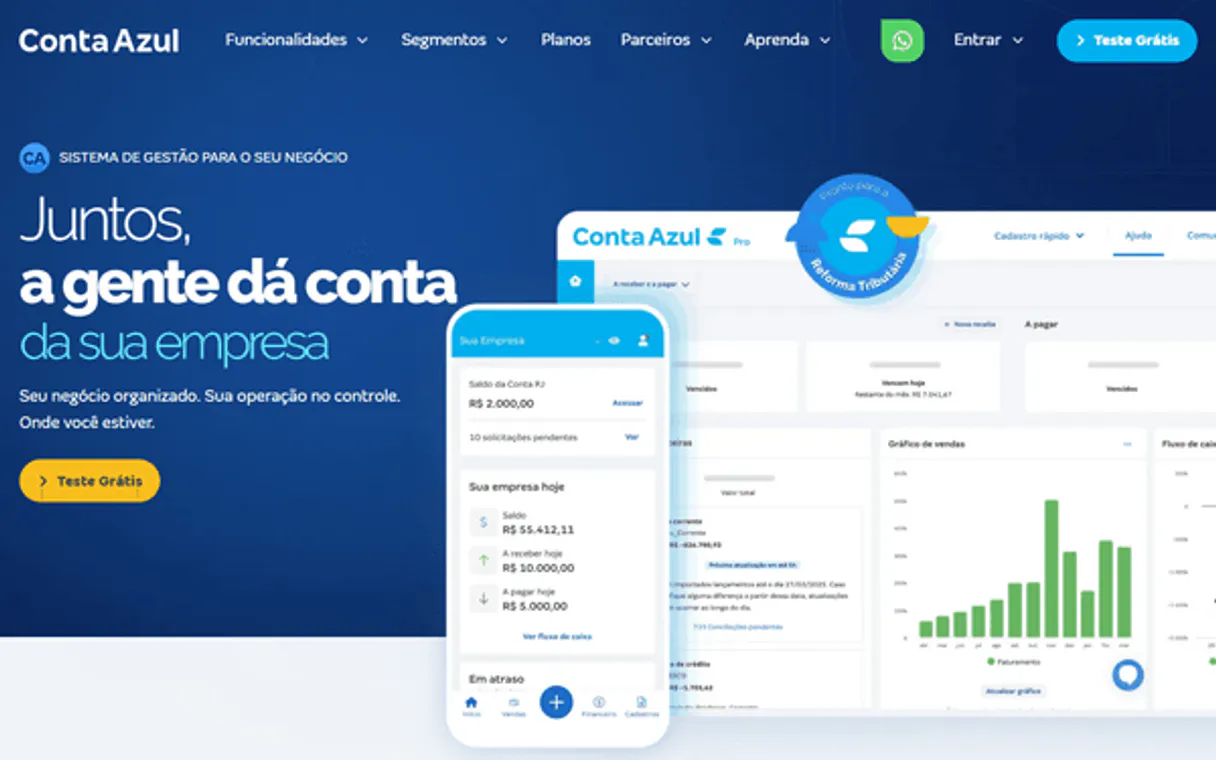
Independent Platform Disclaimer: Vinkius is an independent platform and is not affiliated with, endorsed by, sponsored by, verified by, or otherwise authorized by Conta Azul. All third-party trademarks, logos, and brand names are the property of their respective owners. Their use on this website is strictly for informational purposes to identify service compatibility and interoperability.
VINKIUS INFRASTRUCTURE
Cloud Hosted
Managed infra
V8 Isolated
Sandboxed per request
Zero-Trust Proxy
No stored credentials
DLP Enforced
Policy on every call
GDPR Compliant
EU data residency
Token Compression
~60% cost reduction
Works with Claude, ChatGPT, Cursor, and more
The Model Context Protocol standardizes how applications expose capabilities to LLMs. Instead of operating in isolation, your AI gains direct access to external platforms, live data, and real-world actions through secure, standardized connections.
This server provides 15 capabilities that interface natively with Claude, ChatGPT, Cursor, and any MCP client. No middleware. No custom integration required.
Available Capabilities
Tracking Brazilian Business Data is a Multi-Step Headache.
Today, checking a customer's status means jumping between the main ERP dashboard, the billing module, and the fiscal compliance portal. You have to manually copy CNPJs, check if the product SKU exists, and then separately verify the NF-e status. It's a process of copy-paste and cross-referencing that takes forever.
Conta Azul MCP Server: Manage financial records and contracts
Before, creating a new billable item required going into the inventory, then the services module, and finally the accounting ledger, ensuring all three were updated and correctly coded. This was a multi-step, high-risk manual process.
Now, you just ask your agent to 'Add a new service for Client Y.' The agent uses `create_service` and handles the entire financial mapping automatically. It's one command, fully integrated.
Common Questions About Conta Azul MCP
How do I use the `search_customers` tool? +
You search for a customer using their fiscal documents, like CPF or CNPJ. The tool compares these restricted documents to find the client's profile, even if you don't know their name.
What does `list_nfe` do? +
list_nfe searches the government records for issued product invoices (NF-e). It tells you how many were issued and what the SEFAZ approval status is.
Can I check my bank balance with `list_bank_accounts`? +
Yes, list_bank_accounts maps your physical bank accounts and reconciles their integration positions, letting you see where the money stands.
How do I add a product using `create_product`? +
You use create_product and define the physical good, including the SKU and setting it up as a new billable component in the ERP.
Is `list_contracts` for all types of debt? +
list_contracts focuses on auditing recurring financial agreements and automatic contracts. It's the place to find expiring technical debt.
What does `list_customers` do and how is it paginated? +
It lists all corporate and individual client entities in the ERP, returning data in paginated chunks. You can use the page number and total count provided to ensure you pull the entire client base.
If I run `get_product` and it returns a zero limit, what does that mean? +
A zero limit means the product record is active but currently has no associated financial limits. This is common for services or tracking items without an immediate credit cap.
How do I ensure the data I get from `list_sales` is up-to-date? +
The list_sales tool accesses continuous logs, so the data reflects confirmed sales events. For real-time updates, run the tool repeatedly, but note that the system may have built-in rate limits.
Can my agent search for customers using Brazilian documents like CPF or CNPJ? +
Yes. The 'search_customers' tool performs iterative regex analysis on names and documents. You can provide a CPF or CNPJ string, and the agent will locate the exact match within your Conta Azul database.
How do I check the status of a specific product invoice (NF-e)? +
Use the 'list_nfe' tool. Your agent will sweep governmental emission records and validate the approval status with SEFAZ, ensuring you have real-time visibility into your fiscal compliance.
Can I monitor recurring contracts via the agent? +
Absolutely. The 'list_contracts' tool captures financial limits for monthly or annual agreements, allowing your agent to detail continuous links and track expiration dates without generating instant fiscal documents.
How do I check my available bank balance? +
Use the 'list_bank_accounts' tool. Your agent will retrieve the real-time balance for all integrated accounts in your Conta Azul workspace.
Use it with your favorite AI tools
Connect this server to Cursor, Claude, VS Code, and more.
More in this category
Track-POD
Optimize delivery routes, capture electronic proof of delivery, and track driver performance for logistics operations.
Daftra
Equip your AI agent to manage your ERP, accounting, and client relations directly via the Daftra API.

Gingr
Retrieve pet owner profiles, track reservations, and oversee check-ins via AI agents with Gingr.
You might also like

FreeToGame
Explore thousands of free-to-play games — list titles, filter by genre or platform, and inspect system requirements directly via AI.

Humanitix
Manage events, tickets, and attendees via Humanitix API.

BambooHR Alternative
Human Resources management platform — organize employee data, track time off, and audit HR workflows via AI.