
InnoVint MCP. Know every lot, tank, and action in your cellar.
 Gemini
 Works with every AI agent you already use
…and any MCP-compatible client









Just plug in your AI agents and start using Vinkius.
InnoVint connects your AI agent directly to your winery's entire production database. Track wine lots, monitor tank levels, check lab results (pH, TA, SO2), and view full cellar action history—all through natural conversation.
Manage multiple wineries from one connection.
What your AI agents can do
Get lot
Gets all details for a single wine lot.
Get vessel
Gets all details for a single tank or barrel.
List actions
Lists the complete history of cellar actions for a specific lot.
Retrieves all specific data points for a single wine lot, including its composition and status.
Gets current details for a tank or barrel, including fill level, capacity, and location.
Lists all recorded actions (like pump-overs or additions) associated with a specific wine lot.
Retrieves a lot's complete chemical history, showing pH, TA, and SO2 over time.
Provides a full inventory of all tanks and barrels, detailing capacity and current contents.
Allows the agent to list and filter records across multiple wineries and vintages.
Ask AI about this MCP
Supported MCP Clients
Gemini Waiting for input…
InnoVint MCP Server: 10 Tools for Winery Operations
These tools give your AI client deep access to every record in your winery's production database, from tank levels to chemical analysis.
019d75b9get lot
Gets all details for a single wine lot.
019d75b9get vessel
Gets all details for a single tank or barrel.
019d75b9list actions
Lists the complete history of cellar actions for a specific lot.
019d75b9list additives
Provides regulatory limits and dosage guidelines for chemicals used in winemaking.
019d75b9list analyses
Retrieves a lot's historical chemical readings, like pH and SO2, over time.
019d75b9list vessels
Lists all tanks and barrels, showing their capacity, current contents, and location.
019d75b9list vintages
Lists all available wine production years.
019d75b9list wineries
Lists all properties, allowing you to manage multiple wineries from one connection.
019d75b9list wines
Lists all registered wine products, including varietal and appellation details.
019d75b9search lots
Searches and returns detailed records for wine lots based on criteria like varietal or status.
Choose How to Get Started
Build a custom MCP for your own tools, or connect a ready-made integration from our catalog.
Build Your Own
Turn any API into an MCP. Import a spec, define Agent Skills, or deploy with MCPFusion.
- Import from OpenAPI, Swagger, or YAML specs
- Create Agent Skills with progressive disclosure
- Deploy to edge with MCPFusion framework
- Built in DLP, auth, and compliance on every call
- Real time usage dashboard and cost metering
- Publish to catalog or keep private
Make Your AI Do More
Start with InnoVint, then connect any of our 4,700+ other servers whenever your AI needs more. One click, no limits.
- Use this MCP plus 4,700+ others, all in one place
- Add new capabilities to your AI anytime you want
- Every connection is secured and compliant automatically
- Track usage and costs across all your servers
- Works with Claude, ChatGPT, Cursor, and more
- New servers added to the catalog every week
What you can do with this MCP connector
Your AI client connects right into your winery's whole production database. You can track wine lots, monitor tanks, check lab results (pH, TA, SO2), and see every cellar action—all through natural conversation. You'll manage multiple wineries from this single connection.
Getting Lot Details
get_lot pulls every specific data point for a single wine lot, including its composition and current status. You can search_lots and pull detailed records for lots based on criteria like varietal or status.
Checking Vessel Status
get_vessel pulls all details for one tank or barrel. You'll see its fill level, capacity, and what's in it. list_vessels gives you a full inventory of every tank and barrel, detailing capacity and current contents.
Viewing Cellar Action History
list_actions lists the complete history of cellar actions for a specific lot. You'll track every major event, like pump-overs or additions.
Lab Analysis
list_analyses retrieves a lot's complete chemical history, showing pH, TA, and SO2 over time. You'll also use list_additives to get regulatory limits and dosage guidelines for chemicals used in winemaking.
Managing Production Scope
list_vintages lists every available wine production year. list_wines lists all registered wine products, including varietal and appellation details. You can list_wineries to manage and filter records across multiple properties.
How InnoVint MCP Works
- 1 First, tell your agent the scope. You can ask it to list all wineries or search for lots by vintage.
- 2 Next, narrow the focus. Ask the agent to check a specific vessel (e.g., 'T-05') or retrieve the lab analysis for a given lot code.
- 3 The agent pulls the data and gives you a synthesized report, like confirming 'Lot PN-25-01 is 92% full and needs a punchdown tomorrow.'
The bottom line is, you talk to your AI client like you talk to a cellar manager, and it pulls the data from your entire system.
Who Is InnoVint MCP For?
This is for the people who need to know the state of the cellar right now. If you're a winemaker tired of cross-referencing spreadsheets, or a cellar master who needs instant tank availability, this is for you. It hands you the entire production history in a conversation.
Uses the agent to decide blend ratios or check the history of barrel aging on a specific lot.
Asks the agent, 'What space do I have?' to check available vessels, or 'What was the last action on T-12?' to plan space.
Requests the agent to pull a time series graph of pH, TA, and SO2 for a lot to track fermentation progress.
Asks for a high-level comparison of quality metrics between the 2018 and 2020 vintages across all properties.
What Changes When You Connect
- Instantly check tank availability. Need to know if you can pump-over a batch? Use
list_vesselsto see available capacity before you even start planning. - Track chemistry over time. Instead of digging through reports, ask the agent to run
list_analyseson a lot to see how the pH or SO2 changed over the last month. - Manage everything in one place. If you own multiple properties,
list_winerieslets you query data for all of them without switching systems. - Know your whole product line. Use
list_winesto browse every registered varietal and appellation, getting background info on product requirements. - Review the whole history.
list_actionsgives you the complete, auditable trail of every racking, fining, or addition for a given lot code. - Deep dive into a specific batch.
get_lotprovides the definitive single source of truth for any lot, combining composition and status.
Real-World Use Cases
Need to plan a massive harvest intake.
A cellar master needs to know if they have enough space. They ask their agent to run list_vessels. The agent returns a list of tanks and barrels, allowing the master to immediately calculate total available capacity before calling the trucks.
Need to compare two vintages.
A vineyard owner wants to compare the quality metrics between the 2018 and 2020 vintages. They ask the agent to use list_vintages and then cross-reference the data, giving a quick overview of quality trends.
Troubleshooting fermentation issues.
The enologist notices unusual pH spikes. They use the agent to run list_analyses on the specific lot. The agent pulls the historical data, showing the exact dates and values that need investigation.
Checking additives and compliance.
A winemaker needs to know the proper dosage for a fining agent. They ask the agent to use list_additives. The agent returns the registered chemicals and their usage guidelines, ensuring the batch stays compliant.
The Tradeoffs
Looking up data piecemeal
Jumping between the vessel management screen, then the lot details page, and finally the lab report download. You end up copying 5-6 different IDs and pasting them into a spreadsheet.
→
Ask your agent to correlate the data. Start by using search_lots to find the correct lot, then ask it to check the vessel status using get_vessel and the lot history using list_actions in one query.
Assuming the lot is in one place
Thinking all information is in the 'Lot Details' screen. You check the lot, but forget to check if it's currently assigned to a vessel or what actions were taken last week.
→
Always ask the agent to correlate data. After get_lot, ask it to check list_analyses and list_actions to get the full, real-time picture of the lot's journey.
Forgetting context
Asking 'What's the status of the Pinot Noir?' without specifying the vintage or lot code. You get a generic, useless answer.
→
Start by using list_wines to narrow the product. Then, use list_vintages to select the year, and finally, use search_lots to target the exact batch you need.
When It Fits, When It Doesn't
Use this server if your workflow requires correlating three or more distinct data points: a lot ID, a physical vessel, and a historical metric (like pH). This is essential for deep production analysis. Don't use it if you just need to look up a single piece of information (e.g., 'What is the pH of this lot?'). For that, list_analyses is enough. If you only need to check available space, list_vessels works. If you need to manage multiple properties, start with list_wineries. The system is designed for complex, interconnected queries, not simple lookups.
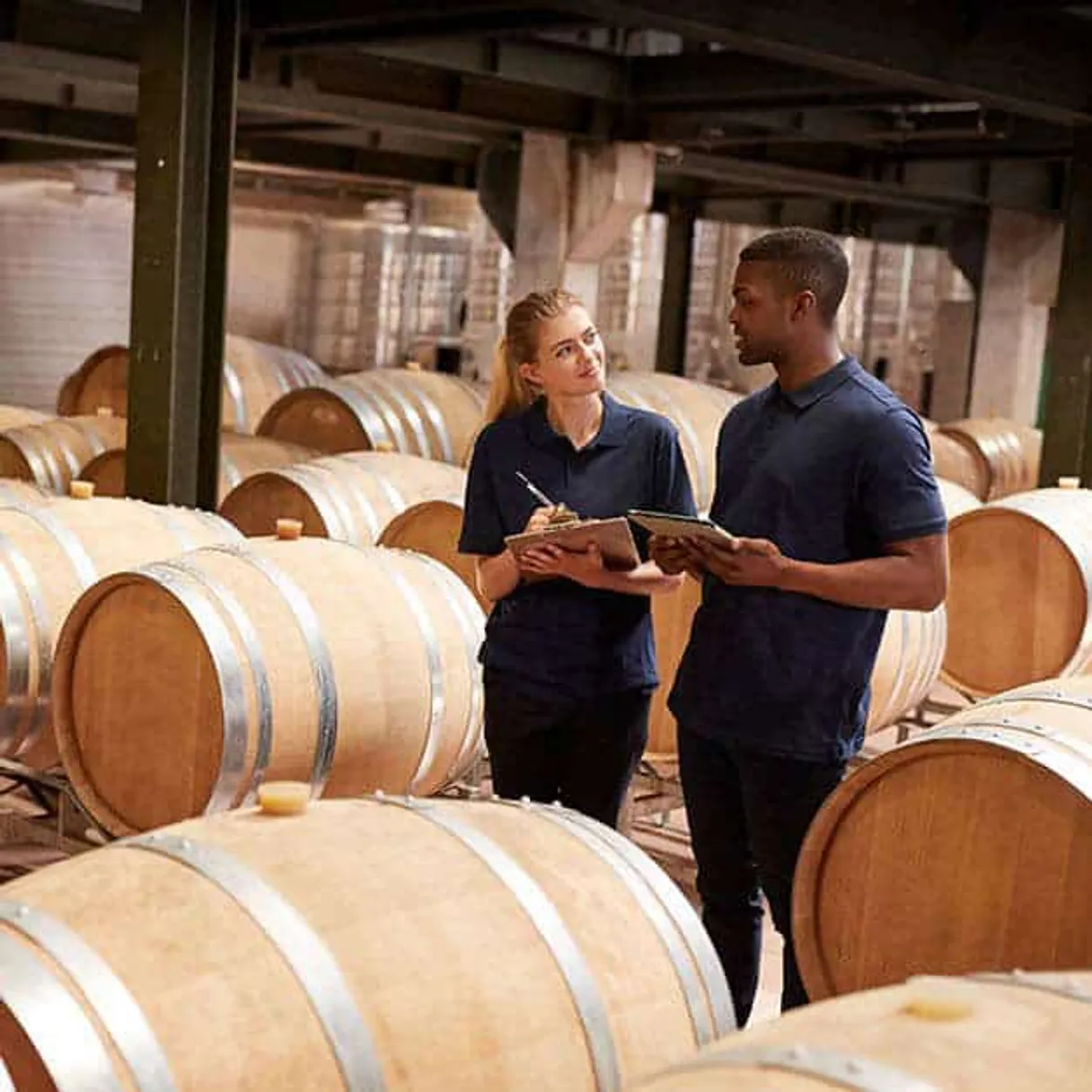
Independent Platform Disclaimer: Vinkius is an independent platform and is not affiliated with, endorsed by, sponsored by, verified by, or otherwise authorized by InnoVint. All third-party trademarks, logos, and brand names are the property of their respective owners. Their use on this website is strictly for informational purposes to identify service compatibility and interoperability.
VINKIUS INFRASTRUCTURE
Cloud Hosted
Managed infra
V8 Isolated
Sandboxed per request
Zero-Trust Proxy
No stored credentials
DLP Enforced
Policy on every call
GDPR Compliant
EU data residency
Token Compression
~60% cost reduction
Works with Claude, ChatGPT, Cursor, and more
The Model Context Protocol standardizes how applications expose capabilities to LLMs. Instead of operating in isolation, your AI gains direct access to external platforms, live data, and real-world actions through secure, standardized connections.
This server provides 10 capabilities that interface natively with Claude, ChatGPT, Cursor, and any MCP client. No middleware. No custom integration required.
Available Capabilities
Manual cellar tracking takes hours of clicking.
Today, tracking a single lot means opening the lot management tab, cross-referencing the vessel assignment screen, then downloading the chemical analysis PDF, and finally jumping to the actions log. You're copying IDs, switching tabs, and manually correlating data points across half a dozen different screens just to answer one question.
With InnoVint, you just ask your agent: 'How is the 2025 Pinot Noir doing?' It runs `get_lot`, checks `list_analyses`, and reports the vessel status all in one go. You get the answer, not a stack of links.
List Analyses MCP Server: Track Chemistry in Seconds
Manual reporting requires downloading the lot's data, opening a spreadsheet, and manually graphing the pH and TA readings over time to spot trends. It's slow, and you always risk mislabeling a data point.
Now, you ask the agent to check `list_analyses` for a lot. It pulls the time-series data and presents it directly, letting you spot trends instantly. It's a conversation, not a spreadsheet.
Common Questions About InnoVint MCP
How do I use the list_vessels tool to check space? +
You use list_vessels to get a full inventory of all tanks and barrels. The output includes capacity, current fill level, and location, letting you calculate total available space immediately.
Can I use the search_lots tool to find a specific vintage lot? +
Yes, search_lots lets you filter records by criteria like varietal, vintage, or lot code. This is better than general searches because it pulls detailed status and vessel assignment.
What is the difference between get_lot and search_lots? +
search_lots finds lots matching general criteria (like 'Cabernet 2018'). get_lot requires a specific lot ID to pull the definitive, single source-of-truth record for that exact batch.
Do I need to know the lot ID to list_analyses? +
Yes, list_analyses requires you to specify the lot. You must provide the lot ID or lot code first to retrieve the correct chemical history.
How do I check compliance using list_additives? +
Use list_additives to reference registered chemicals and their dosage guidelines. This ensures the agent can provide compliance checks for your winemaking decisions.
How do I use list_actions to see the full history of a specific lot? +
You filter by the lot ID. This shows every cellar action—like racking or fining—that happened to that specific batch. It gives you a complete, chronological record for quality control.
What kind of data do I get when I run list_analyses for a lot? +
The tool provides key chemical metrics over time, including pH, TA, SO2, and Brix. This allows you to track the chemistry of a lot and spot trends, not just single readings.
Can I use list_wineries to manage multiple locations? +
Yes, list_wineries allows you to manage several facilities from one connection. You get an overview of all your sites, letting you compare production across different wineries.
How do I get InnoVint API access? +
Contact InnoVint support at support@innovint.us to request a Personal Access Token. You'll need an active InnoVint account.
Can I record lab analysis results using this integration? +
Yes, you can input new lab readings such as pH, TA, Brix, and free SO2 directly for a specific lot or vessel using natural language, and the AI will post them to the InnoVint API.
Does this support managing multiple wineries under the same account? +
Yes, if your InnoVint integrator account has access to multiple wineries, you can scope your API requests to a specific Winery ID to manage lots and vessels across different properties.
Use it with your favorite AI tools
Connect this server to Cursor, Claude, VS Code, and more.
More in this category

Mindbody
Manage classes, appointments, clients, staff, and sales from your Mindbody-powered fitness studio, spa, or wellness business through natural conversation.
Sharetribe
Equip your AI agent to autonomously manage your marketplace. Approve listings, transition transaction states, audit user profiles, and moderate reviews.
Booqable
Manage your rentals via Booqable — track orders, check availability, and manage inventory directly from any AI agent.
You might also like

Xeno-canto
Search and explore the world's largest collection of bird sound recordings directly from your AI agent.

FreeScout
Manage your FreeScout helpdesk — list mailboxes, handle conversations, reply to customers, and manage users directly via AI.

Vercel
Bring your Vercel deployment infrastructure into chat. Control project domains, trigger manual builds, and inspect deployment status natively.