
Craftboxx MCP. Manage orders, inventory, and schedules through chat.
 Gemini
 Works with every AI agent you already use
…and any MCP-compatible client









Just plug in your AI agents and start using Vinkius.
Craftboxx. Equip your AI agent to handle every step of craft business operations. Use it to manage orders, schedule field appointments, track equipment, and get real-time business stats directly via conversation.
Stop switching between dozens of tabs and start controlling your entire operation through natural language.
What your AI agents can do
Create order
Creates and logs a new craft service order in the system.
Get business stats
Retrieves summary statistics for the entire company operation.
Get order details
Fetches all information for a specific, existing craft order.
Your agent writes a new craft order record using the details you provide.
Your agent pulls high-level stats, giving you an immediate overview of company performance.
Your agent finds and reads the full record for any specific craft order ID.
Your agent shows you all upcoming field appointments and employee schedules.
Your agent lists customers, employees, materials, vehicles, and active tasks when you ask for them.
Ask AI about this MCP
Supported MCP Clients
Gemini Waiting for input…
Craftboxx MCP Server: 10 Tools for Operations
Use these tools to manage everything from creating new orders to tracking available equipment and getting real-time business metrics.
019d757dcreate order
Creates and logs a new craft service order in the system.
019d757dget business stats
Retrieves summary statistics for the entire company operation.
019d757dget order details
Fetches all information for a specific, existing craft order.
019d757dlist appointments
Shows all scheduled field work and client appointments.
019d757dlist customers
Provides a list of all clients and business partners.
019d757dlist employees
Lists all current team members and employee records.
019d757dlist materials
Lists available inventory items and raw materials.
019d757dlist orders
Retrieves a full list of all craft orders in the system.
019d757dlist tasks
Lists every open or completed task associated with a project.
019d757dlist vehicles resources
Lists company vehicles, machinery, and other operational assets.
Choose How to Get Started
Build a custom MCP for your own tools, or connect a ready-made integration from our catalog.
Build Your Own
Turn any API into an MCP. Import a spec, define Agent Skills, or deploy with MCPFusion.
- Import from OpenAPI, Swagger, or YAML specs
- Create Agent Skills with progressive disclosure
- Deploy to edge with MCPFusion framework
- Built in DLP, auth, and compliance on every call
- Real time usage dashboard and cost metering
- Publish to catalog or keep private
Make Your AI Do More
Start with Craftboxx, then connect any of our 4,700+ other servers whenever your AI needs more. One click, no limits.
- Use this MCP plus 4,700+ others, all in one place
- Add new capabilities to your AI anytime you want
- Every connection is secured and compliant automatically
- Track usage and costs across all your servers
- Works with Claude, ChatGPT, Cursor, and more
- New servers added to the catalog every week
What you can do with this MCP connector
Your AI agent handles every part of the craft business, so you don't gotta jump between a dozen tabs. You'll use this server to manage orders, schedule field appointments, track equipment, and get real-time business stats, all through talking to your agent. When you need to create a new work order, your agent writes the full record using whatever details you give it.
When you gotta check business performance metrics, your agent pulls high-level company stats, giving you an instant overview of how the whole operation's doing. If you need specific order details, your agent finds and reads the entire record for any craft order ID you mention.
To list scheduled work events, your agent shows you all the upcoming field appointments and employee schedules. You can also get a quick rundown of every open or completed task associated with a project using list_tasks.
It's got all the lookup tools you need. You can ask it to list all your clients and business partners using list_customers. You can also get a list of all your team members and employee records with list_employees. For materials, it lists all available inventory items and raw materials via list_materials.
When it comes to equipment, it lists company vehicles, machinery, and other operational assets using list_vehicles_resources. You can also pull a full list of all craft orders in the system with list_orders, or just get a list of all your current field work and client appointments by running list_appointments.
How Craftboxx MCP Works
- 1 Connect the Craftboxx integration to your AI client.
- 2 Provide the Craftboxx API Key in your client settings to authorize access.
- 3 Ask your agent a question (e.g., 'What's the status of order #123?'). The agent calls the appropriate tool and returns the structured data.
The bottom line is, your AI agent handles the API calls and data formatting so you just talk to it.
Who Is Craftboxx MCP For?
The Operations Manager who spends half the day cross-referencing schedules, inventory counts, and order status across five different dashboards. The Project Lead who needs to know if a job can start based on material availability and employee time. The Shop Owner who needs a quick, reliable overview of today's active orders and business metrics, no matter where they are.
Coordinates employee schedules, assigns resources, and checks material stock before dispatching crews.
Checks order details and material availability instantly during planning sessions.
Gets a high-level view of active orders and overall business statistics on the go.
What Changes When You Connect
- Instantly create new work orders. Don't manually fill out forms; just tell your agent to create an order using the
create_ordertool. - Check company health metrics on demand. Use
get_business_statsto pull real-time operational data without running complex reports. - Coordinate field crews efficiently. The
list_appointmentstool gives you a clear schedule view, letting you know who's where and when. - Track everything you own. When you need to know if you have enough copper wire or how many vans are available, use
list_materialsorlist_vehicles_resources. - Deep dive into any job. Instead of scrolling through pages, use
get_order_detailsto pull every piece of information about a specific job instantly. - Know your team status. Need to confirm who is working on what? The
list_employeestool gives you the roster and current status.
Real-World Use Cases
Need to reschedule a job due to a delayed shipment.
A project lead checks the schedule using list_appointments, sees the delay, and then uses list_materials to confirm the necessary parts are arriving. Finally, the agent calls get_order_details to pull the customer's contact info and rewrite the appointment.
Starting a new service call for a client.
The owner asks the agent to start a new job. The agent calls list_customers to verify the client, then create_order to log the work, and finally list_vehicles_resources to assign a van.
Daily operational check-in.
The manager starts the day by asking for business stats. The agent uses get_business_stats to give an overview. Then, they use list_orders to see the total queue, and list_tasks to see what needs immediate attention.
Resource allocation planning.
The team needs to know if they can handle a big job next week. They ask the agent to check list_employees for capacity, then list_materials for bulk inventory, and finally list_vehicles_resources to ensure enough trucks are available.
The Tradeoffs
Manual data hopping
You check the job status in the main dashboard, then open the inventory tab to see if materials are stocked, and finally manually email the scheduler to move the appointment. This takes 15 minutes.
→
Tell your agent to check the job status, material needs, and scheduling gaps in one go. It runs get_order_details, checks list_materials, and uses list_appointments—all in a single chat command.
Over-relying on UI search filters
Searching for a customer by name, then clicking into their profile, then running a report on their past orders. This is slow and often incomplete.
→
Ask your agent to run a consolidated query. Use list_customers first, then ask it to find all associated orders using list_orders.
Forgetting to check resources
Creating an order using create_order and forgetting to check if the team has a van or enough materials. The job stalls later.
→
Always run a resource check first. Check list_vehicles_resources and list_materials before calling create_order to prevent scheduling dead ends.
When It Fits, When It Doesn't
Use this server if your workflow involves coordinating multiple, distinct business functions: orders, people, inventory, and time. You need to run a query that crosses data domains—for example, 'Are there enough skilled employees (from list_employees) to handle the materials required for the next week's orders (from list_materials)?'
Don't use this if you just need to view one static list (e.g., a simple list of customer names). Use your client's native list feature instead. If your workflow requires transactional steps—like creating a record and checking associated resources—this is the right tool. If you only need to read a single report, it's overkill.
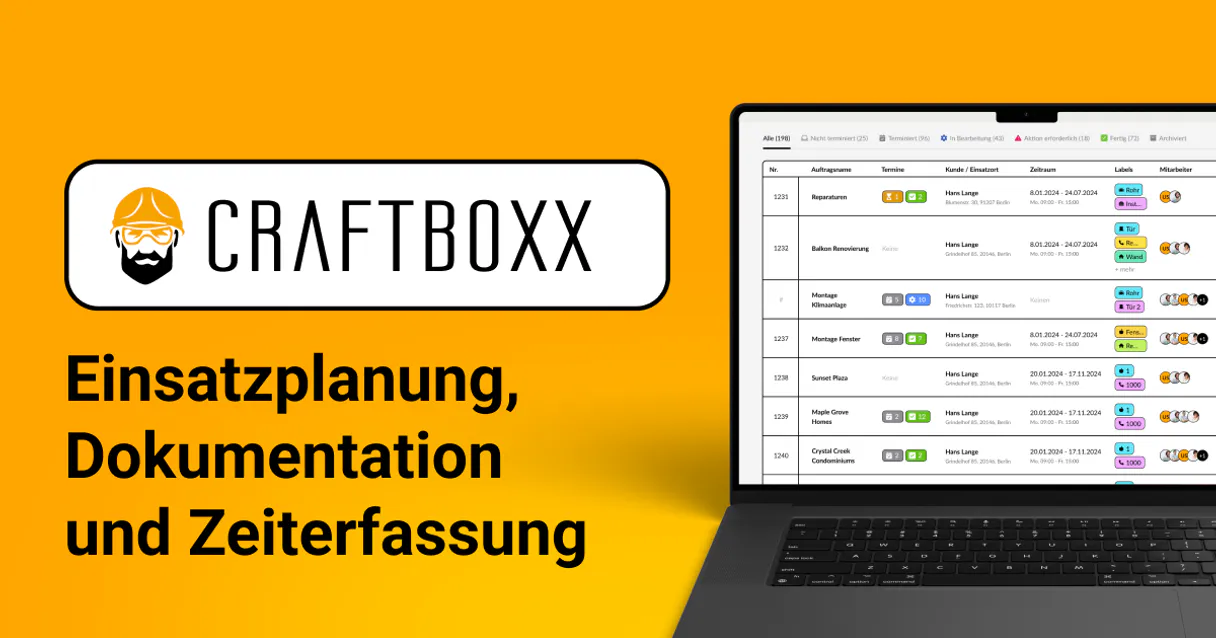
Independent Platform Disclaimer: Vinkius is an independent platform and is not affiliated with, endorsed by, sponsored by, verified by, or otherwise authorized by Craftboxx. All third-party trademarks, logos, and brand names are the property of their respective owners. Their use on this website is strictly for informational purposes to identify service compatibility and interoperability.
VINKIUS INFRASTRUCTURE
Cloud Hosted
Managed infra
V8 Isolated
Sandboxed per request
Zero-Trust Proxy
No stored credentials
DLP Enforced
Policy on every call
GDPR Compliant
EU data residency
Token Compression
~60% cost reduction
Works with Claude, ChatGPT, Cursor, and more
The Model Context Protocol standardizes how applications expose capabilities to LLMs. Instead of operating in isolation, your AI gains direct access to external platforms, live data, and real-world actions through secure, standardized connections.
This server provides 10 capabilities that interface natively with Claude, ChatGPT, Cursor, and any MCP client. No middleware. No custom integration required.
Available Capabilities
Juggling dashboards to get a simple job status shouldn't take five minutes.
Today, checking a job status means jumping between the main CRM dashboard, the inventory sheet, and the scheduling calendar. You copy the job ID, paste it into the inventory system to check parts, and then open the separate scheduling app to see if the crew is free. It's constant clicking, copy-pasting, and checking three different sources just to answer: 'Can this job happen today?'
With the Craftboxx MCP Server, you just ask your agent. You ask, 'What's the status of the Main St. job?' The agent instantly runs `get_order_details`, checks `list_materials` for stock, and confirms `list_appointments` for the crew. You get a single, unified answer in your chat window.
Craftboxx MCP Server: Control orders, inventory, and scheduling.
You can eliminate the need for manual record-keeping. Instead of writing down a new order on a notepad, you simply tell your agent to `create_order`. You don't track equipment usage in a spreadsheet; you ask the agent to check `list_vehicles_resources` and it gives you the current status and availability.
The process is now conversational. You speak your requirements—'I need a crew for the roof job next Tuesday.' The agent figures out the necessary checks across `list_employees`, `list_materials`, and `list_appointments` and executes them for you. It just works.
Common Questions About Craftboxx MCP
How do I create an order using the Craftboxx MCP Server's `create_order` tool? +
You give your agent the necessary parameters (client name, scope, materials list, etc.). The agent then calls the create_order tool and logs the new record in Craftboxx for you.
Can I check the status of a job using `get_order_details`? +
Yes. You provide the job ID, and the agent returns a full, detailed record including status, associated materials, and assigned tasks.
What is the best way to see all available equipment with `list_vehicles_resources`? +
Simply ask your agent to 'list all company vehicles and machines'. The agent runs the list_vehicles_resources tool and provides a structured list of current availability and location.
Does `list_customers` show business partners as well? +
Yes. The list_customers tool provides a complete roster of both clients and business partners you work with.
How do I get a high-level view of my business with `get_business_stats`? +
Ask your agent for 'today's business stats'. The agent executes get_business_stats and returns key metrics like total active orders or revenue projections.
How do I check if specific employees are available using the `list_employees` tool? +
The list_employees tool returns a roster of all team members. You can filter this list by date range or status to see who is available for scheduling.
What kind of data can I get about inventory using `list_materials`? +
The list_materials tool provides a detailed inventory breakdown. It includes item names, current stock levels, and associated unit costs.
Can I see a list of all open tasks with the `list_tasks` tool? +
Yes, the list_tasks tool retrieves both open and completed tasks. You can specify parameters to narrow the results down to only active items.
How do I get a Craftboxx API Key? +
Log in to your Craftboxx account, navigate to Settings > API, and you can generate or retrieve your API Key from that section.
Can I assign tasks to employees? +
Yes, you can use the create_order tool or list employees to see who is available and manage task distribution through conversational commands.
Does Craftboxx support resource management? +
Yes, the integration allows you to list company resources like vehicles and machines, helping you track their allocation to different orders or appointments.
Use it with your favorite AI tools
Connect this server to Cursor, Claude, VS Code, and more.
More in this category

Odoo Helpdesk
Create and manage support tickets, track SLAs, organize helpdesk teams — Odoo Helpdesk through natural conversation.

Guidewire ClaimCenter
Manage insurance claims via ClaimCenter — track claim status, monitor exposures, and manage activities directly from any AI agent.

Zoho Inventory
Manage inventory items, sales orders, and stock levels via the Zoho Inventory API.
You might also like

GlobalGiving
Search nonprofit projects, track crowdfunding goals, and oversee global charities via AI agents with GlobalGiving.

Flexport
Manage global freight shipments, purchase orders, and logistics documents via AI agents with Flexport.

Blockchain.com Data
Access real-time Bitcoin blockchain data via Blockchain.com — query blocks, transactions, and addresses directly from any AI agent.