
Flexport MCP. Manage global freight and supply chain data in conversation.
 Gemini
 Works with every AI agent you already use
…and any MCP-compatible client









Just plug in your AI agents and start using Vinkius.
Flexport. Manage global freight shipments, purchase orders, and logistics documents directly through your AI agent. Connect your Flexport account to your preferred client to automate visibility across your entire supply chain—from tracking an ocean container to filing customs paperwork.
You can list shipments, get PO details, and retrieve essential documents like Bills of Lading without leaving your chat window.
What your AI agents can do
Create purchase order
Generates a new purchase order record in the system.
Download document
Retrieves a secure, temporary download link for a specified logistics document.
Get document
Fetches metadata and details about a specific logistics document.
You can list all active freight shipments and retrieve detailed status updates for air and ocean cargo.
The agent can list, retrieve details for, and create new purchase orders within the system.
You fetch essential documents like Bills of Lading, Commercial Invoices, and Packing Lists using specific commands.
You pull specific invoice details, including those for an entire shipment or the account overall.
You retrieve commercial invoice data required for customs clearance and compliance checks.
You generate and retrieve secure, temporary download links for logistics documents.
Ask AI about this MCP
Supported MCP Clients
Gemini Waiting for input…
Flexport MCP Server: 12 Tools for Logistics & PO Management
Use these tools to list, create, retrieve, and download all freight, invoice, and shipment documents directly through your AI client.
019d759bcreate purchase order
Generates a new purchase order record in the system.
019d759bdownload document
Retrieves a secure, temporary download link for a specified logistics document.
019d759bget document
Fetches metadata and details about a specific logistics document.
019d759bget invoice
Retrieves detailed information for a specific invoice.
019d759bget purchase order
Gets detailed information about a single purchase order.
019d759bget shipment
Fetches detailed information and status updates for a specific freight shipment.
019d759blist commercial invoices
Lists all commercial invoices associated with the account.
019d759blist documents
Lists all available types of general logistics documents.
019d759blist invoices
Lists all freight invoices across the account.
019d759blist purchase orders
Lists all purchase orders matching specified criteria.
019d759blist shipment invoices
Lists invoices specifically tied to a particular shipment ID.
019d759blist shipments
Lists all active freight shipments, providing status and basic metadata.
Choose How to Get Started
Build a custom MCP for your own tools, or connect a ready-made integration from our catalog.
Build Your Own
Turn any API into an MCP. Import a spec, define Agent Skills, or deploy with MCPFusion.
- Import from OpenAPI, Swagger, or YAML specs
- Create Agent Skills with progressive disclosure
- Deploy to edge with MCPFusion framework
- Built in DLP, auth, and compliance on every call
- Real time usage dashboard and cost metering
- Publish to catalog or keep private
Make Your AI Do More
Start with Flexport, then connect any of our 4,700+ other servers whenever your AI needs more. One click, no limits.
- Use this MCP plus 4,700+ others, all in one place
- Add new capabilities to your AI anytime you want
- Every connection is secured and compliant automatically
- Track usage and costs across all your servers
- Works with Claude, ChatGPT, Cursor, and more
- New servers added to the catalog every week
What you can do with this MCP connector
Connect your Flexport account to any AI agent and manage global freight, purchase orders, and logistics documents directly. You can list all active freight shipments and pull detailed status updates for air and ocean cargo. You'll get full visibility by listing all purchase orders and retrieving detailed info about a single one.
You can also create new purchase orders in the system. To handle paperwork, you can list all available general logistics documents and get metadata on specific ones. You'll find specific details on commercial invoices by listing all associated with the account or listing all freight invoices. You can get detailed info on a specific invoice or list invoices tied to a particular shipment ID.
When you need documents, you can list all commercial invoices and get the details for a specific invoice. You can also get the data required for customs compliance checks. When you're ready to use a document, you can get a temporary download link for it, so you don't have to leave your chat window.
How Flexport MCP Works
- 1 First, subscribe to the Flexport server on the Vinkius Marketplace and provide your Flexport API Key from the developer portal.
- 2 Next, connect your preferred AI client (like Claude or Cursor) to the newly configured MCP server.
- 3 Finally, issue a natural language command—for example, 'List my 5 most recent freight shipments and their status'—and the agent executes the necessary tool calls.
The bottom line is, you manage complex, multi-system logistics tasks by talking to your agent instead of clicking through multiple web portals.
Who Is Flexport MCP For?
This server is for Logistics Managers, Supply Chain Analysts, and Finance Operations staff who spend too much time jumping between carrier portals, ERP systems, and document repositories. If your job involves confirming shipment status, auditing freight invoices, or creating POs based on physical documents, this is for you.
You check shipment statuses and confirm cargo ready dates across multiple carriers while coordinating with internal teams.
You get a real-time overview of purchase orders and associated invoices by asking the agent simple commands, without needing to export CSVs.
You automate the retrieval of freight billing data and documents needed for audit trails and expense reconciliation.
What Changes When You Connect
- Track everything without switching tabs. By using
list_shipmentsandget_shipment, your agent gives you a single view of ocean and air cargo statuses, eliminating the need to log into multiple carrier sites. - Automate financial checks instantly. You can use
list_invoicesorlist_shipment_invoicesto see all freight charges, then useget_invoiceto drill down into the specific billing details needed for accounting. - Handle POs from start to finish. Use
list_purchase_ordersto see what's pending, and thenget_purchase_orderto check line items. If you need to correct it, you cancreate_purchase_orderdirectly. - Never lose a document again. The agent can
list_documentsto show what's available, and thendownload_documentto grab the secure link for a Bill of Lading or Packing List. - Get compliance data on demand. Instead of manually pulling customs forms, you call
list_commercial_invoicesand then useget_documentto ensure you have the exact required data for clearance. - Maintain a global overview. You get a high-level view of your entire supply chain—shipments, POs, and invoices—all in one conversation thread, which used to take hours of manual data aggregation.
Real-World Use Cases
Need to reconcile a shipment invoice against a PO.
A finance ops specialist needs to verify if the freight bill matches the order. They ask the agent to list_shipments to find the ID, then use list_invoices and list_purchase_orders to gather both sets of data. Finally, they use get_invoice and get_purchase_order to compare the specific totals, solving the discrepancy immediately.
Tracking a critical, time-sensitive shipment.
A logistics manager needs to know the status of a container shipped last week. They instruct the agent to list_shipments to get the list, select the ID, and then call get_shipment. The agent returns the real-time status and any associated documents they need for customs.
Generating required documentation for an audit.
A supply chain analyst needs to provide proof of goods movement. They ask the agent to list_documents to see what's available, then use get_document to get the metadata for the Bill of Lading. The agent provides the document details and a download_document link.
Creating a new purchase order based on vendor quotes.
The team just got quotes and needs to formalize an order. Instead of logging into the portal, the analyst asks the agent to create_purchase_order. The agent handles the structure and submission, confirming the PO details using get_purchase_order.
The Tradeoffs
Manually switching between systems
Opening the carrier website, then the PO portal, then the finance system, and copying shipment IDs from one to the next just to piece together a status report.
→
Start by asking your agent to list_shipments. Use the resulting ID to call get_shipment, and then use that ID again to call list_invoices and list_documents. It keeps everything in one thread.
Using generic search terms
Asking the agent, 'Tell me about my shipments and documents.' This is too vague and the agent can't know where to start.
→
Be specific. Start with list_shipments to see the list, or if you know what you need, start by calling list_purchase_orders or list_invoices.
Forgetting document dependencies
Assuming that because a shipment exists, the necessary commercial invoice is automatically available for download.
→
First, call list_documents to confirm the type of document. Then, use get_document to confirm the metadata is present before attempting to download_document.
When It Fits, When It Doesn't
Use this server if your role requires connecting data points across multiple operational domains: logistics tracking, financial invoicing, and procurement (POs). You need a single conversational interface to manage the lifecycle of a physical good—from the initial PO to the final customs clearance. Don't use this if your only task is to view a single, static piece of data (e.g., a single PO number). For that, a simple database query tool is enough. If you only need to track shipments, a dedicated tracking API is better. But because this tool allows you to move from list_purchase_orders to list_shipments to list_invoices in one flow, it handles the entire operational loop, making it essential for comprehensive supply chain visibility.

Independent Platform Disclaimer: Vinkius is an independent platform and is not affiliated with, endorsed by, sponsored by, verified by, or otherwise authorized by Flexport. All third-party trademarks, logos, and brand names are the property of their respective owners. Their use on this website is strictly for informational purposes to identify service compatibility and interoperability.
VINKIUS INFRASTRUCTURE
Cloud Hosted
Managed infra
V8 Isolated
Sandboxed per request
Zero-Trust Proxy
No stored credentials
DLP Enforced
Policy on every call
GDPR Compliant
EU data residency
Token Compression
~60% cost reduction
Works with Claude, ChatGPT, Cursor, and more
The Model Context Protocol standardizes how applications expose capabilities to LLMs. Instead of operating in isolation, your AI gains direct access to external platforms, live data, and real-world actions through secure, standardized connections.
This server provides 12 capabilities that interface natively with Claude, ChatGPT, Cursor, and any MCP client. No middleware. No custom integration required.
Available Capabilities
Getting a full picture of a shipment's status shouldn't require five different logins.
Today, tracking one freight shipment means bouncing between the carrier's tracking portal, the internal PO system for billing checks, and a separate document vault for the Bill of Lading. You're copying IDs, checking status codes, and manually cross-referencing documents just to know where the container is and who owes money.
With the Flexport MCP Server, you just ask your agent: 'What's the status of shipment X, and do we have the commercial invoice?' The agent runs `get_shipment` and `list_documents` in the background, giving you the status and the download link in one response. It's a single command, a single answer.
Flexport MCP Server: Manage POs and freight documents via AI.
You used to manually list purchase orders in the ERP, then take the relevant PO number to the freight portal to see associated shipments, and then pull the invoice data separately. This meant opening three different tabs and logging in three times.
Now, you ask the agent to 'Show me all POs for Q3 that have outstanding invoices.' It runs `list_purchase_orders`, checks for linked shipments via `list_shipment_invoices`, and compiles a report. It connects the dots for you.
Common Questions About Flexport MCP
How do I use the Flexport MCP Server to check a shipment's status? +
You can use the list_shipments tool to see all active shipments. If you know the ID, use get_shipment for detailed, real-time status updates on air or ocean cargo.
Can I use Flexport MCP Server to generate a new PO? +
Yes. You simply ask the agent to create_purchase_order. It handles the initial record creation, which you can then confirm or modify using get_purchase_order.
What documents can I retrieve with Flexport MCP Server? +
You can list and retrieve key logistics documents like Bills of Lading, Commercial Invoices, and Packing Lists. Use list_documents to see what's available, and download_document to get the link.
Does Flexport MCP Server help with billing? +
Yes. You can use list_invoices to get a comprehensive list of all freight invoices. You can also narrow the scope by using list_shipment_invoices to check billing tied to a specific shipment.
Is Flexport MCP Server only for tracking shipments? +
No. It handles the entire supply chain lifecycle. It lets you manage purchase orders (create_purchase_order), track shipments (get_shipment), and retrieve financial data (get_invoice) all in one place.
How do I list all logistics documents using the `list_documents` tool in Flexport? +
You call list_documents directly. This tool fetches metadata for all logistics files, including Bills of Lading and Packing Lists. You can then use get_document to fetch the specific details or download link for any listed document.
What if I need to get invoice details for a specific shipment using the `list_shipment_invoices` tool in Flexport? +
You use list_shipment_invoices first to see all associated billing records. This list provides IDs and dates. Next, you call get_invoice with the specific invoice ID to pull the full financial details.
Can the Flexport MCP Server create a purchase order using the `create_purchase_order` tool? +
Yes, create_purchase_order handles the PO generation. You provide the necessary details—like vendor IDs and line items—and the tool creates the PO record within your Flexport account.
How do I track a specific shipment using its ID? +
You can use the 'get_shipment' tool and provide the Flexport Shipment ID. The agent will return the most recent status, location, and estimated arrival dates for that shipment.
Can I retrieve commercial invoices for customs purposes? +
Yes! The 'list_commercial_invoices' and 'list_documents' tools allow you to access the necessary paperwork for customs clearance. You can even use 'download_document' to get a temporary link to the actual file.
Is it possible to filter invoices by shipment? +
Absolutely. Use the 'list_shipment_invoices' tool and provide the Shipment ID. The agent will retrieve all freight billing documents associated with that specific cargo movement.
Use it with your favorite AI tools
Connect this server to Cursor, Claude, VS Code, and more.
More in this category
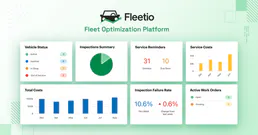
Fleetio
Manage vehicles, track maintenance, and monitor fuel entries via AI agents with Fleetio.

Odoo Helpdesk
Create and manage support tickets, track SLAs, organize helpdesk teams — Odoo Helpdesk through natural conversation.

TurfHop
Manage your lawn care and landscaping business with route planning, job scheduling, and customer billing in one app.
You might also like

IndoorAtlas (Indoor Positioning)
Manage indoor positioning via IndoorAtlas — list venues, upload floorplans, and analyze positioning sessions.
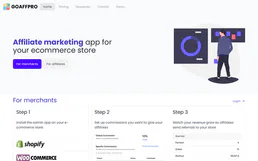
Goaffpro
Manage affiliates, track referral orders, and oversee commissions via AI agents with Goaffpro.
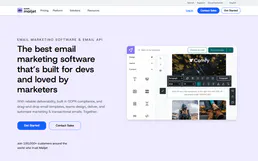
Mailjet
Deliver emails at scale with collaborative template editing, real-time monitoring, and deliverability analytics in one platform.