
CTA MCP. Plan your Chicago journey with real-time transit data.
 Gemini
 Works with every AI agent you already use
…and any MCP-compatible client









Just plug in your AI agents and start using Vinkius.
CTA MCP Server connects your AI agent directly to Chicago's real-time public transit data. Your agent can track L train arrivals, monitor bus vehicle positions system-wide, check service alerts, and plan routes using the CTA API.
Get immediate status updates on all lines and buses through natural conversation.
What your AI agents can do
Get bus predictions
Calculates the predicted arrival time in minutes and seconds for a bus at a specific CTA stop.
Get bus routes
Lists every active CTA bus route, providing its short name, long description, color, and direction.
Get bus stops
Retrieves a list of all CTA bus stops, including their unique ID, name, coordinates, and sequence order.
The server calculates estimated minutes and seconds for a bus to arrive at any specified CTA stop.
It provides the full list of all active CTA bus routes, including their short names, long descriptions, and colors.
The server returns a comprehensive list of every CTA bus stop, detailing its coordinates and associated route direction.
It fetches the real-time GPS coordinates, speed, and destination for all active buses across the network or by specific route.
The server provides a system overview of major disruptions, flagging if lines are running normally, delayed, or suspended.
Ask AI about this MCP
Supported MCP Clients
Gemini Waiting for input…
CTA MCP Server: 11 Tools for Transit Data
Use these tools to calculate arrival times, track vehicle positions, list routes, and monitor the current operational status of all CTA trains and buses.
019d757fget bus predictions
Calculates the predicted arrival time in minutes and seconds for a bus at a specific CTA stop.
019d757fget bus routes
Lists every active CTA bus route, providing its short name, long description, color, and direction.
019d757fget bus stops
Retrieves a list of all CTA bus stops, including their unique ID, name, coordinates, and sequence order.
019d757fget bus vehicles
Tracks the real-time GPS position, speed, and destination for all active buses, filtered by route or system-wide.
019d757fget route directions
Identifies the operational direction (e.g., Northbound/Southbound) associated with a specific CTA bus route ID.
019d757fget route status
Provides an immediate system health check, listing which CTA lines are running normally or experiencing delays/disruptions.
019d757fget service alerts
Fetches current service disruptions across the entire CTA system, noting severity, cause, and alternative routes.
019d757fget stop details
Retrieves detailed metadata for a specific bus stop, including its name and exact geographic coordinates.
019d757fget system time
Returns the current official timestamp from the CTA system server to verify data synchronization.
019d757fget train arrivals
Predicts real-time arrival times for specific L trains at any named or ID'd station.
019d757fget train positions
Tracks the live positions of all active CTA L trains across the network, filtering by line or system status.
Choose How to Get Started
Build a custom MCP for your own tools, or connect a ready-made integration from our catalog.
Build Your Own
Turn any API into an MCP. Import a spec, define Agent Skills, or deploy with MCPFusion.
- Import from OpenAPI, Swagger, or YAML specs
- Create Agent Skills with progressive disclosure
- Deploy to edge with MCPFusion framework
- Built in DLP, auth, and compliance on every call
- Real time usage dashboard and cost metering
- Publish to catalog or keep private
Make Your AI Do More
Start with CTA, then connect any of our 4,700+ other servers whenever your AI needs more. One click, no limits.
- Use this MCP plus 4,700+ others, all in one place
- Add new capabilities to your AI anytime you want
- Every connection is secured and compliant automatically
- Track usage and costs across all your servers
- Works with Claude, ChatGPT, Cursor, and more
- New servers added to the catalog every week
What you can do with this MCP connector
Y’all need this server connected; it gives your AI agent direct access to Chicago's whole real-time transit feed. Forget guessing where that L train or bus is gonna show up—your agent handles the complexity, so you just ask what you need.
System Status and Alerts:
Your agent first checks in on the system health using get_route_status. It immediately tells you if lines are running normal, if there’s a delay, or if something's totally shut down. For bigger headaches, it pulls current service disruptions across both L trains and buses via get_service_alerts, listing the severity of the issue, what caused the mess, and where to go instead.
Before you trust any data, your agent can verify sync by running get_system_time to get the official CTA server timestamp.
L Train Tracking:
You want to know when the 'L' is rolling in? You use get_train_arrivals, and it predicts the exact arrival time for any specific train at a named or ID’d station. Better yet, you can track every active L train across the whole network with get_train_positions. It shows you those live positions, letting you filter by line—be it the Red, Blue, or Brown Line.
Bus System Mechanics:
The bus side is huge. To start planning, your agent pulls a full list of all active CTA bus routes using get_bus_routes. This gives you every route's short name, its long description, and what color it runs on. If you need to know the direction for a specific line, it uses get_route_directions based on that route ID.
For locating stops, your agent can grab a list of all CTA bus stops using get_bus_stops. This data point includes every stop's unique ID, name, coordinates, and sequence order. If you need the deep details on just one spot, it runs get_stop_details to get its exact name and geographic coords.
Live Movement Data:
Now for the money shots: predicting arrivals or watching buses move.
For buses, your agent calculates the predicted arrival time—down to minutes and seconds—at any specific CTA stop using get_bus_predictions. If you want a real-time look at where everything is going, it uses get_bus_vehicles to track the live GPS position, speed, and destination for all active buses. You can filter this list by route ID or check the whole system.
When your agent processes this data, it gives you actionable info: 'Take the Blue Line; a bus is predicted in four minutes,' or 'The Red Line's running slow; here are two alternative routes.' It’s all live, straight from CTA.
How CTA MCP Works
- 1 Subscribe to the CTA Server and enter your required API keys (CTA Train Tracker and CTA Bus Tracker).
- 2 Your agent sends a natural language query detailing the origin, destination, or desired status check.
- 3 The server executes multiple internal calls (e.g., running
get_bus_routesthenget_bus_predictions) to synthesize a single, actionable trip plan.
The bottom line is: Your agent acts as your dedicated Chicago transit analyst, combining raw data from all the individual tools into one clear answer.
Who Is CTA MCP For?
This server is for anyone who relies on reliable, real-time movement information. Think high-frequency commuters stuck in Chicago traffic or development teams building mission-critical mobility apps. If your job involves coordinating people's physical movements based on public data, you need this.
Uses get_bus_vehicles and get_service_alerts to manage worker deployment schedules, ensuring staff know if a route is compromised before sending them out.
Integrates get_train_arrivals, get_bus_predictions, and get_system_time to build accurate, real-time trip planning features into a production application.
Runs queries against get_route_status and get_bus_routes to study system reliability patterns or map out service gaps across different Chicago neighborhoods.
What Changes When You Connect
- Need to know if the Red Line is delayed? Use
get_route_statusorget_service_alertsimmediately. You get a system-wide status check instead of wading through separate service pages. - Tracking individual buses? The
get_bus_vehiclestool gives you the live GPS coordinates and speed for every bus, letting your agent track fleet movement instantly. - Planning a transfer? By combining
get_stop_detailswithget_train_arrivals, your agent finds both the precise location of the stop and the next train arrival time in one go. - Timing is everything. Use
get_bus_predictionsto estimate exactly when the 22 Clark bus will hit your corner, saving you from unnecessary waiting time. - System reliability check: Call
get_system_timefirst. This ensures all other real-time data calls are synchronized with the official CTA clock before planning anything.
Real-World Use Cases
Morning Commute Check
A commuter needs to get downtown but doesn't know which line is running smoothly. They ask their agent: 'How is the Red Line today?' The agent uses get_service_alerts first, sees a minor delay on the Purple Line, and then recommends taking the train that shows as 'GOOD' status via get_route_status, saving them time.
Bus Route Discovery
A new resident needs to find every bus line serving their neighborhood. They ask: 'What routes serve Belmont Avenue?' The agent calls get_bus_routes and then uses the resulting IDs in conjunction with get_bus_stops to list all available stops on those lines.
Operational Tracking
A manager needs to know where their field team is located. They ask: 'Where are the buses near Roosevelt?' The agent runs get_bus_vehicles, filters by proximity, and provides a list of live coordinates for the nearest active vehicles.
Cross-Platform Trip Planning
A user needs to transfer from an L train to a bus. They ask: 'When does the Blue Line arrive at Clark/Lake, and what's the next 22 bus?' The agent calls get_train_arrivals for the station ID, then uses that stop info to run get_bus_predictions for the connecting route.
The Tradeoffs
Treating data sources as static
Asking 'What are all the bus routes?' and accepting a list without checking current status. This gives outdated information.
→
First, call get_bus_routes to get the IDs. Second, run get_route_status before planning anything. The combination ensures you only plan using lines that aren't suspended or severely delayed.
Only checking arrivals by station
Just calling 'When does the train come?' and getting a prediction, but missing bus transfers nearby.
→
Always supplement get_train_arrivals with get_bus_predictions. Use the stop ID returned from the train arrival context to check for immediate feeder buses.
Ignoring service disruptions
Planning a trip based on normal operation, but failing to account for construction or weather.
→
Start every query by running get_service_alerts. This forces the agent to check for immediate issues (like 'construction' or 'weather') before calculating any ETA.
When It Fits, When It Doesn't
Use this server if your core job is time-sensitive movement planning. You need a system that combines multiple data feeds—train positions, bus predictions, and live alerts—into one coherent answer. This isn't just about getting a list of routes; it’s about knowing when the next vehicle arrives and if the route is actually running.
Don't use this if you only need static information (like 'What are all the bus stops in Chicago?'—though get_bus_stops covers that). More critically, don't rely on it for long-term scheduling or planning beyond a few hours. The data is real-time. If your process requires historical performance analysis over weeks, you need a different kind of analytical database, not a live API.
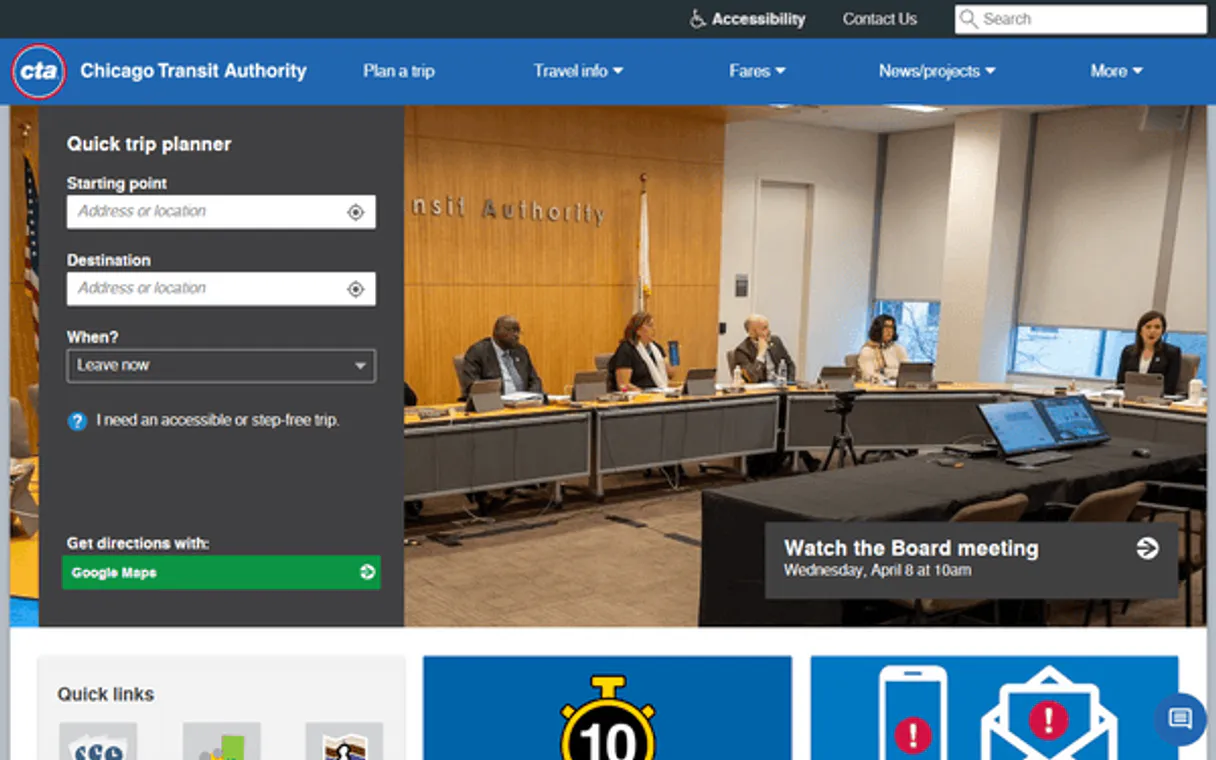
Independent Platform Disclaimer: Vinkius is an independent platform and is not affiliated with, endorsed by, sponsored by, verified by, or otherwise authorized by CTA. All third-party trademarks, logos, and brand names are the property of their respective owners. Their use on this website is strictly for informational purposes to identify service compatibility and interoperability.
VINKIUS INFRASTRUCTURE
Cloud Hosted
Managed infra
V8 Isolated
Sandboxed per request
Zero-Trust Proxy
No stored credentials
DLP Enforced
Policy on every call
GDPR Compliant
EU data residency
Token Compression
~60% cost reduction
Works with Claude, ChatGPT, Cursor, and more
The Model Context Protocol standardizes how applications expose capabilities to LLMs. Instead of operating in isolation, your AI gains direct access to external platforms, live data, and real-world actions through secure, standardized connections.
This server provides 11 capabilities that interface natively with Claude, ChatGPT, Cursor, and any MCP client. No middleware. No custom integration required.
Available Capabilities
Relying on multiple apps to plan a single trip shouldn't take 5 minutes.
Today, planning a quick commute means opening the CTA website for trains, then switching over to Google Maps for bus routes. You have to manually cross-reference stop IDs and compare arrival times from two different sources just to figure out if you need to transfer. It's tedious copy-pasting.
With this MCP server, your agent handles it all. Give it the start point and end point. The agent runs `get_train_arrivals` for the L line and immediately uses that station context to run `get_bus_predictions` for any connecting routes. You get one unified ETA.
The CTA MCP Server: Track Bus Arrivals with `get_bus_predictions`
Manual checking means walking to the stop and watching a physical sign that might be out of date. You have no way to know if the bus is actually delayed or if the system just hasn't updated its display yet.
Now, your agent runs `get_bus_predictions`. It pulls data directly from the active vehicle tracking feeds. This means you get a live estimate—not a schedule prediction—giving you accuracy down to the minute.
Common Questions About CTA MCP
How do I check for major service disruptions using `get_service_alerts`? +
You simply ask your agent, 'Are there any alerts today?' The tool runs and returns a comprehensive list of all current disruptions across both the L trains and buses, noting severity levels.
Can I track live bus positions with `get_bus_vehicles`? +
Yes. This tool gives you real-time GPS coordinates for every active CTA bus. You can filter this output by a specific route ID or view the entire fleet system-wide.
What is the difference between `get_bus_predictions` and `get_train_arrivals`? +
get_bus_predictions focuses on estimated arrival time for buses at a stop. get_train_arrivals does the same thing, but specifically for L trains, providing details like line color and destination.
How do I find all available bus routes using `get_bus_routes`? +
Just ask your agent to list them. The tool returns a full catalog of every CTA route ID and its associated short name (e.g., '22', '36').
How do I figure out the correct direction for a bus using `get_route_directions`? +
The tool returns specific direction IDs and names (like Northbound or Southbound). You use this to understand the route's geometry, which is critical when planning trips that must travel in a specific direction. This helps prevent agents from suggesting impossible routes.
What information does `get_stop_details` provide besides just a stop name? +
It gives you the full metadata for any CTA bus stop, including its precise latitude and longitude coordinates. You need these detailed coordinates when integrating transit data into mapping applications or needing highly contextualized location info.
Should I run `get_system_time` before making complex queries? +
Yes, running get_system_time is smart practice. It verifies API connectivity and synchronizes your agent's clock with the official CTA system timestamp. This prevents data correlation errors when dealing with real-time tracking.
How do I visualize all active CTA train locations using `get_train_positions`? +
This tool returns the run number, line color, and current location (coordinates) for every active train. You can filter this by specific lines—like the Red or Blue Line—to get a system-wide view of where all trains are right now.
Can my AI check when the next L train is arriving at my station? +
Yes! Use the get_train_arrivals tool with the station mapId (a 5-digit parent station ID, e.g., 40360 for Clark/Lake, 40900 for Jackson). Your AI will return all upcoming trains with destination names, line colors (Red, Blue, Brown, Green, Orange, Purple, Pink, Yellow), predicted arrival times in minutes, operating status (on-time, delayed, approaching, boarding, departing), and whether the train is scheduled or real-time tracked. If you do not know the mapId, it can be found in the CTA GTFS static data feed.
How do I check when the next CTA bus is arriving at a specific stop? +
First use get_bus_stops with a route ID to find the stop ID (stpid) for your location. Then use get_bus_predictions with that stop ID to get real-time estimated arrival times, route information, destination descriptions, and vehicle IDs. For route-filtered predictions, you can also pass the route ID to narrow results to a specific bus line. Stop IDs are numeric identifiers assigned by CTA to each physical bus stop across Chicago.
Are there any service disruptions affecting the Red Line or my bus route right now? +
Use get_service_alerts to check all active service disruptions across the CTA system. This returns alerts with affected routes and stations, disruption descriptions, severity levels, cause types (maintenance, incident, weather, special events, construction), and detour information. You can also use get_route_status for a quick system-wide health check showing which L lines and bus routes are running on-time, delayed, or have planned work. Always check this before planning any CTA journey.
Use it with your favorite AI tools
Connect this server to Cursor, Claude, VS Code, and more.
More in this category

FNS SNAP Retailer Locator (USDA)
Locate SNAP-authorized retailers across the US using USDA public data. Filter by location, store name, or coordinates.

USAspending (Federal Spending)
Analyze US federal spending data — query agency budgets, track awards, and explore geographic spending patterns directly from your AI agent.

DonorsChoose
Equip your AI agent to search classroom projects, track funding needs, and monitor educational proposals via the DonorsChoose API.
You might also like

Fellow
Run better meetings with collaborative agendas, action item tracking, and AI-generated summaries that keep teams accountable.

Jamendo
Search and stream music from the Jamendo catalog — find tracks, albums, and artists, and explore playlists directly from your AI agent.
Glama
Connect your AI agent to the Glama directory. Discover MCP servers dynamically, analyze attributes, and proxy external intelligence networks through a unified gateway natively.