
Dashdoc MCP. Manage entire logistics operations via chat.
 Gemini
 Works with every AI agent you already use
…and any MCP-compatible client









Just plug in your AI agents and start using Vinkius.
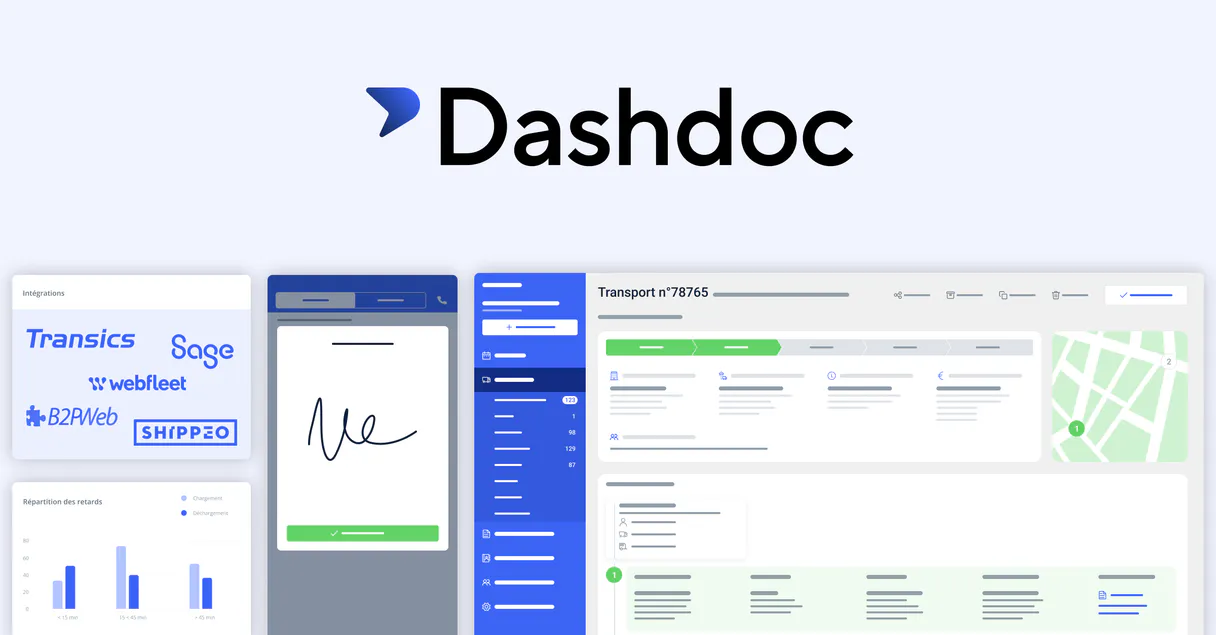
Dashdoc. Connect your AI agent to the Dashdoc API to manage logistics. Use this to list, retrieve, and create records for transport orders, entire fleets (trucks and trailers), and delivery addresses.
It handles everything from finding a specific order's status to adding a new pickup site.
What your AI agents can do
Create new address
Adds a brand new address record to the Dashdoc address book using name, city, and postal code.
Get my user info
Retrieves core metadata about the user who is currently authenticated in the system.
Get transport details
Gets detailed information for one specific transport order, including cargo, contacts, and status logs.
Retrieve a transport order's full history, including cargo details, contact info, and location status.
Get lists of all registered trucks, trailers, and drivers, along with their specific operational metadata.
Create new addresses in the system or list all saved sites, including GPS coordinates and site-specific instructions.
Quickly locate a transport order using a partial reference keyword, regardless of case.
List and access the legal names and primary communication channels for all associated business partners.
Ask AI about this MCP
Supported MCP Clients
Gemini Waiting for input…
Dashdoc MCP Server: 10 Tools for Logistics Management
These 10 tools let your AI agent read, write, and manage every aspect of your logistics operation, from dispatching a truck to saving a new pickup point.
019d7581create new address
Adds a brand new address record to the Dashdoc address book using name, city, and postal code.
019d7581get my user info
Retrieves core metadata about the user who is currently authenticated in the system.
019d7581get transport details
Gets detailed information for one specific transport order, including cargo, contacts, and status logs.
019d7581list fleet drivers
Returns a list of all drivers registered in the system, showing their names and associated vehicles.
019d7581list fleet trailers
Returns a list of all trailers, including their type (e.g., refrigerated) and current fleet assignment status.
019d7581list fleet trucks
Lists all registered trucks, including their license plates, capacity, and current operational status.
019d7581list saved addresses
Returns a collection of all saved delivery and pickup addresses, including GPS coordinates and site instructions.
019d7581list transport contacts
Lists all business partners and contacts, showing legal names and primary communication channels.
019d7581list transports
Retrieves a comprehensive list of all transport orders, including status, dates, and customer IDs.
019d7581search transports by reference
Searches for transport orders using a keyword reference, matching across all transport identifiers.
Choose How to Get Started
Build a custom MCP for your own tools, or connect a ready-made integration from our catalog.
Build Your Own
Turn any API into an MCP. Import a spec, define Agent Skills, or deploy with MCPFusion.
- Import from OpenAPI, Swagger, or YAML specs
- Create Agent Skills with progressive disclosure
- Deploy to edge with MCPFusion framework
- Built in DLP, auth, and compliance on every call
- Real time usage dashboard and cost metering
- Publish to catalog or keep private
Make Your AI Do More
Start with Dashdoc, then connect any of our 4,700+ other servers whenever your AI needs more. One click, no limits.
- Use this MCP plus 4,700+ others, all in one place
- Add new capabilities to your AI anytime you want
- Every connection is secured and compliant automatically
- Track usage and costs across all your servers
- Works with Claude, ChatGPT, Cursor, and more
- New servers added to the catalog every week
What you can do with this MCP connector
You're connecting your AI client to Dashdoc to manage all your logistics. This lets your agent list, retrieve, and create records for transport orders, entire fleets, and delivery locations. You'll be telling your agent to do things, not just read data.
Checking Transport Orders
- To see a transport order's full history, including cargo details, contact info, and location status, you'll use
get_transport_details. - You can pull a comprehensive list of all transport orders, showing their status, dates, and customer IDs, with
list_transports. - If you know a partial reference keyword, you can quickly find a specific transport order using
search_transports_by_reference.
Handling Fleet Assets
- You'll get lists of all registered trucks, including their license plates, capacity, and current operational status, using
list_fleet_trucks. - You can pull a list of every trailer, including its type (like refrigerated) and current assignment status, via
list_fleet_trailers. - You'll see all drivers registered in the system, along with their names and associated vehicles, by running
list_fleet_drivers.
Managing Locations and Contacts
- To create a brand new address record in the Dashdoc address book, use
create_new_addressand provide the name, city, and postal code. - You can get a collection of all saved delivery and pickup addresses, including GPS coordinates and site instructions, with
list_saved_addresses. - To list all business partners and contacts, showing legal names and primary communication channels, use
list_transport_contacts. - You can also pull core metadata about the user currently authenticated in the system by running
get_my_user_info.
How Dashdoc MCP Works
- 1 Connect the Dashdoc integration to your AI client. You'll need a Dashdoc API Key (found in Settings > API).
- 2 Authorize the connection using the key. This gives your agent the necessary permissions to read and write operational data.
- 3 Use natural language to tell your agent what you need. For example, 'Check the status of the order from Berlin' or 'Add the new site at 123 Main St.'.
The bottom line is: your AI agent performs complex, multi-step logistics tasks using simple conversation.
Who Is Dashdoc MCP For?
This is for logistics operations. If your job involves coordinating physical goods—whether you're tracking a truck, confirming a drop-off point, or checking a shipment's status—you need this. It gets your AI agent out of the chat window and into the operational system.
Checks transport statuses and fleet availability on the go. They use the agent to list_transports or list_fleet_trucks without logging into the main web portal.
Accesses driver and delivery addresses directly via chat. They use list_fleet_drivers and create_new_address to assign resources and plan routes.
Monitors transport orders and partner contacts during planning. They use list_transport_contacts and search_transports_by_reference to build out the full supply chain picture.
What Changes When You Connect
- Track Orders Instantly: Use
list_transportsto pull a status list of every job. Then, usesearch_transports_by_referenceto drill down immediately to a specific order's details. - Build Out Your Address Book: Never manually input site details again. Use
create_new_addressto save new pickup points andlist_saved_addressesto pull GPS coordinates and gate codes on demand. - Know Your Assets: Instead of opening three different dashboards, your agent runs
list_fleet_trucks,list_fleet_trailers, andlist_fleet_driversto give you a single overview of your available capacity. - Coordinate Contacts: Need to talk to a client's logistics head? Run
list_transport_contactsto get their legal name and primary phone number without switching tabs. - Deep Dive into Jobs: If you get a job ID,
get_transport_detailsgives you everything: the cargo, the destination address, and the historical status log. It's a full report in one go.
Real-World Use Cases
Need to plan a multi-stop route for a new client.
A planner receives a new client address and a pickup point. They don't want to manually enter it. They ask their agent to use create_new_address first, then use list_saved_addresses to confirm the GPS coordinates, ensuring the driver has the right waypoints before dispatch.
A truck breaks down and needs immediate dispatching.
The dispatcher gets a call about a stalled truck. They use list_fleet_trucks to confirm the asset's location and status. They then use get_transport_details with the job ID to see what cargo is onboard and who the primary contact is, letting them dispatch a replacement truck immediately.
Reviewing a major shipment's historical performance.
A manager needs to know if the Berlin-Munich run was on time. They first use list_transports to find the order reference. Then, they pass that ID to get_transport_details to pull the full status log and check if the delivery window was missed.
Auditing the company's current fleet capacity.
An operations lead needs to know if they have enough trailers and drivers for a big week. They run list_fleet_trailers to see how many refrigerated units are available, and list_fleet_drivers to check the available profiles, making sure the capacity matches the schedule.
The Tradeoffs
Listing assets one by one
The user opens the web portal, clicks 'Trucks', copies 10 license plates. Then they open 'Trailers', copy 8 serial numbers. They have to piece together who owns what.
→
Instead of clicking multiple menus, tell your agent: 'List all available fleet assets.' The agent runs list_fleet_trucks and list_fleet_trailers and synthesizes the data, giving you a single, unified view of the entire operational capacity.
Searching by partial text only
The user only knows the customer's name, not the official reference ID. They manually search the database, often missing associated contacts or wrong records.
→
Use search_transports_by_reference with the keyword. The agent finds the job, then runs get_transport_details to pull the full context, including the contact info and cargo details, in one go.
Assuming addresses are stored correctly
A user manually types a new address into a spreadsheet, which lacks the required GPS coordinates or site-specific gate code.
→
Use create_new_address to save the site metadata. The agent handles the structured input, ensuring the record gets the required GPS and site instructions in the Dashdoc system.
When It Fits, When It Doesn't
Use this if you need to manage the full lifecycle of physical goods movement. You need to know: Where is the cargo? Who is driving it? What is the next stop? If your workflow involves linking a specific job (using list_transports or search_transports_by_reference) to physical assets (using list_fleet_trucks, list_fleet_trailers, list_fleet_drivers), this is your server. Don't use it if you just need to look up a static phone number—use list_transport_contacts for that. If you only need to validate a data schema without running a job, look at a pure data validation service instead.
Independent Platform Disclaimer: Vinkius is an independent platform and is not affiliated with, endorsed by, sponsored by, verified by, or otherwise authorized by Dashdoc. All third-party trademarks, logos, and brand names are the property of their respective owners. Their use on this website is strictly for informational purposes to identify service compatibility and interoperability.
VINKIUS INFRASTRUCTURE
Cloud Hosted
Managed infra
V8 Isolated
Sandboxed per request
Zero-Trust Proxy
No stored credentials
DLP Enforced
Policy on every call
GDPR Compliant
EU data residency
Token Compression
~60% cost reduction
Works with Claude, ChatGPT, Cursor, and more
The Model Context Protocol standardizes how applications expose capabilities to LLMs. Instead of operating in isolation, your AI gains direct access to external platforms, live data, and real-world actions through secure, standardized connections.
This server provides 10 capabilities that interface natively with Claude, ChatGPT, Cursor, and any MCP client. No middleware. No custom integration required.
Available Capabilities
Manually tracking logistics requires switching between five different screens.
Right now, planning a shipment means jumping between the main TMS dashboard, the asset management module, and the contact database. You copy the job ID from one screen, paste it into another, and then manually check the fleet status on a third. It takes time, and you always worry about missing a field.
With the Dashdoc MCP Server, you tell your agent the goal. The agent handles the sequence: it pulls the order via `search_transports_by_reference`, checks the required truck via `list_fleet_trucks`, and confirms the destination site using `list_saved_addresses`. You get the full, cross-referenced answer in a single chat response.
Dashdoc MCP Server: Get the full job context instantly
Before this, finding the full context for a job meant running separate reports for the transport order, the associated contacts, and the cargo details. You had to piece together the manifest, the client's details, and the current location data manually.
Now, you simply ask the agent for the details on a job ID. The server runs `get_transport_details`, pulling the manifest, the partner contacts, and the current status into one structured payload. It's the full picture, no manual joins needed.
Common Questions About Dashdoc MCP
How do I list all transport orders using the list_transports tool? +
The list_transports tool retrieves a full list of all transport orders. You get metadata like the status (e.g., 'ongoing' or 'done'), the pickup/delivery references, and the scheduling timestamps.
Can I find a specific job without knowing the full ID? (search_transports_by_reference) +
Yes. search_transports_by_reference matches the keyword against transport-level identifiers and customer references, even if you only have a partial reference or just the customer name.
How do I add a new delivery address using create_new_address? +
The create_new_address tool saves the site metadata. You provide the name, city, and postal code, and the tool returns the newly generated system ID for the address.
What details does list_fleet_trucks provide? +
The list_fleet_trucks tool lists all registered trucks. The output includes license plates, vehicle types, maximum load capacity, and the truck's current operational status.
What is the difference between list_saved_addresses and list_transport_contacts? +
list_saved_addresses gives you physical site details (GPS coordinates, gate codes). list_transport_contacts gives you business partner details (legal names, tax IDs, communication channels).
How do I use the `list_fleet_trailers` tool to check trailer assignments? +
The list_fleet_trailers tool returns trailer metadata, including the type (refrigerated, tautliner) and its current assignment status. You'll get registration numbers and know if the trailer is available or assigned to a specific job.
What kind of information does `get_transport_details` provide for a specific order? +
It gives you detailed info for one transport order. This includes full site addresses, contact phone numbers, cargo items, and historical status logs. It's comprehensive for a single job.
Can I use `list_transport_contacts` to find a business partner's tax ID? +
Yes, the list_transport_contacts tool resolves business partner identities. It provides legal names, tax identifiers, and the primary communication channels needed for logistics coordination.
How do I get a Dashdoc API Key? +
Log in to your Dashdoc account, navigate to Settings > API, and you can generate or retrieve your API Key there. Ensure your account has API access enabled.
Can the agent update transport statuses? +
This integration currently focuses on listing and retrieving transport data for analysis. Status updates should be managed via the Dashdoc dashboard or driver mobile app.
Is fleet data included? +
Yes, you can list your trucks, trailers, and drivers, allowing the agent to provide information on your available transport resources.
Use it with your favorite AI tools
Connect this server to Cursor, Claude, VS Code, and more.
More in this category

Travelport
Access Travelport's Global Distribution System to search and book flights, hotels, and manage travel reservations directly through AI.

Odoo Accounting
List invoices, bills, payments, journal entries, and chart of accounts — Odoo Accounting through natural conversation.
Quickbase
Build custom business apps with a no-code platform that connects data, automates workflows, and adapts as your needs evolve.
You might also like

FareHarbor
Manage tour and activity bookings via FareHarbor — list companies, query availability, and handle bookings directly from your AI agent.

QWeather Ocean/Tide API
Monitor ocean tides — audit water levels and peaks via AI.

PaperQuotes
Access a vast library of quotes, search by author or tags, and get the quote of the day directly in your AI agent.