
PaperQuotes MCP. Pull quotes and author data directly into your workflow.
 Gemini
 Works with every AI agent you already use
…and any MCP-compatible client









Just plug in your AI agents and start using Vinkius.
PaperQuotes lets your AI client access a massive library of quotes. You can search by author or tag, fetch the quote of the day, and pull specific lines of wisdom right into your workflow.
It's built for content writers, researchers, and developers who need verifiable inspiration fast.
What your AI agents can do
Get qod
Retrieves one curated Quote of the Day, requiring no input parameters.
List quotes
Pulls multiple quotes from the database. Requires filters like author name, tags, and language.
List tags
Returns a list of all available tags used to categorize every quote in the system.
Invoke get_qod to retrieve one pre-selected, curated Quote of the Day.
Use list_quotes to pull multiple quotes from the database after filtering by author, tag, or language.
Run search_authors to check if a specific writer exists in the PaperQuotes library.
Call list_tags to get a list of all available tags and topics for filtering quotes.
Ask AI about this MCP
Supported MCP Clients
Gemini Waiting for input…
PaperQuotes MCP Server: 4 Tools for Content Discovery
Use these four tools to search structured quote data, find specific authors, list available themes, or grab a curated Quote of the Day.
019e5d42get qod
Retrieves one curated Quote of the Day, requiring no input parameters.
019e5d42list quotes
Pulls multiple quotes from the database. Requires filters like author name, tags, and language.
019e5d42list tags
Returns a list of all available tags used to categorize every quote in the system.
019e5d42search authors
Finds authors by name within the PaperQuotes database, confirming their existence and details.
Choose How to Get Started
Build a custom MCP for your own tools, or connect a ready-made integration from our catalog.
Build Your Own
Turn any API into an MCP. Import a spec, define Agent Skills, or deploy with MCPFusion.
- Import from OpenAPI, Swagger, or YAML specs
- Create Agent Skills with progressive disclosure
- Deploy to edge with MCPFusion framework
- Built in DLP, auth, and compliance on every call
- Real time usage dashboard and cost metering
- Publish to catalog or keep private
Make Your AI Do More
Start with PaperQuotes, then connect any of our 4,700+ other servers whenever your AI needs more. One click, no limits.
- Use this MCP plus 4,700+ others, all in one place
- Add new capabilities to your AI anytime you want
- Every connection is secured and compliant automatically
- Track usage and costs across all your servers
- Works with Claude, ChatGPT, Cursor, and more
- New servers added to the catalog every week
What you can do with this MCP connector
This server lets your AI client tap into a massive library of quotes—it's not some sketchy quote generator; it’s a structured database you can query directly. You don't need to mess around with random searching; you just tell your agent what you want, and the data pops out.
get_qod: You invoke this tool when you just need immediate inspiration. It pulls one curated Quote of the Day right into your workflow, zero parameters needed. This is perfect for kicking off a post or starting a daily review—you get the quote instantly.
list_tags: Before you start building content around a specific topic, you gotta know what categories exist. You call this tool to pull a complete list of all available tags used across every single quote in the database. This lets you see the full scope of topics—you're looking for something about 'courage'? Use this first so your agent knows exactly what filters it can apply.
search_authors: If you only know a name, run this tool to confirm if that writer actually exists in our collection. It checks the PaperQuotes database and returns details confirming the author's existence and relevant information. You use this when you need verification before pulling quotes by a specific person.
list_quotes: This is your main workhorse. You pull multiple quotes from the entire system, but you don't get everything—you filter it down to exactly what you need. Your agent requires filters like an author name, relevant tags, or a specific language code to narrow results. You can combine these criteria: for example, you might ask it for quotes that are by 'Shakespeare' and tagged with 'love,' and only in English.
The system pulls all matching instances simultaneously.
When your agent runs through this process, the workflow looks like this: First, you hit list_tags to map out potential themes. Next, if you’re focusing on a specific writer, you run search_authors just to make sure that name is valid and has associated data in the system. Then, when you're ready for content, you use list_quotes, feeding it all the verified criteria—the author name from the previous step, the tags from your initial discovery, and any language restriction.
This mechanism ensures every quote returned is verifiable against the database rules.
This setup means your AI client never guesses; it always knows its source. You get a full spectrum of literary data: curated daily hits via get_qod, comprehensive topic mapping through list_tags, author verification with search_authors, and complex, filtered content pulls using list_quotes. You're running professional-grade research directly from your chat interface.
How PaperQuotes MCP Works
- 1 Subscribe to the PaperQuotes server and provide your API Token.
- 2 Tell your AI client exactly what you need (e.g., 'List three quotes about failure').
- 3 The agent runs the
list_quotestool, filtering the results against the database parameters.
The bottom line is: your AI client calls a specific tool endpoint, and this server returns structured quote data, nothing more.
Who Is PaperQuotes MCP For?
Content creators who write for social media or blogs. Academic researchers needing to cite verifiable quotes quickly. Developers building internal knowledge bases or onboarding tools that require a touch of wisdom.
Needs a quote for a blog post or social campaign and uses list_tags to find relevant themes, then runs list_quotes to gather several options.
Must verify a historical citation. They use search_authors first, then run list_quotes to pull context and metadata for their paper.
Building internal documentation or onboarding materials. Uses the get_qod tool to inject a daily motivational quote into a user dashboard.
What Changes When You Connect
- Stop searching multiple sites. You don't have to jump between Google, Wikipedia, and quote websites. Running
list_quotespulls everything you need from a single, reliable source. - Instant daily content. Need something quick? Just call
get_qod. It gives you today's featured quote in one go, perfect for automated social media posts. - Precise research targeting. If you know the author but not what they wrote, use
search_authorsfirst. This confirms their presence before you waste time filtering quotes. - Structured discovery. Need to know what topics are even available? Run
list_tags. It shows all categories so your agent knows exactly how to filter for 'wisdom' or 'courage'. - Reduced prompt complexity. Instead of writing, 'Find me a quote about X by Y,' you just ask the agent. The agent handles running
list_quoteswith all the right parameters.
Real-World Use Cases
Writing a 'Best Of' Newsletter
The goal is to gather 5 diverse quotes for a weekly round-up. The user tells the agent this, and it executes list_tags first to suggest themes (e.g., leadership). Then, it runs list_quotes, filtering by those suggested tags and pulling varied results.
Verifying a Quote for a Presentation
A presenter needs to confirm if a quote attributed to 'Marcus Aurelius' is accurate. They run search_authors to validate the author, then use list_quotes with that specific author name to pull the exact passage and its context.
Daily Standup Icebreaker
The team lead wants a quick motivational opener. They prompt their agent for 'Quote of the Day.' The agent simply calls get_qod and presents it, keeping the meeting moving without manual lookups.
Building an Educational Tool
A developer needs to populate a small application section with categorized quotes. They run list_tags to map out all possible categories (e.g., 'science', 'art'). Then, they use the full list of tags in multiple calls to list_quotes to fill out structured data.
The Tradeoffs
Searching for quotes without context
Writing a vague prompt like 'Give me an inspiring quote.' This is unspecific and often results in generic, low-utility responses.
→
Don't ask vaguely. Use list_tags first to narrow the field (e.g., 'wisdom'). Then run list_quotes using both a specific tag AND an author name for maximum precision.
Assuming data exists
Trying to list quotes by an author who isn't in the database, wasting API calls and time.
→
Always run search_authors first if you have a name. This confirms the author is indexed before your agent attempts to use them as a filter in list_quotes.
Over-relying on one source
Only asking for quotes from 'philosophers' and missing modern thought.
→
Use both search_authors (for specific people) AND run list_quotes with multiple tags (like 'modern' or 'science') to ensure a broad, diverse result set.
When It Fits, When It Doesn't
Use this server if your core need is structured, verifiable content inspiration. You want quotes tied to authors and specific themes. Don't use it if you are trying to access live data (like stock prices or weather reports); those require a different data stream. If you just need the single best quote right now, get_qod handles that perfectly. But if you need to build a collection based on multiple criteria—say, 'quotes about leadership written by X'—you must use the combination of list_tags, search_authors, and then finally, list_quotes. It’s designed for deep content retrieval, not quick facts.

Independent Platform Disclaimer: Vinkius is an independent platform and is not affiliated with, endorsed by, sponsored by, verified by, or otherwise authorized by PaperQuotes. All third-party trademarks, logos, and brand names are the property of their respective owners. Their use on this website is strictly for informational purposes to identify service compatibility and interoperability.
VINKIUS INFRASTRUCTURE
Cloud Hosted
Managed infra
V8 Isolated
Sandboxed per request
Zero-Trust Proxy
No stored credentials
DLP Enforced
Policy on every call
GDPR Compliant
EU data residency
Token Compression
~60% cost reduction
Works with Claude, ChatGPT, Cursor, and more
The Model Context Protocol standardizes how applications expose capabilities to LLMs. Instead of operating in isolation, your AI gains direct access to external platforms, live data, and real-world actions through secure, standardized connections.
This server provides 4 capabilities that interface natively with Claude, ChatGPT, Cursor, and any MCP client. No middleware. No custom integration required.
Available Capabilities
Manually finding a perfect quote is a nightmare.
Today, if you're writing an article and realize you need a great quote, what happens? You open Google. You search 'best quotes on resilience.' Then you click through three different sites—BrainyQuote, Goodreads, Wikipedia. You copy the text, then manually figure out who said it and when. It’s tedious clicking, copy-pasting, and context switching.
With PaperQuotes MCP Server, that process vanishes. Instead of hours of searching, your agent runs `list_tags` to see all available themes. Then, one call to `list_quotes` pulls the perfect quote—complete with author and tag data—and drops it directly into your draft.
PaperQuotes MCP Server: Get specific literary data.
You don't have to assume which authors are indexed or what topics exist. Before you search for quotes, use `search_authors` to confirm the person is in the database. Then, if you want a quote from that author related to 'courage', you feed both parameters into `list_quotes`. It’s precise filtering.
It's not just about getting *a* quote; it's about getting the right data structure for your project—the source, the context, and the text. You get verifiable content, period.
Common Questions About PaperQuotes MCP
How do I find out what topics are available in PaperQuotes? +
You run the list_tags tool. This instantly retrieves all categories used to classify quotes, so you know exactly what filters your agent can use next.
Can I get a quote about my specific job role using list_quotes? +
Yes, if the topic is tagged in the database. Run list_tags to find the right category (e.g., 'technology'). Then use list_quotes, filtering by that tag.
What is the easiest way to start writing content with this server? +
Start with get_qod. It’s the fastest call and gives you a curated, ready-to-use quote for instant inspiration or daily posting.
Does PaperQuotes help me find authors who aren't famous? +
You can use search_authors to check the database. If they are indexed, the tool will find them and allow you to pull their specific quotes using list_quotes.
When I use `list_quotes`, how does my AI client pass the PaperQuotes API Token? +
You must pass your API token in the designated header field of your request. Vinkius handles secure management, so you never have to worry about exposing it directly to our platform or writing it into prompts.
If I run multiple searches using `search_authors` quickly, are there rate limits? +
Yes, the standard limit is 10 calls per minute. Exceeding this threshold returns a 429 error code; your AI client should implement exponential backoff to retry.
When I call `get_qod`, what structured data points should I expect in the response? +
The JSON response always includes the quote text, the author's name, and a source citation date. All fields arrive as standardized data types for reliable parsing into your application.
Using `list_quotes`, what are the accepted formats for advanced filters like language or time period? +
You pass filter parameters as key-value pairs in the request body. Supported keys include 'language' (e.g., en, es) and 'min_year', ensuring specific data retrieval.
How can I get a daily inspirational quote? +
You can use the get_qod tool. It fetches a curated Quote of the Day, and you can even specify a language preference.
Can I search for quotes by a specific author? +
Yes. First, use search_authors to find the correct author name, then use list_quotes with the author parameter to see their quotes.
Is it possible to filter quotes by topic or tag? +
Absolutely. Use the list_tags tool to see available categories, and then pass those tags into the list_quotes tool to filter the results.
Use it with your favorite AI tools
Connect this server to Cursor, Claude, VS Code, and more.
More in this category

Alexa Smart Home
Control Alexa-connected smart home devices — lights, thermostats, speakers, and sensors via Alexa Smart Properties API.

Change Case Engine
Transform text between 12 naming conventions (camelCase, snake_case, PascalCase, kebab-case, CONSTANT_CASE, and more) with zero errors.
Capacities
Empower your AI agents to build knowledge graphs, append daily notes, and save weblinks directly into your Capacities spaces.
You might also like
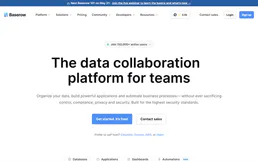
Baserow
Build no-code databases, create custom views, and collaborate on structured data with an open-source Airtable alternative.

Shiden Scan (Shiden Network Block Explorer)
Explore Shiden Network blockchain data—blocks, extrinsics, accounts, and EVM contracts—directly from your AI agent.

IBM Quantum
Connect IBM Quantum to any AI agent via MCP.