
Dokku MCP. Manage your entire self-hosted cloud stack from chat.
 Gemini
 Works with every AI agent you already use
…and any MCP-compatible client









Just plug in your AI agents and start using Vinkius.
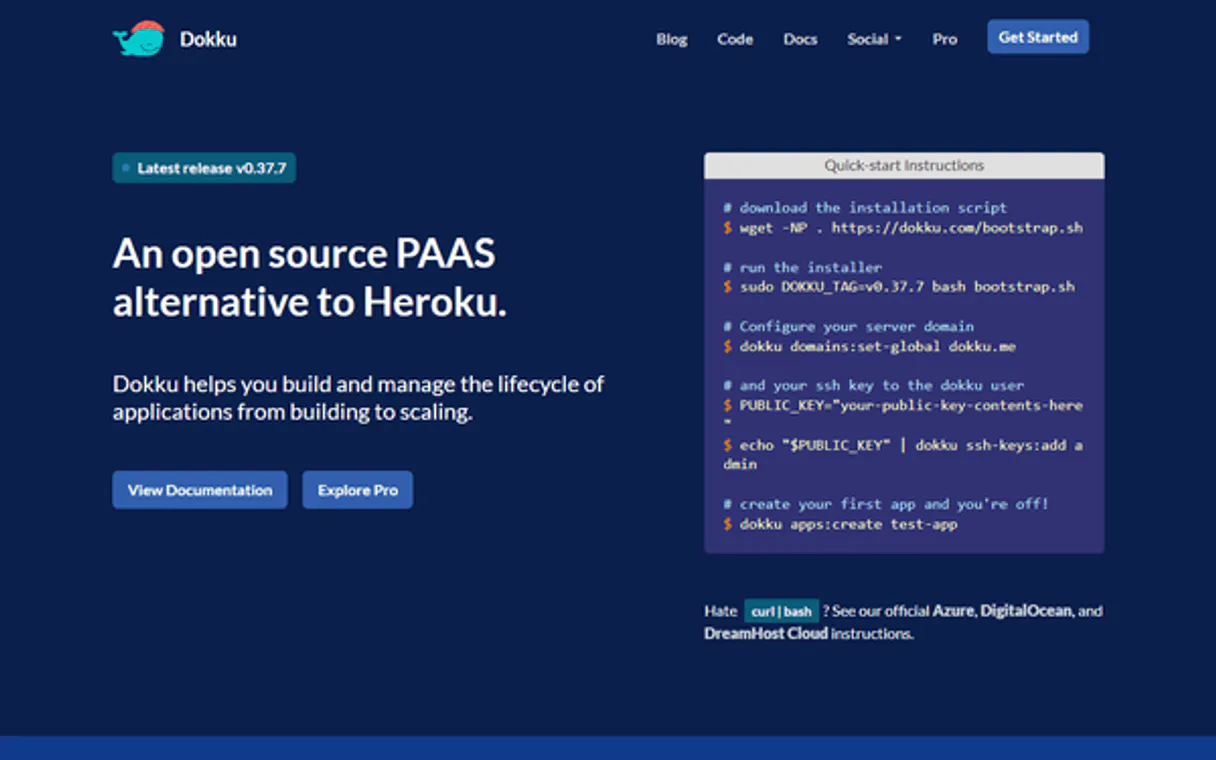
Dokku. Manage self-hosted PaaS and container orchestration directly through your AI agent. List apps, scale processes, inject environment variables, and stream logs without SSH.
Control your private cloud from natural conversation.
What your AI agents can do
Create app
Sets up the network hooks and wrapper for a new application on your Dokku VM.
Destroy app
Completely removes an application, detaching its volumes, containers, and DNS records.
Get logs
Streams the application's stdout and stderr logs, letting you see system errors or slow queries.
Lists all managed apps, and allows you to provision new apps or fully remove existing deployments.
Retrieves the complete set of environment variables for an app, including sensitive credentials like API keys and database connection strings.
Dynamically adjusts the number of replica containers (web/worker) or forces a clean restart of an application.
Pulls real-time system output (stdout/stderr) from containers, letting you see request stack traces or crashes without logging into a server.
Launches a temporary container to run raw commands, ideal for migrations or scripted maintenance tasks.
Injects new environment variables or removes old ones, triggering necessary deployments across the cluster.
Ask AI about this MCP
Supported MCP Clients
Gemini Waiting for input…
Dokku MCP Server: 10 Tools for App Lifecycle Management
These tools give you full control over your self-hosted Dokku environment, from initial app provisioning to deep, live debugging.
019d7588create app
Sets up the network hooks and wrapper for a new application on your Dokku VM.
019d7588destroy app
Completely removes an application, detaching its volumes, containers, and DNS records.
019d7588get logs
Streams the application's stdout and stderr logs, letting you see system errors or slow queries.
019d7588list apps
Lists every application container that Dokku is currently managing.
019d7588list config
Extracts all environment variables loaded into an application's runtime settings.
019d7588ps restart
Bounces the application container, allocating updated ports and ensuring a zero-downtime deployment.
019d7588ps scale
Changes the structural replica count for an application's web or worker containers.
019d7588run command
Launches a temporary, isolated container to execute raw commands, like running migrations.
019d7588set config
Injects environment variables into a running application, triggering necessary deployments.
019d7588unset config
Removes sensitive environment variables, forcing the app to redeploy without the old value.
Choose How to Get Started
Build a custom MCP for your own tools, or connect a ready-made integration from our catalog.
Build Your Own
Turn any API into an MCP. Import a spec, define Agent Skills, or deploy with MCPFusion.
- Import from OpenAPI, Swagger, or YAML specs
- Create Agent Skills with progressive disclosure
- Deploy to edge with MCPFusion framework
- Built in DLP, auth, and compliance on every call
- Real time usage dashboard and cost metering
- Publish to catalog or keep private
Make Your AI Do More
Start with Dokku, then connect any of our 4,700+ other servers whenever your AI needs more. One click, no limits.
- Use this MCP plus 4,700+ others, all in one place
- Add new capabilities to your AI anytime you want
- Every connection is secured and compliant automatically
- Track usage and costs across all your servers
- Works with Claude, ChatGPT, Cursor, and more
- New servers added to the catalog every week
What you can do with this MCP connector
Dokku MCP Server - Self-Hosted PaaS Management
Your AI agent lets you manage your self-hosted Dokku PaaS instance. You'll list all managed apps and spin up new ones using create_app and list_apps. You can completely wipe out an app with destroy_app. For auditing, list_config pulls every environment variable loaded into an app's runtime settings, letting you see everything from API keys to database connection strings.
You don't have to manually run heroku config:get anymore.
Need to tweak an app? Use set_config to inject new environment variables or unset_config to yank out old ones, and the app redeploys automatically. You can then audit those changes again with list_config. If you gotta change the resources, ps_scale adjusts the number of replica containers for web or worker containers.
If something's acting up, ps_restart bounces the application container, ensuring zero downtime while it gets updated.
To see what's going on, get_logs streams the app's stdout and stderr logs, so you can spot system errors or slow queries instantly. If you need to run a one-off command, run_command launches a temporary, isolated container to execute raw commands, like running migrations. You're controlling your private cloud from natural talk, without logging into SSH or running complex commands.
This is how you'll manage your infrastructure.
How Dokku MCP Works
- 1 Subscribe to the server and enter your Dokku Host URL and API Token.
- 2 Use your AI client to issue a command, like 'Scale the worker process for app X to 5 replicas.'
- 3 The server executes the command against your private Dokku instance and reports the resulting status or data.
The bottom line is, you manage your entire self-hosted cloud stack from your agent, eliminating the need for manual SSH access.
Who Is Dokku MCP For?
The DevOps engineer who gets tired of clicking through multiple dashboards or logging into servers just to check a log file. The full-stack developer who needs to run a database migration and scale the workers—all without leaving their chat window. If your job involves managing containers or PaaS, this is for you.
Monitoring process scales, checking application health across multiple nodes, and running diagnostic scripts.
Triggering restarts, scaling web processes, and running migrations directly from the chat interface.
Auditing environment variables and verifying system logs without manually connecting via SSH.
Managing self-hosted apps and deploying new versions using natural language prompts.
What Changes When You Connect
- Scale processes instantly. Use
ps_scaleto change replica counts for web or worker containers without touching the command line. - See the full picture.
list_appsgives you an immediate inventory of every deployment container running on your host. - Pinpoint the bug.
get_logsbypasses SSH and pulls live request stack traces or slow query backtraces directly to your agent. - Fix credentials securely. Use
set_configto update an expired API key and trigger the necessary rolling deployment. - Migrate without disruption. Use
run_commandto executerake db:migratein a temporary container, keeping the main web traffic untouched. - Audit everything.
list_configpulls the full.envdictionary, letting you see what credentials the app is actually using at runtime.
Real-World Use Cases
Database migration failed mid-deployment
The app is down because the database migration failed. Instead of SSHing in and manually running rake db:migrate, you ask your agent to run run_command on the target app. The agent launches an isolated container, runs the migration, and reports success or failure.
Unexpected traffic spike requires more workers
The worker queue backs up during peak usage. You tell your agent to run ps_scale on the worker process, increasing replicas from 2 to 10. The agent updates the load balancer, and the workers spool up immediately.
Investigating a flaky production error
A user reports a 500 error. You use get_logs to pull the last 50 lines of system output. This shows the request stack trace and pinpoints the exact crashing node backtrace, all without needing manual log tailing.
Need to retire an old, unused service
The team is decommissioning a service. Instead of manually finding and removing all associated DNS records and volumes, you tell your agent to run destroy_app. It cleanly shuts down the containers and removes the routing records.
The Tradeoffs
Doing manual SSH sessions
Logging into the server, finding the app ID, running docker logs <id>, then manually running docker exec <id> rake db:migrate. This is slow, requires jumping through terminals, and risks using the wrong context.
→
Keep it in the chat. Use list_apps to confirm the app name, then get_logs to check the error, and finally run_command to execute the migration. It's all in one conversational flow.
Forgetting to restart after config change
Using set_config to update an API token, but forgetting the deployment trigger. The app keeps using the old, expired value, and the issue persists.
→
Always follow set_config with a restart or deployment command. The system handles the necessary rolling deployment, making sure the new token is active.
Treating the system like a monolith
Assuming all services are connected. You try to scale the web process, but the worker queue is the real bottleneck. You scale the wrong thing, and the problem continues.
→
First, use list_apps to see all services. Then, use list_config to check the worker service's resource limits, and finally use ps_scale on the specific worker process.
When It Fits, When It Doesn't
Use this server if your workflow involves managing multiple, self-hosted, containerized applications (PaaS/Dokku). You need to audit runtime configs (list_config), scale resources (ps_scale), and troubleshoot logs (get_logs) without leaving your chat client. Don't use this if you only need to monitor network traffic or OS kernel metrics—you'll need a specialized observability platform. If you just need to read simple files, use a basic file-system tool. The core difference is that Dokku handles the entire application lifecycle, from provisioning (create_app) to deep debugging (get_logs), all through one API.
Independent Platform Disclaimer: Vinkius is an independent platform and is not affiliated with, endorsed by, sponsored by, verified by, or otherwise authorized by Dokku. All third-party trademarks, logos, and brand names are the property of their respective owners. Their use on this website is strictly for informational purposes to identify service compatibility and interoperability.
VINKIUS INFRASTRUCTURE
Cloud Hosted
Managed infra
V8 Isolated
Sandboxed per request
Zero-Trust Proxy
No stored credentials
DLP Enforced
Policy on every call
GDPR Compliant
EU data residency
Token Compression
~60% cost reduction
Works with Claude, ChatGPT, Cursor, and more
The Model Context Protocol standardizes how applications expose capabilities to LLMs. Instead of operating in isolation, your AI gains direct access to external platforms, live data, and real-world actions through secure, standardized connections.
This server provides 10 capabilities that interface natively with Claude, ChatGPT, Cursor, and any MCP client. No middleware. No custom integration required.
Available Capabilities
Manually managing app deployments feels like a constant cycle of SSHing, clicking, and copy-pasting.
Right now, changing an app's environment variable or scaling up requires jumping into the terminal. You have to manually locate the correct app ID, run the update command, and then separately run the restart command. It's a tedious, multi-step dance that takes minutes and needs perfect recall.
With the Dokku MCP Server, you tell your agent what you need—for example, 'Update the database password and scale the web process.' The agent handles the variable injection (`set_config`) and the resulting zero-downtime restart (`ps_restart`) automatically. You get the fix in a single conversation.
Dokku MCP Server: Run migrations and scale processes from chat.
You no longer have to log into a dedicated jump box just to run a database migration. You simply ask your agent to run the command, and it launches a temporary, isolated container via `run_command` for the single execution cycle. The main service stays up.
The difference is that the complexity of the underlying infrastructure—the ephemeral containers, the proxy hooks, the isolated run environment—is hidden. You just get the result. It's simple.
Common Questions About Dokku MCP
How do I use the Dokku MCP Server to run a database migration? +
Use the run_command tool. You tell the agent to execute the specific migration script (e.g., rake db:migrate). The agent spins up a temporary container, runs the command, and shuts it down, keeping your main service live.
Can I check what environment variables are used by my apps using Dokku MCP Server? +
Yes, use the list_config tool. It extracts the full .env dictionary for any app, letting you see all the credentials and runtime inputs the app is currently relying on.
How do I scale my web processes using Dokku MCP Server? +
Use the ps_scale tool. You specify the process ('web' or 'worker') and the desired replica count. The agent then adjusts the underlying infrastructure to meet the new demand.
What is the best way to debug a 500 error using Dokku MCP Server? +
Use the get_logs tool. It streams the application's stdout and stderr logs directly, showing the request stack trace or node backtrace that caused the error, without needing manual log retrieval.
How do I use the `list_apps` tool to see all my self-hosted deployments? +
The list_apps tool shows every Git-push app managed by Dokku. It lists the core containers and helps you verify which services are running on your infrastructure.
What is the process for securely updating credentials using `set_config`? +
set_config injects environment variables directly into a running app. This method triggers a mandatory rolling deployment, ensuring the new credentials take effect without downtime.
How do I safely remove old secrets or environment variables with `unset_config`? +
unset_config tells the cluster to orchestrate a rapid replacement cycle. This safely removes stale credentials and forces the application to restart without disrupting service.
Can I use `run_command` to perform maintenance tasks on a container? +
Yes, run_command launches a raw command in a temporary, isolated container. This is perfect for maintenance tasks like running custom scripts or database migrations without affecting live traffic.
Can my agent scale my Dokku processes automatically? +
Yes. Use the 'ps_scale' tool. You can specify the application name and the target replica count for processes like 'web' or 'worker'. The agent will manipulate the explicit counts within your Dokku cluster instantly.
How do I update environment variables via chat? +
Use the 'set_config' tool. Provide the app name, key, and value. The agent will inject the pair into the Docker environment mapping, which typically triggers a rolling deployment to apply the new configuration safely.
Can I run database migrations through the agent? +
Absolutely. Use the 'run_command' tool. It boots an ephemeral isolated container cloning your production image, allowing you to run maintenance commands like 'rake db:migrate' or custom scripts without affecting live traffic.
Use it with your favorite AI tools
Connect this server to Cursor, Claude, VS Code, and more.
More in this category
Sentry
Grant your AI agent full access to Sentry's Application Performance Monitoring tools to track raw exceptions, resolve error logs, and inspect crash stack traces dynamically.
Redis Vector
Equip your AI to autonomously manage embeddings, run KNN similarity searches, and administrate vector indexes natively inside your Redis stack.

Airtable
Query databases, manage records, and orchestrate workflows across your connected Airtable bases with full flexibility.
You might also like

Federal Register API
Access US public documents — audit rules and agencies via AI.
OpenCorporates
Access the largest open database of companies — audit corporate records and officers via AI.

Senado Federal
Access real-time data from the Brazilian Federal Senate — track legislative proposals, senator profiles, and mandate histories.