
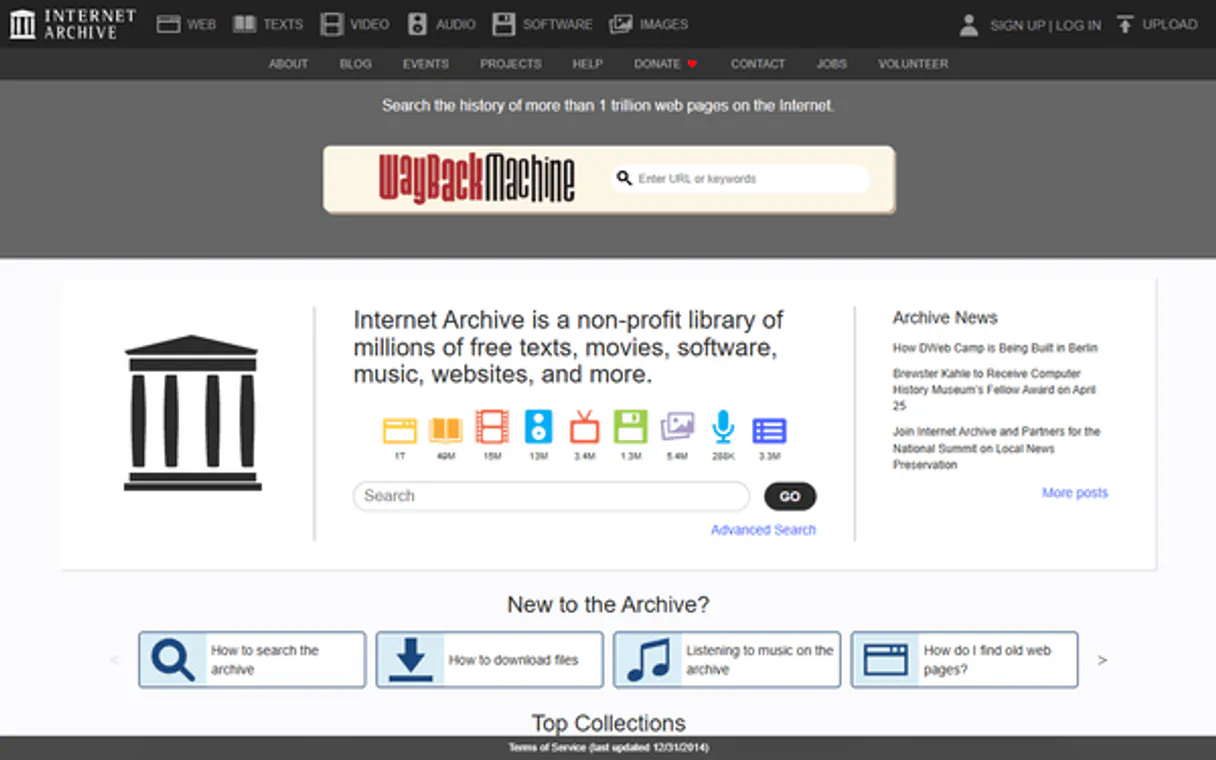
Internet Archive MCP. Search 40M+ historical records and media types.
 Gemini
 Works with every AI agent you already use
…and any MCP-compatible client









Just plug in your AI agents and start using Vinkius.
Internet Archive MCP Server provides access to the world's largest digital library (40M+ items). Use this server to search across books, videos, audio, software, and historical web snapshots via the Wayback Machine.
You can retrieve item metadata, view download stats, and read community reviews, all from a single conversational interface. It's designed for deep research and content discovery.
What your AI agents can do
Get item files
Lists all downloadable file formats (PDF, MP4, MP3, etc.) and sizes for a given Internet Archive item ID.
Get item metadata
Retrieves comprehensive data on an item: title, creator, dates, subjects, and full file listing.
Get item reviews
Gets community reviews, including star ratings and text, for a specific Internet Archive item.
Search across all media types, creators, and dates using complex query logic (AND, OR, NOT).
Determine if a specific URL has been archived by the Wayback Machine and find the closest snapshot date.
Retrieve complete metadata, including subjects, file formats, and download links, for any specific item ID.
Measure the total views and daily view counts for an archived item.
Focus your search instantly on known collections like Project Gutenberg or Prelinger Archives.
Pull specific user reviews and star ratings for an archived item.
Ask AI about this MCP
Supported MCP Clients
Gemini Waiting for input…
Internet Archive MCP Server: 10 Tools for Digital History
These tools allow your agent to search, filter, and pull detailed data from the entire Internet Archive, whether you're tracking old websites or researching rare films.
019d75baget item files
Lists all downloadable file formats (PDF, MP4, MP3, etc.) and sizes for a given Internet Archive item ID.
019d75baget item metadata
Retrieves comprehensive data on an item: title, creator, dates, subjects, and full file listing.
019d75baget item reviews
Gets community reviews, including star ratings and text, for a specific Internet Archive item.
019d75baget views stats
Returns the total views and daily view counts, along with geographic breakdown, for an item.
019d75basearch
Searches the entire archive using complex syntax (AND, OR, NOT) across all media types, creators, and dates.
019d75basearch by collection
Narrows the search to specific, curated groups like Project Gutenberg or Prelinger Archives.
019d75basearch by creator
Finds all content associated with a specific author, director, or organization name.
019d75basearch by date range
Finds items created within a specific year range, useful for tracking historical content.
019d75basearch by mediatype
Limits the search results to a specific format, such as 'movies,' 'texts,' or 'audio'.
019d75bawayback availability
Checks if a given URL has an archived snapshot using the Wayback Machine and returns the closest date.
Choose How to Get Started
Build a custom MCP for your own tools, or connect a ready-made integration from our catalog.
Build Your Own
Turn any API into an MCP. Import a spec, define Agent Skills, or deploy with MCPFusion.
- Import from OpenAPI, Swagger, or YAML specs
- Create Agent Skills with progressive disclosure
- Deploy to edge with MCPFusion framework
- Built in DLP, auth, and compliance on every call
- Real time usage dashboard and cost metering
- Publish to catalog or keep private
Make Your AI Do More
Start with Internet Archive, then connect any of our 4,700+ other servers whenever your AI needs more. One click, no limits.
- Use this MCP plus 4,700+ others, all in one place
- Add new capabilities to your AI anytime you want
- Every connection is secured and compliant automatically
- Track usage and costs across all your servers
- Works with Claude, ChatGPT, Cursor, and more
- New servers added to the catalog every week
What you can do with this MCP connector
You're hooking up your AI client to the Internet Archive, which gives you access to the world's largest digital library—over 40 million items. This isn't just a search tool; it's your deep dive into history. You can search through books, videos, audio, software, and even historical snapshots of websites via the Wayback Machine, all from one chat session.
Search the entire library: You can search across all media types, creators, and dates using complex query logic like AND, OR, and NOT. Search by collection: You can narrow your focus instantly to curated groups like Project Gutenberg or Prelinger Archives. Search by creator: You can find every piece of content linked to a specific author, director, or organization. Search by media type: You can limit results to a specific format, like 'movies,' 'texts,' or 'audio.' Check historical website versions: You can use wayback_availability to see if a URL has been archived by the Wayback Machine and grab the closest snapshot date.
Get detailed item facts: For any specific item ID, get_item_metadata retrieves complete data, giving you the title, creator, dates, subjects, and the full file listing. You can then use get_item_files to list every downloadable file format and its size (like PDF, MP4, MP3). Review community reception: get_item_reviews pulls specific user reviews and star ratings for an item. Analyze item popularity: get_views_stats measures the item's total views and daily view counts, plus a geographic breakdown.
How Internet Archive MCP Works
- 1 First, tell your agent what you're looking for (e.g., 'World War II films').
- 2 The agent runs the appropriate search tool, which returns a list of item IDs and basic data.
- 3 You then pass a specific item ID to a detail tool (like
get_item_metadata) to pull the full file list, review scores, or view stats.
The bottom line is, you use a few initial search tools to find the item, and then specialized tools to pull specific data points about that item.
Who Is Internet Archive MCP For?
Researchers, journalists, and content creators rely on this server. If your job requires accessing primary sources, verifying historical website claims, or sourcing public domain media, you need this. It cuts out the hours spent navigating different library databases and manual cross-referencing.
Uses search and get_item_metadata to locate rare academic papers or historical documents by specific creator or date range.
Runs wayback_availability to check if a website or article existed on a specific date, and uses search to find related archived news reports.
Uses search_by_collection and get_item_files to find public domain films, music, or images for a new project.
What Changes When You Connect
- Find content from any era: Instead of manually checking decade-specific databases, use
search_by_date_rangeto filter content from specific years (e.g., '1950-1959'). - Verify web history instantly: Use
wayback_availabilityto see if a URL was active years ago, getting the precise snapshot date from the Wayback Machine. - Deep dive on single items: After finding an item, run
get_item_metadatato get the full details, file formats, and download links in one call. - Filter by content type: Don't sift through mixed results. Use
search_by_mediatypeto get only 'movies,' 'texts,' or 'audio' results immediately. - Track content popularity: Measure how widely an item was seen by calling
get_views_stats, giving you reach metrics that standard search results omit. - Explore curated sets: Use
search_by_collectionto jump straight into trusted archives, like the Prelinger Archives or NASA image sets.
Real-World Use Cases
Tracing a Website's Evolution
A journalist needs to verify a claim made on a defunct website. They run wayback_availability on the URL. The agent finds the closest snapshot date and provides the link. They then use search with the topic and date range to find other archived news articles from that same period for context.
Building a Film History Database
A student researches public domain films. They use search_by_collection for 'Prelinger Archives,' then search_by_date_range to narrow it to the 1930s. Finally, they call get_item_metadata to list all available formats (MP4, OGV) for download.
Finding Source Material for a Documentary
A content creator needs NASA imagery. They use search_by_collection for 'NASA' and then filter by search_by_mediatype 'image'. They use get_item_reviews to gauge the community interest or quality of the source material before using it.
Researching a Specific Author's Output
A historian wants all works by a specific author. They run search_by_creator for the name. They then use search with a complex query (e.g., 'subject:Cold War' AND creator:AuthorName) to refine the results and check the get_item_files for available PDFs.
The Tradeoffs
Searching Everything At Once
Trying to remember every single search parameter (creator, date, collection, media type) and throwing them all into a single, complex natural language prompt.
→
Don't try to do it all at once. Start with the broadest search using search with only the core topic. Then, narrow it down methodically, running targeted calls like search_by_mediatype or search_by_collection to refine the result set.
Assuming Data Completeness
Finding an item ID and immediately assuming you have all the details, forgetting to check for reviews or file types.
→
Always pair get_item_metadata with get_item_reviews and get_item_files. That combination gives you the full picture: what it is, what people thought of it, and what you can actually download.
Only Checking the Surface
Running a basic search and stopping there, missing historical context or download options.
→
After your initial search, always run get_views_stats to gauge its popularity. Then, use wayback_availability if the content is historical, or get_item_metadata to ensure you have all the necessary details.
When It Fits, When It Doesn't
Use this server if your job requires deep, verifiable historical research or accessing public domain media archives. You need it when you must answer questions like: 'What did this website look like in 2005?' or 'What were all the films made by Director X in the 1940s?'.
Don't use this if you are just looking for general, current information (e.g., today's stock prices or a person's current phone number). For live data or real-time services, use a dedicated API for that domain. This server is for historical, archived, and academic content only.
Independent Platform Disclaimer: Vinkius is an independent platform and is not affiliated with, endorsed by, sponsored by, verified by, or otherwise authorized by Internet Archive. All third-party trademarks, logos, and brand names are the property of their respective owners. Their use on this website is strictly for informational purposes to identify service compatibility and interoperability.
VINKIUS INFRASTRUCTURE
Cloud Hosted
Managed infra
V8 Isolated
Sandboxed per request
Zero-Trust Proxy
No stored credentials
DLP Enforced
Policy on every call
GDPR Compliant
EU data residency
Token Compression
~60% cost reduction
Works with Claude, ChatGPT, Cursor, and more
The Model Context Protocol standardizes how applications expose capabilities to LLMs. Instead of operating in isolation, your AI gains direct access to external platforms, live data, and real-world actions through secure, standardized connections.
This server provides 10 capabilities that interface natively with Claude, ChatGPT, Cursor, and any MCP client. No middleware. No custom integration required.
Available Capabilities
Trying to manually track down old media and archival data is a huge waste of time.
Before this server, finding historical records meant bouncing between library databases, government archives, and web-specific tools. You'd run a basic search, get a list of IDs, then have to manually check each one for its file types, its history, and its creator details—a process that takes hours and requires copy-pasting dozens of IDs into multiple forms.
Now, you ask your agent to find the material. It runs `search` and `search_by_date_range` to narrow the scope. It then automatically calls `get_item_metadata` and `get_item_files` to give you a comprehensive, actionable list of every single format and download link, all without you touching a browser or copy-pasting a single ID.
Internet Archive MCP Server: Get the full context on any item.
Before, finding an item meant getting its title. After, you get the full story. You can run `get_item_metadata` for the basics, but you also need `get_item_reviews` to know if the community liked it, and `get_views_stats` to know how widely it was seen. The item's context—its popularity and reception—is just as important as the files themselves.
The server doesn't just give you data points; it gives you a full profile. You get the file formats, the historical context, and the user feedback, all organized and ready to use. It's the difference between having a pile of files and having a usable report.
Common Questions About Internet Archive MCP
Is any authentication required to use the Internet Archive API? +
No! All search, metadata, and Wayback Machine features are completely free and public — no API key or account needed. You can search 40M+ items, get item details, and check archived URLs immediately. Authentication is only required if you want to upload content (which this MCP server doesn't support).
How do I find and download files from an archived item? +
First, use search to find items matching your query and note the identifier (e.g., "big_buck_bunny"). Then use get_item_files to see all available files with their formats (PDF, MP4, MP3, etc.). Files can be downloaded directly from: https://archive.org/download/{identifier}/{filename}. Many items offer multiple formats for the same content.
How can I use the Wayback Machine to find archived websites snapshots? +
Use the wayback_availability tool with any full URL (e.g., "https://example.com"). It returns the closest archived snapshot with its timestamp. The archived page can be viewed at: https://web.archive.org/web/{timestamp}/{original_url}. Note: Not all URLs are archived — the Wayback Machine selectively crawls and saves web pages.
What collections are available in the Internet Archive? +
Major collections include: Prelinger Archives (ephemeral films), Project Gutenberg (free ebooks), NASA (space images and videos), TV News Archive, FedFlix (government films), Open Source Movies, Netlabels (independent music), Software Library (classic games and apps), American Libraries, Biodiversity Heritage Library, and thousands of community collections. Use search_by_collection to explore any collection.
How do I use the `search` tool to find content from a specific decade? +
Use the search tool with a combination of keywords and the startYear and endYear parameters. For example, query="space exploration", startYear="1960", endYear="1969" will isolate content from that period.
If I know the creator, how do I use `search_by_creator` to find all their works? +
Just provide the creator's name directly to search_by_creator. This function pulls all available items—films, books, or images—linked to that specific author or organization.
What kind of metadata can I get using `get_item_metadata`? +
The get_item_metadata tool returns a full data dump, including the title, creator, date, description, subjects, collection names, license type, and download statistics.
How can I use `get_item_files` to find all download options for an item? +
Pass the item's unique ID or URL to get_item_files. It lists every available format (like PDF, MP4, MP3) and the download link structure for that specific item.
Use it with your favorite AI tools
Connect this server to Cursor, Claude, VS Code, and more.
More in this category

Looker (Business Intelligence & Data)
Manage your BI environment via Looker — list dashboards, execute inline queries, and audit saved Looks.

EIA Full Access — U.S. Energy Intelligence
The ultimate U.S. energy data Mega-Server: 34 tools covering petroleum, electricity, natural gas, coal, energy forecasts, state data, and international comparisons — every watt, barrel, and BTU from the federal government's energy agency.
PitchBook
AI private market intelligence: research companies, deals, investors, and funds via agents.
You might also like

Plivo
Equip AI with native telecom powers. Send SMS, manage SIP trunks, and audit voice calls autonomously.
TextYess
Convert e-commerce browsers into buyers with SMS marketing, abandoned cart recovery, and conversational selling on WhatsApp.

Proxycurl (LinkedIn Data)
Enrich company and professional data via Proxycurl — lookup websites, funding history, employee profiles, and competitive intelligence directly from your AI agent.