
Donately MCP. Track donor history and campaign progress instantly.
 Gemini
 Works with every AI agent you already use
…and any MCP-compatible client









Just plug in your AI agents and start using Vinkius.
Donately MCP Server lets your AI agent manage donations, track donors, and monitor fundraising campaigns using the Donately API. You can list all donations, get specific donor profiles, check campaign progress, and find out who your biggest contributors are.
It handles the entire giving lifecycle right from your chat client.
What your AI agents can do
Get campaign performance summary
Retrieves a high-level summary of a specific campaign's performance.
Get donately account metadata
Retrieves metadata and operational limits for your Donately account.
Get donation details
Gets detailed information about a single, specific donation.
List every donation and retrieve its detailed information and payment status.
Get a donor's full profile, including contact details and their total lifetime giving history.
Track how far along a fundraising campaign is toward its goal, and get performance summaries.
Identify the donors who have contributed the most money over time.
Search for donations using a specific donor's email address.
Ask AI about this MCP
Supported MCP Clients
Gemini Waiting for input…
Donately MCP Server: 10 Tools for Giving Data
These tools let your AI client access and process every piece of data in your Donately account, from donor profiles to campaign performance.
019d7588get campaign performance summary
Retrieves a high-level summary of a specific campaign's performance.
019d7588get donately account metadata
Retrieves metadata and operational limits for your Donately account.
019d7588get donation details
Gets detailed information about a single, specific donation.
019d7588get donor profile
Retrieves a donor's full profile and complete giving history.
019d7588list active donors
Lists all donors currently registered within your Donately organization.
019d7588list all donations
Lists every donation received in your Donately account.
019d7588list fundraising campaigns
Lists all fundraising campaigns set up in Donately.
019d7588list highest lifetime donors
Identifies donors who have the highest total lifetime contribution amounts.
019d7588list latest contributions
Identifies the most recently received donations.
019d7588search donations by email
Searches for donations that match a specific donor email address.
Choose How to Get Started
Build a custom MCP for your own tools, or connect a ready-made integration from our catalog.
Build Your Own
Turn any API into an MCP. Import a spec, define Agent Skills, or deploy with MCPFusion.
- Import from OpenAPI, Swagger, or YAML specs
- Create Agent Skills with progressive disclosure
- Deploy to edge with MCPFusion framework
- Built in DLP, auth, and compliance on every call
- Real time usage dashboard and cost metering
- Publish to catalog or keep private
Make Your AI Do More
Start with Donately, then connect any of our 4,700+ other servers whenever your AI needs more. One click, no limits.
- Use this MCP plus 4,700+ others, all in one place
- Add new capabilities to your AI anytime you want
- Every connection is secured and compliant automatically
- Track usage and costs across all your servers
- Works with Claude, ChatGPT, Cursor, and more
- New servers added to the catalog every week
What you can do with this MCP connector
Your AI agent handles all your giving records right from your chat client. You can list every donation your org got and pull up the full details and payment status for any single gift. You'll also find out who your biggest contributors are by listing donors with the highest total lifetime contributions.
You can look up all donors currently registered in your Donately account by listing active donors. To profile a specific donor, your agent pulls up their full profile, including contact info and every gift they've ever made. You can search for donations using a donor's specific email address. You can check all the fundraising campaigns set up in Donately by listing them, and you'll see a high-level summary of any campaign's performance.
You can check the status of all your fundraising campaigns by listing them, and you'll see a high-level summary of any campaign's performance. You can get the most recent donations by listing the latest contributions, and you can pull up the full details for any one donation. You'll also get metadata and operational limits for your Donately account by calling get_donately_account_metadata.
How Donately MCP Works
- 1 Connect the Donately integration to your AI client. You'll need your Donately API Key from your account settings.
- 2 Authorize the connection through your AI client's settings.
- 3 Tell your agent what you need—for example, 'What's the progress on the Summer Relief campaign?'
The bottom line is, your AI agent executes complex fundraising queries and reports the results to you via conversation.
Who Is Donately MCP For?
Non-profit managers, development officers, and operations staff need this. It eliminates the need to jump between the Donately dashboard, donor spreadsheets, and finance reports. Your agent handles the data stitching, letting you focus on outreach, not on data aggregation.
Research a donor's full giving history and lifetime totals during an outreach call.
Check campaign progress and recent donation volumes instantly without logging into a separate dashboard.
Monitor donation volumes and fundraising metadata across the organization to ensure smooth reporting.
What Changes When You Connect
- See every donation's details with
get_donation_details. You get the payment status and contribution info for a specific record, which is better than just seeing a list count. - Instantly know who your most valuable supporters are. Use
list_highest_lifetime_donorsto pull a list of donors by their total contribution, bypassing manual spreadsheet sorting. - Gauge campaign success with
get_campaign_performance_summary. You don't just see a total; you see the progress against the set goal. - Manage your donor base using
get_donor_profile. You pull a donor's entire history—contact info, giving total, everything—in one command. - Stay current with
list_latest_contributions. You get a list of the most recent donations, perfect for immediate follow-up and thank-you messages. - Find specific data points fast. Use
search_donations_by_emailto pull records when you only know the donor's email, skipping a full list search.
Real-World Use Cases
Need to assess campaign health before the board meeting
The manager needs a quick snapshot of the 'Annual Gala' campaign. They ask their agent to run get_campaign_performance_summary and list_fundraising_campaigns. The agent returns the goal, the amount raised, and the percentage complete, so the manager can report accurate numbers immediately.
Researching a donor during a cold call
The development officer gets a potential donor's email. They use search_donations_by_email to check if the person has donated before. If so, they run get_donor_profile to find the lifetime total and last donation date, letting them tailor their pitch.
Audit donation records after a major event
The operations team needs to check every donation from last month. They run list_all_donations to get the full list, then use get_donation_details on key records to confirm payment status and associated campaign data.
Identifying who to thank first
The development officer wants to thank their top 5 supporters. They ask the agent to use list_highest_lifetime_donors. The agent provides the names and totals, allowing the officer to prioritize their thank-you notes.
The Tradeoffs
Searching by general keywords
A user tries to find a donation by searching for 'Smith' in the donor list. This only returns names and requires manual filtering to find the correct record or date.
→
Instead, use search_donations_by_email if you have the email, or run list_all_donations and then use get_donation_details on the ID to narrow down the specific transaction.
Over-relying on a single list
A user runs list_active_donors and assumes the list is complete. This misses historical donors who haven't given in a while but still matter for retention efforts.
→
To get a full picture of the donor universe, use get_donor_profile on known contacts, and then run list_all_donations to capture all financial transactions, regardless of the donor's current 'active' status.
Ignoring campaign goals
Reporting the total amount raised without context. You report $10,000, but don't mention the $20,000 goal, so stakeholders think the campaign is fine.
→
Always start by running get_campaign_performance_summary. This gives you the progress percentage and the total goal, providing necessary context for any figure you report.
When It Fits, When It Doesn't
Use this if you need to build a complete, conversational view of fundraising data. Specifically, use it when your workflow requires correlating a donor's personal history (get_donor_profile) with a specific campaign's goals (get_campaign_performance_summary). Don't use this if you only need to check the technical limits of the API—use get_donately_account_metadata. If your goal is simply to see a list of names, run list_active_donors. This server is for analysis and correlation, not just listing.

Independent Platform Disclaimer: Vinkius is an independent platform and is not affiliated with, endorsed by, sponsored by, verified by, or otherwise authorized by Donately. All third-party trademarks, logos, and brand names are the property of their respective owners. Their use on this website is strictly for informational purposes to identify service compatibility and interoperability.
VINKIUS INFRASTRUCTURE
Cloud Hosted
Managed infra
V8 Isolated
Sandboxed per request
Zero-Trust Proxy
No stored credentials
DLP Enforced
Policy on every call
GDPR Compliant
EU data residency
Token Compression
~60% cost reduction
Works with Claude, ChatGPT, Cursor, and more
The Model Context Protocol standardizes how applications expose capabilities to LLMs. Instead of operating in isolation, your AI gains direct access to external platforms, live data, and real-world actions through secure, standardized connections.
This server provides 10 capabilities that interface natively with Claude, ChatGPT, Cursor, and any MCP client. No middleware. No custom integration required.
Available Capabilities
Tracking donor giving shouldn't take jumping between three different tabs.
Right now, if you want to know a donor's full history, you open the CRM. You find their profile. Then you have to cross-reference that profile against the separate 'Donations' tab to see if they gave to a specific campaign. If you want to check the campaign goal, you open a third dashboard. It's three systems, three logins, and a lot of copy-pasting.
With the Donately MCP Server, you just ask your agent: 'What's the full history for John Doe regarding the Summer Relief campaign?' Your agent runs `get_donor_profile` and correlates it with campaign data, giving you one answer in the chat. It’s all linked.
List all donations with Donately MCP Server
Before, getting a complete list of donations meant running a complex report in the backend. You'd get a massive CSV file that was hard to read and often missed the critical payment status details. You'd have to manually check each row for accuracy.
Now, you simply ask your agent to run `list_all_donations`. It gives you the data structured and contextualized for conversation. You get the full picture, instantly.
Common Questions About Donately MCP
How do I check the total lifetime giving using the get_donor_profile tool? +
The get_donor_profile tool provides the full giving history, including the donor's total lifetime contribution amount. This is a single metric pulled from the profile data.
Can I find out how many campaigns are running using list_fundraising_campaigns? +
Yes, list_fundraising_campaigns retrieves a list of all configured campaigns in your Donately account, showing their names and basic status.
What is the difference between list_latest_contributions and list_all_donations? +
Use list_latest_contributions when you only want to see the most recent donations. Use list_all_donations when you need a complete record of every donation ever made.
Do I need an API Key to use the get_donation_details tool? +
Yes, you must authorize the connection with your Donately API Key. The agent uses this key to pull specific, granular data points for the get_donation_details tool.
Can I search for donations using the search_donations_by_email tool? +
Yes, search_donations_by_email looks up donations based on an email address, which is faster than sifting through the entire donation list.
How do I use the get_campaign_performance_summary tool to check campaign goals? +
It retrieves a high-level summary of the campaign's progress against its defined goal. You'll see the total amount raised versus the target goal and the percentage completion.
When should I use list_highest_lifetime_donors versus list_all_donations? +
Use list_highest_lifetime_donors when you only need the names and totals of your biggest supporters. Use list_all_donations if you need a complete, raw list of every single donation record.
What kind of data does the get_donor_profile tool provide? +
The tool gives you a donor's full profile, including their contact details, complete giving history, and calculated lifetime giving total.
How do I get a Donately API Key? +
Log in to your Donately dashboard, navigate to Settings > API Key, and you can retrieve your unique API Key from there. Ensure you have the necessary permissions within your organization.
Can the agent process new donations? +
This integration currently focuses on listing and auditing donations, donors, and campaigns. Processing new donations with credit card details should be managed via your Donately forms or donation pages.
Does the integration show recurring donations? +
Yes, you can use the list_all_donations or get_donation_details tools to identify and retrieve information for both one-time and recurring contributions.
Use it with your favorite AI tools
Connect this server to Cursor, Claude, VS Code, and more.
More in this category

Finmo
Manage global pay-ins, payouts, and multi-currency wallets through AI agents with Finmo.

Revolut Business
Grant your AI access to Europe's powerhouse treasury. Automate multi-currency exchange, mass payouts and real-time vendor bulk-payments.

Column
Empower your Agent to operate a chartered US bank. Create accounts, trigger wire transfers, and orchestrate paper payouts using natural text.
You might also like

ONES
Enterprise R&D project management platform — manage tasks, projects, and workflows via AI.
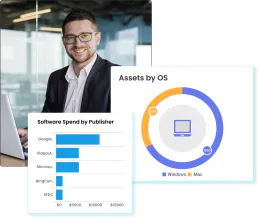
EZO Asset Intelligence
Equip your AI agent to manage fixed assets, track inventory, and monitor checkouts via the EZO.io (EZOfficeInventory) API.
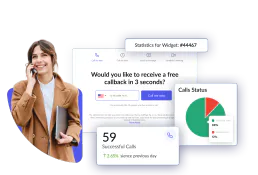
CallPage
Manage callbacks and leads via CallPage — track calls, manage widgets, and coordinate with your sales team directly from any AI agent.