
DoubleTick MCP. Manage WhatsApp conversations and contacts via API.
 Gemini
 Works with every AI agent you already use
…and any MCP-compatible client









Just plug in your AI agents and start using Vinkius.
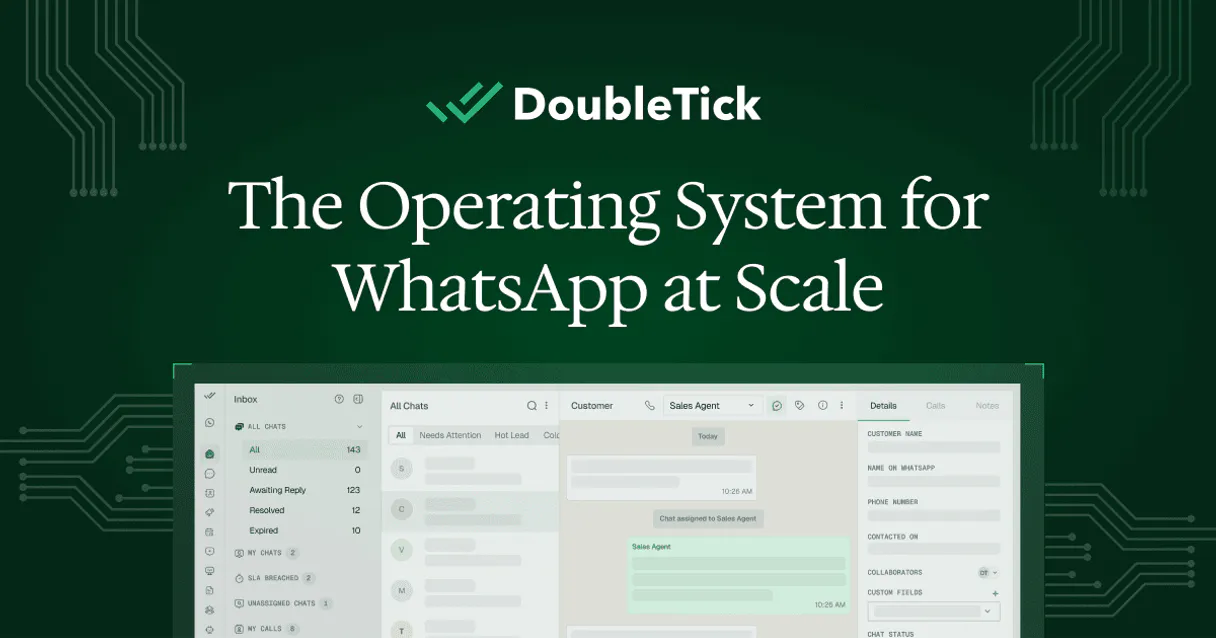
DoubleTick manages your WhatsApp conversations, contacts, and message delivery directly through your AI agent. Use the DoubleTick MCP Server to list all contacts, track opt-in status, retrieve conversation history, and send templated messages programmatically.
It gives your agent the ability to audit campaign performance and manage customer relationships without logging into the DoubleTick dashboard.
What your AI agents can do
Get contact details
Retrieves the detailed profile and current conversation status for a specific contact.
Get doubletick account metadata
Retrieves operational data and usage limits for your DoubleTick account.
List approved templates
Lists every approved WhatsApp message template available in your account.
Retrieves a contact's full profile and current conversation status.
Retrieves specific operational data and usage limits for the DoubleTick account.
Lists all approved WhatsApp message templates available in the account.
Lists messages exchanged within a specific WhatsApp conversation.
Identifies the most recently sent or received messages across all conversations.
Filters and lists contacts who have explicitly opted in for WhatsApp communication.
Sends a pre-approved WhatsApp template message to a specific contact.
Ask AI about this MCP
Supported MCP Clients
Gemini Waiting for input…
DoubleTick MCP Server: 10 Tools for WhatsApp Messaging
Use these tools to retrieve contact details, manage message templates, and audit WhatsApp activity directly through your AI client.
019d7589get contact details
Retrieves the detailed profile and current conversation status for a specific contact.
019d7589get doubletick account metadata
Retrieves operational data and usage limits for your DoubleTick account.
019d7589list approved templates
Lists every approved WhatsApp message template available in your account.
019d7589list conversation messages
Lists all messages exchanged within a specified WhatsApp conversation.
019d7589list latest whatsapp messages
Identifies the most recent messages sent or received across all chats.
019d7589list opted in contacts
Identifies and lists contacts who have explicitly opted in for WhatsApp communication.
019d7589list whatsapp contacts
Lists all contacts registered in your DoubleTick account.
019d7589quick whatsapp volume audit
Gets a high-level summary of messaging activity and overall success rates.
019d7589search contacts by keyword
Searches your contact database using a name keyword or phone number.
019d7589send whatsapp template
Sends a pre-approved WhatsApp template message to a target contact.
Choose How to Get Started
Build a custom MCP for your own tools, or connect a ready-made integration from our catalog.
Build Your Own
Turn any API into an MCP. Import a spec, define Agent Skills, or deploy with MCPFusion.
- Import from OpenAPI, Swagger, or YAML specs
- Create Agent Skills with progressive disclosure
- Deploy to edge with MCPFusion framework
- Built in DLP, auth, and compliance on every call
- Real time usage dashboard and cost metering
- Publish to catalog or keep private
Make Your AI Do More
Start with DoubleTick, then connect any of our 4,700+ other servers whenever your AI needs more. One click, no limits.
- Use this MCP plus 4,700+ others, all in one place
- Add new capabilities to your AI anytime you want
- Every connection is secured and compliant automatically
- Track usage and costs across all your servers
- Works with Claude, ChatGPT, Cursor, and more
- New servers added to the catalog every week
What you can do with this MCP connector
DoubleTick handles your WhatsApp chats, contacts, and message delivery right through your AI agent. You'll use the DoubleTick MCP Server to list every contact, track opt-in status, pull conversation history, and send pre-approved template messages through your agent. It lets your agent audit campaign performance and manage customer relationships without you ever having to log into the DoubleTick dashboard.
Check contact details and statusget_contact_details pulls a contact's full profile and shows you their current conversation status.search_contacts_by_keyword lets you search your contact database using a name keyword or phone number.list_whatsapp_contacts lists every contact registered in your DoubleTick account.
Identify opted-in contactslist_opted_in_contacts filters and lists only the contacts who've explicitly opted in for WhatsApp communication.
View recent activitylist_latest_whatsapp_messages identifies the most recent messages sent or received across all your chats. You can also use list_conversation_messages to list every message exchanged within a specific WhatsApp conversation.
Send template messagessend_whatsapp_template sends a pre-approved WhatsApp template message to a specific contact.
Audit account limits and metadataget_doubletick_account_metadata retrieves operational data and usage limits for your DoubleTick account.quick_whatsapp_volume_audit gives you a high-level summary of messaging activity and overall success rates.
Manage message templateslist_approved_templates lists every approved WhatsApp message template available in your account.
How DoubleTick MCP Works
- 1 Connect the DoubleTick integration to your AI client and authorize it using your API Key.
- 2 Ask your agent to perform a task, like 'Check the history for John Doe.'
- 3 The agent executes the necessary tool (e.g.,
list_conversation_messages) and returns the structured data to you.
The bottom line is that your agent treats the DoubleTick API like a native function, letting you perform complex WhatsApp tasks without writing code.
Who Is DoubleTick MCP For?
This is for Ops Engineers, Marketing Managers, and Customer Support Leads. If your job involves tracking campaign performance, checking customer opt-in status, or needing quick access to message history, this saves hours of dashboard clicking. It gives your agent the necessary context to act.
Uses the agent to pull a customer's full history and contact details instantly, allowing them to provide better service without manual lookups.
Directs the agent to list approved templates and check opt-in status across large contact lists to plan the next campaign wave.
Uses the agent to search for contacts by keyword and audit conversation history, ensuring all sales reps have real-time data on customer interactions.
What Changes When You Connect
- See a contact's full status and history with
get_contact_details. You don't have to switch tabs or manually look up profile data before starting a conversation. - Plan campaigns using
list_approved_templatesandlist_opted_in_contacts. Your agent verifies which templates are ready and which users are allowed to receive messages. - Audit performance easily. Run
quick_whatsapp_volume_auditto get immediate success rates and activity summaries without deep-diving into reports. - Track all interactions instantly. Use
list_latest_whatsapp_messagesto see who messaged whom, and when. This is crucial for real-time support. - Send messages at scale.
send_whatsapp_templatelets your agent deploy pre-approved messages to large lists, minimizing manual effort. - Manage the roster.
list_whatsapp_contactsgives a complete list of every registered contact, letting you know exactly who's in the system.
Real-World Use Cases
Onboarding a new client.
A sales rep needs to know if a prospect has messaged before. They ask their agent to run get_contact_details and then list_conversation_messages. The agent returns the full history and status, letting the rep tailor the pitch instantly.
Checking campaign readiness.
The marketing team needs to send an update. They ask the agent to run list_approved_templates and list_opted_in_contacts. The agent confirms the template exists and that the target list has opted in, preventing failed sends.
Finding a specific user's record.
A support agent gets a phone number. They use the agent to run search_contacts_by_keyword to find the contact's profile. They then use get_contact_details to confirm their current status.
Auditing team output.
A manager needs a quick health check. They ask the agent to run quick_whatsapp_volume_audit. The agent returns a summary of success rates and activity, allowing the manager to flag immediate operational issues.
The Tradeoffs
Doing a manual data pull
Logging into the DoubleTick dashboard, navigating to Contacts, then manually filtering by 'Opted In' status, and exporting the list. This takes 15 minutes and is prone to human error.
→
Ask your agent to run list_opted_in_contacts. The agent pulls the filtered list and provides it instantly in a structured format.
Sending bulk messages without checking limits
Attempting to send 10,000 messages using a simple script without respecting the API's rate limits, resulting in immediate throttling and a massive failure backlog.
→
Use list_whatsapp_contacts to pull the full list, and then have your agent manage the sending process with send_whatsapp_template in controlled, batch operations.
Forgetting to check conversation history
A rep calls a customer who says, 'I talked to someone yesterday.' The rep has no idea what was said previously, leading to repetition and poor service.
→
Before calling the customer, ask the agent to run list_conversation_messages using the customer's details. This gives the rep the full context immediately.
When It Fits, When It Doesn't
Use this server if your primary need is managing structured, transactional data from WhatsApp—checking status, listing contacts, or sending template messages. It's perfect for automation workflows that require specific data points. Don't use it if you just need general messaging advice or need to write freeform, conversational text outside of a template. For unstructured writing, stick to general LLM prompting. If you need to know who is in the system, use list_whatsapp_contacts; if you need to know who is allowed to be messaged, use list_opted_in_contacts.
Independent Platform Disclaimer: Vinkius is an independent platform and is not affiliated with, endorsed by, sponsored by, verified by, or otherwise authorized by DoubleTick. All third-party trademarks, logos, and brand names are the property of their respective owners. Their use on this website is strictly for informational purposes to identify service compatibility and interoperability.
VINKIUS INFRASTRUCTURE
Cloud Hosted
Managed infra
V8 Isolated
Sandboxed per request
Zero-Trust Proxy
No stored credentials
DLP Enforced
Policy on every call
GDPR Compliant
EU data residency
Token Compression
~60% cost reduction
Works with Claude, ChatGPT, Cursor, and more
The Model Context Protocol standardizes how applications expose capabilities to LLMs. Instead of operating in isolation, your AI gains direct access to external platforms, live data, and real-world actions through secure, standardized connections.
This server provides 10 capabilities that interface natively with Claude, ChatGPT, Cursor, and any MCP client. No middleware. No custom integration required.
Available Capabilities
Manually checking WhatsApp campaign status is a nightmare.
Today, checking campaign status means jumping between the dashboard, pulling reports, filtering contacts by opt-in status, and then cross-referencing templates. You copy-paste data from one view into a spreadsheet, hoping you didn't miss any filtering steps or run into a broken report.
With the DoubleTick MCP Server, your agent handles it. You just tell it to 'Audit the campaign performance.' It runs `quick_whatsapp_volume_audit` and synthesizes the success rate and activity summary instantly. You get the metrics, no spreadsheets required.
DoubleTick MCP Server: Manage contacts & message history
You don't have to manually pull contact lists, check for opt-in status, and then look up the conversation history for each person. These steps are all separate tasks that require multiple manual logins and lookups.
Now, your agent handles the whole sequence. You ask it to 'Get the full profile and last messages for John Doe.' It calls `get_contact_details` and `list_conversation_messages` and gives you the combined, actionable data set in one shot. It's immediate context.
Common Questions About DoubleTick MCP
How do I use the `list_whatsapp_contacts` tool? +
The list_whatsapp_contacts tool pulls a complete list of every contact registered in your DoubleTick account. It's useful for determining the total size of your address book.
Can `search_contacts_by_keyword` find a contact by phone number? +
Yes, it searches contacts using either a name keyword or a phone number. This is better than scrolling through a massive list.
What is the difference between `list_opted_in_contacts` and `list_whatsapp_contacts`? +
The list_whatsapp_contacts tool lists everyone in your account. The list_opted_in_contacts tool only shows contacts that have given explicit permission to receive WhatsApp messages.
Does `send_whatsapp_template` require a pre-approved template? +
Yes. The tool requires a pre-approved template and you must specify the contact. This prevents sending unauthorized or non-compliant messages.
How does `quick_whatsapp_volume_audit` help me understand my messaging performance? +
It provides a high-level summary of your messaging activity and success rates. This metric helps you quickly see which campaigns are performing well and where you need to focus your efforts.
What kind of information can I get using `get_contact_details`? +
This tool retrieves a contact's full profile and their conversation status. You'll get details like their opt-in status and the history of interactions with them.
If I need to send a message, do I have to use `send_whatsapp_template`? +
Yes, you must use send_whatsapp_template for outgoing messages. WhatsApp requires that all outgoing messages use a pre-approved template.
How can I view the history of messages using `list_conversation_messages`? +
You must provide a specific conversation ID. The tool then lists all messages exchanged within that thread, giving you a full view of the interaction history.
How do I get a DoubleTick API Key? +
Log in to your DoubleTick dashboard, navigate to Settings > API, and you can generate or retrieve your unique API Key from there. Ensure you have an active WhatsApp Business account linked.
Can the agent send custom text messages? +
This integration primarily uses WhatsApp templates for automated messaging to ensure compliance with official API rules. Sending non-template messages may require an active 24-hour customer service window.
Does the integration support contact tags? +
Yes, you can use the get_contact_details tool to retrieve any tags or custom fields associated with your WhatsApp contacts.
Use it with your favorite AI tools
Connect this server to Cursor, Claude, VS Code, and more.
More in this category

join.me
Start instant video meetings with screen sharing and recording that works in the browser with no downloads required.
SendCloud
Leading email and SMS marketing platform — manage campaigns, templates, and addresses via AI.
Hiver
Turn Gmail into a helpdesk with shared labels, email assignment, and SLA tracking that works inside the inbox your team already uses.
You might also like

Deterministic Roman Numeral Converter
Equip your AI with flawless mathematical conversion between integers and Roman numerals, featuring strict regex range validation.

Charity Navigator
Search and evaluate US nonprofits — get charity ratings, financial health, advisories and cause data from any AI agent.
LiquidPlanner Classic
Plan projects with intelligent scheduling that automatically adjusts timelines based on team capacity and task dependencies.