
SendCloud MCP. Manage entire campaigns and address books via conversation.
 Gemini
 Works with every AI agent you already use
…and any MCP-compatible client









Just plug in your AI agents and start using Vinkius.
SendCloud MCP Server connects your AI client directly to a major email and SMS platform. You can run complex marketing workflows—creating contact lists, sending targeted emails, checking delivery status, and pulling performance stats—all through natural conversation.
It lets you manage communications without ever leaving your chat window.
What your AI agents can do
Add address member
Adds a single contact's address to an existing mailing list by name or email.
Create address
Makes a brand new, empty recipient mailing list within SendCloud.
Delete address
Permanently removes a specified mailing list from your account.
Sends emails to specific recipients or groups using defined templates, returning a message ID for tracking.
Creates new mailing lists (create_address), adds members to existing ones (add_address_member), and deletes unused addresses (delete_address).
Checks the real-time delivery status of a specific email message using its unique ID.
Retrieves aggregate statistics, including open rates and total sends, for historical performance review.
Gets current account usage information and operational limits to prevent overspending or hitting throttling points.
Ask AI about this MCP
Supported MCP Clients
Gemini Waiting for input…
SendCloud MCP Server: 10 Tools for Messaging Ops
These tools let you manage every part of your email and SMS campaigns, giving your AI client direct control over addresses, templates, and sending reports.
019d847cadd address member
Adds a single contact's address to an existing mailing list by name or email.
019d847ccreate address
Makes a brand new, empty recipient mailing list within SendCloud.
019d847cdelete address
Permanently removes a specified mailing list from your account.
019d847cget email status
Checks and returns the specific delivery status (sent, failed, opened) for an email message ID.
019d847cget stats
Pulls aggregated performance data covering total sends, open rates, and general campaign metrics.
019d847cget user info
Retrieves current account details, including usage quotas and operational limits for your SendCloud account.
019d847clist address members
Shows all the contacts currently registered in a specific mailing address list.
019d847clist addresses
Retrieves a directory of every active or inactive mailing list you own.
019d847clist templates
Lists all available email templates, helping you maintain consistent branding when sending messages.
019d847csend email
Sends a new email using a specified template or plain text to one or more recipients.
Choose How to Get Started
Build a custom MCP for your own tools, or connect a ready-made integration from our catalog.
Build Your Own
Turn any API into an MCP. Import a spec, define Agent Skills, or deploy with MCPFusion.
- Import from OpenAPI, Swagger, or YAML specs
- Create Agent Skills with progressive disclosure
- Deploy to edge with MCPFusion framework
- Built in DLP, auth, and compliance on every call
- Real time usage dashboard and cost metering
- Publish to catalog or keep private
Make Your AI Do More
Start with SendCloud, then connect any of our 4,700+ other servers whenever your AI needs more. One click, no limits.
- Use this MCP plus 4,700+ others, all in one place
- Add new capabilities to your AI anytime you want
- Every connection is secured and compliant automatically
- Track usage and costs across all your servers
- Works with Claude, ChatGPT, Cursor, and more
- New servers added to the catalog every week
What you can do with this MCP connector
You're running marketing campaigns—you don't wanna jump into some clunky web portal. This server connects your AI client directly to SendCloud, letting you manage emails and SMS campaigns using plain conversation. You can set up complex workflows right here in the chat window. It handles list setup, sending targeted messages, checking delivery status, and pulling performance stats—all without you lifting a finger.
Managing Your Contact Lists.
You need to build out your audience first. Use create_address when you've got zero lists and wanna start fresh; it makes a brand new, empty mailing list for you. Need to see what you already own? Just hit up list_addresses, which pulls a directory of every active or inactive address list in your account.
If a list is dead weight, use delete_address to wipe it out permanently.
To populate those lists, the agent can add people using add_address_member. You just tell it the name or email, and it drops that contact into an existing mailing list. To verify who's on board before you send anything, run list_address_members against a specific address to see every single person currently registered there.
Running Campaigns and Sending Mail.
When it comes time to hit 'send,' the process is straightforward. You can use send_email to dispatch a message to one or more recipients, whether you want to write plain text or stick to a pre-approved format. Before sending anything, check out list_templates; this shows all your available email templates so you know what branding assets you're working with.
After the message goes out, you get back a unique message ID for every send. You use that ID right away with get_email_status to check if the delivery was sent, failed, or even opened.
Reviewing Performance and Checking Limits.
Don't just send stuff and hope for the best. To see how your campaigns are doing over time, call get_stats. This tool pulls aggregated performance data that covers total sends, open rates, and general campaign metrics so you can review historical performance. You also need to know what your limits are before you run a massive blast; use get_user_info to retrieve current account details, including usage quotas and operational limits for your SendCloud account.
This keeps you from hitting any throttling points or overspending.
How SendCloud MCP Works
- 1 First, you subscribe to the server and provide your SendCloud API User and Key. This connects your agent to the platform's backend.
- 2 Next, you ask your AI client to perform a specific action (e.g., 'Check stats for last month'). The agent translates this into tool calls like
get_stats. - 3 Finally, the server executes the tool and streams back the result—be it a list of addresses or a delivery report—directly in your chat.
The bottom line is: you talk to your AI client, not the SendCloud portal. It handles all the API calls for you.
Who Is SendCloud MCP For?
This is for Marketing Operations Managers and Customer Success teams who spend too much time logging into multiple dashboards just to manage lists or check campaign health. If your job requires tracking delivery rates, managing hundreds of addresses, or running multi-step campaigns, this server saves you clicks.
Runs large campaigns and needs to audit performance metrics using get_stats and manage templates via list_templates without leaving their main workspace.
Handles client onboarding, requiring them to send automated welcome emails (send_email) and ensure the recipient list is accurate using add_address_member.
Monitors system communication limits and usage quotas by running get_user_info, treating email sending like any other API resource check.
What Changes When You Connect
- Stop clicking through dashboards to check rates. Use
get_statsto pull aggregated open rates and total sends directly in the chat, letting you compare performance instantly. - Don't manage lists manually. Need a new segment? Run
create_addressand immediately useadd_address_memberto populate it without leaving your workflow. - Never wonder if an email actually landed. After running
send_email, ask for the message ID, then useget_email_statusto confirm delivery instantly. - Template consistency is automatic. Run
list_templatesfirst so you can confirm which branding assets are available before sending any campaign. - Know your limits upfront. Before launching a massive send, run
get_user_infoto check your current usage and remaining account quotas.
Real-World Use Cases
The Campaign Retrospective
A marketing manager needs to know why last month's newsletter underperformed. They ask the agent, 'Show me the stats for the November campaign.' The agent runs get_stats and reports back that the open rate was 12% (down from 25%). This immediately tells them where they need to focus their effort next time.
The Onboarding Alert
A customer success agent needs to send a follow-up welcome email. Instead of manually finding the contact, they first ask the agent to list_addresses and select 'New Clients'. The agent then runs send_email, guaranteeing the right template goes to the correct group.
The List Cleanup
A data steward needs to audit an old mailing list. They use list_addresses to find 'Q1 Leads', and then run list_address_members. This lets them verify who's still active before they decide to delete the whole group using delete_address.
The Technical Audit
A DevOps engineer needs to ensure the system hasn't exceeded its monthly send quota. They run get_user_info, which instantly returns their current usage and remaining limits, preventing unexpected service failure during a critical period.
The Tradeoffs
Treating the server like an API client
The user tries to manually pass JSON payloads or run raw commands like POST /api/send into their chat. This is complicated and error-prone.
→ Don't write code; talk to your agent. Simply ask, 'Send a follow-up email using the default template to the VIP Clients list.' The server handles the complex payload structure for you.
Relying on web browser menus
A user spends 5 minutes clicking through SendCloud's website just to find a basic mailing address list or check one stat.
→
Just ask the agent. Use list_addresses to get an instant, clean view of all your lists, and then use list_address_members to see who’s in them.
Assuming a single list for everything
Trying to send the same email blast to 'Internal Staff' and 'Paying Clients' from one general list, which results in inaccurate reporting.
→
Use create_address to make specific lists (e.g., 'Staff Only', 'Tier 3 Clients'). Then, use send_email targeting only the correct list ID.
When It Fits, When It Doesn't
You should use this server if your communication needs involve structured data management: running campaigns, segmenting contacts, or tracking performance over time. If you need to send a single email point-to-point and never worry about templates, lists, or stats, then a basic SMTP relay tool is fine—you don't need the complexity here. However, if your workflow involves creating a list (create_address), populating it (add_address_member), sending an email (send_email), and then checking the outcome (get_stats / get_email_status), this server handles that entire loop in one conversation. If you only need simple messaging, stick to basic chat integrations; if you manage marketing operations, use this.
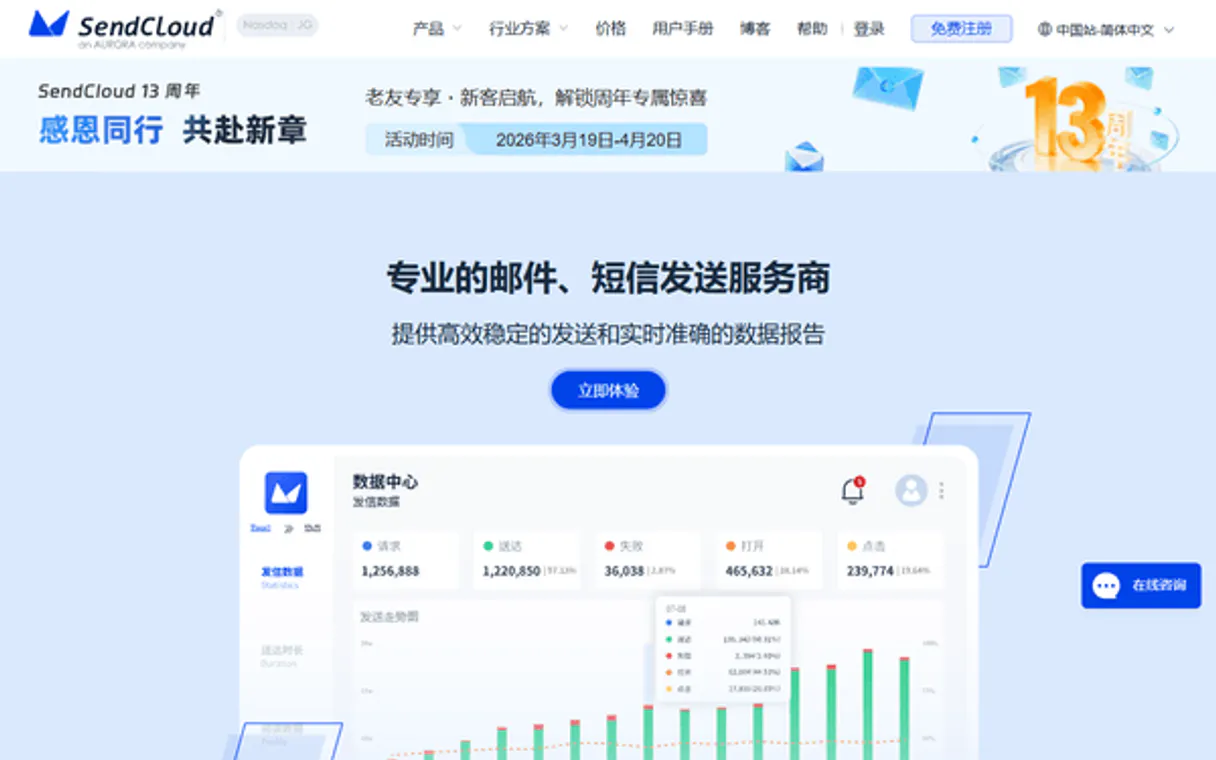
Independent Platform Disclaimer: Vinkius is an independent platform and is not affiliated with, endorsed by, sponsored by, verified by, or otherwise authorized by SendCloud. All third-party trademarks, logos, and brand names are the property of their respective owners. Their use on this website is strictly for informational purposes to identify service compatibility and interoperability.
VINKIUS INFRASTRUCTURE
Cloud Hosted
Managed infra
V8 Isolated
Sandboxed per request
Zero-Trust Proxy
No stored credentials
DLP Enforced
Policy on every call
GDPR Compliant
EU data residency
Token Compression
~60% cost reduction
Works with Claude, ChatGPT, Cursor, and more
The Model Context Protocol standardizes how applications expose capabilities to LLMs. Instead of operating in isolation, your AI gains direct access to external platforms, live data, and real-world actions through secure, standardized connections.
This server provides 10 capabilities that interface natively with Claude, ChatGPT, Cursor, and any MCP client. No middleware. No custom integration required.
Available Capabilities
Managing contact lists shouldn't require navigating three different tabs.
Today, managing a mailing list means logging into the SendCloud dashboard. You go to 'Contacts,' then click 'Create List.' If you need to audit who’s in it, you switch to 'Address Books,' and if you want to update someone's email, you have to manually search for them across multiple records—it takes 10 clicks just to check the roster.
With this MCP server, you simply tell your agent what you need. You ask: 'Show me the members of the VIP list.' The agent runs `list_address_members` and hands back the full contact details immediately. It cuts out every single click and navigation step.
SendCloud MCP Server: Manage addresses, templates & delivery
Before this server, drafting a campaign was a multi-stage process. You’d have to manually check if your template branding was current (`list_templates`), pull the list of contacts, and then run the send job while keeping track of the message ID in a separate spreadsheet just to verify delivery.
Now, you ask your agent: 'Send a welcome email using Template B to the new leads list.' The process runs from start to finish. You get confirmation that the emails were sent, *and* if needed, you can follow up by asking for the `get_email_status` on those specific messages.
Common Questions About SendCloud MCP
How do I check my overall email performance using get_stats? +
Run get_stats and specify the date range. It pulls aggregate data like total sends, open rates, and bounce rates without you having to build a report in the portal.
Can I create new mailing lists using create_address? +
Yes. You use create_address to generate a brand new list ID. This is the first step if you need to segment contacts for a campaign that doesn't exist yet.
What should I do before sending an email with send_email? +
First, make sure your contact list exists by checking list_addresses. Then, confirm the template is available using list_templates to avoid sending unbranded content.
How does add_address_member work? +
It takes an existing mailing address ID and adds a specific member's email or name to that list. It's the cleanest way to populate lists without bulk imports.
How do I check my account limits and current usage with get_user_info? +
It returns your API quota, sending history summary, and remaining credits. This lets you monitor your communication usage before launching large campaigns.
If I need to review the available templates for a send_email operation, which tool should I use? +
You run list_templates. This command lists every defined email template, helping you ensure consistent branding across all your messages.
Can I filter contacts when listing members using list_address_members? +
Yes, the tool allows filtering by criteria like membership status or last activity. This lets you isolate specific groups of contacts for highly targeted sends.
What is the procedure and safety warning when I use delete_address? +
It permanently removes an entire mailing list and all its members. Always back up necessary data before running this command to prevent accidental loss.
How do I find my SendCloud API User and Key? +
Log in to your SendCloud account, go to [Settings] -> [API Keys], and you will find your API User (api_user) and API Key there.
Can I check the delivery status of an email? +
Yes. Use the get_email_status tool with the unique message ID (msgId) returned when the email was sent. It will provide real-time status such as 'Delivered', 'Opened', or 'Bounced'.
Is it possible to manage address list members through the agent? +
Yes! Use the add_address_member tool to programmatically add new emails to your existing address lists, facilitating automated subscriber management.
Use it with your favorite AI tools
Connect this server to Cursor, Claude, VS Code, and more.
More in this category
Vonage Alternative
Manage your Vonage communications — send SMS and audit account data via AI.

RongCloud
Leading IM and RTC platform in China — manage users, messages, and chatrooms via AI.

Texter
Send automated text messages and run SMS drip campaigns that engage leads and customers with timely follow-ups.
You might also like

Focus Logística
Emit CT-e, MDF-e, manage cargo manifests and transport documents via Focus NFe API.
PG&E Public Datasets
Access PG&E public energy data: monthly usage, billing, savings, and regional comparisons.
Scoro
Automate business management via Scoro — manage projects, sales, and billing directly with AI.