
Evergiving Fundraising MCP. Check campaign stats, donor records, and staff schedules in chat.
 Gemini
 Works with every AI agent you already use
…and any MCP-compatible client









Just plug in your AI agents and start using Vinkius.
Evergiving Fundraising MCP Server gives your AI agent direct access to donor records, campaign performance metrics, and field staff logistics.
You can manage donations, check pledge statuses, track active campaigns, and view real-time fundraiser schedules using natural language commands.
What your AI agents can do
Get campaign performance summary
Retrieves key metrics, like total funds raised and goals met, for a specific fundraising campaign.
Get donation detailed data
Gets full settings and information on any single donation or recurring pledge record.
Get evergiving account metadata
Pulls operational details, such as account limits and key organizational metadata for Evergiving.
Retrieve complete lists of all donations and pledges, including details on pending or incomplete transactions.
Get performance summaries for specific campaigns, showing total funds raised against their set goals.
List all active fundraisers and check their current schedules and assigned locations in the field.
Identify all donations set up as recurring monthly or annual pledges for easy follow-up.
Retrieve metadata and spending limits for the Evergiving account to ensure compliance.
Ask AI about this MCP
Supported MCP Clients
Gemini Waiting for input…
Evergiving Fundraising: 10 Tools for Donor Data Access
Access all core fundraising functions—from listing pending payments to summarizing campaign success metrics—using your AI client through these ten specialized tools.
019d7593get campaign performance summary
Retrieves key metrics, like total funds raised and goals met, for a specific fundraising campaign.
019d7593get donation detailed data
Gets full settings and information on any single donation or recurring pledge record.
019d7593get evergiving account metadata
Pulls operational details, such as account limits and key organizational metadata for Evergiving.
019d7593list active fundraisers
Lists every field staff member currently registered in your organization's system.
019d7593list active recurring pledges
Identifies all donations that are set up to collect money monthly or annually from donors.
019d7593list field marketing schedules
Lists the current schedules and assigned locations for your field fundraising staff.
019d7593list fundraising campaigns
Pulls a list of all fundraising campaigns that are currently active in the platform.
019d7593list fundraising donations
Retrieves a complete listing of every donation and pledge ever recorded through Evergiving.
019d7593list pending payment donations
Finds all donations that are currently stuck in 'Pending' or 'Incomplete' payment status.
019d7593quick fundraising volume audit
Generates a quick, high-level summary covering donation volume, active campaigns, and field staff counts.
Choose How to Get Started
Build a custom MCP for your own tools, or connect a ready-made integration from our catalog.
Build Your Own
Turn any API into an MCP. Import a spec, define Agent Skills, or deploy with MCPFusion.
- Import from OpenAPI, Swagger, or YAML specs
- Create Agent Skills with progressive disclosure
- Deploy to edge with MCPFusion framework
- Built in DLP, auth, and compliance on every call
- Real time usage dashboard and cost metering
- Publish to catalog or keep private
Make Your AI Do More
Start with Evergiving Fundraising, then connect any of our 4,700+ other servers whenever your AI needs more. One click, no limits.
- Use this MCP plus 4,700+ others, all in one place
- Add new capabilities to your AI anytime you want
- Every connection is secured and compliant automatically
- Track usage and costs across all your servers
- Works with Claude, ChatGPT, Cursor, and more
- New servers added to the catalog every week
What you can do with this MCP connector
Your agent gives you direct access to Evergiving's core functions for fundraising and field staff logistics. You don't have to jump between dashboards; your AI client runs complex operations—from auditing every donation to tracking where the team is today—all through simple conversation.
Handling Donor Payments and Audits
You can pull a complete listing of every single donation or pledge Evergiving has ever recorded using list_fundraising_donations. You get granular details on any specific payment record, including its full settings and information, by calling get_donation_detailed_data. If you gotta find payments that are stuck—those donations in 'Pending' or 'Incomplete' status—you run list_pending_payment_donations to pull those records.
You can also check donor pledge health by identifying every donation set up to collect money monthly or annually using list_active_recurring_pledges.
Analyzing Campaign Success
To see what campaigns you're running, your agent lists all currently active fundraising campaigns with list_fundraising_campaigns. You can then get a performance summary for any specific campaign that shows the total funds raised and whether it hit its goals using get_campaign_performance_summary. This lets you track exactly how much money came in versus what you were aiming for.
Managing Field Staff Logistics
You'll always know who's out there and where they are. You can get a list of every field staff member currently registered in the system using list_active_fundraisers. To track their movements, your agent lists all current schedules and assigned locations for your field fundraising team via list_field_marketing_schedules.
System Oversight and Metrics
You get a high-level snapshot of key metrics—donation volume, active campaigns status, and the number of field staff—by running quick_fundraising_volume_audit. To make sure you're compliant, you can pull operational details like account limits and core organizational metadata for Evergiving using get_evergiving_account_metadata.
How Evergiving Fundraising MCP Works
- 1 First, connect your AI client (Claude, Cursor, etc.) to the Evergiving Integration via Vinkius.
- 2 Second, authorize access using your organization's unique Evergiving API Key in your agent settings.
- 3 Third, talk to your agent. You can ask it things like, 'What was the total raised for the Clean Water Drive last month?' and it runs the necessary tools to get you an answer.
The bottom line is: your AI client executes specific Evergiving API calls based on natural language requests, giving you real-time operational data without needing manual dashboard navigation.
Who Is Evergiving Fundraising MCP For?
Fundraising Managers who need a single source of truth for campaign performance. Donor Relations teams that spend too much time cross-referencing pledge history. Operations staff who struggle to keep track of field agent schedules and payment statuses across multiple systems.
Uses this to build internal reporting tools, running quick_fundraising_volume_audit to validate data sources before a major board meeting.
Checks campaign progress instantly. They ask the agent for get_campaign_performance_summary on demand, rather than waiting for end-of-week reports.
Needs to research individual donors' history and recurring payments. They use list_active_recurring_pledges to build follow-up lists.
What Changes When You Connect
- Checks immediate cash flow: Running
list_pending_payment_donationsinstantly flags donations stuck in 'Processing' status, letting you follow up before they are lost. This is faster than running manual reports. - Keeps operations moving: With
list_field_marketing_schedules, you never have to guess where your field staff are or what their itinerary is. You see the full schedule and location right away. - Drills down on details: Need to know why a specific donation from 2023 failed? Use
get_donation_detailed_datato pull up every payment setting and historical note for that record. - Gives leadership oversight: Instead of piecing together reports, ask the agent to run
quick_fundraising_volume_audit. It gives you a single summary across donations, campaigns, and staff counts in one go. - Manages commitment tracking: Use
list_active_recurring_pledgesto build an accurate list of ongoing revenue. This helps your team target donors whose commitments need attention.
Real-World Use Cases
Auditing a recent event's success
The Director needs to know if the 'Spring Gala' campaign was successful, but also wants to see who was physically present. They ask their agent: 'What did the Spring Gala do, and where were our field staff that week?' The agent first calls get_campaign_performance_summary for the gala, then uses list_fundraising_donations to confirm donation count, and finally runs list_field_marketing_schedules to provide the full operational picture.
Following up on bad payments
The Donor Relations Team notices a drop in pledged funds. They instruct their agent: 'Show me all pledges that are incomplete.' The agent runs list_pending_payment_donations, providing a list of specific donors and the reason for the payment status, allowing immediate follow-up calls.
Planning staffing for next month
The Operations Manager needs to reorganize field staff. They first run list_active_fundraisers to get a roster of names, then use list_field_marketing_schedules to see current conflicts, and finally plan new routes based on that data.
Quickly checking account health
A finance team member needs to verify the platform's total capacity. They ask: 'What are our overall Evergiving limits?' The agent runs get_evergiving_account_metadata, providing key financial boundaries and ensuring no overspending occurs.
The Tradeoffs
Trying to get everything in one query
The user asks the agent, 'Give me a summary of donations AND staff schedules AND campaign goals.' The agent might fail or give conflicting data because it's trying to synthesize unrelated metrics.
→
Break it down into targeted calls. First, run quick_fundraising_volume_audit for totals. Then, separately run list_field_marketing_schedules to check staff locations. This keeps the data clean.
Assuming all payments are successful
A manager runs list_fundraising_donations and sees a high number, assuming success. They miss the 15% of donations that are stuck in 'Pending' status.
→
Always cross-reference with list_pending_payment_donations. This tool specifically isolates payments that need human follow-up right now.
Ignoring campaign structure
A user only asks for the total money raised, ignoring which campaigns contributed. They get a single number but can't tell which effort was best.
→
Always start by listing the options using list_fundraising_campaigns. Then, use that name to run get_campaign_performance_summary to attribute metrics correctly.
When It Fits, When It Doesn't
Use this integration if your job requires synthesizing data from three or more distinct areas: donor history, current operational schedules, and campaign performance. You need the AI agent to cross-reference 'Who' (fundraisers) with 'Where' (schedules) and 'How much' (donations). Don't use it if you just need a simple list of names; for that, list_active_fundraisers is enough. If your only goal is financial reporting on one single donor, stick to get_donation_detailed_data. This tool shines when you are building an operational picture—a full view of the entire fundraising ecosystem.

Independent Platform Disclaimer: Vinkius is an independent platform and is not affiliated with, endorsed by, sponsored by, verified by, or otherwise authorized by Evergiving Fundraising. All third-party trademarks, logos, and brand names are the property of their respective owners. Their use on this website is strictly for informational purposes to identify service compatibility and interoperability.
VINKIUS INFRASTRUCTURE
Cloud Hosted
Managed infra
V8 Isolated
Sandboxed per request
Zero-Trust Proxy
No stored credentials
DLP Enforced
Policy on every call
GDPR Compliant
EU data residency
Token Compression
~60% cost reduction
Works with Claude, ChatGPT, Cursor, and more
The Model Context Protocol standardizes how applications expose capabilities to LLMs. Instead of operating in isolation, your AI gains direct access to external platforms, live data, and real-world actions through secure, standardized connections.
This server provides 10 capabilities that interface natively with Claude, ChatGPT, Cursor, and any MCP client. No middleware. No custom integration required.
Available Capabilities
Tracking field staff and donation statuses shouldn't require logging into three different dashboards.
Right now, if your team needs to know where a fundraiser is working today, you might check the CRM for their schedule, then log into the finance portal to see if the last payment cleared, and finally open the campaign dashboard just to confirm which goal they were supposed to be hitting. It's three different logins, two hours of clicking, and half an hour spent copy-pasting data into a single spreadsheet.
With this MCP Server, you tell your agent: 'Show me John Doe’s schedule today and what the donation status is for his last client visit.' The agent handles the API calls to `list_field_marketing_schedules` and cross-references it with payment details. You get the answer in one chat window. Period.
Using get_donation_detailed_data helps you move beyond just knowing a donation happened.
Manual processes often stop at 'Donation received: $50.' You see the amount and the date, but if something went wrong—a payment failed, or it was flagged as incomplete—you have to manually search through logs and admin reports just to find out *why*. It's a dead end.
By running `get_donation_detailed_data`, you pull up all the metadata. You get not only the amount but also the status codes, payment gateway notes, and pledge history—all in one place. That detail changes your follow-up from 'Did it clear?' to 'Why did it fail, and how do we fix that specific error?'
Common Questions About Evergiving Fundraising MCP
How does list_pending_payment_donations work? +
It identifies all donations currently marked as 'Pending' or 'Incomplete.' This is crucial because it isolates payments that need immediate human intervention, saving you from sifting through successful transactions.
Can I get a summary of campaigns using get_campaign_performance_summary? +
Yes. You provide the campaign ID or name, and the tool returns a consolidated view of goals, total funds raised, and performance metrics for that specific effort.
What if I need to know who is working today? Which tool should I use? +
You combine list_active_fundraisers (for names) with list_field_marketing_schedules (for locations and times). This gives you the full operational roster for a given day.
Is quick_fundraising_volume_audit enough for my reporting? +
It's great for an immediate, high-level overview of totals. But if you need deep insight into why the volume changed—like comparing campaign performance to pledge health—you'll still need to run get_campaign_performance_summary and list_active_recurring_pledges separately.
How do I check my API limits or account scope using get_evergiving_account_metadata? +
It retrieves essential metadata about your Evergiving account. This tool lets you verify operational limits, quota remaining, and the overall health of your integration before running complex data queries.
What specific details can I get for a single transaction using get_donation_detailed_data? +
This function pulls comprehensive information on any given donation or pledge. You get granular access to payment statuses, associated donor metadata, and the initial campaign context of that specific record.
How can I list all active recurring pledges using list_active_recurring_pledges? +
The tool identifies donations set up for ongoing payments. It provides a clean roster of these scheduled commitments, helping you track future predictable revenue streams separate from one-time gifts.
If I run into high volume data, how does list_fundraising_donations handle pagination? +
The tool processes donations in manageable batches. When querying a large dataset, it employs standard cursor-based pagination, allowing your agent to iterate through every record without hitting system limits.
How do I get an Evergiving API Key? +
Log in to your Evergiving account, navigate to Settings > API, and you can generate or retrieve your unique API Key from there. Ensure your account has the necessary permissions for API access.
Can the agent process live payments? +
This integration currently focuses on listing and auditing donations, campaigns, and staff. Processing live credit card or direct debit transactions should be handled via the Evergiving secure mobile app or web portal to ensure PCI compliance.
Does the integration show recurring status? +
Yes, you can use the list_active_recurring_pledges tool to retrieve information on monthly or annual donations and check their current billing frequency.
Use it with your favorite AI tools
Connect this server to Cursor, Claude, VS Code, and more.
More in this category

Ocoya Social Media
Manage Ocoya social profiles, posts, workspaces, and workflows.
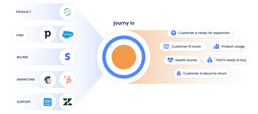
journy.io
Manage SaaS growth, users, and accounts via journy.io API.

Ometria Intelligence
Analyze customer data and retail marketing via Ometria — track contacts, orders, and segments directly from your AI agent.
You might also like

Apify
Command Apify scrapers from your AI agent — run actors, extract web data, poll datasets, and automate browser tasks seamlessly.

Tingyun / 听云
Leading APM and observability platform — manage applications, alerts, and performance metrics via AI.

Metronome
Automate usage-based billing via Metronome — ingest events, query usage data, and manage customer contracts directly from any AI agent.